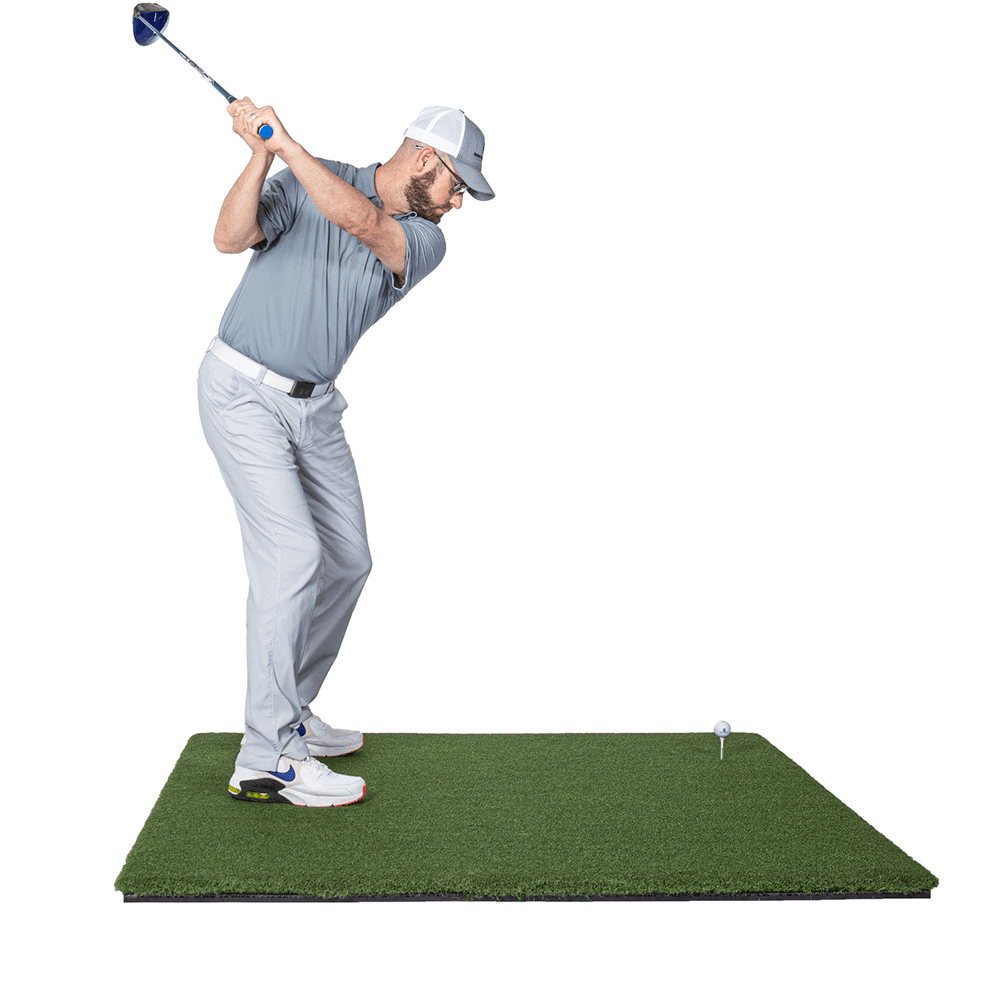
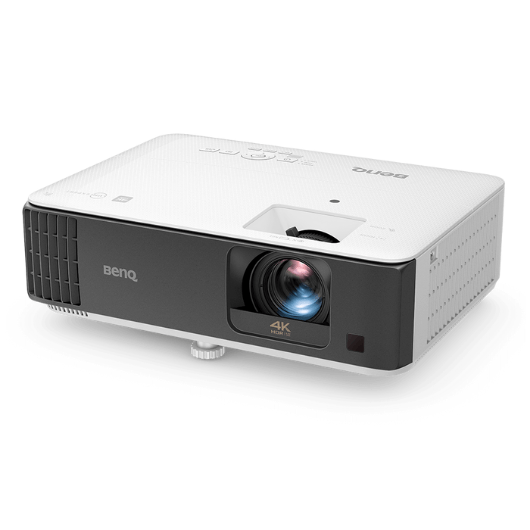
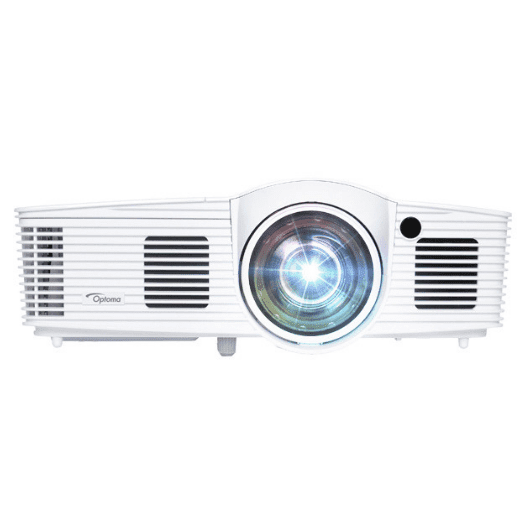
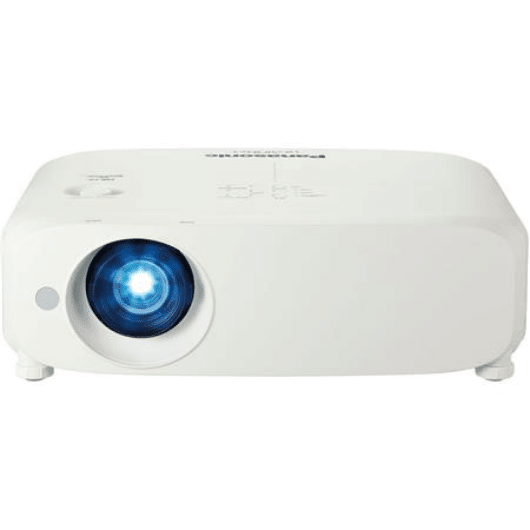
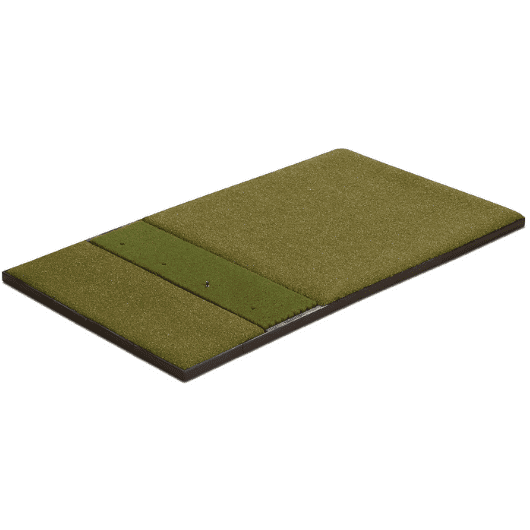
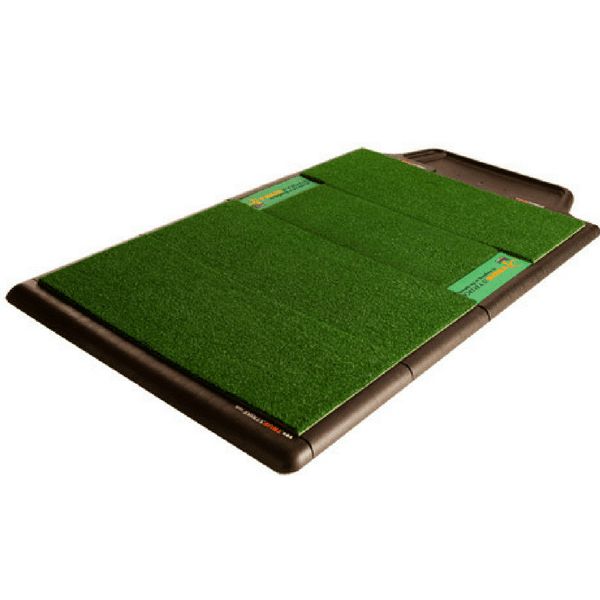
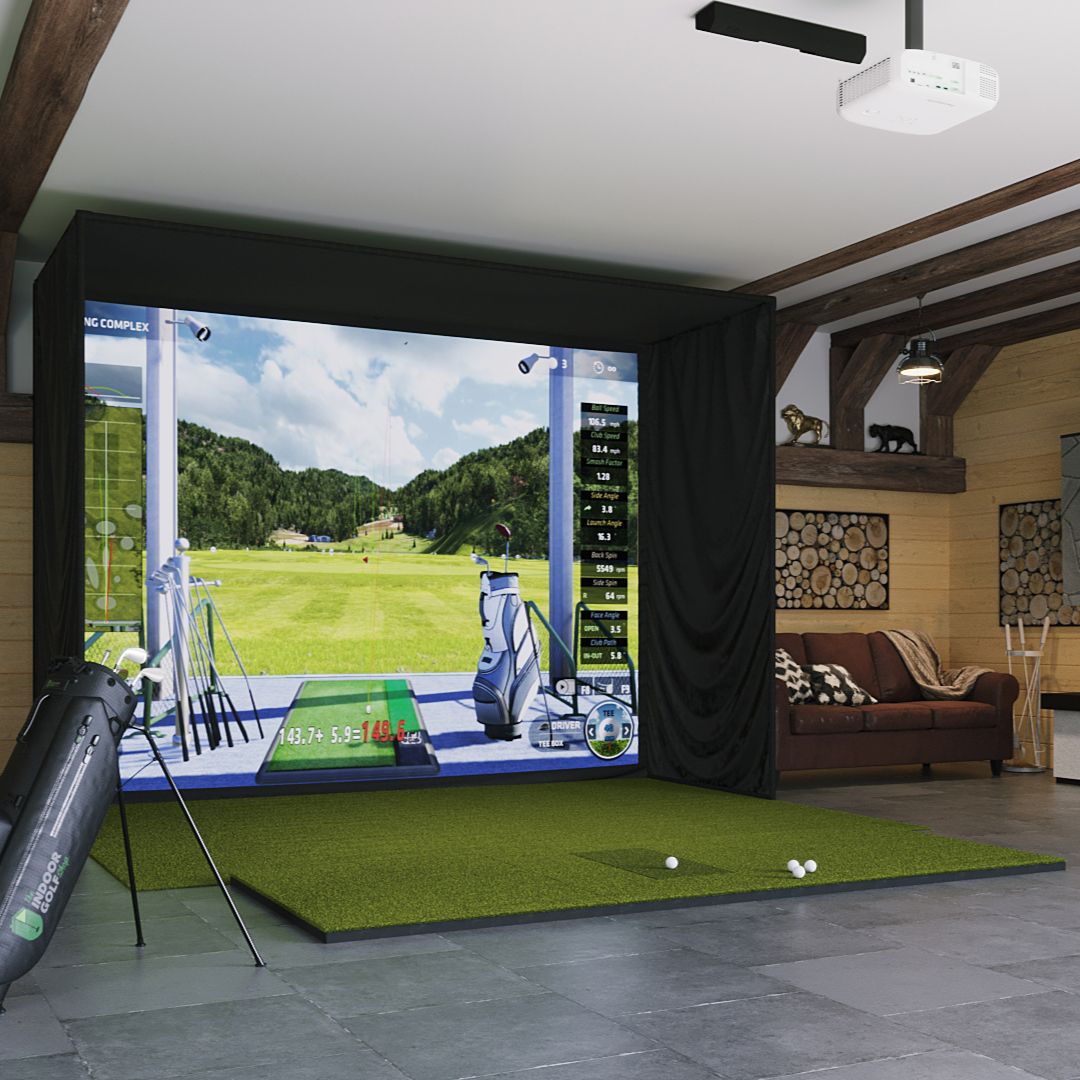
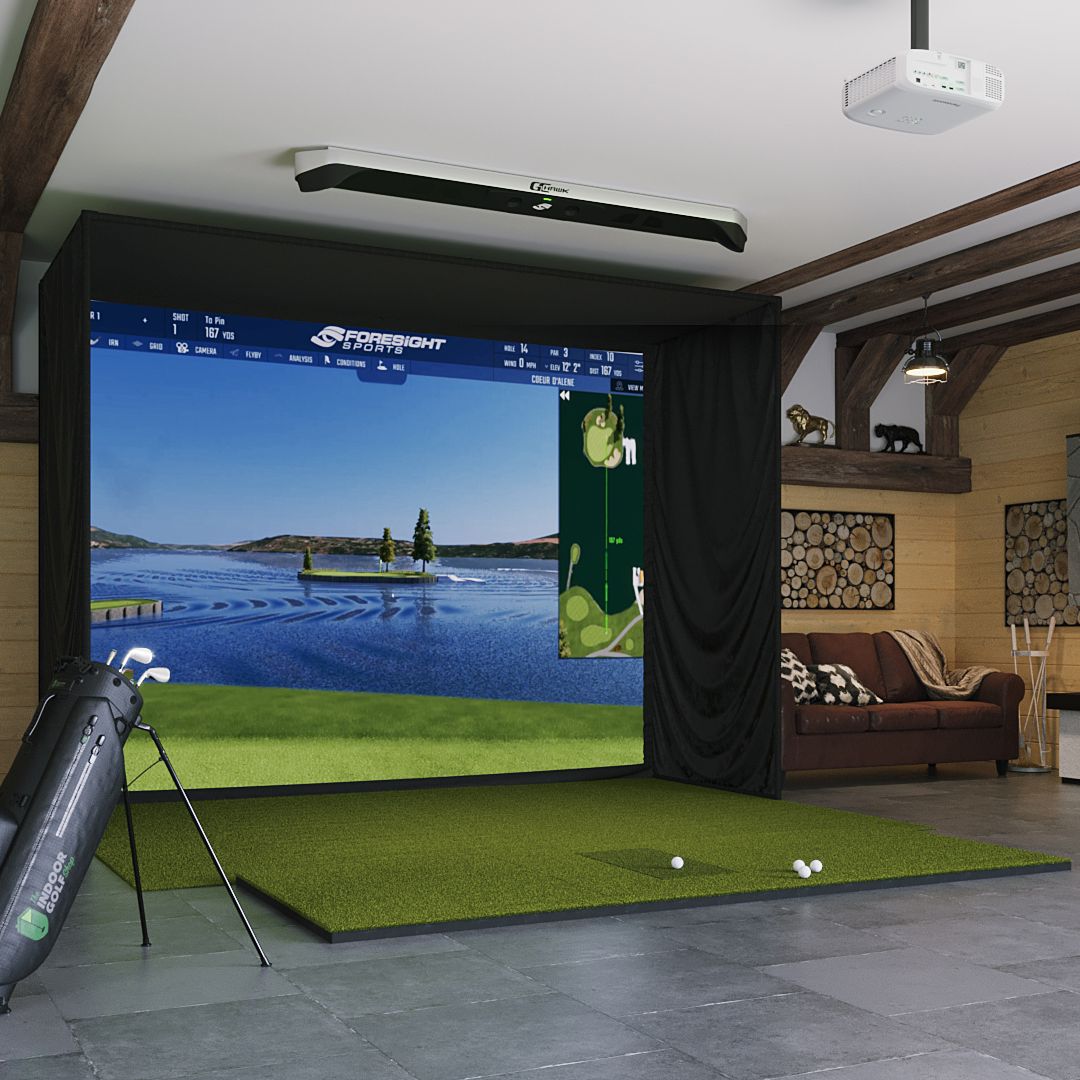
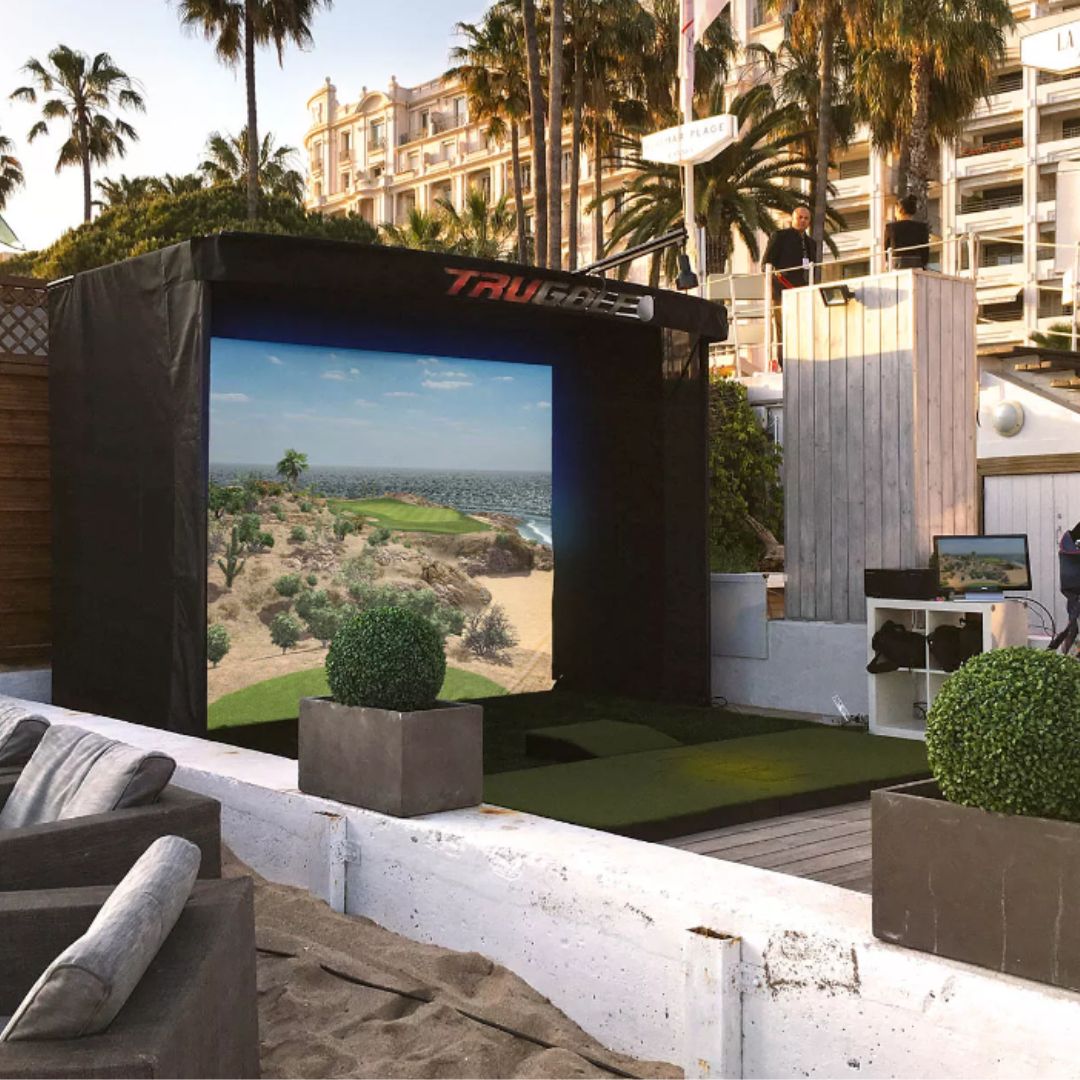
The True Strike Academy Golf Mat is designed for golfers who prioritize a central hitting position and offering an excellent hitting experience that minimizes joint pain. It is suitable for professional golfers and golf coaches, but it would also serve casual golfers well. However, it does come with a higher cost and may not fully replicate the feel of natural turf.
A friend has been using his golf mat for approximately two years and has occasionally complained about its impact on his joints, experiencing shocks during shots. Despite my attempts to persuade him to upgrade, he remained stubborn. However, he finally decided to make the switch with his new coaching job, and I was happy to assist.
After researching and testing various options, I settled on the True Strike Academy Golf Mat. I was particularly pleased with its joint-friendly feel and found it easy to assemble. The mat’s forgiveness, even on fat shots, impressed me, although I wished it were a bit wider, given its higher price. While the turf feel didn’t match some of the premium mats I’ve used, the overall performance of the golf mat was quite satisfactory.
For the rest of this article, I will delve into a comprehensive review of the features of the True Strike Academy Golf Mat. I will share insights on its performance based on testing, discuss the advantages of choosing this golf mat, and address any drawbacks. Stick with me; let’s get into it.
The True Strike Academy Golf Mat is meticulously designed to elevate your playing experience while minimizing the risk of joint pain. Below is a table outlining some of its key features:
The TrueStrike Golf Mat is designed to replicate the durability and responsiveness of real turf when you strike it, providing you with a practice experience that closely mimics playing on a fairway.
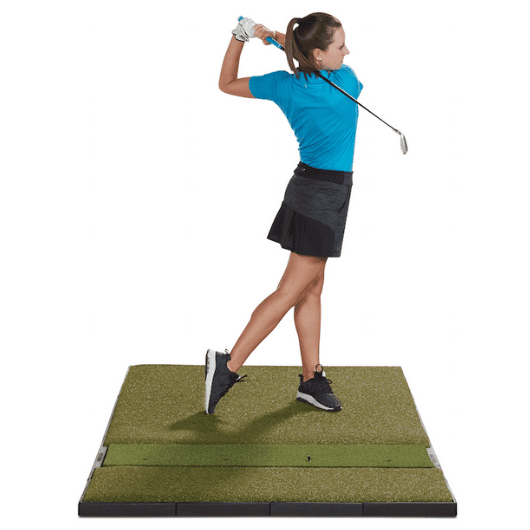
I liked its modular construction. This allowed me to customize the mat according to my specific needs.
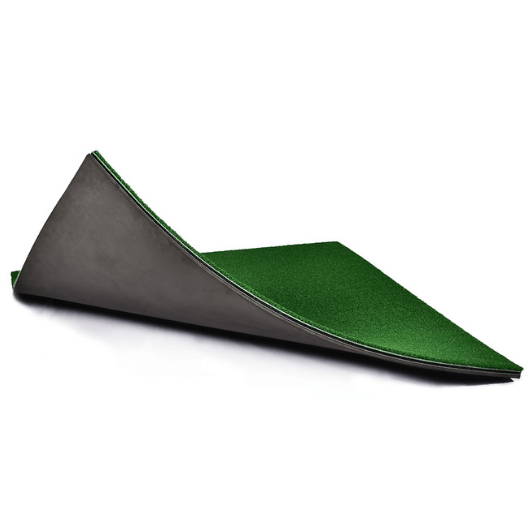
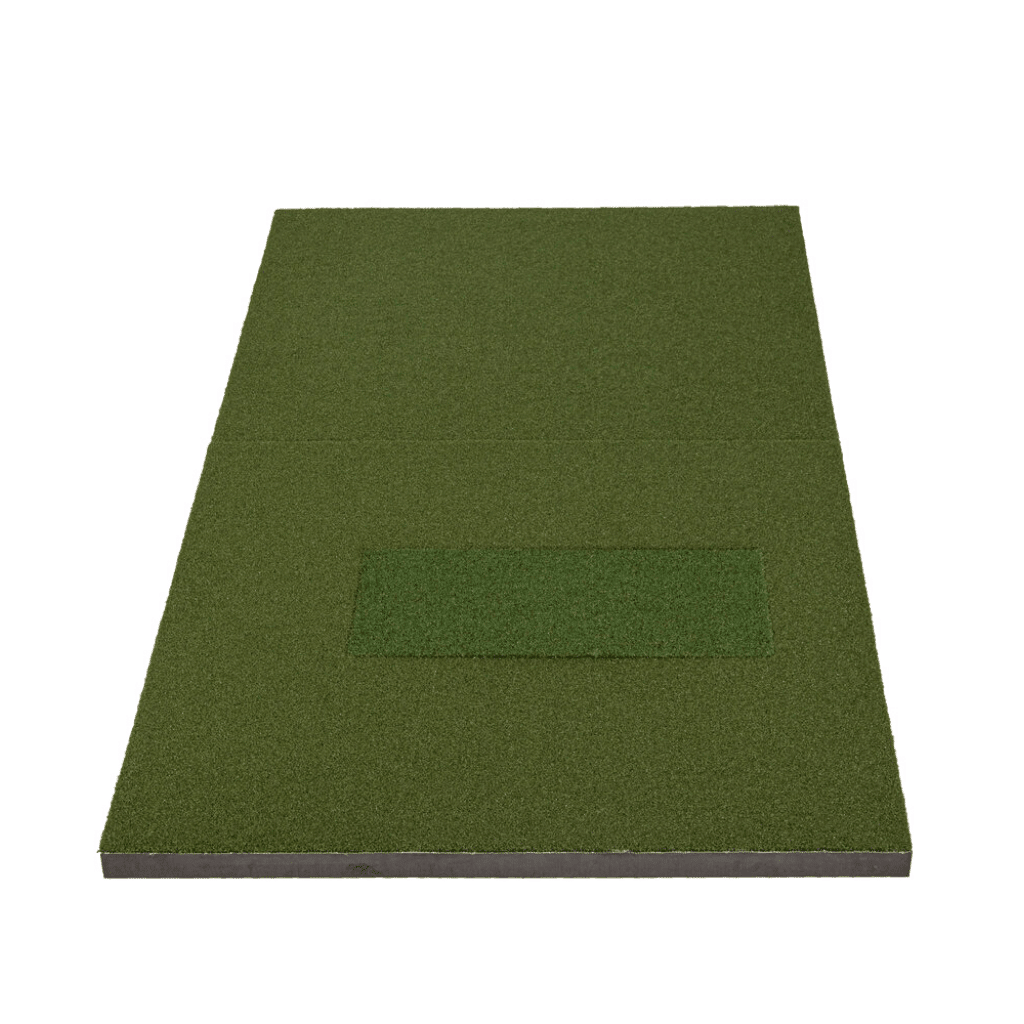
Another notable feature I appreciated was the “ruckable” top surface and a gel-filled divot-simulating subsurface. This innovative design accurately replicates the playing conditions of a natural fairway. The mat weighs 134 lbs, and its dimensions are 2″H x 52″L x 80″W.
Notably, the design incorporates a digit-simulating sub-surface that houses a nylon-armored polyurethane pillow with a closed-cell foam insert and silicone gel. This combination effectively recreates the sensation of taking a divot, allowing your club head to interact with the mat surface just as it would on real turf. This feature contributes to a more authentic and beneficial practice session as you aim to refine your skills and play like a professional on the grass.
Performance
I’ve got to say that the True Strike Academy Golf Mat is rock-solid, super easy to put together, and doesn’t budge an inch during use.
I tried it out with my trackman, and they were incredibly reliable and accurate, successfully replicating the sensation of hitting off real grass.
However, I must mention that the mat is a bit on the smaller side. Due to its limited space, I had to position my launch monitor off the mat.
For my garage setup, the True Strike mat is functional. I can consistently hit from the same spot and only need to replace the worn-out hitting section. It’s pretty forgiving on fat shots, especially when it sits on top of cement.
That said, while I find this mat pretty decent, I’ve used others that offer better performance and come at a lower cost. I expected more for the price; you might want to consider alternatives that give you more bang for your buck.
Pricing Value
Admittedly, the True Strike Academy Golf Mat is priced at$1,058 and is available at the indoor golf shop. While it delivers decent performance for the cost, there are better alternatives at a similar price point that would provide a more satisfactory experience. It’s worth exploring other options that offer superior value and performance within the same budget range.
What I liked
Minimizes joint pain during use
Simple setup process.
Provides forgiveness, especially on fat shots.
Modular sections can be easily replaced and customized.
Suitable for consistent practice in a garage.
What I didn’t like
Relatively expensive.
Does not match premium mats in feel.
The size was smaller than most alternatives.
Falls short of the natural turf feel provided by some premium mats.
Comparison with alternatives
This mat provides decent performance for me, but I wouldn’t go for it at this price. Better alternatives offer superior performance, such as the SIG Pro softy and the Fiberbuilt 4′ x 7′ Single-Sided Studio Golf Mat.
The Sigpro softy falls within the same price range and offers superior performance, making it a great alternative for professional and casual golfers. The Fiberbuilt Golf Mat, on the other hand, is a more expensive alternative but will offer great functionality and super easy on the joints. Here’s a look at the key features of these mats side by side:
GOLF MAT
True Strike Academy Golf Mat
SIGPRO Softy 4′x7′ Golf Mat
Fiberbuilt 4′ x 7′ Single-Sided Studio Golf Mat
SIGPRO 4′ x 10′ Golf Mat
Dimensions
52(L) x 80(W) x 2” (H)
4(L) x 7(W) x 2.5” (H)
4(L) x x 7′
4(L) x 10(W) x 2.5” (H)
Weight
134lbs
21lbs
31lbs
Price
$1,058
$899.99
$1,149
$1,099
Image
Product
Detail
Price
True Strike Academy Golf Mat
Tailored for golfers of all skill levels.
Best investment for those looking to elevate their iron game.
Closest simulation to swings off real grass for authentic practice experience.
What do I love most about this mat? It’s the ability to minimize those pesky joint pains. The forgiveness on those fat shots and the easy assembly, especially for my garage setup, were definite highlights. Yet, I found myself wishing for a bit more width for the cost it carries.
But here’s the truth: alternatives like the SIG Pro Softy and the Fiberbuilt 4′ x 7′ Single-Sided Studio Golf Mat showed up on the scene, offering a competitive game. The SIG Pro Softy, a bit lighter on the wallet, still delivers top-notch performance. I have come to love the SIGPro softy and would recommend it. The True Strike Academy just does not perform as well as the SIGPro softy.
The Fairway Series golf mat stands out for being a budget-friendly choice. Despite its affordability, it boasts sturdiness. However, it lacks the premium turf-like feel found in pricier alternatives and may not provide the same level of stability.
When I purchased my first golf mat, my primary consideration was affordability. Being uncertain about the key features to look for, I aimed to avoid spending a substantial amount on a golf mat, only to regret it later. After thorough research, I opted for the Fairway Series Golf Mat due to its budget-friendly nature. However, I encountered challenges as the mat proved notably unstable. It failed to provide the desired fairway-like feel and was not as easy on the joint as I hoped. Eventually, I had to invest in more expensive alternatives that delivered superior performance.
In the rest of this article, I’ll share key features and specifications of this golfing mat, more details of how it performed during testing, and discuss some pros and cons. Let’s begin.
Specifications
A prominent feature of this mat is its standout combination of price and size, making it compatible with even the most compact simulator setups. The mat is specifically designed to accommodate smaller spaces, and here are some of its key features.
GOLF MAT
Fairway Series Golf Mat
Dimensions
5(L) x 5(W) x 1.75” (H)
Weight
41lbs
Price
$549.99
Features
The Fairway series mat features a complete covering of tee-line turf designed to offer durability, softness, and a realistic feel. Comprising tee-line turf atop a foam base, the turf density is crafted to enable you to take shots without worrying about injuries.
Weighing 41 pounds and measuring 5 feet in length, 5 feet in width, and 1.75 inches in thickness, this mat is specifically crafted for small simulator setups. Its robust construction is intended to endure repeated hits, ensuring longevity and reliability for prolonged use.
Performance
In my attempt to assess the versatility of this mat for both right-handed and left-handed golfers, I sought a tee that could cover the entire width of the simulator. This led me to purchase two mats to create the desired tee box, to obtain the convenience offered by a single 5’x10′ mat. It was quite functional, although I wish the mat came in a larger size.
As for the mat’s build, it impressively holds up well for its price. However, I noticed that it falls short of providing the firm feel of hitting off a fairway. I also noticed it provided excessive softness, causing a noticeable shock to my hands upon impact with the mat. Comparing it to the Fiberbuilt mat at my local course, which doesn’t induce similar issues, I advise against standing on the Fairway Series due to its squishy and unstable nature.
I believe there’s still a lot of improvement on this mat, and I recommend exploring the SIGPRO series as an alternative. Although the Fairway Series golf mat may be a reasonable choice if you are on a budget, it does not offer the same joint-friendly experience as the SIGPRO Softy.
Pricing value
This golf mat is affordable and priced at$549.99 at the indoor golf shop. I would suggest considering this mat if you’re on a budget and need a compact option, especially if you’re new to using golf mats.
However, if you’re looking for superior performance and can allocate a slightly higher budget, I strongly recommend opting for the SIGPro Softy. While it may come with a higher price tag, the SIGPro Softy offers exceptional functionality, ensuring that the additional investment translates into great value for your golfing experience.
Comparison with other alternatives
While this mat is an affordable option based on my experience, it may not deliver the optimal playing experience if you’re keen on maximizing your golfing mat experience. In that case, I suggest considering pricier alternatives that excel in both performance, such as the SIGpro Softy, and realistic turf feel, like the Truestrike Academy Golf Mat. Let’s compare the features of these mats side by side.
GOLF MAT
SIGPRO Softy 4′x7′ Golf Mat
Fairway Series Golf Mat
Truestrike Academy Golf Mat
Dimensions
4(L) x 7(W) x 2.5” (H)
5(L) x 5(W) x 1.75” (H)
52(L) x 80(W) x 2(H)
Weight
21lbs
41lbs
134lbs
Price
$899.99
$549.99
$1,058
Pros and cons
One major advantage of this mat is that it’s an economical option. However, it does have a few downsides associated with it. Let’s look at some pros and cons:
What I liked:
Despite its affordability, the mat exhibits commendable sturdiness.
Specifically designed for compatibility with small simulator setups.
A reasonable choice, especially if you are on a budget, especially for newcomers to golf mats.
What I didn’t like:
Does not provide the premium turf-like feel found in more expensive alternatives.
May exhibit instability, affecting the overall playing experience.
The mat’s excessive softness can result in a noticeable shock to the hands upon impact.
It falls short in delivering the firm feel of hitting off a fairway.
Final thoughts
The Fairway series provides an affordable entry point, but it comes with some trade-offs, such as a lack of premium turf feel and potential stability issues.
I recommend going for a mat that offers good performance and a more realistic experience, but you must allocate a higher budget to get better value.
This premium golf mat offers exceptional durability and effective injury-prevention features. Specifically engineered to mitigate turf shock, it safeguards your joints during use. This mat is an excellent selection if your primary consideration is injury prevention. However, it is worth noting that its outstanding features come at a steep price, making it a luxurious but pricey option.
I utilize the SIGPro Softy with my simulator and find it highly functional—a choice I truly enjoy. My dad, on the other hand, struggles with joint pains, and his current golf mat worsens the issue. I took it upon myself to extensively research a mat to alleviate his discomfort. After careful consideration and testing, I decided on the Fiberbuilt Golf Mat. Its impressive durability and superior construction quality caught my attention. Notably, it reduces club bounce off the turf, resulting in a smoother experience. Despite its significant drawback of being above my budget, it successfully met the crucial requirement of addressing my father’s needs.
In the rest of this article, I will review the key features of this article and share how it performed during testing. Additionally, I’ll highlight the advantages associated with this mat while identifying areas with room for improvement. Let’s dig in.
Crafted to deliver unparalleled durability, the Fiberbuilt 4′ x 7′ Single-Sided Studio Golf Mat is one of the most durable options. Let’s delve into some key features that set this mat apart.
GOLF MAT
Fiberbuilt 4′ x 7′ Single-Sided Studio Golf Mat
Dimensions
4(L) x x 7′
Weight
142 lbs
Price
$1,149
Features
This mat has a single-sided design, which means you can use it on one side for a while before you need to rotate it. The turf prevents clubs from bouncing off, lowering the injury risk. Engineered for durability, the fibreglass grass is crafted to endure over 300,000 swings.
This mat is constructed from proprietary nylon-fiber grass and features a robust foundation, ensuring lasting quality. Notably, it includes a 2-foot spacer panel strategically marked for optimal placement of a ball tray or my Skytrak launch monitor.
Performance
This golf mat is built with a sturdy base and turf, ensuring it stays firmly in place without any shifting during my practice sessions. I appreciate the quality of the hitting surface, and when I dig my club into it, the slowdown in momentum gives a lifelike feel, as if I’m hitting off real grass. Assembling it was a breeze, and the mat’s substantial weight prevented any unwanted movement during my games.
It also provided comfort and made each shot easy on my arms and wrists. The secure footing and firm grass attachment make for a stable experience, even when I put power into my swings. While it does replicate the feel of real golf, I have found that alternatives like the SIGPro Softy offer a better experience in this area.
The mat’s hitting zone is generous, approximately 4×5 inches, giving me plenty of space for different shots. Its weight, exceeding 50 pounds, definitely adds to its stability. Using EPS pods beneath the stance mat adds cushioning, but moving it without dislodging the inserts is challenging due to its weight.
I’d recommend this mat if you prioritize injury prevention; however, it comes at a higher cost. If budget concerns you, there are some great-performing, more affordable options you can go for.
Pricing value
This mat is costly, priced at $1,149, and available at the indoor golf shop. While it does offer a lot of durability and functionality, I would only recommend it if you prioritize injury prevention. If not, I would recommend the SIGPro golf mat; these mats are less expensive, provide a great feel, and offer great performance.
Fiberbuilt 4′ x 7′ Single-Sided Studio Golf Mat
$1,149
No club bounces off the turf, reducing the risk of injury.
Allows golfers to swing down and through with irons for pure ball contact.
It provides the truest feel of the fairway.
Specifically engineered for durability.
It withstands over 300,000 swings before showing any wear.
While this mat offers exceptional durability, it’s costly. There are cheaper alternatives that offer great functionality and will serve you well. The SIGPro Softy 4’ x 7’ golf mat and Fairway Series golf mat are good and more affordable alternatives. The SIGPro 4’ x 7’ offers exceptional turf feel, durability, and a lower price, making it a great alternative if you are on a budget.
GOLF MAT
Fiberbuilt 4′ x 7′ Single-Sided Studio Golf Mat
SIGPRO Softy 4′x7′ Golf Mat
Fairway Series Golf Mat
Dimensions
4(L) x x 7′
4 (L) x 7 (W) x 2.5” (H)
5 (L) x 5 (W) x 1.75” (H)
Weight
142 lbs
21lbs
41lbs
Price
$1,149
$899.99
$549.99
Pros and cons
This golf mat has numerous benefits, but I also noticed some drawbacks while testing it. Let’s take a look at some of these drawbacks.
What I liked:
Provides reliable and accurate results, especially when paired with launch monitors.
Highly durable, making it a robust and long-term investment.
It is designed to prevent injuries, making it a safer choice during practice.
What I didn’t like:
It comes with a high price tag, making it a more expensive option.
The turf feel is not as realistic as some alternatives.
Final thoughts
The Fiberbuilt 4′ x 7′ Single-Sided Studio Golf Mat is a premium choice, especially if you are a serious golfer seeking a mat that excels in durability and injury prevention. Although this mat comes with a premium price tag, if these are your priorities, then this mat will serve you well.
If you are on a budget and prefer a mat that offers a realistic feel and good performance, you should go for alternatives within your budget without sacrificing quality.
The SIGPro Softy golf mat, designed by IndoorGolfShop.com, is a high-quality mat known for its exceptional performance. Available in two models, the 4′ x 7′ and 4’ x 10′, it replicates the feel of hitting on a fairway, offers durability, and provides a comfortable joint experience. Despite being somewhat expensive, its functionality makes it a worthwhile investment.
A buddy of mine has been complaining about his golf mat hurting his joints when he plays, and it has been very worn out, so he sought advice on a functional replacement. After researching, I found positive reviews for the SIGPro Softy golf mat and decided to try it. The turf feel was excellent, resembling a real fairway, and I experienced no joint pain upon impact. It is a highly functional mat because of its durability and feedback on good and bad shots. While it’s pricier than some alternatives, it’s a worthwhile investment for its functionality.
In the rest of this article, I will delve into a comprehensive review of the SIGPro Softy golf mat. This will include examining its key features, providing a detailed account of its performance during testing, and exploring the advantages and drawbacks observed in the testing process. Let’s go.
These mats are crafted from materials that offer exceptional durability, a lifelike turf feel, and impressive quality. Below is a table highlighting the key features that set the SIGPro softy mat apart from other alternatives on the market:
GOLF MAT
SIGPRO Softy 4′x7′ Golf Mat
SIGPRO 4′ x 10′ Golf Mat
Dimensions
4 (L) x 7 (W) x 2.5” (H)
4 (L) x 10 (W) x 2.5” (H)
Weight
21lbs
31lbs
Price
$899.99
$1,099
Features
These mats have three compression slots on the underside, serving as release valves. This innovative design allows the turf to compress upon impact, with the air pressure dissipating, resulting in a realistic and smooth follow-through for golfers, eliminating sharp vibrations.
Crafted with a thin layer of responsive ABS polyurethane, these mats facilitate flex action upon impact, returning the turf to its original shape. This enhances durability and ensures a longer lifespan for the carpet.
Featuring a plush 1-inch-thick Teeline turf, these mats replicate the feel of real grass, providing 100% accurate feedback for successful shots and mishits. A notable feature is the replaceable hitting strip, which offers a cost-effective solution for worn-out strips without needing to replace the entire mat.
These mats include hitting strips specifically crafted to simulate the lifelike feel of turf. Additionally, with a thickness of 23/8″, they surpass the thickness of most other golf mats.
Performance
I’ve found that the hitting surface on this mat is noticeably softer compared to other options I’ve used, providing a joint-friendly experience without sacrificing ball speed or spin. One thing to consider is that it’s thicker than other mats on the market, which could be a challenge if you have limited space, particularly in terms of height for swinging longer clubs. Luckily, I have a spacious garage, so it wasn’t an issue.
I enjoy the feel of the softness. It’s forgiving and pairs well with launch monitors that flush with the hitting area. The design, aimed at replicating the feel of hitting off the soft ground, reduces impact force and bounce. It gives me accurate feedback on fat shots, like hitting off a real grass fairway, helping me improve my ball striking. Using real tees with the Softy is a big plus, especially with the ability to adjust tee height.
While the price is higher than most alternatives, I’m confident in its joint-friendly benefits and durability. I can use conventional tees with my driver, which is a significant advantage. I have it in my garage, and the extra foot on the far side for setting up the launch monitor is a nice touch.
Moving the mat is a breeze, and I no longer experience sore hands, wrists, and shoulders even after hitting many balls. This is crucial for my garage sim setup, which I must assemble regularly. The mat’s balance between forgiveness and feedback on fat shots is impressive.
However, I observed a minor issue while testing the SIGPro 4′ x 7′. The Softy insert seemed more suited to right-handed golfers. A left-handed friend tried it out, and the insert’s placement was less than ideal for him. It’s still usable, but the hitting area for a lefty is noticeably reduced. The SIGPro 4′ x 10′ is better suited for right- and left-handed players.
Another disappointment I encountered was in its placement and the underutilization of the SIGPro 4’x7′ mat. The insert could have been wider and positioned towards the end of the carpet for better comfort and longevity. I often find myself standing on the adjoining seam, which is inconvenient.
The SIGPro is still a functional mat, despite its slightly more expensive cost. I would recommend this mat to anyone looking to purchase a new golf mat, especially if they prioritize a comfortable hitting area.
Indeed, the SIGPro Softy mats come with a higher price tag than other alternatives. The SIGPro 4′ x 10′ is priced at $899.99 at the indoor golf shop, and the SIGPro 4′ x 7′ is sold at $1,099. However, despite the initial investment, these mats offer outstanding performance and durability, ensuring you’ll hit them for a long time and ultimately get your money’s worth.
The SIGPro Softy gives a real fairway feel when I’m hitting shots.
This mat is high quality and will last a long time.
The surface is soft, so it doesn’t hurt my joints when I hit the ball.
The hitting strips are replaceable.
What I didn’t like:
It’s a bit pricey compared to some other mats.
If you’re left-handed, the SIGPro 4′ x 7’ golf mat might not be as comfortable.
The thickness might be problematic if you don’t have much space, especially with longer clubs.
Comparison with other alternatives
While the SIGPro Softy undoubtedly delivers exceptional performance, it may not be the most budget-friendly option. If you are on a tight budget, there are more affordable alternatives you can consider. Two options include the Fairway Series Golf Mat and the TrueStrike Single Golf Mat. However, the TrueStrike Single Golf Mat is a lot larger and would not be a suitable alternative if you have limited space. Below is a table outlining some key features of these mats side by side so you can get an overview of what each has to offer:
GOLF MAT
SIGPRO Softy 4′x7′ Golf Mat
SIGPRO 4′ x 10′ Golf Mat
Fairway Series Golf Mat
TrueStrike Single Golf Mat
Dimensions
4 (L) x 7 (W) x 2.5” (H)
4 (L) x 10 (W) x 2.5” (H)
5 (L) x 5 (W) x 1.75” (H)
52” (L) x 77” (w) x 2” (H)
Weight
21lbs
31lbs
41lbs
112lbs
Price
$899.99
$1,099
$549.99
$968
Final thoughts
Finally, the SIGPro Softy golf mat has proven to be a top-tier choice if you are seeking a realistic and comfortable hitting experience. Its exceptional feel, durability, and joint-friendly design stand out, providing accurate feedback for skill improvement. While the price may be on the higher side, the investment seems justified for the quality and longevity it offers.
This high-end launch monitor provides enhanced accuracy and detailed ball and club data, making it valuable for refining and improving your swing technique. It stands out as one of the more cost-effective options on the market. However, you must pay an annual subscription fee to upgrade the software package and unlock its features.
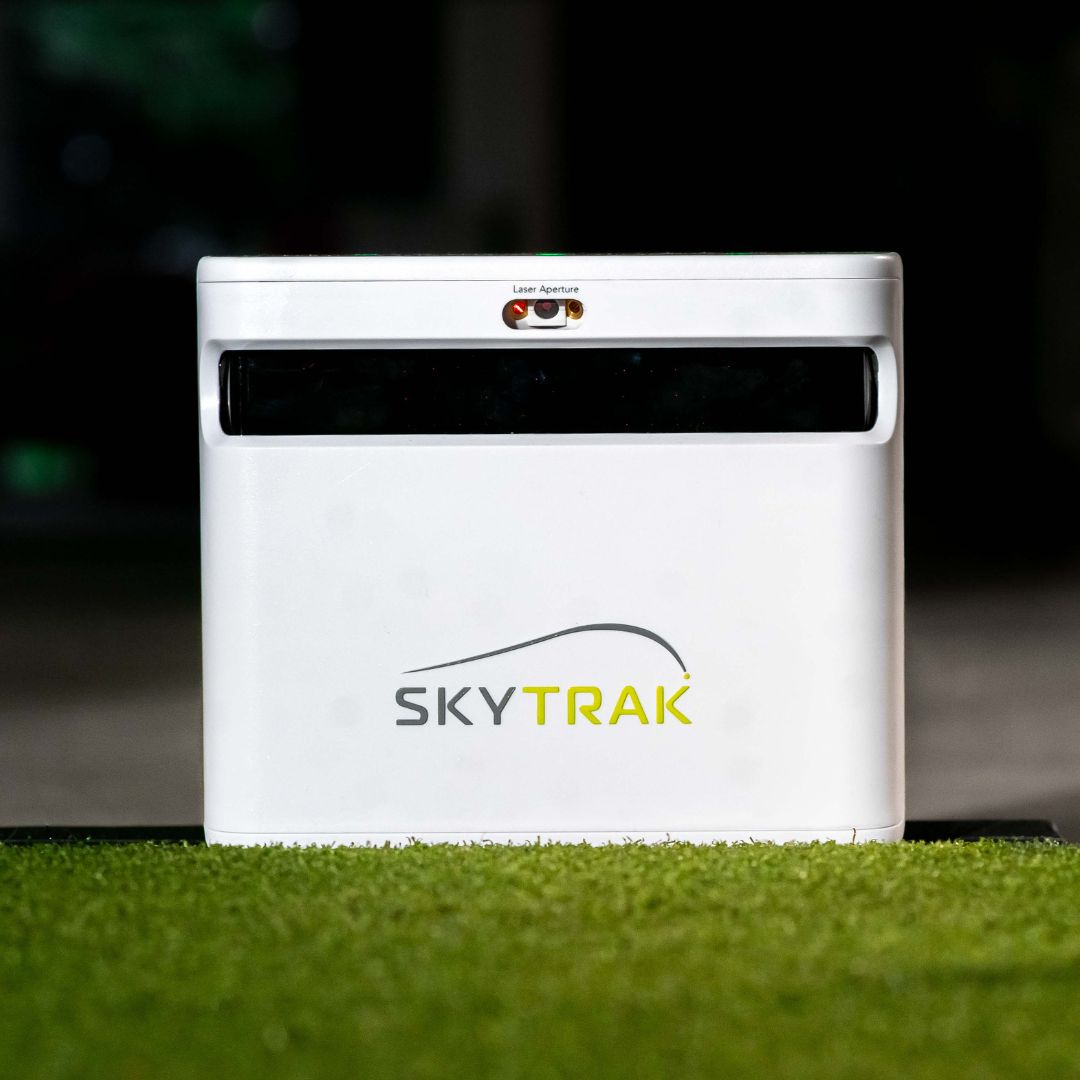
I’ve utilized the Skytrak launch monitor and found it quite functional. However, a significant drawback was its limitation to providing only ball data. With the release of the Skytrak+, rumoured as an improved version, I was intrigued to see if it lived up to the hype.
Fortunately, I was impressed with its accuracy, and the addition of comprehensive ball and club data proved immensely valuable in refining my shots. It also stands out as a more affordable, high-end launch monitor, making it suitable for tight budgets. One notable downside, though, is the requirement of a subscription plan to access the full range of its premium features and courses.
In the rest of this article, I will review the key features that make the Skytrak+ launch monitor stand out, share how it performed during testing, and discuss some of the benefits and drawbacks associated with this launch monitor.
Skytrak + Launch Monitor
$2,695
Accuracy and Reliability
Ease of Setup and Portability:
Extensive Software Features and Simulation Capabilities
This launch monitor is designed to deliver exceptionally accurate and precise club and ball data. The following table highlights the key features that distinguish this launch monitor:
Dimensions
5″x 6″x 12″
Weight
1 pounds
Technology
Dual Doppler radar and photometric camera system,
Battery Life
5-7 hours
Compatibility
Apple and Android via App and PC
Ball data collected
Ball speed, launch angle, carry distance, total distance, back spin, side spin, total spin, side angle, max height, and descent angle
Club data collected
Clubhead speed, club path, face-to-path, face-to-target
First impression
The packaging was right, lacking any extravagant elements. However, the construction exhibited sturdiness, and the unit felt very durable. Despite its compact size, it felt heavier than the original Skytrak but remained less bulky than the Bushnell Launch Pro. The package also included:
SkyTrak Software
Charger
Quick Start Guide and User Manual
Power cables and bricks
Setting up
Setting up the launch monitor was quite straightforward and took me around 30 minutes. The process involved downloading the iOS and PC apps, ensuring the firmware was up-to-date, creating a Skytrak account, and connecting to the internet.
While setting it up, I noticed three lights indicating different statuses, including the power, Wi-Fi, and status lights. These lights change based on the mode the launch monitor is in. Whether using it with a PC or a launch monitor, I didn’t encounter any significant issues during the setup.
The SkyTrak+ offers three modes to connect to your chosen device:
USB Mode: Involves a direct wired connection between the SkyTrak+ and your device.
Direct Mode: This involves a wireless connection utilizing the built-in Wi-Fi connection in the SkyTrak+. Although internet access is restricted, communication between the launch monitor and the device occurs wirelessly.
Network Mode: Allows an internet connection, enabling simultaneous internet use on your device while connected to the SkyTrak+. This mode is preferred for real-time data synchronization with the software. However, it may only be suitable in locations with internet access, such as a driving range.
I recommend you opt for Network Mode; it is very functional and offers an advantage that allows the data to sync with the software in real-time.
Here are some notable distinctions between Skytrak and Skytrak+:
Increased Hitting Area: Skytrak+ offers approximately 40% more significant hitting area, providing golfers greater flexibility to capture a full range of shots.
Enhanced Processor: Skytrak+ features a new onboard processor, resulting in faster shot-to-show capability. It also ensures easy and secure connectivity to various PCs and mobile devices.
5GHz Wi-Fi: Skytrak+ has added 5GHz Wi-Fi capabilities, delivering faster and more stable connectivity than its predecessor.
USB Type C Charging: The Skytrak+ introduces USB Type C charging options, offering port stability and rapid charging for convenience.
No Special Balls: Unlike some other launch monitors, neither Skytrak nor Skytrak+ require special balls.
No Club Stickers: There is no need for club stickers when using either Skytrak or Skytrak+, simplifying the setup process.
Once set up, the launch monitor was ready for use.
Hitting areas and positioning
Skytrak + Launch Monitor
$2,695
Accuracy and Reliability
Ease of Setup and Portability:
Extensive Software Features and Simulation Capabilities
Setting up the launch monitor indoors, I recommend having a solid hitting mat and either a net or a screen/enclosure setup with a projector. I took out my longest club, the driver, ensuring I had enough clearance for a full swing.
Checking the spatial requirements dictated by my setup, I ensured at least 9 feet of ceiling height, 10 feet of width, and 12 feet of depth indoors. My Skytrak+ unit was positioned in front of me with the front lens facing perpendicular to the target line, and I used alignment sticks for verification.
Being a right-handed golfer, I placed the unit on the right side, ensuring the bottom was level with the hitting surface. Despite the 40% larger hitting area, precision in ball placement on the designated dot remained crucial for accurate measurements. One notable difference was that the Skytrak+ sat a bit farther away from the hitting zone than the original Skytrak, providing a more spacious and comfortable setup.
Technology and software
The SkyTrak+ brings a notable upgrade with its dual Doppler radar and improved photometric camera system, providing precise ball and club for every swing you take. Here’s a key point: this monitor offers driving range functionality without needing an annual subscription, providing essential ball and club data. However, you’ll need to pay a yearly subscription to unlock additional game-improvement features.
SkyTrak+ works with six third-party simulator software packages, including TruGolf E6 Connect, the Golf Club 2019, WGT by TopGolf, Creative Golf, Fitness Golf, and ProTee Play. Offering flexibility, the SkyTrak+ includes three software options: Basic Software (free), Game Improvement ($129.95 annually), and Play & Improve ($249.95 annually), each catering to different preferences and skill levels.
You can still access the practice mode without a subscription, but a subscription is necessary for a complete experience with advanced features. If you’re focused on accurate shot data and minimal features, you can use the monitor for free without any upgrades. However, I recommend upgrading if you seek advanced modes and simulator integration.
Performance
I compared the Skytrak+ with the Bushnell Launch Pro, and the ST+ impressively aligned data across various clubs, from wedges to drivers. However, out of approximately 200 shots, it missed reading about 10 to 12 shots, which could be a limitation, especially when used outdoors. The ball speed and launch angle appeared to be the most accurate, while club data, though slightly less accurate, remains commendable for a unit in this price range.
One feature that stands out is the Shot Optimizer, which provides a detailed analysis of club and ball data while comparing it to optimal launch conditions. The color-coded display (red, yellow, or green) offers a visual cue on how closely your numbers align with those of professional players.
I took the launch monitor to the course to try it out, and it yielded consistently reliable results, capturing every shot effectively. The 40% larger hitting area than the Skytrak model made ball placement less finicky.
For simulation purposes, I noticed that the ST+ may have limitations in chipping, and the provided software lacks putting features. Club data accuracy can sometimes be questionable, affecting its reliability for game improvement.
Two notable observations came to light during my testing of this launch monitor. Firstly, it is specifically designed for use with hitting mats, limiting its suitability for other surfaces. Additionally, there is an approximate 2-second lag between the shot’s impact and the shot’s visualization on the screen. While the lag time was not a significant concern for me, it’s essential to be aware of this aspect, especially for you to prioritize real-time feedback.
The SkyTrak+ has consistently demonstrated impressive accuracy in its performance metrics. Ball speed stands out as the most reliable of the data it provides, with launch angle coming in second. While there is a slight dip in accuracy regarding club data, it remains functional, considering the unit’s price point.
I’ve noticed that the club data is more accurate, especially with short irons and wedges. The spin readings are a standout feature, showing excellence by differing from the X3 by a minimal margin of about 100–150 RPMs. What truly impresses me is the precision of these measurements and the unit’s reliability in capturing spin and club data without additional stickers or special balls.
A buddy of mine who is a casual golfer with a handicap of around 16 tried this launch monitor out and found the SkyTrak+ functional, which has helped improve his game. It’s particularly suitable if you seek a tool to enhance your shots, offering impressive performance within its price range. Overall, it is a more affordable option for the indoor golf shop, providing valuable insights for refining swings without breaking the bank.
Price Value
This particular launch monitor presents a more budget-friendly alternative priced at $2,695 and can be found in the indoor golf shop. Within its price range, it delivers impressive performance, making it an attractive option for casual golfers looking for valuable insights to enhance their swings. Whether you’re a beginner or a recreational golfer, this affordable option provides a practical tool for improving your game without breaking the bank.
Comparison with other alternatives
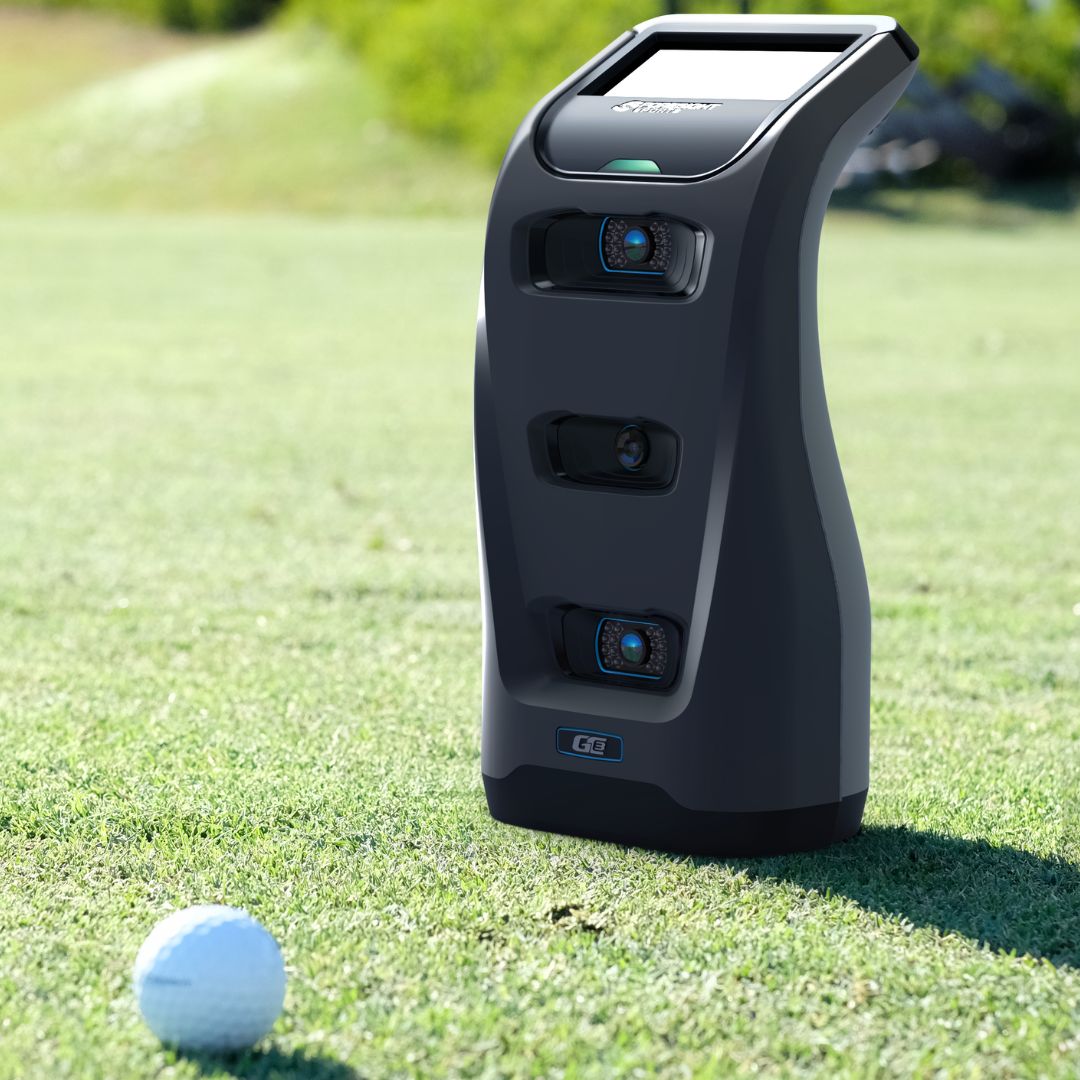
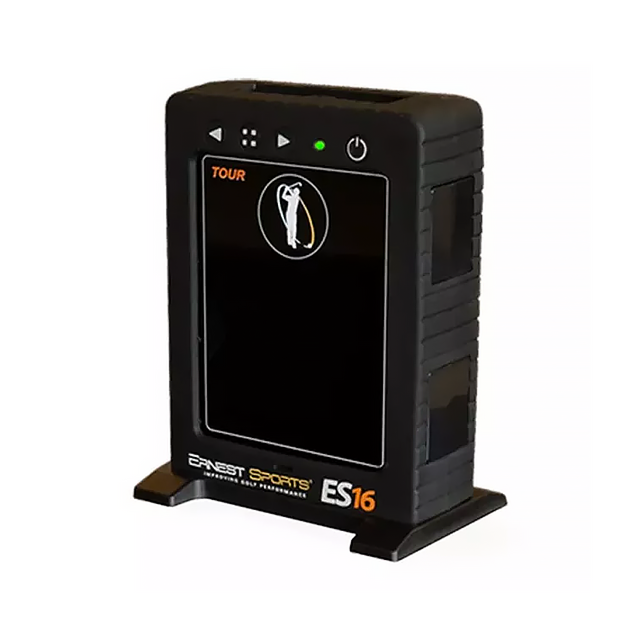
The launch monitor is notable for its affordability and provides highly accurate data metrics that can significantly improve your golf game. However, it comes with limited features unless you upgrade the software. If you’re a professional golfer or a coach looking for advanced features without a subscription fee, there are alternative options worth considering. One such alternative is the Foresight G3, which, despite being more expensive, offers a range of impressive features. Another more affordable option is the ES Tour Plus. To make an informed comparison, let’s examine these alternatives side by side.
Feature
Skytrak + launch monitor
Foresight Sport GC3
ES Tour Plus
Data Captured
ball speed, launch angle, carry distance, total distance, back spin, side spin, total spin, side angle, max height, descent angle clubhead speed, club path, face-to-path, face-to-target
Ball speed, launch angle, side angle, total spin, backspin, spin axis, side spin, club head speed, smash factor, club path, angle of attack
Launch Angle, Ball Speed, Spin Rate, Spin Axis, Height, Hang Time, Landing Angle, and Carry Distance. Roll Distance. Total Distance, Clubhead Speed. Smash Factor, Angle of Attack, Spin Loft, Face Angle, Club Path, Dynamic Loft
Price
$2,695
$6,999
$1,995
Simulation features
Yes
Yes
Yes
Portability
Moderate
moderate
High
Build Quality
Robust
Robust
High
Realtime feedback
Yes
Yes
Yes
Software compatibility
Yes
Yes
Yes
Image
Product
Detail
Price
Skytrak + launch monitor
Major improvements in core technology.
Introduces a dual Doppler radar system for unmatched accuracy.
This launch monitor excels in performance but could be better. Let’s look at some of the pros and cons of this launch monitor.
What I liked:
Affordability with impressive performance.
Accurate ball and club data is needed for swing improvement.
What I didn’t like:
Subscriptions are needed for premium features.
Challenges with capturing shots off natural grass.
Limited simulation features compared to higher-end models.
Final thoughts
The SkyTrak+ Launch Monitor is commendable if you seek accurate and detailed ball and club data to refine your swing techniques. While its affordability makes it an attractive option, you should be mindful of the need for a subscription to unlock advanced features.
The subscription fee is about $200, granting you access to all its features. However, if you are a casual golfer interested in only accessing data to improve your swings, you can use the launch monitor for free without upgrading. But if you are a serious golfer or golfing coach, I recommend going for more expensive alternatives with more advanced features better suited to your skill level.
The best golf simulator impact screen should have features like minimal ball bounce back, effective noise reduction, excellent durability, a size that fits your space, and, of course, within your budget.
I acquired the SIGPROTM Premium Golf Simulator Impact Screen earlier this year. After five months of consistent use, I can confidently affirm that it is the top choice among golf simulator impact screens. Its remarkable durability and straightforward installation process have impressed me. What pleasantly surprised me the most was its minimal noise during use; the sound of the ball hitting the screen is notably quieter than the impact on the ball itself.
The low bounceback feature and high-quality materials further contribute to its excellence. Compatible with my projector, it delivers clear and crisp images. While it may have been a bit pricey, I find it worth every penny. Before settling on this screen, I experimented with several others and ranked them based on their standout performances during my testing phase.
In the rest of this article, I will delve into a comprehensive review of the distinctive features that set these impact screens apart as the best in the market. I’ll share insights into their performance during testing, discuss the advantages they offer, and highlight any drawbacks associated with each. Let’s begin!
Specification Comparison
These impact screens feature high-quality materials, ensuring both durability and performance. Here’s a brief overview, presenting their key specifications for a quick comparison.
This is one of the best impact screens currently available. It can endure ball speeds reaching 250 mph. Its remarkable durability results from being crafted from high-quality materials that effectively absorb the impact of golf balls. Another notable feature is its ability to reduce the noise from ball contact significantly. Exclusive to the indoor golf shop, it offers a range of sizes, extending up to 10′ x 10′. While it may not be the most economical option, its exceptional performance ensures you get significant value for your investment.
Features
Constructed from thick and smooth fabric, this impact screen features two heavy-duty, tightly woven surfaces of impact-resistant polyester. These surfaces encapsulate vertical spacer yarns, forming a unique three-layered structure. This design effectively absorbs much of the impact, resulting in minimal ball bounceback.
The material also ensures a clear and realistic ball flight, guaranteeing the projected image is sharp and bright. The vertical spacers act as a “cushion,” dampening the noise emitted when your golf ball impacts the screen.
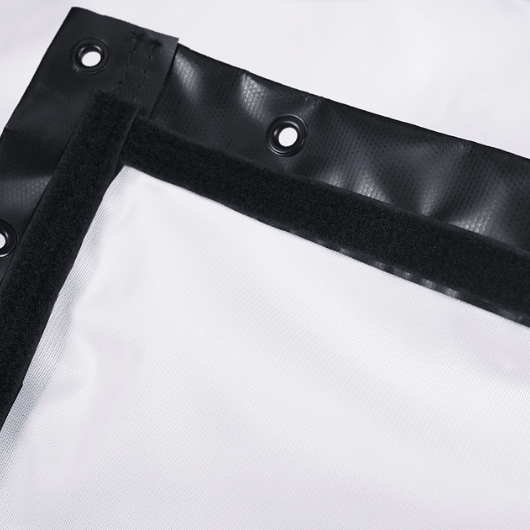
This impact screen is equipped with double-stitched black vinyl edges and grommets. It comes in various sizes, is suitable for rooms of different dimensions, and can be customized to meet your requirements.
Performance
Setting up the screen was a breeze, thanks to the provided fittings, making the installation process straightforward. I hooked up a 4K projector, and the picture quality was remarkably impressive. After weeks of use, the screen stayed in perfect condition and hit numerous balls.
The screen produces a clear image with minimal bounceback. Its exceptional quality suggests long-lasting durability, which is a significant improvement over my previous screen that wedges damaged.
Despite a few wrinkles from shipping, they smoothed out over time. The screen has endured numerous iron shots, and any minor imperfections didn’t affect gameplay on E6 golf courses.
Notably, the screen is remarkably quiet, with the sound of hitting the ball louder than the impact on the net. Adjusting the ball bungees allowed me to control the screen’s response, giving approximately 4-5 inches of give.
The design incorporates smooth spacer mesh fabric, reducing bleed-through and ensuring a grain-free effect for 4K image quality. However, I did observe scuff marks on the screen after a few months of use.
Although it’s a bit pricier than some simulator screens, it seems to be a “you get what you pay for” item. The impact is absorbed and muffled, causing balls to drop straight down instead of bouncing back.
I started using it twice a week with some friends; it has proven suitable for various players. I highly recommend this screen for anyone seeking to upgrade their simulator setup. Despite being slightly more expensive, its value makes it a worthwhile investment for any simulator setup.
What I liked
Clear and crisp image.
Minimal bleed-through.
It has superior material quality and is highly durable.
Low bounce back absorbs much of the impact and keeps the ball from bouncing around and potentially injuring you.
Super easy to install.
What I didn’t like
A bit expensive.
Wrinkles from shipping stay on the screen.
SIGTM Preferred Finished Golf Impact Screen
SIGTM Preferred Finished Golf Impact Screen
$295.99
Crafted from tightly woven, impact-resistant polyester for enhanced durability,.
Finished edges and inclusive mounting hardware contribute to a hassle-free installation process.
Provides noise reduction features, enhancing the overall simulator experience.
This more budget-friendly alternative delivers high quality, good image clarity, and noise reduction features. You can easily find one in various sizes that suits your simulator setup. What makes it particularly attractive is its affordability, being approximately 40% cheaper than the SIGTM Premium, yet it doesn’t compromise on performance. Although the image quality may not match the premium option, it is still impressive within its price range, making it a fantastic choice for your home simulator setup.
Features
This impact screen features a fabric crafted from tightly woven, impact-resistant polyester, fortified for enhanced durability. Completed with double-stitched black vinyl edges and grommets, the screen includes essential accessories such as ball bungees, zip ties, and shock cords for easy installation.
It is a single-layer, middle-tier golf impact screen available through the indoor golf shop.
Performance
Having hit around 300 irons into the screen, it has held up well. The included ball bungees work efficiently; a single bundle proved more than enough.
The screen performed exactly as expected, and I highly recommend using the suggested ball bungees for an easy installation. It has finished edges and inclusive mounting hardware, making the installation process much more convenient than raw screen material.
I recommend this screen if you don’t plan on using it as a movie theater screen. Due to its slightly rough weave surface, the image may be less crisp. However, it does offer decent noise reduction, making it suitable as an impact screen for a simulator. Consider the premium impact screen if you intend to use it for dual purposes, especially as a movie theater screen. But it’s an excellent choice for a dedicated impact screen in a simulator setup—especially if affordability and functionality are your main priorities.
What I liked
Crafted from tightly woven, impact-resistant polyester for enhanced durability,.
Finished edges and inclusive mounting hardware contribute to a hassle-free installation process.
Provides noise reduction features, enhancing the overall simulator experience.
It comes in a variety of sizes.
It’s a lot more affordable than other alternatives.
What I didn’t like
Image quality is not as great as the premium.
.
HomeCourse Pro Retractable Golf Simulator Screen
HomeCourse Pro Retractable Golf Simulator Screen
$1,999
Operating wirelessly with a remote makes it user-friendly.
Constructed with ballistic-grade material for long-lasting use.
Pro-arms offer options for standard or extended configurations.
The retractable feature efficiently reclaims your space when not in use.
This high-end impact screen features a premium retractable design that operates wirelessly and can be conveniently controlled via a remote. Known for its exceptional durability and ability to deliver an immersive experience, it does come with a premium price, surpassing $1,000, making it one of the pricier options on the market. It comes with a retractable golf screen.
Ceiling mount kit
Charging cable
Remote control
Easy-to-reach pole
Features
This impact screen incorporates a unique feature where the side netting can be extended, creating an expansive 14-foot projectable screen. Constructed from ballistic-grade material specifically engineered to absorb the impact of golf balls struck at point-blank range, this attribute contributes to the screen’s high quality and durability.
The ballistic-grade material forms an enclosure that contains errant shots in conjunction with pro-arms. A noteworthy addition is the pro arms’ flexibility, which allows them to be used in the standard configuration or opened to extend to an ultra-wide 14-foot projectable area, ideal for a 16:9 aspect ratio.
Furthermore, it operates wirelessly and includes a remote for convenient control. Its easy installation ensures a setup free from unnecessary wires that can become tangled and clutter the space. The retractable feature allows you to transform your space virtually into an indoor driving range or a golf simulator environment.
Performance
The HomeCourse ProScreen has a cool open design and is great for reclaiming space when not in use. However, the installation instructions don’t specify how to mount the screen regarding floor clearance, so I had to figure it out independently.
I did notice that if the screen touches the floor, it tends to distort during intense drives, messing with the projection. On the other hand, if it doesn’t touch the floor, the sides can cave in when fully extended.
After numerous 150-mph+ impacts, the central impact zone of the screen sags a bit, but overall, it’s holding up well. The “safety” screen around the net doesn’t stop a ball from going through, so I used several zip ties to reinforce it.
While the screen opens up more space, its retractable feature minimizes potential space issues. For its $2000 price, the ballistic screen has held up fine. It’s a pricey premium impact screen, and despite its performance and convenience, I wouldn’t recommend it unless you prioritize the retractable feature. There are more affordable options out there that still offer excellent performance and would serve you well.
What I liked:
Operating wirelessly with a remote makes it user-friendly.
Constructed with ballistic-grade material for long-lasting use.
Pro-arms offer options for standard or extended configurations.
The retractable feature efficiently reclaims your space when not in use.
What I didn’t like:
With a price tag of over $1,000, it is expensive.
After numerous high-speed impacts, the central area may sag slightly.
Factors you should consider when shopping for an impact screen for your simulator
Material Quality:
The material used in constructing the impact screen is a fundamental factor influencing its performance and longevity. Polyester and nylon are popular choices due to their durability and resistance to wear. Opting for high-quality materials ensures that your impact screen can withstand the repeated impact of golf balls.
Durability and Tightness of Weave:
Assessing the overall durability of the impact screen is crucial, especially if you plan to use your golf simulator frequently. Screens with reinforced edges and sturdy construction are essential to prevent fraying or damage over time. A durable screen ensures a longer lifespan and maintains consistent performance during every use.
The tightness of the weave or mesh of the impact screen is critical for image clarity and overall performance. A tighter weave generally contributes to a clearer image and better ball tracking. Screens with a high-quality weave offer an immersive experience, making it feel closer to playing on an actual golf course.
Resolution:
You should go for a high-resolution impact screen, vital for a visually engaging simulation. Higher-resolution screens, such as those with 1080p or 4K capabilities, provide sharp and detailed graphics. This enhances the overall realism of the virtual golfing experience, making it more enjoyable and true to life.
Size:
Consider the size of the impact screen based on the available space in your golf simulator setup. Striking a balance between a screen that is large enough for an immersive experience and one that fits comfortably within your designated area is crucial. Screens typically range from 7 feet to 14 feet in width, offering options for various setups.
Ease of Installation:
You should consider the installation process for the impact screen. Opt for screens with a convenient hanging system or frame. These are easier to set up. Assessing whether you can manage the installation independently or if professional assistance may be required ensures a smooth and hassle-free setup.
Price:
Setting a realistic budget for your impact screen is essential. Higher-quality screens with advanced features may come at a higher cost, so balancing your budget with the desired features ensures you acquire a screen that meets your expectations without overspending. Consider the long-term value and performance to make an informed decision based on your budget constraints.
Final thoughts
When shopping for a golf simulator impact screen, you must consider various factors, including material quality, durability, resolution, size, ease of installation, and price. The SIGPROTM Premium Golf Simulator Impact Screen is a great choice, and I would recommend it for its exceptional durability, minimal noise, and low bounce-back feature. Although it’s a bit expensive, it’s a worthwhile investment. If you are on a tight budget and seeking a less expensive alternative, choose the SIGTM Preferred Finished Golf Impact Screen.
When choosing the best enclosure for your simulator, you must consider size, a durable frame, blackout features, and budget. The enclosure should fit the available space, provide stability to take your shots, and enhance the immersive experience with blackout walls and roofs. Most importantly, it should be within your budget.
When I got my simulator, I paid much attention to the enclosure. I tried some simulators at friends’ places, and many had enclosures with problems. Some couldn’t block out the room’s light well, making the images too dim. I used one that didn’t stop balls, so I had to dodge them to avoid getting hit. When setting up mine, I wanted a simulator with an enclosure that fixed these issues. After looking into them and trying different options, I found the best three enclosures.
Ultimately, I chose the SIG10 Golf Simulator Enclosure and am really happy with how it performed. Setting it up was a breeze, and I appreciate that it displayed 100% of the projected image. The durability and robust frame were impressive. Although the price was a bit high, the performance justified it. However, if you’re on a budget, the SwingBay Golf Simulator Enclosure is a more affordable option. It’s important to note that this enclosure doesn’t block out as much light as the SIG10 Golf Simulator Enclosure.
In the rest of this article, I’ll delve into a detailed review of the features of these enclosures, how they fared during testing, the associated benefits, and some drawbacks I encountered while using them. Let’s dive in.
Specification comparison
These enclosures are crafted from durable materials, ensuring top-notch quality and optimal performance for a truly immersive simulation experience. For a quick overview of the key specifications of these enclosures, refer to the table below, which offers essential information in case you’re in a hurry.
Simulator Enclosure
SIG10 Golf Simulator Enclosure
SIG12 Golf Simulator Enclosure
SwingBay Golf Simulator Enclosure
Dimension
10’10(w) x 8’4(h) x 13’7(d)
12’2 (w) x 9’4 (h) x 16 (d)
8’ x 10’5” x 4’8”
Recommended space dimensions
9’ high ceiling minimum
10’ high ceiling minimum
12 (w) x 9 (h) x 16 (d)
Material
Nylon
Nylon
Nylon
Price
$3,250
$3,600
$2,999
SIG10 Golf Simulator Enclosure
SIG10 Golf Simulator Enclosure
$3,250
It provides high-quality materials and construction, ensuring durability.
It’s more compact, making it a suitable option if you prioritize space.
It is designed to allow the projected image to fill the screen.
This enclosure provides a simple setup, excellent quality, and increased durability, with added weights for secure installation. It’s almost 11 feet wide and smaller, making it a more compact and budget-friendly alternative to the SIG12 Golf Simulator enclosure. If you prioritize space, this enclosure is an excellent option. Despite being more affordable than the SIG12, it still comes at a higher price than most options.
Features
Unlike other enclosures that leave white space at the top and bottom, the SIG10 is uniquely designed to ensure the image fills the screen. The recommended space for the SIG10 is 12 feet wide, 9 feet high, and 18 feet deep, allowing comfortable use of your longest club.
The frame was effortlessly connected using quick connectors, and the screen was secured to the frame with bungee cords.
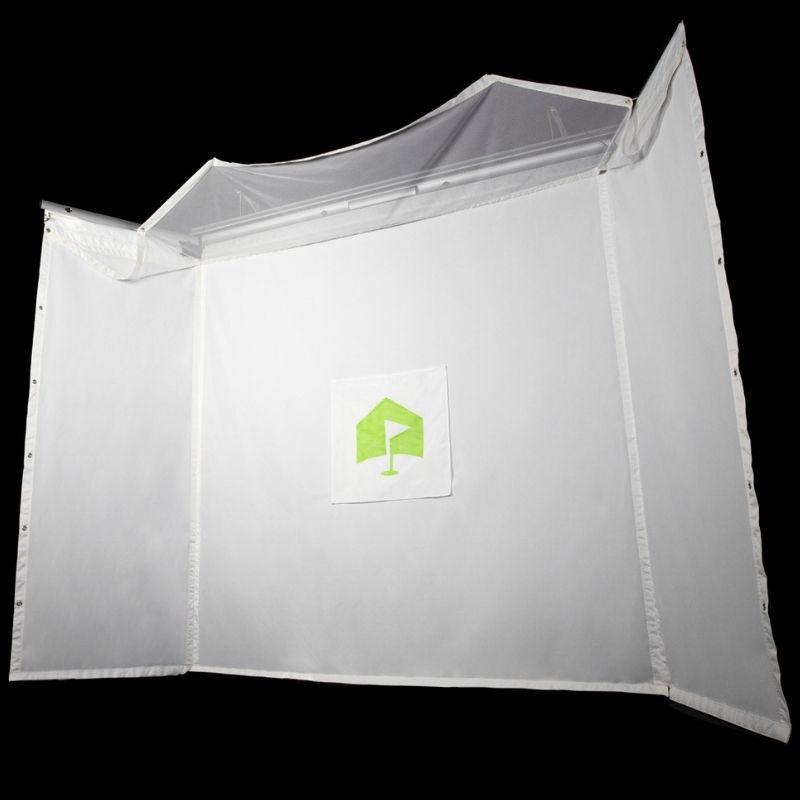
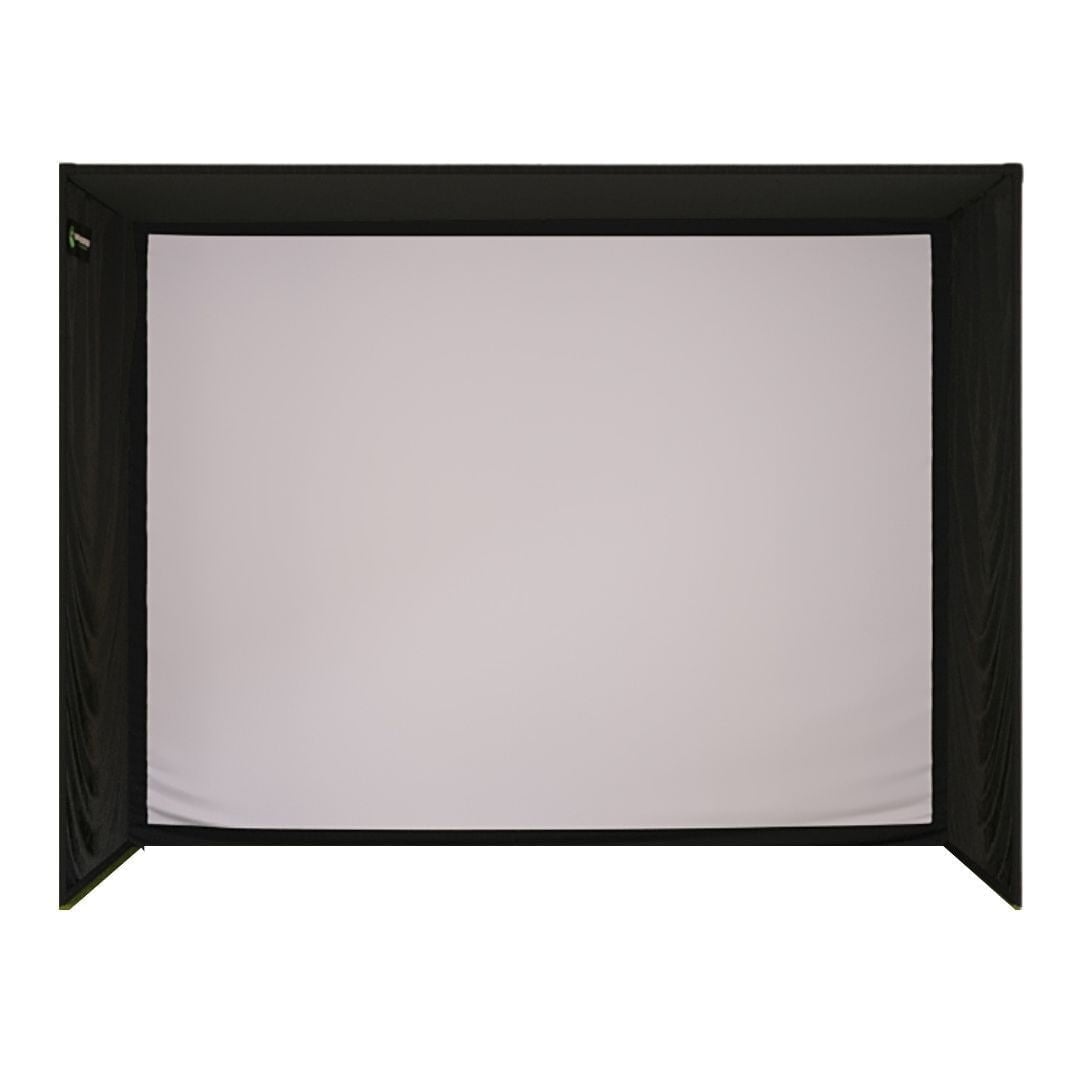
Measuring 10’10” wide, the SIG10 enclosure features a screen that is 10’1″ wide by 7’7″ high. It includes a screen constructed from tight-knit polyester, is tailored for a 4:3 aspect ratio projection, and can withstand ball speeds of up to 250 MPH. The enclosure is made from black nylon walls, a powder-coated steel frame, a bottom-weight strip, and protective foam padding.
All SIG10 and SIG12 Golf Simulator Enclosures components, except for the poles and connectors, boast identical high-quality standards. The poles, which can be obtained from a home improvement store, are made of 1″ metal conduit instead of a lighter aluminum style with snap-in connectors.
The enclosure unit includes the SIGPRO Premium Screen, Push Pin Poles & Connectors, Protective Foam Padding, Premium Surround Material, 6″ Ball Bungees, and Side Barrier Netting.
Performance
Setting up the enclosure was a breeze, and it worked well for me. When assembling the frame, I noticed a bit of flexibility, making it easier to fit into spaces that might be borderline in terms of the suggested free space.
During assembly, I found that the landing pad shouldn’t be placed directly on concrete. The balls bounce too quickly off the impact screen and landing pad.
I also made a small adjustment to the connectors: I turned the bolt heads inward, parallel to the fabric. The way they were set up initially had the fabric rubbing against the bolt heads, which could potentially cause quicker wear and tear. To prevent this, I added some foam over the bolts.
It’s a good idea to have overhead netting if you hit a shot poorly. For the instructions, it’s important to know that there should be a gap between the overhead fabric and the back frame. I spent about 15 minutes trying to figure out if I did something wrong until I moved on and realized that’s how it’s supposed to be.
This enclosure quality is top-notch, and despite using it every day, there are no noticeable signs of significant wear and tear.
Pricing value
While this premium enclosure comes at $3,250, which is more affordable than the SIG12 Golf Simulator Enclosure, it remains a pricier option. However, its exceptional performance justifies the cost and makes it a sensible investment.
What I liked:
It provides high-quality materials and construction, ensuring durability.
It’s more compact, making it a suitable option if you prioritize space.
It is designed to allow the projected image to fill the screen.
What I didn’t like:
Despite being more affordable than the SIG12, it is still relatively more expensive than some alternatives.
The landing pad included in the package might be too firm, causing balls to bounce too quickly.
SIG12 Golf Simulator Screen Enclosure
SIG12 Golf Simulator Screen Enclosure
$3,600
Effective screen protection and durability.
Premium materials that offer high-quality screen protection.
This premium enclosure is designed to offer excellent screen protection, safeguard against potential damages, and effectively contain balls. Recognized for its exceptional durability and quality, however, it comes at a higher cost and is best suited for larger spaces.
Features
This enclosure comes equipped with protective foam padding that securely attaches to the screen’s left, right, top, and bottom, providing a defense from powerful shots for the poles behind the screen and surrounding areas.
The addition of side barrier netting, similar to the SIG10 Golf Simulator Enclosure, offers extra protection to the setup surroundings, and sandbags ensure a secure anchor for the net to catch any stray golf balls.
Designed for optimal performance, the SIG12 features a robust and durable construction that elevates the overall quality of the enclosure. Notably, it allows the image to fill 100% of the screen.
Like the SIG10 golf simulator Enclosure, this model is constructed using premium materials, ensuring that your SIG12 golf simulator screen displays high-definition quality and is built tough to withstand golf ball strikes reaching speeds of up to 250 MPH.
The package includes the SIGPRO Premium Screen, Push Pin Poles and Connectors, Protective Foam Padding, Premium Surround Material, 6″ Ball Bungees, and Side Barrier Netting.
Performance
Putting together this enclosure was pretty straightforward for someone like me who’s handy with assembly tasks. If you are less experienced, the key is to take your time, especially during the pipe-cutting phase, and everything falls into place seamlessly.
My package, however, didn’t include pipes. I purchased them separately for about $160 to complete the setup. Even with the additional expense, clear instructions made the setup easy. I noticed the need for foam to safeguard steel bars, effectively preventing stray projectiles. Remarkably, after around 5000 shots, the enclosure still held up well.
The frame is not only aesthetically pleasing but also a cinch to assemble. This enclosure was made of quality materials and provided minimal ball recoil.
Pricing value
This enclosure is priced at $3,600. While this enclosure may come with a higher price tag than other options in indoor golf shops, it has standout performance and exceptional durability. If you are, however, on a budget and have limited space, I recommend going for the SIG10 Golf Simulator Enclosure.
What I liked:
Effective screen protection and durability.
Premium materials that offer high-quality screen protection.
What I didn’t like:
Higher price compared to alternatives.
Pipes were not included, requiring an additional purchase.
Larger space requirement
SwingBay Golf Simulator Enclosure
SwingBay Golf Simulator Enclosure
$2,999
Budget-friendly for cost-conscious buyers.
Suitable for garage and basement setups.
Enables indoor golfing day or night.
Heavy-duty impact screen for a clear, crisp image of the virtual golf course.
This enclosure provides a cost-effective option that maintains high quality, ensuring a clear and sharp image to elevate your simulation experience. However, it falls short of the premium alternatives on the market, as the straps tend to come loose and no longer secure the material together after a few rounds of use.
Features
The SwingBay offers a robust impact screen and a hassle-free assembly system.
Featuring a robust, crisp white ballistics-grade impact screen, it ensures a high-quality visual experience. The sturdy, heavy-duty aluminum framing, complete with all necessary tools and hardware, provides a stable structure for accurate shot representation.
The enclosed nylon blackout curtain adds to the immersion, whether in your garage or basement. Safety is a priority with two triangular side nettings equipped with sandbags. Frame Padding Flaps contribute to enhanced durability, and the Integrated Velcro Assembly system ensures a hassle-free setup and disassembly process.
Performance
The frame is incredibly sturdy, and the screen is made from robust, heavy-duty material. Following the installation video on YouTube made the setup a breeze, and I had a buddy help me with my installation; this made assembling the frame quick and easy.
It snugly fits into my garage, which is a major plus. The only minor issue I’ve encountered is mishits, which cause noise when the ball hits the metal.
However, it’s worth noting that the straps holding the material together tend to come off. Its quality is not as great as the SIG10 and 12 enclosures.
Pricing value
This enclosure provides a more affordable option with satisfactory performance, making it an ideal choice if you are on a budget. Priced at $2,999. However, I highly recommend considering the SIG10 Golf Simulator Enclosure if you can allocate a bit more budget. Although it comes at a slightly higher cost, the exceptional quality and performance it delivers ensure that you’ll get great value for your money. Investing more in the SIG10 is worthwhile for those seeking a superior and more comprehensive golfing experience.
What I liked:
Budget-friendly for cost-conscious buyers.
Suitable for garage and basement setups.
What I didn’t like:
Straps may loosen over time, proving they are not the best quality.
The noise reduction feature is not as effective as some other alternatives.
Factors to consider when choosing an enclosure for your simulator
Material:
The enclosure walls of a golf simulator are commonly crafted from durable and cost-effective materials like nylon. I’ve found that enclosures made from nylon are inherently more durable, which makes them well-suited to withstand the repeated impact of golf shots, ensuring the enclosure maintains its structural integrity over time. The material is instrumental in absorbing and distributing the force of incoming shots, contributing to both the walls’ longevity and the entire setup’s safety. So, when shopping for an enclosure, keep an eye on those made with nylon, as they offer better functionality.
Size, shape, and aspect:
When setting up your golf simulator enclosure, size becomes a pivotal factor, impacting both the physical space it occupies and the overall quality of your simulation experience. It’s crucial to understand your designated area, measure dimensions, consider ceiling height, and account for any spatial constraints.
The first thing I did before making a selection was align the enclosure size with my intended aspect ratio for projection; I went for a widescreen 16:9. Ensure the chosen enclosure accommodates your desired aspect ratio, whether you prefer widescreen 16:9 or the conventional 4:3. To guarantee that the projected images and virtual golf course dimensions align accurately.
Make sure to compare the minimum space requirements of enclosures you’re interested in with the size of your available space. This involves considering the enclosure’s dimensions and leaving ample room for movements, swing dynamics, and additional equipment like your launch monitor.
Choosing the right enclosure shape based on the desired aspect ratio is crucial when setting up a golf simulator, as it directly influences the visual experience and accuracy of shot representation.
For example, if you are going for a widescreen 16:9 experience, opt for an enclosure with a more rectangular shape. This configuration aligns with the widescreen format, allowing for installing an impact screen that matches the 16:9 aspect ratio. The rectangular shape ensures the entire screen area is utilized, providing a broad and immersive visual field reminiscent of real golf course dimensions.
If you are, however, going for a 4:3 projection, opt for a square-shaped enclosure. This configuration offers compatibility with the prevalent projection standards, offering a more standardized golf simulation experience.
Frame:
The frame of a golf simulator enclosure plays a pivotal role in shaping the overall experience. When choosing an enclosure, focus on a frame constructed from sturdy materials such as steel or aluminum to withstand the impact of golf shots. You don’t want your golf ball to rebound off the solid frame, which can cause unintended injury or damage.
Also, check if protections are available for the frame, such as flaps or foam padding inserts. Consider ease of assembly by opting for a frame with a straightforward setup process, especially if frequent disassembly is anticipated. I’ve found that adjustable frames offer customization features based on your space requirements.
Stability during swings is also paramount; features like anchor points can increase steadiness. Look for frames compatible with accessories like projectors and camera mounts, and assess weather resistance for outdoor setups.
Depth of the simulator enclosure
The depth of a golf simulator enclosure is a crucial element that significantly influences the overall quality of the simulation experience. Generally speaking, a deeper enclosure, with a recommended depth of at least five feet, offers several key advantages.
Firstly, it contributes to a more immersive simulator experience by providing ample space for unrestricted and natural swings, closely resembling the feel of a real golf course. Moreover, the increased depth effectively blocks out more ambient lighting, offering a clearer and more vivid image on the projection screen.
An enclosure with a larger depth accommodates different launch monitor positions and ensures ample space to stand comfortably.
Additionally, a deeper enclosure enhances protection against wayward shots, acting as a buffer zone to reduce the risk of ball rebound and potential damage.
Protection
Ensuring you choose a golf simulator enclosure equipped with comprehensive protection features is essential for the safety and durability of the equipment. The best enclosures have “blackout” sides and upper walls. These not only help block out the ambient lighting in the room so you get a brighter picture, but they also help catch your ball if you hit an errant shot and miss the screen or are hitting a high-lofted iron like a wedge.
You should also look out for the noise-dampening feature, as it is important for a quieter experience in shared or residential spaces.
Budget:
Your budget rightfully takes centre stage, and luckily, there are practical approaches to keeping costs in check, particularly since the size and framing type are significant price determinants. When considering size, carefully assess your available space, finding a sweet spot that aligns with your immersive experience goals without unnecessary excess.
The type of framing, whether it’s premium steel or more economical aluminium, plays a pivotal role in cost considerations, so weigh your priorities for durability against your budget constraints. Beyond framing, the quality of materials matters, and while premium options may offer enhanced performance, there are budget-friendly alternatives that don’t compromise reliability.
Final thoughts
Choosing the right golf enclosure for your simulator set involves considering crucial factors such as material, size, shape, aspect ratio alignment, sturdy frames, easy assembly, sufficient depth, and protection features for safety and durability. Budgetary considerations also play a significant role.
Premium options like SIG10 and SIG12 will offer you exceptional performance, but at a higher cost. The SwingBay enclosure is more budget-friendly but does not offer the same quality and performance as the SIG10 and 12 enclosures.
When shopping for a golf simulator, you need to consider several factors. First, prioritize sufficient space for both the setup and swinging of your longest club; assess portability for ease of transport; evaluate the compatibility and features of the simulator software; check out the accuracy of the tracking technology in the accompanying launch monitor; and most importantly, consider your budget.
Earlier this year, my dad was interested in setting up a golf simulator and sought my assistance. Being new to simulators, he didn’t know what to look for in a simulator or how to get one, so he enlisted my help. Eager to help, I researched vital features and factors to consider when purchasing a simulator.
One crucial aspect we focused on was the size, as he planned to install it in his garage and needed a simulator that accommodated both the space constraints and allowed him to use his longest club, the driving iron. Additionally, he desired a simulator offering a diverse range of courses and user-friendly software.
Considering his preference as a casual golfer, we aimed for a solution that was neither overly expensive nor overly complex. After thorough consideration, we settled on the Skytrak+ Flex Space Package, which checked all our boxes.
In the rest of this article, I will outline some crucial components of a simulator setup and highlight key features to consider when in the market for a simulator. Let’s delve into the details.
What are the components of a simulator?
Every simulator setup comprises six major components, and the quality of your simulator experience depends on how good these components are. Even though they can be found at different prices, I recommend you choose high-quality products to get the best simulation experience and the most out of your simulator for longer.
Launch Monitor
The launch monitor is vital as it monitors and analyzes your club and data, offering valuable insights to enhance your golfing skills. Launch monitors generally employ sensor pads, radar, cameras, or infrared technology to capture ball and club data. It’s crucial to note that not every launch monitor can track club data, so you need to consider your specific requirements when choosing a launch monitor.
Typically, the higher the accuracy and precision of the launch monitor data, the greater the cost involved. A reasonably priced launch monitor with a precision range of 85–90% may be suitable if you are a casual golfer using simulation for enjoyment and home practice. However, suppose you are a dedicated golfer or a golf coach. In that case, I suggest choosing a high-end, more expensive option like the GCQuad launch monitor for its exceptional precision and accuracy.
Golf Simulator Decision-Making Table
Factor
Description
Brands to consider
Price Range
Notes
Accuracy and realism
The level of accuracy in ball tracking and the realism of the simulation experience. High accuracy and realistic graphics are crucial for a true-to-life golfing experience.
SkyTrak, TrackMan
$2000 – $25,000
SkyTrak and TrackMan are known for their high accuracy.
Size and space requirements
The space needed for the setup. Consider the room size, ceiling height, and area for swing.
ProTee, Foresight Sports
$5,000-$8,000
ProTee is suitable for smaller spaces.
Software Features
The range of courses, game modes, and analysis tools offered by the software.
GCQuad, Full Swing
$4,000 – $11,000
Full Swing offers a wide range of software features.
Ease of Setup and Use
How easy it is to install and start using the simulator. User-friendly interfaces are important.
OptiShot 2, Rapsodo
$499 – $599
OptiShot Two is known for its ease of setup.
Hardware Quality
Durability and build quality of the physical components like the screen, turf, and sensors.
TrackMan, GCQuad
$11,000 – $25,000
TrackMan has high-quality hardware.
Portability
User reviews and the importance of the brand in the market.
Rapsodo, SwingBay
$599- $9,300
Rapsodo offers good portability.
Customization Options
Availability of custom setups like different screen sizes, software packages, etc.
SkyTrak, Full Swing
$2,000 – $11,000
SkyTrak allows for significant customization.
Pricing
Whether the simulator is easily movable or fixed, portable simulators are great for those who want to practice in different locations.
Varies
A higher price often correlates with better features and quality, but it also assesses value for money.
A higher price often correlates with better features and quality, but it also assesses value for money.
Customer Support and Warranty
The quality of customer service and the duration and coverage of the product warranty. Good support and a comprehensive warranty are important for high-end electronics.
All Brands
–
Check individual product warranties and support services.
Reviews and reputation
User reviews and the reputation of the brand in the market.
All Brands
–
OptiShot two is known for its ease of setup.
Hitting Net
Factor
Description
Considerations
Pricing Estimates
Recommended Brands
Type & Size
Size and style of the net.
Larger nets provide more room for error. Smaller nets save space but limit shot types.
$179.99 – $1995
Rukket Sports, The Net Return, Spornia
Material Quality
Durability and net material.
Look for UV-treated, heavy-duty netting. Quality materials ensure longevity.
$179.99 – $895
The Net Return, Spornia, Cimarron
Ease of Setup
How easy it is to set up and take down the net.
Some nets are designed for quick and easy setup. Portability can be important.
$199.99 – $319.99
Spornia, Rukket Sports
Stability
Ability to withstand shots and environmental factors.
Weighted bases or sturdy frames add stability. important for outdoor use.
$199.99 – $319.99
GoSports, The Net Return
Additional Features
Extra features like ball return, target sheets, etc.
Features like ball return systems enhance practice. Target sheets can help with aim.
$179.99 – $899
Rukket Sports, Spornia
Portability
Ease of moving and storing the net.
Compact and lightweight designs are more portable. Consider storage space requirements.
$179.99 – $319.99
Spornia, Rukket Sports
Brand Reputation
Established quality and customer feedback.
Research brands with positive reviews. Consider the brand’s history in golf equipment.
Varies with brand
The Net Return, Cimarron, PGM
Indoor/Outdoor Use
Suitability for various environments.
– Some nets are suitable for both indoor and outdoor use.<br>- Ensure enough space for indoor setup.
$199.99 – $899
The Net Return, Spornia, Cimarron
Many simulator setups come with hitting nets or screens; you might need to buy them separately. Consider factors like type, size, and shape when picking a hitting net. Some hitting bars are sold with yields and come at a more budget-friendly price, while others include impact screens designed to withstand golf ball impacts. These are usually more expensive.
These screens vary in size, ranging from 7 feet wide and 7 feet high to as large as 14 feet wide. Your choice of measure should be based on the available space for your simulator. Sidebars are crucial for keeping balls within the hitting area after shots.
I’ve discovered that a retractable screen system is a great choice for a garage golf simulator. This system allows you to easily lower a full screen with just a button click, making it convenient for use in your garage or any room where the ability to make the screen disappear is advantageous.
Golf mat
Factor
Description
Considerations
Pricing Estimates
Recommended Brands
Type of Mat
Choose between fairway, rough, and tee box mats.
– Fairway Mats: Simulate fairway conditions. – Rough Mats: Mimic tougher lies – Tee Box Mats: Allow for tees to be used.
$50 – $300
Fiberbuilt, Callaway, SIGPro Softy
Material Quality
Durability and feel of the mat.
– High-density foam and durable turf – Avoid mats that are too hard.
$100 – $400
Real Feel Golf Mats
Size and Portability
Size of the mat and ease of transport.
– Larger mats offer more room but are less portable. – Smaller mats are more portable but offer limited stance options.
$30 – $250
SKLZ, Rukket Sports
Shock Absorption
Ability to absorb the shock of a golf swing.
– Essential for reducing the risk of injury. – Look for good padding.
$100 – $500
TrueStrike, Gorilla Golf
Realism
How closely the mat simulates real grass.
Essential for reducing the risk of injury. Look for good padding.
$150 – $600
Country Club Elite, Fiberbuilt
Brand Reputation
Established quality and customer feedback.
Research brands are known for golfing equipment. Read customer reviews and ratings.
Varies with product
Titleist, Callaway
Pricing
The cost of the mat relative to its features.
Higher-quality mats provide a more realistic experience. Important for serious golfers.
$30 – $600+
Depends on specific needs
Additional Features
Extra features like ball trays, different lie surfaces, etc.
– Features like adjustable tee heights, different turf conditions, and ease of cleaning.
$50 – $400
Putt-A-Bout, Izzo Golf
Warranty and Support
Manufacturer’s warranty and customer support availability.
– Look for products with a warranty. – Check if the manufacturer offers customer support.
Varies with brand
PGM, Champkey
I’ve learned that it’s always a great choice to choose golf mats that include tees. Selecting a mat that offers sufficient space for comfortable standing and swinging and accommodates your launch monitor is important. A recommended size is 5’x5′, and the SIGPro Softy 4’x7′ golf mat is highly functional.
For a more immersive experience, particularly in a commercial setting, I recommend opting for a SIGPro 5’x10′ mat that syncs well with the screen. Opt formats that provide a realistic course-like feel and are gentle on your wrists during impact. If you’re considering a permanent installation, consider turfing the entire room area and installing hitting strips.
Projector
Factor
Description
Considerations
Pricing Estimates
Recommended Brands
Resolution
Quality of the image displayed
– 4K for high-end, detailed graphics. – 1080p for budget-friendly options.
$979 – $4,500
BenQ, LG, Optoma
Brightness
Clarity of the image in various lighting conditions
– Higher lumens for brighter environments. – 3000 lumens is a good baseline.
$979 – $4,500
BenQ, LG, Optoma, Panasonic
Throw Ratio
Distance of the projector from the screen
– Short throw for limited space. – Standard throw for larger areas.
$979 – $1,999
BenQ, Optoma, Panasonic
Price
Budget considerations
– High-end options for better features. – Budget options for basic setups.
$979 – $4,500
BenQ, LG, Optoma, Panasonic
Additional Features
Specific needs for golf simulation
– Features like vertical keystone correction, 3D capabilities, etc.
$979 – $4,500
BenQ, LG, Optoma, Panasonic
A projector is necessary if you have a hitting bar with an impact screen. While initially using a laptop, when I upgraded to a BenQ 4K TK700ST projector, I realized the significant improvement in the virtual simulation experience and enjoyment. For commercial setups, a projector is essential. So, when selecting a projector, consider the room’s lighting.
Projectors like the TH671ST (1080p) or TK700STi (4K) with 3,000 lumens work well in darker rooms with controlled ambient light. The BenQ 4K LK936ST is suitable for spaces with less controllable lighting. Here are other factors to consider when choosing a projector:
Brightness (Lumens): Opt for a minimum of 3,000 lumens projector for the best visibility. Larger or well-lit spaces will require higher lumens, around 4,000 or more.
Resolution: Choose a projector with at least 1080p for a sharp and clear image. Some projectors go the extra mile with 4K resolution, providing an exceptional visual experience.
Throw Ratio: Tailor the throw ratio to your space. A short throw ratio suits smaller areas, allowing the projector to be closer to the screen, while a long throw ratio is ideal for larger rooms.
Input Lag: Low input lag is crucial for real-time responsiveness. Look for projectors with minimal input lag, ideally below 20 milliseconds, ensuring a swift and accurate depiction of your swings.
Contrast Ratio: Opt for a projector with a higher contrast ratio (at least 5,000:1) for improved clarity, especially in distinguishing between dark and light areas.
Keystone Correction: Both vertical and horizontal keystone correction features are valuable for rectifying image distortion and ensuring a properly proportioned and rectangular display.
Compatibility: Confirm compatibility with your golf simulator software and other devices. While HDMI ports are standard, additional features like USB or wireless connectivity enhance versatility.
Computer
You’ll need a PC or an iPad to operate the launch monitor software. I suggest using a PC because it provides the advantage of customizable aspect ratios, unlike an iPad, which is limited to a 4:3 aspect ratio. It’s crucial to ensure your laptop has a graphics card capable of supporting the graphics you wish to display using the software.
Before investing in a simulator setup, it’s vital to research the recommended computer specifications for the software you plan to run. Additionally, make sure your laptop can accommodate future software updates. When I initially purchased my laptop for the Foresight GC2 launch monitor, it worked well without any issues. However, as software updates that demanded more processing power became available, I had to acquire a new laptop to run the updated software effectively.
Software
The software, which runs on your PC or iPad, converts the data associated with your golf swings into a virtual simulation experience. Various software options are available for different simulators, and most provide features like access to Swing data. Some software options require subscription packages to unlock certain features and access specific courses. I always choose to go for simulators with a good selection of preloaded courses that can help cut down on yearly subscription costs.
One noteworthy simulation software that I’ve come to appreciate is E6. It operates on a subscription basis, ranging from $300 to $600 per year, depending on the chosen package. E6 offers a wide range of on-course options and versatility for practice. The software boasts impressive graphics, though the green gridlines could be sharper and easier to read.
While the lighting effect may not be as spectacular, it simulates real-life course conditions. Despite these minor observations, E6 is a great option, allowing users to play courses worldwide.
Having covered the components that constitute your simulator setup, let’s delve into some factors you should consider when shopping for a simulator.
Factors you should take into account when shopping for a simulator
Space:
Begin by assessing the dimensions of the space where you intend to install the golf simulator. A dedicated area with sufficient width and height enhances the authenticity of your swings and ensures the projected image is displayed without distortion. When I initially set up my simulator in the garage, I faced a challenge with limited space for my swings. Additionally, there was insufficient room for placing my launch monitor behind me while maintaining the necessary distance from the screen.
Initially, I contemplated altering my swing but eventually adapted to the garage ceiling height. The key takeaway is ensuring adequate space when setting up your simulator. Ideally, I’ve found that the room should be 16 feet wide, 18 feet long, and have 10-foot-tall ceilings. This configuration allows for a central hitting position without an offset hitting location to avoid hitting walls during the backswing.
Simulators come in various sizes, with some designed for commercial purposes being larger. Therefore, it’s crucial to check the space recommendations for the specific simulator on the purchase website and ensure that your designated space aligns with the requirements.
Portability
I can confirm the significant benefits of integrating a portable golf simulator into my practice routine. The essence of portability lies in its seamless fit with my lifestyle, providing flexibility often lacking in traditional setups. Setting up my golf simulator was quick and easy; I could transition into a golf haven from my garage within minutes.
The lightweight design of crucial components, from the golf mat to the projection screen, is a game-changer. They are not only easy to transport, but dedicated carry bags ensure the protection and organization of my setup. The convenience of a foldable design allows me to store my simulator without sacrificing space, a crucial consideration given my limited room.
Reduced wiring complexity and compatibility with mobile devices add sophistication to the user experience.
In summary, a portable golf simulator is more than mere equipment; it’s a companion in my golfing journey. It brings the golf course to me, providing convenience and adaptability that align with my dynamic lifestyle. Whether for a quick practice session after work or an impromptu golf gathering at a friend’s place, the portability feature has made golf more accessible and enjoyable. Portability is a fundamental aspect of a simulator for a home setup.
Specific needs:
When I acquired my flight scope mevo+ training simulator package, my primary considerations were affordability, portability, and the desire for a system that offered valuable insights into club and ball data, creating an immersive simulation experience at home, particularly for my garage setup. This simulator met all my requirements.
The initial step is to assess your specific needs. Are you a casual golfer seeking entertainment or a dedicated player aiming to enhance your skills? If you are a serious golfer, precision is paramount. Seek a simulator with advanced shot analysis, high-speed cameras, and realistic course simulation to gain detailed insights and effective training. Focus on accuracy, realism, high-quality graphics, customization options, and integration with professional-grade software. Mat feels it is crucial; it should replicate the sensation of hitting shots from natural grass.
If you are a casual golfer, practicality and enjoyment are at the forefront of your needs. Affordability is key. Opt for cost-effective options with fundamental functionality. Simplicity is crucial; choose a simulator with an intuitive interface for an easy and enjoyable experience. While you may not require the intricacies of professional shot analysis, basic data feedback remains valuable for refining your game.
Budget
Simulators come in diverse budgets, offering options from budget-friendly to high-end systems. When selecting a simulator, balancing desired features and cost is crucial, focusing on functionalities essential to your golfing goals within your budget constraints. Viewing the simulator as a long-term investment can guide you toward durable and valuable systems.
If you are a beginner entering the world of simulators, the entry-level options priced from $500 to $1,500 provide a practical starting point. While they may offer fewer features than pricier options, they deliver decent performance for beginners. You can also choose mid-range options, such as the Flightscope Mevo+ training package in the $1,500 to $5,000 range, to balance quality and more advanced features. As your commitment to the game grows, so does the investment.
Premium simulators in the $5,000 to $15,000 range, like the Skytrak Plus golf simulator flex space package and the Uneekor QED SIG12 Golf Simulator Package, offer an elevated experience with realistic graphics and detailed shot analysis. Suppose you are a serious golfer or a pro athlete. In that case, you can go with professional-grade simulators priced at $15,000 and above, such as the TruGolf Vista 10 Golf Simulator, which showcases cutting-edge innovation.
DIY Simulator Setup
Setting up a simulator setup can be expensive, particularly for a high-end and immersive experience. However, creating your DIY simulator, while less immersive and with some trade-offs, can still offer a fantastic and enjoyable experience for casual golfing, especially if you are on a budget.
It would help if you started with a quality launch monitor. In the price range of $2,000 to $7,000, you can acquire a monitor that provides accurate shot data without straining your budget. I opted for the SkyTrak Launch Monitor, which has served me well. This component is the backbone of your setup, and allocating a reasonable budget here is worthwhile.
Moving on to the hitting mat, a crucial element for comfortable and realistic swings, you can find one in the range of $500 to $1,500. The SIGPRO Softy 4′x7′ Golf Mat is an excellent and budget-conscious choice, particularly for smaller spaces.
The Impact Screen, falling between $500 and $1,500, will help you bring visual elements to life, creating a backdrop for virtual golf courses and enhancing the simulation experience. Consider a projector in the $500 to $2,000 range for projection. A great projector like the BenQ 4K TK700STi, offering great 4K resolution and picture quality at a more affordable price, transforms your setup into a visually engaging space.
For PC and simulator software, you can go for something in the range of $500 to $1,000 that will offer you a range of courses, training programs, and overall functionality.
These elements collaboratively contribute to the creation of a top-notch home simulator, delivering an exceptional simulation experience.
Final Thoughts
Choosing the right golf simulator involves evaluating factors that collectively shape your virtual golfing experience. Each element contributes to the overall setup, from ensuring adequate space dimensions and prioritizing portability to selecting key components like launch monitors, hitting bars, golf mats, projectors, computers, and software.
Whether you’re a golf beginner or casual golfer choosing an entry-level option or a pro athlete investing in a premium setup, the goal is to tailor the simulator to one’s preferences, ensuring it becomes a source of joy, improvement, and easy access to the golf course within the confines of your space.
The best 4K projector for golf simulators should deliver outstanding brightness, excellent color balance, top-notch picture quality, and a 4K resolution. It should excel at providing vivid and lifelike visuals, ensuring a highly immersive simulation experience.
I’ve been using the Panasonic PT-VZ580U 5000-Lumen projector for my simulator setup for a while now. However, with the upcoming holidays and family coming home, I decided it was time for an upgrade. I was set on transitioning to 4K and willing to invest more for top-notch quality. After extensively researching online reviews, I opted to test out some options for a hands-on experience personally.
Ultimately, I chose the BenQ LK936ST short-throw projector. This projector delivered exceptionally bright images and provided stunning, true-to-life image quality. The exclusive golf mode, effectively replicating the golf course’s greens, was a standout feature for me. Despite being one of the priciest options, the performance justified the cost. Alternatively, if you want a more budget-friendly 4K projector, consider the BenQ 4K TK700STi Golf Projector. It offers a more affordable option with 4K resolution, though less bright than the LK936ST.
In the rest of this article, I will review the distinctive features that set these two 4K projectors apart from others on the market. I’ll share their performance based on my test, evaluate the advantages each brings, and discuss the drawbacks associated with both. This comprehensive review aims to equip you with all the necessary information to decide on the best 4K projector for your needs. Let’s dive in.
Image
Product
Detail
Price
BenQ 4K LK936ST short throw projector
Hyper-Realistic Video Quality
Enduring Reliability- IP5X Dust Guard + 20,000 Hour Laser Life
The table below compares the key specifications of the BenQ 4k LK936ST short throw projector and the BenQ 4k TK700STi golf projector so you can quickly view the most relevant information in case you are in a hurry.
The BenQ LK936ST Short Throw Projector is a high-end projector crafted to elevate the golf simulation experience. Its remarkable features include outstanding brightness, vibrant color reproduction, and a dedicated golf mode. However, a significant drawback is its steep price, positioning it as one of the most expensive options.
Features
This simulator projector delivers a high contrast ratio of 3,000,000:1, creating a vivid and lifelike representation of the golf course. It offers a 4K UHD resolution with 3840 x 2160 pixels and 8.3 million distinct pixels, ensuring exceptional image quality with sharp visuals.
Being a laser projector, this 4K DLP short-throw model from BenQ eliminates the need for LCD lamps. One standout feature is the exclusive Golf Mode, which immerses you in a natural reproduction of the scenery of the course. The projector also offers precise adjustment tools like digital shrink, 3D keystone correction, and lens shift, allowing for easy installation and adjustments.
Further enhancing its capabilities, the projector includes a 1.1x zoom feature, 360-degree installation options, and HDBaseT connectivity, providing seamless integration for a great simulation setup.
Performance
I paired this projector with a 16:10 ratio SIGPRO premium screen, and the laser image quality left a lasting impression on golf simulation and various applications. The projector consistently delivered crisp and bright images, even in well-lit environments.
In comparison to non-laser projectors, the video quality was nothing short of amazing.
Despite the higher cost, the projector’s picture and brightness were impressive. However, I found the sound slightly subpar and had a speaker setup for a more immersive audio experience.
I also noticed a brightness difference between the LK936ST and the TK700STi. When I compared both, the LK936ST seemed brighter by a margin.
If you are considering the LK936ST for multi-purpose use, you must be aware of certain factors, such as needing an external tuner if using it as an independent TV. Additionally, the HDMI ports on the projector aren’t ARC-compatible, necessitating an ARC-enabled receiver for surround sound. Despite these considerations, the setup process and adjustments were straightforward.
Despite its high price, I can confidently say that this projector is worth every penny for those aiming for a higher-end setup. If budget constraints aren’t a concern, the BenQ LK936ST is a valuable investment, delivering exceptional picture quality and overall performance.
Pricing
The BenQ 4k LK936ST Short Throw Projector, while undeniably offering an exceptional golf simulation experience, comes with a premium price tag. Priced at $4,899 at the indoor golf shop, it positions itself as one of the most expensive options in the market. This high cost may be a significant factor for budget-conscious people, as more affordable 4K alternatives are available.
However, the pricing of the LK936ST reflects its high-end features, including outstanding brightness, vibrant color reproduction, and the exclusive Golf Mode, making it a specialized and top-of-the-line choice for golf enthusiasts. The 4K UHD resolution, laser technology, and precise adjustment tools enhance the projector’s premium status.
What I liked:
The 4K resolution was a definite highlight for me.
Eliminating the hassle of LCD lamps added to the convenience.
The projector consistently delivered amazing pictures with vibrant colors.
What I didn’t like:
Unfortunately, the price tag was quite expensive.
BenQ TK700STi Golf Simulator Projector
BenQ TK700STi Golf Simulator Projector
$1,299
The affordability of this option was a major plus.
The picture quality was impressive.
Having 4K resolution added a significant enhancement to the overall visual experience.
This projector is a more budget-friendly, non-laser alternative that still provides an excellent simulation experience. Due to its versatile functionality, it has gained popularity among golf enthusiasts, although it was originally designed as a gaming projector. However, it’s important to note that it falls short in brightness compared to laser projectors and some higher-priced options on the market.
Features
Thanks to its short-throw technology, the TK700STi projector allows you to project a sizable 100-inch image from just 6.4 feet away, making it versatile for different room sizes and screen configurations.
Although its brightness of 3000 lumens is adequate for dark spaces, I wish it were brighter for even more vibrant visuals.
Despite this, it maintains an impressive 10,000:1 contrast ratio and 4K UHD resolution (3840 x 2160), ensuring that colors are vibrant, especially in environments with very dark spaces.
The projector offers Keystone adjustment in both vertical and horizontal dimensions for flexible placement, effectively eliminating trapezoid effects. The throw ratio of 0.90:1–1.08:1, along with a 1.1x zoom setting, requires the projector to be 7 feet and 1 inch away from the screen to achieve a 100-inch image.
The TK700STi comes with various light source modes, including Normal (4,000 hrs), ECO (10,000 hrs), SmartEco (8,000 hrs), and LampSave (15,000 hrs), providing options for different usage scenarios and extending the projector’s lifespan.
One noteworthy feature is its support for Apple AirPlay and Google Chromecast, allowing me to easily mirror my phones and tablets.
Performance
I appreciated the compact design, short-throw capabilities, and impressive brightness, making it ideal for the 16×9-foot screen I paired it with. I mounted it 11 1/2 feet back and 9 feet high in a room with controlled ambient light, and it delivered HD-quality visuals.
While it doesn’t quite reach laser image quality at this price point, overall performance was good; I wish it had a bit more brightness. One downside is that the TK700STi tends to generate a significant amount of heat, making it less than ideal for use during the summer. It does, however, consist of a fan, and despite initial concerns about fan noise, it turned out to be a non-issue.
Comparatively, the TK700STi demonstrates 4K quality comparable to some more expensive UST laser projectors, making it a cost-effective choice for a golf simulator. However, it lacks brightness compared to the LK936ST, which has higher lumens.
This projector offers brightness and contrast levels. It produced a 120-inch picture at a distance of around 7 to 8 feet. The zoom feature adds convenience, allowing me to adjust the screen size quickly. While I found the speaker okay, it could be better.
As one of the most affordable short-throw 4K projectors, the TK700STi has impressed me with its brightness, clarity, and responsiveness. I highly recommend it if you are on a budget, especially for golf simulation applications like TGC 2019 with the SkyTrak launch monitor.
Pricing:
Priced at $1,299 at the indoor golf shop, the TK700STi is a cost-effective projector for those seeking 4K resolution without breaking the bank. While it may not match the brightness of higher-end options, its affordability makes it an attractive choice if you prioritize affordability without compromising essential features for a satisfying golf simulation experience.
What I liked:
The affordability of this option was a major plus.
The picture quality was impressive.
Having 4K resolution added a significant enhancement to the overall visual experience.
What I Did Not Like:
The brightness could be improved, and I found it a noticeable drawback during use.
Key Features You Should Look For When Shopping For A 4K Golf Simulator Projector
Brightness and contrast
A simulator projector’s high brightness ensures the visuals remain sharp even with ambient lighting. This is especially important for maintaining image quality and detail in well-lit conditions. Contrast ratios play a significant role in giving you a virtual experience that’s more immersive by enhancing the distinction between dark and light areas and adding depth and realism to your simulation experience.
Color Accuracy
Accurate color reproduction is a game-changer in golf simulators. It’s not just about seeing images; it’s about experiencing the true colors of the golf course. Having precise color accuracy ensures that everything, from the vibrant greens to the subtle details in the surroundings, is faithfully represented. This attention to color detail enhances the overall realism, making your golf simulation experience more engaging and enjoyable.
Throw Ratio and Lens Shift
Understanding the throw ratio of your projector is crucial for optimizing its placement in your simulator setup. It helps you determine the distance between the projector and the screen, directly affecting the size of the projected image. Lens shift adds another layer of flexibility, allowing you to make vertical or horizontal adjustments without physically moving your projector. These features provide the flexibility needed to tailor the projector setup to your space’s configuration and achieve the desired image size without distortion.
Connectivity Options
When it comes to connectivity, your simulator projector needs to be versatile. HDMI is my go-to for high-definition video and audio transmission, ensuring a reliable connection with other devices. USB ports are equally important, accommodating various peripherals and making integrating with my golf simulator systems easy. This variety of connections allows me to set up my simulator environment exactly how I want it, making the whole experience more convenient.
Durability and reliability
Durability should be a top priority if you use your projector in a commercial setting. A robust design ensures that your projector can handle continuous use, which is particularly important in a commercial setting. Reliability is equally crucial to minimizing any downtime. Your simulator should be able to ensure a consistent and dependable experience. Investing in a projector built with durability and reliability in mind is essential for a seamless and worry-free simulation experience.
Things You Need to Take Note of When Shopping for a 4K Projector for a Golf Simulator
Budget and Price Range
It is essential to align your projector needs with your budget. Entry-level and low-end options under $1,000 are the most budget-friendly and offer reliable performance, although not the best, with decent image quality for smaller spaces. Mid-range models between $1,000 and $2,500 offer improved features like enhanced color accuracy and contrast ratios.
There are also premium projectors in the $2,500 to $5,000 range with top-notch image quality, advanced features, and superior performance. I recommend these premium projectors, as they have features better suited for commercial purposes.
For serious golfers and pro athletes seeking the absolute best, high-end and specialty projectors above $5,000 offer unique technologies and exceptional brightness. Finding the right balance between performance and budget is essential, considering factors like brightness and color accuracy lag for an optimal golf simulator setup.
Energy Efficiency
Different projectors vary in energy consumption; I recommend using energy-efficient features and modern technologies. The type of lamp used also matters. LED-based projectors stand out for their efficiency and longer lifespan compared to traditional lamps.
Many projectors offer eco-friendly modes that balance brightness and power usage, which is especially useful during extended simulator sessions. Additionally, you should keep an eye on standby power consumption. This ensures energy conservation even when the projector is not actively used, contributing to overall energy savings over time.
Projector placement
When determining where to mount my 4K projector, there are certain factors you should weigh. Ceiling mounting offers a clean setup, maximizing floor space and minimizing the risk of obstruction, but it might be complex to install and less accessible for adjustments. Floor mounting provides flexibility and easier access but takes up valuable floor space and is susceptible to bumps in high-traffic areas.
Check if the projector offers adjustment features like lens shift or keystone correction. These features can be beneficial for adjusting the image alignment without moving the projector physically.
Projector-To-Screen Distance
You must also consider the throwing distance. Short-throw projectors suit smaller spaces, reducing shadows and offering flexibility, but might cost slightly more. Long-throw projectors are ideal for larger spaces with more installation flexibility but can introduce shadow issues in smaller setups and have specific placement requirements.
Each option involves trade-offs, depending on my golf simulator space’s specific characteristics and constraints. I recommend you go for short-throw projectors, although they may be more expensive and are usually more effective for an improved golf simulation experience.
Resolution and Aspect Ratio
Ensuring that your projector’s aspect ratio, screen’s aspect ratio, and simulator software align is crucial. The aspect ratio plays a vital role in the simulator’s visual performance. The aspect ratio refers to the width-to-height relationship of the projected image. A 16:9 widescreen aspect ratio works best, providing an immersive experience and aligning with modern content standards.
Selecting an optimal resolution is important for clear visuals in a golf simulator. I recommend a 4K resolution, typically 3840 x 2160 pixels, as it provides sharp and detailed images. This resolution enhances the visual experience, especially with a widescreen 16:9 aspect ratio. It ensures high realism and detail in the virtual golf environment.
Lumens and brightness
This is one area you absolutely have to pay attention to. Lumens, which measure brightness, play a key role; the higher the lumens, the brighter the projected image. You should account for the ambient light conditions in my simulator room, as more lumens are beneficial for well-lit spaces or if natural light is a factor. For golf simulations, using a projector with a brightness of at least 3,000 lumens is generally recommended.
Durability
I also prioritize durability and build quality when choosing simulators for lasting satisfaction. I look for projectors with robust materials like quality plastics and metals, ensuring resilience to regular use and potential impacts. Effective ventilation design prevents overheating and maintains consistent performance over time. Projectors with easily replaceable lamps add to long-term usability.
If your golf simulator is intended for commercial use, consider projectors designed for rugged commercial settings. These models often have reinforced casings and components, ensuring durability under heavy usage.
Good Customer Support and Warranty Terms
When selecting a 4K projector for my golf simulator, going for a brand that offers excellent customer support and favorable warranty terms is crucial for a worry-free experience. A responsive support team means I can expect timely and helpful assistance if I encounter technical hiccups or have questions about the setup.
A good warranty speaks to the manufacturer’s confidence in the product and ensures coverage for potential defects or malfunctions. The average warranty for a projector is two years, but some brands offer up to three years of warranty. Features like advanced replacement options are particularly appealing as they minimize downtime and keep my golf simulator sessions uninterrupted.
Final Verdict
Ultimately, whether you’re opting for the premium features of the LK936ST or the cost-effective solution of the TK700STi, both projectors contribute to an immersive golf simulation experience, providing golfers with versatile options to suit their specific needs.
The LK936ST excels in performance, but although it comes at a higher cost, it is a great investment. But of course, if you prioritize affordability, the TK700STi should be your ideal choice.
The best budget projector for golf simulators is the Optoma EH200ST Golf Simulator Projector. It offers satisfactory lumens for great resolution and clear images. Despite not being the brightest projector on the market, its good performance within its price range makes it a compelling and cost-effective option for enhancing golf simulator experiences without breaking the bank.
A friend sought my advice on a budget-friendly projector for his new golf simulator. I use the Panasonic PT-VZ580U 5000-Lumen projector with my simulator setup. While it’s very functional and offers exceptional pictures and brightness, it was above his budget, but he still wanted something that would serve him well.
Wanting to help, I researched and tested some of the most affordable and functional projectors for golf simulators. After extensive research, I opted for the Optoma EH200ST Golf Simulator Projector. This projector is cheap, supports multiple aspect ratios, and offers good picture quality. It was a great short-throw projector; although I wish it was brighter and the speakers were better, it was still quite functional for the price range.
In the rest of this article, I’ll review the features of the Optoma EH200ST Golf Simulator Projector, share its performance during my test, outline some of the benefits associated with this projector, and discuss some major drawbacks I encountered while trying it out. Let’s get into it.
The Optoma EH200ST Golf Simulator Projector has gained widespread popularity among golfers as a leading short-throw simulator, offering a combination of high-quality imaging and affordability. Here’s a look at some of its standout specifications:
This projector was easy to set up and came with a helpful instruction manual. I also turned to informative YouTube videos for additional guidance in configuring it for my garage space.
All I had to do was access the location where I wanted to use the projector, in this case, short throw, and then determine the display size. I then selected the suitable throw distance, installed it on the ceiling, connected the power and input sources, adjusted the image, and made it ready.
Features
The Optoma EH200ST Golf Simulator Projector offers vibrant and bright colors with its 3000 ANSI lumens, making images vivid. Specifically designed for limited space environments, it excels in short-throw projection, requiring minimal distances to project large, sharp 1080p (1920×1080) resolution images without downscaling from HD quality.
Additionally, it offers the convenience of transforming into a smart display by connecting your smartphone or tablet using a single cable through MHL. The built-in speakers are easy to set up and reproduce the Rec. 709 color gamut.
Noteworthy features include an auto-power-off function, which automatically turns off the projector after a designated period of inactivity, and an impressive high contrast ratio of 20,000:1. These features collectively contribute to an enhanced viewing experience for golf simulation.
Performance
I was impressed with the Optoma EH200ST Golf Simulator Projector’s versatility, offering various aspect ratios and consistently delivering well-defined images. It has proven reliable, although I did encounter the need to replace the lamp on the third day, likely due to a defective unit.
The picture quality is exceptional, but the built-in speaker needs to be improved. I had to use a soundbar. It aligns perfectly with my preferences, with a short throw distance of about 4 to 3 feet. I used it on my Carls Premium Golf Impact Screen, and the picture quality was impressive.
Being lightweight and user-friendly, it provides good luminosity, even though it may not match the brightness of some more expensive alternatives, and is less suitable for outdoor use. However, its ultra-short throw capability meets my needs for a golf simulator setup.
Mounted between my hitting mat and the screen, this projector excels at a very short distance.
In summary, the Optoma EH200ST stands as a solid and functional short-throw projector, particularly if you are on a budget. If you are new to projectors and looking to save money while getting something useful, I recommend this projector.
Pros and cons
While the Optoma EH200ST Golf Simulator Projector stands out for its affordability, there are both positive aspects and areas where improvements could be made. Let’s explore the pros and cons of this projector:
What I liked:
It’s budget-friendly, making it accessible.
Offers various aspect ratios for flexible viewing.
Delivers consistently sharp images, perfect for my golf simulator.
A lightweight and user-friendly design simplifies setup.
What I didn’t like:
The speaker quality could be better; I prefer using external audio.
It could use more brightness.
Comparison with other alternatives
This projector offers decent performance at an affordable price, which makes it a good choice for beginner golfers. But its brightness could be better. There are other alternatives, like the Panasonic PT-VZ580U 5000-Lumen and the BenQ 4K TK700STI Golf simulator projector, which, although pricier, offers better performance in brightness and outstanding 4K resolution. Let’s compare the features of the other alternatives side by side to see how they differ and what each has to offer.
Projector
Optoma EH200ST Golf Simulator Projector
Panasonic PT-VZ580U 5000-Lumen
BenQ TK700STI golf simulator projector
Resolution
1080p (1920×1080) resolution
(1920×1200)
4K UHD native resolution
Lumens
3000 ANSI lumens
5,000 Lumens
3,000 Lumens
Contrast Ratio
20,000:1
16,001:1
16,001:1
Price
$979
$1,399.99
$1,299
Light Source
LCD Lamp
Lamp
Lamp
Final thoughts
In conclusion, the Optoma EH200ST Golf Simulator Projector offers a cost-effective solution for enhancing golf simulation experiences, particularly if you are budget-conscious. While it has some drawbacks, its performance, ease of use, and affordability make it a solid option.
It is a great choice if you are a beginner or average golfer looking to elevate your simulation experience.
The best golf mats for simulators should improve quality to ensure accurate simulation results. They should also offer a realistic golfing experience by being adequately sized without being overly space-consuming. Durability is crucial, and they should replicate the feel and forgiveness of actual turf. They fall across different price ranges so you will find one within your budget.
The golf mat I previously used for my Skytrak+ Flex Space simulator setup had worn out significantly, reducing the simulation experience’s overall enjoyment. I decided I needed the best golfing mat to enhance my simulation experience. After reading many online reviews about some of the best golf mats, I decided to try a few. I have compiled a list of the best five that stood out during my test:
Ultimately, I chose the SIG guy SIGPRO Softy 4′x7′ Golf Mat because it felt like a real fairway, was soft on my joints, and was of great quality. Even though it’s not the cheapest option, it’s worth it because it works well and feels great. However, if you’re on a tight budget, the Fairway Series Golf Mat is a more affordable choice. It might not feel as realistic as the SIGPRO softy 4’x7’, and it could be a bit shaky, but it is still pretty decent for the price. But if you can spend more, I’d recommend a pricier option offering better performance.
In the rest of this article, I’ll review the features of these golf mats that make them suitable for use with your simulator setup, discuss their performance during testing, and share their benefits and drawbacks. So you have all the relevant information you need to make an informed decision. Let go!
Specification comparison
These golf mats are designed to enhance your golf simulation experience. They have features that make each one stand out. The table below provides a side-by-side comparison of these features, ranging from price to weight.
The SIGPro Softy 4’x7’ is a top-tier golfing mat designed to deliver an incredibly realistic golfing experience, closely resembling hitting the fairway. Its turf density is gentle on the joints and provides an excellent tee box feel. While it may not be the most budget-friendly option, it compensates with outstanding performance and feel. It’s also particularly well-suited for right-handed golfers.
Features
This golfing mat comes in dimensions of 4′ (L) x 7′ (W) x 2.5″ (H) and weighs approximately 21 lbs. One notable feature is the replaceable hitting strip, which eliminates the necessity of replacing the entire mat when the hitting strip wears out; you can swap out the hitting strip.
The turf density and the durable foam backing ensure comfort without excessive weight, making it suitable for daily use. Additionally, it includes a thin ABS polyurethane layer and a thick tee-line turf, enhancing its overall feel during use.
Performance
I used wedges and irons on the SIGPRO Softy 4’x7’ mat, and the feel was fantastic—it offers feedback and a remarkably realistic golfing experience. One standout feature is the option to use conventional tees with a driver, which is a big plus. In my garage setup, where the simulator is housed, there’s plenty of room on the 4-foot section. The extra foot on the far side is handy for setting up my launch monitor, and the hitting area is just the right size.
The mat is soft, and the hitting strip doesn’t bounce the club into the ball like most driving range mats. Instead, it accurately simulates the impact of a true fat shot, making it very realistic. Despite playing 36 holes on the first night I got it, I experienced no fatigue from hitting fat shots.
Upgrading from my old mat to the SIGPRO Softy has made a significant difference, especially in reducing the impact on my wrists and elbows. While the hitting area isn’t overly forgiving on fat shots, it contributes to the relief of soreness in my hands, wrists, and shoulders.
One downside is that the mat’s hitting area insert is positioned for right-handed golfers. When a left-handed friend tried it, the insert was too far back on the mat, providing less hitting area for a comfortable stance. If I had more left-handed players joining, I might consider a larger size, but I’m a right-handed golfer, so it works for me.
In conclusion, the SIGPRO Softy 4’x7’, although not the most affordable option, stands out for its realistic feel, comfort, and overall performance. It has proven to significantly upgrade my simulator setup, providing an enjoyable and authentic golfing experience. I would definitely recommend it to anyone looking to get a new mat for their simulator setup.
What I liked:
It handles poor shots exceptionally well.
The turf feels very realistic.
It’s easy on joints and elbows during use.
suitable for right-handed shots.
What I didn’t like:
It’s not the most affordable option.
Unfortunately, it’s not suitable for left-handed players.
Fiberbuilt 4′ x 7′ Single-Sided Studio Golf Mat
Fiberbuilt 4′ x 7′ Single-Sided Studio Golf Mat
$1,149
The durability of the mat is impressive.
It provides a highly realistic, fairway-like feel.
It feels great on joints and muscles.
The ability to change hitting strips is a positive feature.
This high-end golf mat stands out for its excellent quality, enhanced durability, and wrist-friendly design. However, it comes with a higher price tag and is most suitable for right-handed players.
Features
This golf mat is quite compact, measuring 4 feet by 7 feet. It’s ideal for photometric and Doppler-based launch monitors like my Skytrak+. Made from proprietary nylon-fiber grass, it’s impressively durable.
The design is geared towards replicating real fairway grass conditions during practice. It enables me to swing down and through with my irons, ensuring pure ball contact and providing the most authentic feel of the fairway.
Performance
I appreciate that this golf mat has a heavy-duty base and turf, ensuring it stays firmly in place during use. The hitting surface is impressive; digging into it with your club slows your momentum and mimics the feeling of hitting off real grass when you take a proper divot.
However, I noticed it might be better suited for right-handed shots. If you’re a left-handed golfer or prefer the flexibility of playing with both hands, you might want to explore other, less expensive options, as this mat comes with a relatively high price tag. If I invest this much in a mat, I expect it to offer great performance and flexibility; in this aspect, it falls short.
The mat assembly was straightforward, and the mat is heavy enough not to move around during use. The hitting strip is easy on the arms and wrists, providing a comfortable experience.
This golf mat stands out as one of the most premium and high-end options on the market, and its top-notch features come with a premium price tag. Its durability is impressive, and the turf density offers a genuine fairway feel, ensuring a high-quality experience. The mat also provides good forgiveness, reducing the risk of injury during use. While the hitting strips may not be very durable, the advantage is that they can be replaced when needed.
Features
The dimensions of the mat are 4 feet in length, 10 feet in width, and 2.5 inches in height. While the overall size is quite large, the hitting strip is smaller, measuring about 28 inches by 12 inches. Although these strips may not be the most durable, the advantage is that they can be removed and replaced as many times as needed.
Weighing approximately 31 pounds, the mat’s substantial size contributes to its stability and ensures it stays in place during use. To enhance stability further, you might consider placing an anti-slip surface underneath to be on the safe side.
Performance
This mat provides one of the most lifelike-feeling experiences compared to actual grass. It’s soft enough to be gentle on my joints yet firm enough to avoid the feeling of a wet sponge. It still provides feedback if I hit a fat shot. While the mat comes with a higher price tag, replacing just the hitting strip instead of the entire mat when it wears out adds value.
The accuracy of ball flight aligning with launch monitor data is commendable. Constructed with a focus on pain-free impact, it absorbs the club head without the sharp vibrations or snags that other hitting mats might cause. It strikes a balance between softness for comfort and firmness for optimal performance.
I initially had concerns about standing on the seams of the mat, but it turned out not to be an issue and helped with my alignment. The Softy feels realistic and is forgiving to joints and muscles. The only drawback is that I wish the hitting strip was more durable. Importantly, it doesn’t leave marks on the soles of clubs.
The ability to swap out the hitting strip is a major plus. It reduces impact force and provides accurate feedback, helping improve ball-striking skills. Using real tees with the Softy and adjusting tee height as needed are other advantages for your simulator setup.
While expensive, the mat balances durability and realism, ensuring you get value for your money. Considering its relatively large size, I recommend it as a worthwhile investment; you will require adequate space for comfortable use.
What I liked:
The durability of the mat is impressive.
It provides a highly realistic, fairway-like feel.
It feels great on joints and muscles.
The ability to change hitting strips is a positive feature.
What I didn’t like:
It is very expensive.
Fairway Series Golf Mat
Fairway Series Golf Mat
$549.99
It’s very affordable.
It allows the use of plastic or wooden tees for realistic contact.
This golf mat is among the more affordable options and has enhanced responsiveness. However, it is unsuitable for outdoor use and may not provide the most lifelike fairway feel compared to other alternatives.
Features
With dimensions of 5ft x 5ft x 1.75″ thick, this golf mat is quite compact, making it suitable for indoor simulator setups, especially if your space is limited. Weighing 41 lbs, it is heavy enough to stay in place and not move around, ensuring stability during use.
Designed with versatility, it’s a great size for various setups, catering even to the smallest of simulators. This mat allows for wooden or plastic golf tees, enhancing the lifelike golfing experience and simulating the feel of playing on a real course.
Constructed from durable nylon fiber, it is tough enough to withstand impact throughout its lifespan, ensuring long-lasting performance.
Performance
I liked certain aspects of this mat, such as its forgiving nature, the ability to use a tee, and the easy premium feel on my elbows and wrists. However, when it comes to the mat itself, it’s quite sturdy for the price, but the major downside is that it’s extremely squishy and soft.
Unfortunately, it doesn’t provide that authentic feeling of hitting off a fairway, and I’ve noticed my hands getting shocked upon impact. This was a notable contrast to the fiberglass mat I’m used to practicing on at my local course.
Due to the excessive softness and resulting instability, I find it a flawed product. In my opinion, I’d recommend exploring their SIGPRO series instead. They may be more expensive, but they will provide a better and more satisfying experience.
What I liked:
It’s very affordable.
It allows the use of plastic or wooden tees for realistic contact.
The mat is very responsive.
What I didn’t like:
It might be too small for some users.
It does not offer the most fairway-like feel.
TrueStrike Single Golf Mat
TrueStrike Single Golf Mat
$968
I appreciated this golf mat’s high durability, ensuring it can withstand frequent use.
Including a replaceable strip is a great feature, making it convenient for maintenance and extending the mat’s lifespan.
This high-end golf mat delivers a remarkably realistic fairway-like feel, impressive durability, and excellent stability, making it especially suitable for outdoor simulation setups. However, it comes with a higher price tag than other options.
Features
This golf mat, with dimensions of 2″H x 52″L x 77″W, demands significant space, making it ideal for outdoor use. Weighing 112 lbs, it stands out as one of the heaviest mats available on the market.
It features a gel-hitting section, strike surround, strike surface, and three mat sections, it offers a comprehensive design for an enhanced golfing experience. Including a rubber base prevents sliding and ensures the mat stays securely in place during use.
Designed with silicone that mimics the reaction of real grass, this mat may provide a course-like feel and work to prevent wrist injuries. Additionally, it comes equipped with a ball tray for added convenience. The mat features several replaceable hitting strips, contributing to its high durability and making it a long-lasting investment.
Performance
I have to say it’s impressively heavy, which is a great feature since it stays put during use. The TruStrike area, made with top-notch materials, adds to the overall quality. Even better, it comes with tees that fit perfectly into the pre-cut holes for the driver, making setup a breeze.
This mat is easier on the wrists and elbows, allowing for a smoother shot through impact. The only downside is that there’s little extra room to move around while taking shots. The photo of the TrueStrike golf mat showed the “gel section” in a position that isn’t usable with longer clubs like the driver or Fairway Woods because your feet end up off the mat.
You need to install the gel section next to the ball tray to use it with longer clubs and keep your feet on the mat. The catch? My SkyTrak launcher has nowhere to sit! I had to improvise with a platform on top of the ball tray.
While it does offer great functionality, it comes with a hefty price tag and is quite large and heavy, making it best suited for outdoor use. If you’re looking for something for indoor use, I’d recommend exploring more affordable and smaller options that still offer great performance. This mat seems better suited for golf professionals or coaches who want to give their students a genuine fairway feel during lessons.
What I liked:
I appreciated this golf mat’s high durability, ensuring it can withstand frequent use.
Including a replaceable strip is a great feature, making it convenient for maintenance and extending the mat’s lifespan.
The mat delivers a real fairway feel, significantly enhancing the authenticity of my golfing experience.
What I didn’t like:
One drawback is the significant size of the mat, making it less practical, especially for those with limited space.
The mat isn’t very suitable for indoor use, potentially limiting its versatility.
Another drawback is the lack of extra room to move around while taking shots, which impacts comfort and flexibility during use.
Things to Think About Before Buying a Golf Mat
Durability:
A durable mat is the backbone of an effective practice space. Look for mats with high-quality materials like robust synthetic turf or advanced composites that can withstand the constant barrage of club strikes. The SIGPro mats are known to be highly durable.
The backing and stitching also play a crucial role; a non-skid backing ensures stability, while well-constructed seams contribute to overall longevity. If you use the mat outdoors, consider weatherproofing features to combat the elements. UV and water resistance are non-negotiable for maintaining a mat’s integrity in varying weather conditions. Don’t just take my word for it; delve into user reviews to glean insights into real-world durability experiences.
Your golf mat is an investment in your game, and opting for durability ensures it stands the test of time, providing a reliable foundation for continuous improvement on the course.
Realistic feel:
Achieving a genuine and immersive practice experience begins with prioritizing a realistic feel. A golf mat should mimic the sensation of hitting shots on natural grass. Look for materials that strike a delicate balance between firmness and softness, offering an underfoot response that authentically emulates a genuine fairway feel.
Why is this so crucial? Beyond the visual aesthetics, a golf mat with a realistic feel contributes significantly to your overall enjoyment and skill development. It allows you to cultivate a genuine sense of how your club interacts with the ground, fostering muscle memory and refining proper swing mechanics. This isn’t just about hitting balls into a screen; it’s about creating an environment that mirrors the fairway.
Grass type:
The grass type of a golf mat is a significant feature that contributes to its versatility and ability to simulate different playing conditions. A key advantage of premium hitting mats is the inclusion of varying grass types and lengths, providing golfers with a comprehensive practice experience.
Different types of grass on a hitting mat enable golfers to practice a wide range of shots, replicating scenarios they might encounter on an actual golf course. For example, if the mat includes longer, thicker grass, golfers can simulate hitting from the rough, allowing them to refine their skills in handling challenging lies.
This is particularly valuable for shots where precision and control are crucial, such as chipping or playing approach shots in less-than-ideal conditions.
Shock Absorption:
Let’s delve into a crucial aspect of a simulator setup: shock absorption in your golf mat. This feature is often overlooked but holds immense importance, especially during intensive practice sessions. Picture this: with every swing, there’s an impact on your joints, from wrists to elbows and even your lower back. A top-notch golf mat with effective shock absorption acts as a cushion, alleviating the strain on your body and enhancing overall comfort during each swing.
Now, here’s the real game-changer: injury prevention. Many golfers underestimate the toll repetitive swings can take on their joints.
A mat that excels in shock absorption makes your practice more enjoyable and becomes a key player in preventing overuse injuries. When looking for a golf mat, seek one with advanced materials and construction that strikes the right balance, especially if you are a serious or professional golfer. This duality not only prolongs the mat’s lifespan but also prioritizes your well-being as you strive to perfect your swings.
Size and thickness:
When it comes to size, consider your space. A larger mat accommodates a full swing and allows you to practice with various clubs without feeling confined. But it may not be ideal if your space is limited.
Now, let’s talk about thickness. This is where realism meets comfort. Opt for a mat with sufficient thickness to replicate the feel of a genuine fairway during your swings; most golf mats have a thickness of about 2”. This enhances the authenticity of your practice and plays a crucial role in shock absorption. Think of it as a cushion for your joints, especially critical during those intense, prolonged practice sessions.
Convenience:
Convenience is a pivotal feature when considering a golf mat, particularly regarding ease of storage and portability. The level of convenience you desire depends on your practice space and lifestyle. Mats like the PuttOut Putting Mat are designed with user convenience in mind. They offer easy storage, as they can be rolled up and neatly stowed away in a compact bag. This feature especially benefits those with limited space or who prefer a tidy practice area.
On the other hand, hitting mats, which are typically thicker and provide a more robust surface for striking shots, may take up a bit more room. While they offer different advantages in terms of durability and performance, they might be less compact when it comes to storage.
When selecting a golf mat, consider your specific needs and the available space for practice. A mat that can be conveniently rolled up and stored in a bag is an excellent choice for those who value easy setup and teardown. This feature is particularly advantageous if you want the flexibility to practice at home or even take your mat to the driving range.
Non-skid base
This might seem like a subtle feature, but it’s essential. The last thing you need is a mat sliding around during a game. That’s where the non-skid base comes into play, providing the stability that’s absolutely crucial for a safe and effective practice. It’s not just about preventing slips; it’s about maintaining a consistent performance, protecting your floors, and ensuring the durability of your mat over the long haul.
So, when hunting for a golf mat, ensure a non-skid base is on your checklist. It’s the bedrock of a reliable practice space that sets the stage for continuous improvement in your golf game.
Budget:
I emphasize the importance of aligning your budget with specific needs and expectations. Golf mats come in a variety of price ranges, from the less expensive ones like the SIGPro softy 4’ x 7’ golf mat to the more expensive mats like the Fiberbuilt 4′ x 7′ Single Sided Studio Golf Mat, each offering different features and levels of performance. It’s crucial to balance affordability and quality, ensuring you get the best value for your investment.
Assess your practice requirements and skill level to determine the essential features you need in a golf mat, allowing you to make a cost-effective decision. Additionally, exploring options within your budget range empowers you to find a mat that meets your financial constraints and enhances your overall practice sessions.
Final verdict
The golf mats are designed with features to enhance your simulation experience. The SIGPRO Softy 4′x7′ Golf Mat will offer a realistic feel and a joint-friendly design. It may be slightly more expensive, but you will get value for your money.
The SIGPRO 4′ x 10′ Golf Mat is a premium option that will give you a lifelike experience and has replaceable hitting strips, but its substantial size and expense are factors to weigh.
If you want a more budget-friendly golf mat, then the Fairway Series Golf Mat is an affordable choice with indoor suitability, though its squishy feel and limited realism are major drawbacks.
The best commercial golf simulators should offer accurate shot data, access to various courses, an appropriate size for your space, excellent image quality for an immersive experience, and budget-friendly options. Comprising a launch monitor, golf simulation software, computer, hitting mat, projector, and screen/hitting net, these simulators deliver immersive virtual experiences, accurate data, and an enjoyable golf simulation setup.
My favorite sports bar owner sought my advice on acquiring a commercial golf simulator to boost revenue. As an avid golfer, I was excited about having a simulator at my go-to spot. To make an informed decision, I researched and tested various options.
During my evaluation, my main focus was on portability despite the common lack of this feature in most commercial simulators. I wanted a unit that could be easily relocated, considering potential moves. I also prioritized excellent visual quality, accurate ball and club metrics, and software providing game improvement features and diverse courses without excessive costs, ensuring profitability for the business.
Ultimately, I opted for the Uneekor QED SIG12 Golf Simulator due to its real-time feedback, varied courses, and affordable pricing. However, it had limitations on the number of players and fewer data parameters. Another noteworthy choice was the Foresight Sport GCHawk SIG12, offering superior accuracy and a realistic experience with a ceiling-mounted feature, but it was very expensive and way above budget.
In the rest of this article, I will delve into the specifications of these golf simulators that render them well-suited for commercial use. I will provide insights into their performance during testing, highlighting the advantages and drawbacks associated with each option. Let’s dive in!
Specification Comparison
The table below offers a brief overview of key specifications such as frame dimensions, compatibility, and price of these commercial golf simulators, aiding you in making an informed decision on the best option for your needs.
carry, run, total distance, flight time, distance to apex, apex, land angle, side total, side angle, launch angle, ball speed, side spin, back spin, smash factor, club speed, club path, club face angle, club face to path
Ball speed, carry distance, horizontal and vertical launch angles, spin, side spin, club head speed, smash factor, club path, angle of attack face angle, closure rate, clubface impact location, lie, and loft at impact
Club path and club face angle, club path, club face, ball speed, launch angle, club head speed
Launch Angle, Carry Distance, Total Distance, Total Spin, Ball Speed, BackSpin, Side Angle and Spin, Max Height, Descent A
Price
$12,549
$25,899
$17,997
$7,349
Uneekor QED SIG12 Golf Simulator Package
Uneekor QED SIG12 Golf Simulator Package
$12,549
I found the real-time data feedback to be particularly valuable.
The extensive library of courses offered a wide range of options for gameplay.
Customizable features added a personal touch to the simulation experience.
The affordability of the simulator made it a practical choice.
The Uneekor QED SIG12 golf simulator stands out as a high-quality option, offering real-time feedback on accurate ball and club metrics, multiplayer modes, and customizable simulation features—all at a more affordable price. It allows overhead mounting, reducing the risk of damage from off-target shots, and includes a robust SIG12 enclosure. However, it requires using marked balls and measures fewer data points than other alternatives available. The comprehensive package includes:
QED tracking bar with high-speed cameras
SIG12 simulator screen and enclosure
Ceiling projector mount
Your choice of hitting mat or full flooring
Side barrier netting
Panasonic PT-VZ580U WUXGA projector
Setting up
Setting up the Uneekor QED SIG12 golf simulator was relatively easy, and I could complete the installation with some assistance and guidance from tech support. So feel free to get some tech support to help with your installation process; it makes the whole process much easier and faster.
Also note that the recommended space dimensions for optimal performance are at least 10 feet in height, 13 feet in width, and 16 feet in depth. The simulator space in the sports bar measures 20 feet in depth, 15 feet in height, and 18 feet in width, providing ample room for the unit.
Technology
The Uneekor QED SIG12 golf simulator has an overhead-mounted launch monitor with dual high-speed cameras for accurate ball and club data tracking. It also comes with QED Ignite software, which includes QED OPTIX, a 3D driving range, fitting data, and a swing motion analysis tool. Upgrades are also available for additional features.
The QED Refine at $1000 includes everything in Ignite, offering golf course play on 5 courses, multiplayer for up to 6 players, on-course practice mode, driving range options, short game training, and QED Challenge Mode.
The QED Refine at $2000 adds more courses, a Quick Start Mode with training modules, and an Optimization Feature using club head stickers for insights on ball speed, club head speed, smash factor, ball spin, and launch angle.
The QED Ignite + TGC 2019 package, priced at $950, has access to over 100,000 courses through The Golf Club 2019, allowing users to design their own courses.
Due to its extensive course selection, I recommend opting for the QED Ignite+ package for commercial use. It offers the best value.
The Uneekor QED SIG12 is also compatible with third-party software like E6 CONNECT, The Golf Club 2019, Creative Golf 3D, and GSPro, offering a variety of entertaining modes.
Performance
Having experienced the Uneekor QED SIG12 golf simulator firsthand, I can attest to its exceptional simulation experience. I could customize some aspects of the simulation, from weather conditions to course settings, to match my preferences. The data point it provided was not as comprehensive as other more expensive alternatives but was still enough for casual golfing needs, which would suit the sports bar.
It also requires market balls to track data and doesn’t store data for multiple players, which makes league management challenging for a team of 12. Despite this drawback, I like that players are able to compete against themselves and others online, and it provides great precision for shots ranging from 10 cm to 435 yards.
I appreciated that I could see the video of my club striking the ball and get real-time feedback on how I hit the ball; this offered a detailed view of my shots. There is a module called Short Game Complex, which I really liked. It has two areas: a practice area where I can set up any shot I like, and a game-based drill that I play and try to get the highest score. In addition, there is a practice mode where you can go to any of your courses, any hole you want, and set up any shot.
Data redundancy across various modules is most appealing, ensuring a comprehensive analysis. By that, I mean that I can get all the shot data, the camera through impact view, and the swing analysis in putting green, driving range, short game complex, and even the club fitting software, which I did not get into very much.
This setup seems to have all the metrics except maybe club lie angle, which is more of a club-fitting thing. This setup provides flexibility and detailed feedback, making it an excellent choice for golf enthusiasts like myself. I would definitely recommend it as a great buy.
What I liked:
I found the real-time data feedback to be particularly valuable.
The extensive library of courses offered a wide range of options for gameplay.
Customizable features added a personal touch to the simulation experience.
The affordability of the simulator made it a practical choice.
The flexibility in installation, with support available, was a helpful feature.
What I didn’t like:
Data points are not as comprehensive compared to alternatives.
Required marked balls.
Foresight Sports GCHawk SIG12 Golf Simulator
Foresight Sports GCHawk SIG12 Golf Simulator
$25,899
I was impressed by the remarkable accuracy of the simulator.
Its convenience made it easy and enjoyable to use.
The graphics were fantastic, contributing to a great overall experience.
The GCHawk SIG12 is a high-end ceiling-mounted golf simulator, featuring the SIG12 enclosure system for an enhanced simulation experience. It excels in providing in-depth data analysis, excellent graphic quality, and one of the most immersive simulation experiences on the market. The performance is top-notch, thanks to its features. However, it comes with a high price tag, costing over $25,000, and requires the additional expense of the FSX software license. The comprehensive golf simulator package includes:
SIG12 simulator screen and enclosure
Side barrier netting and landing pad turf
Panasonic PT-VZ580U WUXGA projector
Two different ceiling mounts
Your choice of hitting mat (5’x5′, 4’x7′, or 4’x10′) or full flooring
FSX 2020 and FSX Play software
A remote control and alignment wand
Setting up
I received assistance with the installation, and I would strongly recommend having someone else handle it for you. While it’s possible to do it yourself, having professional help can make the process smoother. Also note that the recommended space dimensions are at least 10 feet high, 14 feet wide, and 20 feet deep. The ceiling mount feature ensures the projector is positioned out of your swings and shots.
Technology
This simulator system is equipped with a photometric-based launch monitor that uses high-speed cameras to track and analyze your golf swings, providing valuable insights for improvement.
It integrates with FSX 2020 Simulation Software. It features five courses, skills challenges, long drive and closest-to-the-pin competitions, a driving range, club fitting software, and access to Foresight Sports’ Online Network.
Additionally, it offers two add-ons: Skill Drill for soccer simulation and Club Data. Soccer Multisport captures crucial multisport shot data, including ball launch angle, spin, and spin tilt axis, allowing players of all skill levels to track and enhance their game.
Performance
I had a wide variety of ranges to choose from with this simulator, and it provided precise data feedback with incredible accuracy. The simulation experience was top-notch, featuring excellent graphics quality. Notably, it also offers soccer simulation and has a large hitting area.
It’s definitely pro-grade equipment, loaded with advanced features. It would likely be an ideal choice if you’re a golf coach or a professional athlete. However, for casual golfers who want to unwind and enjoy a game, it might have too many features and not be worth the investment.
What I liked:
I was impressed by the remarkable accuracy of the simulator.
Its convenience made it easy and enjoyable to use.
The graphics were fantastic, contributing to a great overall experience.
The equipment felt like a professional-grade setup, ensuring top-notch performance.
What I didn’t like:
Unfortunately, the major downside was the steep price tag, making it a very expensive option.
SkyTrak SIG12 Golf Simulator
SkyTrak SIG12 Golf Simulator
$7,349
I appreciated the customization features for simulation, especially the ability to adjust wind and temperature.
The simulator’s portability was a definite plus, offering convenience compared to other alternatives.
The accuracy of the data readings provided reliable performance metrics.
This simulator delivers high-definition graphics and enhanced swing analysis, providing detailed ball data such as ball speed, launch angle, backspin, sidespin, and side angle. Its portability is a notable feature, making it easier to set up, and it comes with a protective metal case.
It features a standalone design that eliminates the need to attach it to the wall or mount it on the ceiling. Additionally, it is one of the more affordable options on the market. However, it’s worth noting that, while it offers excellent ball data, it does not measure club data. This simulator package comes with:
SkyTrak Golf Launch Monitor
Metal Protective Case
Play and improve software.
SIG12 Golf Simulator Enclosure
Side Barrier Netting
Landing Pad Turf
Choice of golf-hitting mats
5 feet by 5 feet of fairway Series
4 feet by 7 feet of fiberglass
4′ x 9 feet Fiberbuilt
Optoma EH412ST Short Throw Projector
Projector Shield Floor Mount Enclosure
25-foot HDMI Cable
HDMI to lighting cable
Micro-USB charging cable for SkyTrak
Setting up
Despite reading numerous online reviews about the ease of setting up this golf simulator, the process proved more challenging than expected. I needed a technician to come over and assist in completing the setup.
On a positive note, the enclosure was much more straightforward to put together, and one person could easily handle it quickly. Following the instructions made the process relatively simple.
Technology
This simulator is designed with three high-speed optical sensors that track your club, providing valuable insights into your swing. The photometric camera system ensures accurate ball data.
While it comes with basic software, there’s an option to upgrade to game improvement or play and improve software packages.
The basic plan includes a range, and advanced options offer various courses and additional features to enhance your game.
The play and improve software, on the other hand, includes 15 E6 courses, 15 WGT courses, a 3D driving range, shot tracer technology, instant ball performance data and shot replay, target practice (single or multiplayer), skills assessment, bag mapping, progress tracking, custom environmental settings, and 5 different camera views. However, it requires a yearly subscription.
It’s important to note that the base price includes only the driving range. To access challenge software or shot history perks, you must subscribe to their “improvement package,” which is around $100 annually. There are various software packages with different subscription amounts for actual golf courses, or you can buy the Golf Club package for around $900.
While the simulator is more affordable than most, the upgrades come with additional costs without which you cannot access many of its features, plus it only tracks ball data. Considering the initial investment and additional cost, opting for a more expensive option with preloaded courses might be wise to avoid annual fees and still enjoy a robust simulation experience.
Performance
My experience with Skytrak has been positive, especially regarding irons and drivers. The shot shapes are nearly spot-on, but I’ve noticed a slight discrepancy in distance compared to the range. The application efficiently captures higher loft shots and generally provides generous distance with similar shot shapes. It accurately reflects my shots regarding distances, club speed, ball speed, apex, and overall flight.
I’ve encountered few misreads, and the direction and spin align well with my on-course ball flight. The only challenge I’ve encountered is the accuracy of the distances from the monitor to the course. While the monitor is consistent with its readings, it doesn’t always match what I see on the course.
The graphics are good, and the game improvement module has been helpful in refining my skills. Despite the occasional quirks, Skytrak produces consistent and reliable numbers.
I did, however, notice that ball placement can be finicky, and the hitting screen is a bit challenging to adjust. My golf buddy, a 50-year-old golfer with a decreasing swing speed, didn’t encounter any misreads with Skytrak.
However, it’s worth noting that Skytrak only estimates club data and doesn’t measure it directly. Instead, it registers actual ball data, making your club head speed irrelevant in its calculations. The focus is entirely on your ball speed; in my case, it’s around 145 mph.
It’s affordable, but I suggest alternatives that provide club and ball data for a more comprehensive simulation experience. Nonetheless, Skytrak remains a decent product that delivers accurate results.
What I liked:
I appreciated the customization features for simulation, especially the ability to adjust wind and temperature.
The simulator’s portability was a definite plus, offering convenience compared to other alternatives.
The accuracy of the data readings provided reliable performance metrics.
It is one of the more affordable options available.
What I didn’t like:
The downside was the necessity of an annual subscription for advanced features, introducing an ongoing cost that I wasn’t particularly fond of.
Trugolf Vista 12 Golf Simulator
Trugolf Vista 12 Golf Simulator
$17,997
I enjoyed the high-definition graphics, which provided an impressive visual experience.
The simulator’s lightweight and portable design made setting up and moving around easy.
It was great that the simulator could accommodate up to 8 players, adding a social element to the experience.
The Trugolf Vista 12 golf simulator is a high-end golf simulator with good simulation and swing analysis features. With high-definition images, it delivers an excellent simulation experience and access to various courses. While it may not be the best for putting and is more expensive than some alternatives, it offers impressive performance features suitable for both casual golfers and pro athletes. It comes with:
HD 720p projector with screen
16:10 widescreen enclosure
21 Touch Screen Monitor and TruGolf Level 1 Computer
TruTrack2 tracking system
1-year subscription to E6 Connect, a simulation software that allows you to practice, play with friends, and compete with golfers worldwide.
Premium upgraded fairway turf
1-year limited warranty
Setting up
I had a couple of friends to help with the setup, so the setup process was relatively easy. You can try it out yourself with some help. There’s a really detailed instruction manual, so you should have all you need to get it done.
Note that the minimum space requirements are 10 feet high, 15 feet wide, and 20 feet deep.
Technology
The Vista 12 golf simulator comes with a one-year subscription to E6 Connect Simulation Software, offering a diverse range of courses, training aids, tournaments, and course simulations. These features contribute to improving your game, refining your swing technique, and providing an immersive simulation experience.
Integrated with TruTrack 2, a unique tracking system employing multiple optical sensors, the Vista 12 is available in base and pro versions. The base version includes essential items, while the pro version offers additional features like a Level 2 computer, portable speaker, 1080p projector, frame storage duffel, side nets, and an extended 2-year subscription to E6 Connect.
Moreover, the Vista 12 can be paired with the TruGolf Multisport Interactive Sports Camera. This integration introduces a range of world-class sports arcade games and the capability to track the movements of soccer balls, hockey pucks, baseballs, and more, enhancing the versatility of the simulator.
Performance
I’m impressed with the graphics on the TruGolf V12 golf simulator. Admittedly, getting used to the sensor takes a bit of time, but what stands out is its capability to accommodate multiple players—up to eight at a time.
While I noticed that putting might not be its strongest feature, the HD image quality and swing analysis provide valuable insights into my swing technique, offering immediate and useful data on swing speed, angle of attack, and swing path. It provides a professional setup feel, and it seems durable and sturdy.
I appreciate the ability to practice my short game, a feature lacking in other simulators. My only minor gripe is that I wish the ball flight stats stayed on the screen longer. While it may be a more expensive unit, it’s a good product that will offer you great value for your money, and the simulation graphics are truly spectacular.
What I liked:
I enjoyed the high-definition graphics, which provided an impressive visual experience.
The simulator’s lightweight and portable design made setting up and moving around easy.
It was great that the simulator could accommodate up to 8 players, adding a social element to the experience.
What I didn’t like:
Unfortunately, the simulator wasn’t the best for putting, which was a drawback as I value honing my putting skills.
It is a more expensive option.
Final Thoughts
In conclusion, choosing the best commercial golf simulator involves weighing various factors, such as accuracy, immersive experience, and budget considerations. Each of the reviewed simulators—Uneekor QED SIG12, Foresight Sports GCHawk SIG12, SkyTrak SIG12, and TruGolf Vista 12—comes with its own unique strengths and limitations.
The Uneekor QED SIG12 offers real-time feedback, extensive course options, and affordability, making it a practical choice. However, its data points are not as comprehensive as some other alternatives, and it requires marked balls. SkyTrak SIG12 offers high-definition graphics, portability, and affordability, making it a great option for those on a budget. However, its reliance on an annual subscription for more data features and course simulations poses a downside.
Whether you’re prioritizing affordability, top-notch performance, or social gaming experiences, each simulator reviewed here offers a compelling option for enhancing the golfing experience in a commercial setting.
The best garage golf simulators excel at tracking and analyzing shot data, whether on a screen or a budget-friendly hitting net. A crucial attribute to consider is retractability, which facilitates effortless assembly and disassembly. They should also find a balance between affordability and top-notch quality, ensuring that it doesn’t strain your finances while delivering exceptional performance.
I thoroughly enjoy playing on the golf course, but with winter approaching and the increasing cold, it’s becoming challenging to continue outdoor games. As the streets are set to be covered in snow, I’m unwilling to let go of my love for the game, so I have to look for an alternative. After some persuasion, my wife agreed to turn our garage into my golf sanctuary. I decided to do some research and try out some options to determine the golf simulator that would be the perfect fit for my garage. Here are a few factors that influenced my choice:
I opted for the Skytrak+ Flex Space Package because it met all my criteria and provided a detailed analysis of my shots. While it may not have advanced features and the best app quality, it sufficed for my casual golfing needs. If you want more features, the Skytrak Sig10 is another option. It is, however, more suitable for experienced golfers than casuals or beginners.
In the rest of this article, I’ll review each garage simulator’s specifications, share their performance in practical use, highlight their advantages, and identify areas where improvements could be made.
Specification Comparison
Here’s a summarized comparison of these golf simulators, highlighting key features for indoor garage use. This comparison provides a quick glance at key specifications, helping you make an informed decision about the most suitable choice for you.
GOLF SIMULATORS
SKYTRAK SIG10 GOLF SIMULATOR PACKAGE
FLIGHTSCOPE MEVO+ TRAINING PACKAGE
TruGolf Vista 10 Golf Simulator
SKYTRAK Plus GOLF SIMULATOR FLEX SPACE PACKAGE
Dimensions
8’4″H x 10’10″W x 5′ D
8’6″ (L) x 9′ (D) x 7′ (H)
4’L x 9’W x 3.5″ (T)
8”H x 10’6”W x 3”D
Technology
Photometric System
Doppler-based
Camera-based and TruTrack2 Tracking System
Dual Doppler Radar and Photometric System
Battery Life
5 hours
Up to 3 hours
2-4 hours
5 hours
Compatibility
iOS, Android, and PC
PC or iOS
iOS, Android, and PC
iOS, Android, and PC
Data Captured
Launch Angle, Carry Distance, Total Distance, Total Spin, Ball Speed, BackSpin, Side Angle and Spin, Max Height, Descent Angle,
Carry Distance, Club Head Speed, Ball Speed, Smash Factor, Spin Rate, Angle of Attack, Spin Axis, Spin Loft, Horizontal Launch Angle, Vertical Launch Angle, Lateral Landing, Total Distance, Roll Distance, Apex Height, Flight Time, Shot Shape
Club path and club face angle, club path, club face, ball speed, launch angle, club head speed
Launch Angle, Carry Distance, Total Distance, Total Spin, Ball Speed, BackSpin, Side Angle and Spin, Max Height, Descent Angle, Club Speed, Club Path, Face to Path, Face to Target
Price
$7,299.99
$3,519
$15,295
$7,699
Skytrak Sig10 Golf Simulator Package
Skytrak Sig10 Golf Simulator Package
$7,299.99
The inclusion of a protective case ensures added durability and safeguarding.
The setup process was relatively easy to follow.
When combined with the launch monitor, it provides a satisfying golfing experience.
The adjustable legs add versatility to accommodate different preferences.
The Skytrak is a high-end simulator that delivers a premium full-screen simulation experience. It offers precise real-time data feedback on essential ball metrics such as launch angle, backspin, and carry distance. It’s, however, better suited for more experienced and serious golfers. The package is inclusive of:
SkyTrak Golf Launch Monitor
Metal Protective Case
Play and improve software.
SIG10 Golf Simulator Enclosure
Ceiling Mount
15′ HDMI Cable and HDMI to Lightning Cable
Charging Cable for SkyTrak
Side Barrier Netting
Landing Pad Turf
Choice of Golf Hitting Mat
Golf Simulator Projector
All these components contribute to an immersive and comprehensive golf simulation setup.
Setting up
The assembly process was straightforward, thanks to the detailed step-by-step instructions. I enlisted the help of a friend. Installing the frame and enclosure was notably easy with two people.
The recommended space dimensions were 12′ in width, 12′ in length, and 8’6″ in height. Fortunately, my garage was larger, providing ample room for comfortable club swinging. I appreciated the inclusion of a protective metal case, ensuring the safety of my investment.
The trickiest part was achieving the right screen tension to avoid waviness and prevent the ball from rebounding too forcefully. After some online research, I learned a tip to adjust the tension by loosening or tightening the bolts on the structure, and it worked perfectly.
Technology
Equipped with a photometric camera system, this simulator provides accurate ball data about your game. While it comes with basic software, there’s an option to upgrade to game improvement or play and improve software packages.
The basic plan includes a range, while the advanced options offer a variety of courses and additional features to enhance your game.
The play and improve software, for instance, includes 15 E6 courses, 15 WGT courses, a 3D driving range, shot tracer technology, instant ball performance data and shot replay, target practice (single or multiplayer), skills assessment, bag mapping, progress tracking, custom environmental settings, and 5 different camera views. However, it requires a yearly subscription.
The basic plan may not deliver the best simulation experience due to limited options. To maximize the simulator’s potential, you would have to upgrade the software. Although an upgrade comes at an additional cost, considering the initial investment, opting for a more affordable option with preloaded courses might be prudent to avoid annual fees and still enjoy a robust simulation experience.
Performance
The simulator left a strong impression on me, especially with its data accuracy on launch angle, backspin, and carry distance. The generous hitting area made it easy for me to take swings, and I received valuable insights for every shot attempted.
In terms of misreads, my personal experience was quite minimal, with perhaps one out of fifty shots. However, when I had friends over, some of whom aren’t avid golfers, they encountered more misreads. One friend, a 7-handicap with a low ball flight, experienced more misreads than I did.
This suggests that while the simulator excels for those with more experience and serious golfers, it might not be the ideal choice for beginners or casual players. If you fall into the latter category, I recommend a more affordable option that aligns better with your skill level.
What I liked:
The inclusion of a protective case ensures added durability and safeguarding.
The setup process was relatively easy to follow.
When combined with the launch monitor, it provides a satisfying golfing experience.
The adjustable legs add versatility to accommodate different preferences.
What I didn’t like:
The overall cost is increased due to the initial price and the additional subscription fee.
The simulator might be better suited for more serious golf enthusiasts than casual players.
Flightscope Mevo+ Training Package
Flightscope Mevo+ Training Package
$3,519
The simulator provides a high degree of precision in its measurements.
The setup process is straightforward, ensuring a hassle-free experience.
It comes at a more reasonable price compared to the SkyTrak SIG10.
The flexibility to use it outdoors with the app adds versatility.
Featuring cutting-edge technology, the Mevo+ launch monitor caters to both casual and professional golfers, offering an array of 15 data points and diverse simulation software for an immersive golfing experience. A notable aspect I appreciate is its use of a net instead of a screen setup, contributing to a more affordable price. Data can be conveniently viewed on your PC or phone, though an iPhone or iPad is required. This bundle includes:
Setting up and using this item was incredibly easy. I connected it wirelessly to my iPhone via Wi-Fi, and the instructions in the box were clear and easy to follow. The package includes stroke play and five free courses through the E6 app for iOS devices. All I had to do was download the app, make sure the Mevo Plus was connected through Wi-Fi, and I was ready to start playing.
To get the best results, it’s recommended to have a space that is at least 8.5 feet high, 10 feet wide, and 16 feet deep. I found that placing the Mevo Plus 8 feet behind the ball on the target line produced the best results. Additionally, a minimum of 8 feet of ball flight is necessary for accurate data recording.
Technology
The Mevo+ offers the option to download and install various Flightscope apps and upgrades at different price points. It allows access to E6 Connect, which is available for iOS and PC devices and includes 10 golf courses and 17 practice ranges.
It’s important to note that if you do not own an iPad, iPhone, or PC, the Mevo+ might not be the best fit for you as it doesn’t sync with Android devices; the E6 software is exclusively for Apple. While there are software upgrades available, the features available on the Mevo+ would likely be sufficient, and upgrades might not be necessary. However, if considering an upgrade, E6 Connect offers integration with 10 golf courses and 17 practice ranges.
Performance
I’ve had the chance to use this simulator and launch monitor indoors, at the range, and out on the course. It’s truly impressive, providing accurate data and adding a fun element to simulated golf. I’ve found it to be spot-on with shot shapes and distances. For instance, during a round with friends, I used the monitor for my tee shot, and it perfectly mirrored the actual shot, even capturing the distance accurately.
It has certainly made me rethink my club choices by offering realistic distances. While I initially felt the driver’s distances were short, testing it on a range confirmed its accuracy, picking up various shot types.
One downside I noticed is that when used at a covered range with fluorescent lights, the Doppler radar’s accuracy is affected, consistently underpredicting ball flight by 10–15 yards. Moving it outside resolved this issue.
Another minor issue is that the simulator sometimes struggles to pick up putts, requiring a few attempts.
Despite these considerations, the Mevo Plus is a fast, highly accurate, and feature-rich tool.
One thing to note is that a flightscope requires a long runway to track accurately. Adjusting the position to 7 feet behind the ball for putts and hitting from the same spot improved putt tracking consistency.
What I liked:
The simulator provides a high degree of precision in its measurements.
The setup process is straightforward, ensuring a hassle-free experience.
It comes at a more reasonable price compared to the SkyTrak SIG10.
The flexibility to use it outdoors with the app adds versatility.
more affordable option
What I didn’t like:
limited compatibility, restricting usage to Apple devices.
The simulator sometimes struggles to pick up putts, requiring multiple attempts for accurate readings.
TruGolf Vista 10 Golf Simulator
TruGolf Vista 10 Golf Simulator
$15,295
The simulator is highly durable, ensuring a long-lasting investment.
It excels at accurately tracking shots and providing reliable data.
The graphics are impressive, enhancing the overall simulation experience.
This golf simulator is a comprehensive “sim-in-a-box” solution featuring high-definition graphics, lightweight portability, and a library of 27 courses for advanced swing analysis. It provides data on eight ball and club parameters, ensuring a thorough analysis of your game. It, however, does come with a premium price tag exceeding $15,000. The package comprises:
HD 720p Vista projector and screen
21 Touch Screen Monitor and TruGolf Level 1 Computer
TruTrack2 system, utilizing multiple optical sensors to capture crucial shot data
Premium fairway turf
A 1-year subscription to E6 CONNECT
Setting up
Setting up the TruGolf Vista 10 simulator is relatively straightforward, with clear directions. The minimum space requirements are 10 feet in height, 15 feet in width, and 20 feet in depth. While it may demand a bit more space compared to other alternatives, it’s designed to fit into larger rooms. Ensure your garage meets the space requirement before considering this golf simulator.
The setup process was manageable, and I could do it on my own with some additional assistance and a detailed instruction manual.
Technology
This simulator uses a 3-camera-based system to capture important ball and club data like club path, club face, ball speed, launch angle, and others. The TruGolf Vista 10 includes the E6 golf simulation software for one year, providing access to 27 virtual courses with various settings. These include:
Course Elevation Options
In-Game Practice Modes
Various Time of Day Conditions
Five Tee Box Options
Boost Setting for Beginners
Gimme distances and automatic scoring
For a casual golfer, the offering of 27 courses is more than sufficient, ensuring a fulfilling and immersive simulation experience.
Performance
It has proven incredibly accurate, especially with shots using wood and irons. However, the putting aspect is a bit hit or miss, and I wouldn’t recommend it for beginners as it struggles with tracking mishits.
In my personal experience, every shot I’ve taken with a wood or an iron has been accurately tracked. Unfortunately, the same couldn’t be said for my wife, who has just started golf; only about half of her shots are registered.
I had a friend over to give it a go, and we noticed some variations in performance. While it registered his driver, 3-wood, and 4-hybrid well, it struggled with the accuracy of his irons. He typically hits his 6-iron between 145 and 160 yards, but the simulator consistently gave readings around 120, reaching 130 on a perfect swing. We even took the clubs outside to validate the disparities.
.
Overall, it’s a great fit for more experienced golfers, but casual golfers can also use it. But considering the price tag, if you are a beginner or casual golfer, I recommend going for a more affordable option like the Mevo+ training package that will also offer you good performance.
What I liked:
The simulator is highly durable, ensuring a long-lasting investment.
It excels at accurately tracking shots and providing reliable data.
The graphics are impressive, enhancing the overall simulation experience.
What I didn’t like:
The price is on the higher side, making it less budget-friendly.
Skytrak+ Flex Space Package
Skytrak+ Flex Space Package
$7,699
It’s less expensive than some other alternatives.
It gives precise information, making it reliable.
Setting up and using it is simple, with no complications.
This simulator is notable for its convenient retractable screen that can be easily controlled at the click of a button and swing analysis, covering ball and club metrics such as launch angle, back spin, clubhead speed, and carry distance. Its graphics are not as great as those of other, more expensive options, but they are still pretty decent. Its pricing is also mid-range and less expensive than the Trugolf Vista 10. Its space efficiency and strong performance make it a good choice, particularly for casual golfers.
The SkyTrak+ Flex Space Simulator Package includes the following components:
SkyTrak+ Launch Monitor with protective case
SkyTrak Play & Improve software (upgrade available)
your choice of hitting the mat
projector floor-mount enclosure
HomeCourse ProScreen 180 with ceiling mount kit
short-throwing golf simulator projector
SIGPRO landing turf
Setting up
The installation process for the SkyTrak Plus Flex Space Simulator Package in my garage was straightforward, but it’s advisable to have an extra pair of hands to assist. Setting up everything was easy, and I appreciate that I can hit shots within about 30 seconds of pushing the button to open the screen.
One feature I particularly like is the inclusion of the SkyTrak protective metal case, ensuring that the simulator remains in good condition and well protected. The recommended room dimensions are 8.5 feet high, 12 feet wide, and 12 feet deep, which makes it well-suited for smaller spaces.
For the screen, I opted to mount it on the wall and purchased the wall kit separately, as I preferred this setup over having it on the ceiling.
Technology
The dual-doppler radar in the SkyTrak Flex Space Simulator Package provides highly accurate ball data. The included Play & Improve software grants access to 15 world-class WGT (World Golf Tour) golf courses, 15 E6 CONNECT courses, and all other SkyTrak software features. However, it’s important to note that this software requires a yearly subscription.
Additionally, the system allows integration with various third-party solutions at an extra cost for added flexibility.
Performance
The SkyTrak Plus FSpace Simulator Package has been instrumental in helping me fine-tune my club distances on the range and, more importantly, in correcting my slice. The ball readings and data it provides are something I appreciate, making it a great option for those seeking the best of both worlds.
While the simulator works well, I do wish it had a few more features to track club data and slightly better app quality. However, considering the price and the fact that I didn’t invest in a super high-tech launch monitor that costs $20k, I understand the trade-offs.
The retractable feature is a plus for me; being able to roll it back up and stow away the mat when there’s space in the garage gives me peace of mind about potential damages.
Overall, I would certainly recommend this simulator to anyone looking to set up a garage simulator. It’s been a great buy for me, offering a balance of performance and convenience.
What I liked:
It’s less expensive than some other alternatives.
It gives precise information, making it reliable.
Setting up and using it is simple, with no complications.
What I didn’t like:
It doesn’t have as many cool features as some others.
The app could be better.
Final Verdict.
Choosing the best garage golf simulator requires thoughtful consideration of your budget, available space, and desired features. The Flightscope Mevo+ Training Package introduces a good simulation experience at a reasonable price point. However, limited compatibility with Apple devices and occasional struggles with tracking putts may be drawbacks. While Trugolf Vista 1O excels at accurately tracking shots, especially with woods and irons, the premium price might make it less budget-friendly.
All the simulators reviewed in this article offer shot data tracking, compatibility with various devices, user-friendly experiences, and specific space requirements suitable for garage setups. So the choice is yours.
The best golf shoes for flat feet should offer superior arch support, ensuring comfort by elevating the ankle, and excellent traction and stability to distribute body weight effectively. Breathability is essential for a pleasant wearing experience; waterproof features ensure your feet are dry and cool. Finding a budget-friendly pair that meets these criteria is always a plus.
Recently, my golf shoes gave way on the course. Borrowing a pair from a friend, I was impressed by their comfort and excellent arch support cushioning as I walked on the course. My buddy revealed he grapples with pain and discomfort due to flat feet, and the discomfort gets worse when he wears the wrong shoes, so there are certain features he looks out for in his shoes.
Intrigued, I wanted to find out more, and after reading some reviews online about the best shoes for people with flat feet, with the help of my buddy, I decided to do a little research and try out some of these shoes. After my experiment and test, five shoes demonstrated exceptional performance.
The Footjoy Original Golf Shoes for Men stood out with their lightweight cushioning, excellent breathability, high durability, and impressive traction and stability. They were also not very expensive—just about $100. They were, however, not the easiest to break into. The Ecco Biom Hybrid, on the other hand, came with a more expensive price tag but also offered some great features in support, stability, and comfort. Here are five that excelled during my test.
In the rest of this article, I’ll share the key features that make these shoes well-suited for golfers with flat feet. I’ll delve into their performance during testing, highlighting the advantages and drawbacks of each pair. Let’s get started.
Specification comparison
The shoes reviewed in this article have features designed to offer heightened support and stability for your feet. Additionally, they are crafted from materials that prioritize cushioning and overall comfort. Below is a table comparing the key features of these shoes.
These shoes, crafted from premium leather, are impressively lightweight and durable. Breaking them in was a bit of a challenge, but their performance was impressive once I did.
The molded footbeds delivered superior underfoot comfort and heel support. The waterproof feature kept my feet dry and cool on wet courses, ensuring security and protection.
They are also reasonably priced at about $100, so you would get a functional shoe without breaking the bank.
Their design makes them suitable for off-course activities; I can wear them out with friends.
The EVA Fit-Beds, which provide lightweight cushioning and effective arch support, make them a solid choice for those with flat feet. The DuraMax rubber outsole also offers excellent traction, although I found it too aggressive.
Despite this, I highly recommend them for their affordability and overall functionality.
What I liked:
I appreciated the durable quality.
These shoes worked well for on-course wear.
The lace-up closure made them easy to slip into.
What I didn’t like:
The traction felt a bit too firm and aggressive.
Sizing proved tricky.
Breaking into them wasn’t the easiest process.
Adidas Men Tech Response Golf Shoes
Adidas Men Tech Response Golf Shoes
$39.97
I loved the great traction they provided.
The adjustable laces make for a customizable fit.
Their lightweight design was a definite plus.
Their affordability made them excellent value for money.
Given their price point, these shoes are incredibly budget-friendly and deliver impressive performance. I was particularly pleased with their breathability; they’re lightweight, and the traction from the X-Traxion outsole is just right—not too aggressive.
Despite their lightness, they provide the necessary support for comfort and stability. I walked a full 18 holes without experiencing any pain or discomfort. The arch support and cushioning, thanks to the outsole design, are great features. I appreciate the adjustable lacing system that allowed me to customize the fit. On top of their performance, these shoes are stylish and versatile, suitable for both on and off the course.
The mesh upper adds to their breathability, enhancing overall comfort. However, this feature makes these shoes not waterproof, as they were not the most comfortable to use when the course was wet.
I’d recommend them if your course is usually dry, considering the significant cost savings they offer without compromising performance.
What I liked:
I loved the great traction they provided.
The adjustable laces make for a customizable fit.
Their lightweight design was a definite plus.
Their affordability made them excellent value for money.
These shoes excel in key areas like outstanding traction, exceptional arch support, cushioning, and enhanced stability, but they come at a premium price. I appreciate their minimalistic and modern design, which provides an appealing aesthetic.
I experienced no discomfort, blisters, or raw spots during multiple rounds, making them one of my best golf shoe experiences. The breathability kept my feet comfortable, and the removable insole feature makes them suitable even for wider feet.
The ECCO leather ensures durability and style, and the GORE-TEX waterproof technology keeps feet dry in wet conditions. The ECCO MTN GRIP outsole delivers stability, traction, and rotational support, while the PU midsole with TPU inserts adds security and stability.
The BOA® Fit System Li2 allows for easy adjustment, ensuring optimal comfort. The traction is notably impressive. Sizing-wise, I had to order one size down, and the fit was perfect. The major drawback, however, is the premium price.
While these shoes offer excellent features and functionality, they might not be the best choice for budget-conscious buyers, as more affordable options still deliver great performance.
What I liked:
I appreciated the great traction on all surfaces.
The breathability of the shoes was excellent.
They were visually appealing.
The cushioning and arch support were impressive.
What I didn’t like:
The sole was thicker than I’m used to, which might be too much for some.
They were on the expensive side.
New Balance Striker V3 Men’s Golf Shoe
New Balance Striker V3 Men’s Golf Shoe
$129.99
I really liked the comfort and stability they offered.
Featuring an innovative exoskeleton TPU outsole designed to move naturally with my foot, these shoes proved comfortable during long rounds on the course, with the REVlite® 10mm drop midsole providing lightweight cushioning and premium responsiveness.
They excelled in arch support and stability, making them a top choice for golfers with flat feet. The convenience of FastTwist 3.0 removable Pulsar cleats for easy replacement was a plus.
Despite their affordability, I encountered some issues. After just about two weeks of use, the shoes started to leak despite their waterproof nature. The fit, while decent, felt a bit tighter than my other golf shoes, and the overly long laces proved to be an inconvenience.
In conclusion, I wouldn’t recommend these shoes. While they are budget-friendly, investing more for better quality and a more satisfying long-term choice might be worthwhile.
What I liked:
I really liked the comfort and stability they offered.
They are easy to clean.
The shoes provided a great feel on the ground.
They were quite affordable.
What I didn’t like:
Unfortunately, the quality wasn’t as great as I hoped.
The lace was too long for my liking.
Callaway Men’s Coronado V3 Golf Shoe
Callaway Men’s Coronado V3 Golf Shoe
$89.98
I appreciated the waterproof feature.
The shoes proved to be quite durable.
Great arch support and cushioning made them comfortable.
These shoes are incredibly comfortable. My buddy has very wide feet, and I was impressed with their comfort.
Their durability ensures they’re a solid investment, and the waterproof performance mesh kept my feet dry when I encountered water on the course. The molded PU insole provided excellent arch support and comfort, while the forged foam midsole kept my heels secure during swings, offering support and a great fit.
The Opti-ventTM mesh liner kept my feet cool and dry, even in hot weather. I also love their modern look. These shoes fit so well, making waking up 18-hole a breeze.
I was impressed with their traction and stability on dry and wet courses, thanks to the Fusion-LiteTM spikeless outsole. They add additional support during swings thanks to the CounterLokTM lateral-side stabilizer.
The only downside I noticed is that the sole is thinner than the other options I tried.
The price is also mid-range, so you don’t have to break the bank for great performance.
I would definitely recommend these shoes for anyone struggling with flat feet. You will definitely get your money’s worth with these shoes.
What I liked:
I appreciated the waterproof feature.
The shoes proved to be quite durable.
Great arch support and cushioning made them comfortable.
My heels stayed securely in place during use.
What I didn’t like:
However, the sole may be too thin for some golfers’ preferences.
Final thoughts
These shoes I explored have their strengths, making them suitable for golfers with flat feet, but they also have drawbacks. The Adidas Men’s Tech Response stood out with excellent traction, breathability, and affordability, but it’s crucial to note the absence of waterproofing. On the other hand, the Ecco Hybrid 4 BOA Men’s golf shoe showcased superior durability, support, and a modern design, yet the higher cost might not align with everyone’s budget.
Ultimately, the ideal choice depends on individual needs, with factors like comfort, style, and budget playing pivotal roles in the decision-making process.
The best waterproof golf shoes should withstand the course’s wet conditions, offering high-quality construction and secure traction. They should also provide enhanced comfort, an excellent fit, and affordability within your budget. Additionally, selecting a pair that aligns with your personal style adds visual appeal to your golfing outfit.
From September to early October, the courses in Indiana are mostly wet, especially in the mornings. I started frequenting my local 3-par course for some early morning games when the course was covered in dew and wet.
I noticed how uncomfortable my legs were when wet because my shoes could not keep the moisture out. So, realizing I needed better waterproof golf shoes for the wet course, I tested several waterproof options and ranked the best six that outperformed the others.
I opted for the Footjoy Hyperflex Carbon golf shoes because they offered a secure fit, exceptional comfort, and excellent traction on wet courses, even without spikes. The modern design also enhanced my overall look, though they come with a higher price tag of $200, which makes it a more expensive option. However, if you are on a budget and looking for value, the Puma Ignite Elevate Golf Shoes is a more affordable option that still provides good functionality.
In the rest of this article, I will provide detailed reviews of their features and performance during testing, highlight the aspects I appreciated in each shoe, and point out areas where improvements could be made. This information aims to assist you in making an informed decision and selecting the best waterproof golf shoe to enhance your golfing experience.
Specifications Comparison
These shoes are crafted from materials that allow them to withstand wet conditions on the golf course. They come at various price points, ranging from more affordable to slightly higher-end choices. To provide a quick overview of each shoe’s features, I’ve created a table for easy reference. This can be particularly useful if you’re short on time and looking for a quick comparison of what each shoe offers.
Crafted from carbon fiber, a lightweight material, these shoes are incredibly light, almost making it feel like I wasn’t wearing any shoes during testing. This quality, coupled with the Lightweight Engineered Performance Mesh with hot melt yarns, contributes to their exceptional comfort.
Throughout use, these shoes proved to be remarkably comfortable and highly breathable. Regardless of how wet the course became, my feet stayed dry and cool, a testament to their effective design.
I also like how well they fit; they kept my fit securely locked in thanks to their toe spring and a slightly narrow heel. The OptiFlex zones further enhance the range of motion and flexibility, adding to the overall comfort.
While the traction is not as outstanding as spiked alternatives, it is still quite decent. I felt confident in my movements, free from the fear of slipping, allowing me to approach each shot with precision on the course.
Their waterproof upper keeps water out of your shoes, ensuring your feet stay dry throughout your rounds. I also found the shoe exterior easy to clean and didn’t have to scrub a lot, unlike some other gold shoes I have tried.
However, cleaning the interior, particularly the sock area, proved to be a bit tricky. Additionally, these shoes come at a slightly higher cost than other alternatives. Despite this, considering their good functionality, they are a worthwhile investment.
While I would recommend them to anyone in need of waterproof golf shoes, if budget constraints are a concern, there are other more budget-friendly options available.
What I liked:
The shoes are super comfortable, ensuring a pleasant wearing experience.
They provide a secure fit, enhancing stability during activities.
Great traction on various surfaces adds to their performance.
The athlete and modern look contribute to their aesthetic appeal.
What I didn’t like:
The sock area is not very easy to clean, requiring extra effort.
The shoes are slightly more expensive, impacting affordability for some use
Best for comfort: Nike Air Zoom Tour 3 golf shoe
Nike Air Zoom Tour 3 golf shoe
$180
Exceptional comfort and feel make the shoes enjoyable to wear.
Good traction and stability provide confidence on the course.
Thanks to the extra padding around the ankle, these shoes provided cushioning and excellent arch and ankle support. The lightweight design adds to the overall comfort, and the cushiony foam under the heel ensures a comfortable wearing experience.
Crafted from full-grain leather, these shoes have a supple feel and a sophisticated look. It’s worth noting that they have a more traditional appearance, which didn’t quite appeal to my preference. I lean more towards a more modern design.
The internal strap that stretches over and secures my foot provides a great fit, keeping my feet securely locked in. The lace felt very cheap like it would snap at any minute.
I particularly appreciate the 100% waterproof feature, keeping my feet dry throughout my rounds, even in wet conditions. With 3 forefoot spike locations and Cyclone Pro Tour spikes in lateral and heel positions, these shoes deliver exceptional traction in all conditions. This ensures a solid grip on the ground, providing confidence in my footing no matter how wet the course gets.
What I liked:
Exceptional comfort and feel make the shoes enjoyable to wear.
Good traction and stability provide confidence on the course.
The shoes offer a secure fit for added support.
What I didn’t like:
The more traditional look may not appeal to those seeking a modern design.
The lace part felt a little cheap and lacked durability.
The shoes are not the most budget-friendly option.
Best Traction and Stability: Under Armour HOVR drive 2 golf shoes.
Under Armour HOVR drive 2 golf shoes.
$159
The shoes offer excellent traction, providing stability on the course.
They have a modern and stylish look, adding to their overall appeal.
Being a more affordable option is a positive aspect.
I appreciate the balance between functionality and style in the look of these shoes, especially the impressive modern design. The lower profile UA Rotational Resistance spikes provide outstanding horizontal traction, offering one of the best grips in the market. This feature allowed me to move freely on the course without worrying about slipping during my rounds.
Crafted from a breathable and supportive engineered microfiber upper with a lightweight waterproof membrane, these shoes keep you cool and dry on the course. I particularly like that they are made from soft leather, offering a higher level of comfort than shoes with hard leather that I have tried before.
The molded heel, anatomically designed to enhance support, provides one of the best fits on the market. The strategically placed 3D print toe guard adds durability and protection during swings, and I find it commendable that these shoes are more affordable while still delivering great performance.
However, I did notice that the sizes run a bit small; for example, I wear a men’s size 8 but had to purchase an 8 and a half to get the perfect fit. The shoes also felt narrow, and the fit was slightly firmer compared to others I’ve tried, although they were still comfortable.
Cleaning the visible rubber sole around the shoe proved challenging, as it got dirty quickly and required extra scrubbing to get clean.
Despite these considerations, these shoes are definitely a more affordable option that delivers value for your money. While they may require more cleaning effort, they remain functional and are a good choice for those on a budget.
What I liked:
The shoes offer excellent traction, providing stability on the course.
They have a modern and stylish look, adding to their overall appeal.
Being a more affordable option is a positive aspect.
What I didn’t like:
Cleaning the shoes is not the easiest process, requiring extra effort.
The fit is slightly firmer than others, which may impact comfort for some users
Best for visual appeal and budget: Puma Ignite Elevate Golf Shoe
Puma Ignite Elevate Golf Shoe
$129.99
The shoes are very versatile and suitable for various occasions.
They have a modern and visually appealing look, adding to their style.
The midsole and upper are very soft, contributing to overall comfort.
If you’re a fan of spikeless shoes with a modern design, I highly recommend this shoe. One of its standout features is its versatility – I wore them off the course while hanging out with friends, and they still looked stylish. That’s one of my favorite things about these shoes.
The super soft upper and midsole enhance comfort, making them a pleasure to wear.
Although I was initially concerned about the traction on wet courses, I was pleasantly surprised. The super strong and lightweight TPU saddle provides excellent support and stability throughout the swing, even though the shoes are spikeless. The grip was impressive.
While I came across a few online reviews mentioning these shoes being too narrow, I didn’t experience that issue personally. The fit was quite comfortable for me, but it’s worth noting that I have thin feet and a slender build. If you have larger feet, these shoes may not be the best option, and you should go for alternatives that offer you more comfort and are better adapted for your feet.
What I Liked:
The shoes are very versatile and suitable for various occasions.
They have a modern and visually appealing look, adding to their style.
The midsole and upper are very soft, contributing to overall comfort.
Budget-friendly pricing is a positive aspect.
What I didn’t like:
The shoes may be too narrow for those with wide feet..
Best spiked: Adidas Z323 golf shoe
Adidas Z323 golf shoe
$179
The shoes are lightweight, making them comfortable for extended wear.
Easy-to-clean upper adds convenience to maintenance.
Soft midsole and upper cushioning enhance overall comfort.
The Thintech Traxion outsole with six cleats gave me a close-to-the-ground feel and excellent grip during my rounds. The waterproof Sprintskin upper, featuring a 3D stability wing, effectively cradled my foot, enhancing lateral stability and ensuring a secure fit throughout my game.
I appreciated the comfort delivered by the Hybrid Lightstrike Pro and Lightstrike cushioning, and the waterproof upper not only kept my feet protected and made cleaning a breeze.
These shoes are lightweight and offer great traction, and I didn’t experience any discomfort while walking in them.
However, I did face a challenge with the laces being a bit too long. I had to retie them after every three rounds, which became a bit bothersome. While the toe box was comfortable, a bit more width would have made the shoes even more comfortable.
Sizing was tricky, and I had to order a half size down to achieve the right fit, so keep that in mind. Their price is a bit on the higher side also, so If you’re on a budget, you might want to explore more affordable options, like the Puma Ignite Elevate golf shoe.
What I liked:
The shoes are lightweight, making them comfortable for extended wear.
Easy-to-clean upper adds convenience to maintenance.
Soft midsole and upper cushioning enhance overall comfort.
What I didn’t like:
The laces are excessively long, causing some inconvenience.
The high price of the shoes may be a drawback for budget-conscious golfers.
Best for breathability: Ecco Biom G5 Golf Shoes
Ecco Biom G5 Golf Shoes
$239
I really appreciated the modern design; it added a stylish touch to the shoes.
The BOA lace-up system was a convenient feature that made putting on and taking off the shoes hassle-free.
The traction these shoes provided on the course was impressive, offering stability during my swings.
Let me start by emphasizing that this shoe is a premium choice, and that’s clearly reflected in its hefty price tag—it’s among the most expensive options in the market. Crafted from embossed ECCO Performance Leather and featuring a sporty mesh, the shoe has a modern, athletic design that enhances breathability and ensures 100% waterproofing, keeping my feet dry and cool.
The ZARMA-TOUR® spikes and hybrid outsole sections provide exceptional traction on the course. The removable and washable Ortholite inlay sole offers long-lasting cushioning, contributing to overall comfort.
Thanks to the BOA system, these shoes are convenient to get into and out of.
However, given their high cost, the fit was not as satisfactory as expected. I couldn’t find the right fit despite exchanging them twice, making the process somewhat frustrating.
Moreover, the toe box felt a bit small, and after enduring long rounds, they started to become slightly uncomfortable.
Honestly, I would not recommend these shoes because, although they have some premium features, they’re expensive and not the most comfortable shoes I’ve tried. I recommend a more affordable alternative that offers great comfort and functionality.
What I liked:
I really appreciated the modern design; it added a stylish touch to the shoes.
The BOA lace-up system was a convenient feature that made putting on and taking off the shoes hassle-free.
The traction these shoes provided on the course was impressive, offering stability during my swings.
What I didn’t like:
The toe box felt uncomfortably small, impacting the overall fit.
The price was quite high, making these shoes a considerable investment.
Unfortunately, the fit wasn’t the best, affecting the overall comfort during use.
Final thoughts
Wearing the wrong shoes, especially on a wet course, can significantly impact your overall performance and enjoyment in the game. The shoe reviews in this article cover waterproof features, functionality, performance, and a range of prices.
If you’re looking for something functional and affordable, the Puma Ignite Elevate golf shoe is a solid choice. However, if you want to splurge for enhanced wet course performance, you can consider other options, like the Footjoy Hyperflex carbon golf shoe.
When choosing the best golf balls for your simulator, choose new ones to preserve your impact screen, and select the color (white, orange, or yellow) suitable for your simulator setup. Prioritize highly durable options for extended use and look for balls with logos to enhance tracking by your launch monitor. Ensure the selected golf balls match your playing style.
I wanted a Christmas present for my retired father, who loves golf. Since he got a simulator set up earlier this year, I knew getting him the best golf balls to enhance his simulation experience would be the perfect gift. So, I decided to try out some of the best golf balls to determine which was best for the simulator. I have ranked the top 3 that excelled during my test:
Ultimately, I decided to go with the Srixon Soft Feel Golf Ball. It provided a remarkably soft feel and impressive distance and proved particularly beneficial for my father, whose swing speed has decreased with age. He gained an extra 10 to 15 yards compared to other balls. The affordable price range also made it a practical choice. While the Titleist Pro V1 Golf Ball offers excellent performance and durability, it has a higher cost and is less suitable for golfing beginners and senior golfers.
In the rest of this article, I’ll review the relevant specifications of these balls, share how they performed during testing, and outline their benefits and areas where I think improvement can be made. This way, you have all the information you need to make a well-informed decision about the best golf ball for your simulator setup.
Specification Comparison
The table below compares the key features of each golf ball, so you can get a quick overview of what each has to offer in case you are short on time.
Golf Ball
Srixon Soft Feel Golf Ball
Titleist Pro V1 Golf Ball
Bridgestone Tour B XS 2018 Golf Ball
Construction
2-piece
3-piece
3-piece
Compression
60
87
75
Cover
Ionomer
Urethane Elastomer
REACTIV iQ SMART cover
Dimple Number
338
388
Dual dipple technology
Price
$22.99
$54.99
$34.99
Greenside Spin
Mid
Low long-game spin
High
Srixon Soft Feel Golf Balls
Srixon Soft Feel Golf Balls
$22.99
They felt soft when hitting and easily controlled around the green areas.
They dont cost too much, which was nice for my budget.
These balls were good for my golf simulator, making it feel like I was playing on a real golf course.
Picking the yellow color made the balls easy to track, helping to enhance accuracy.
Srixon Soft Feel Golf Balls offer impressive distance and reliable spin control, particularly suitable for golfers with low or mid-range swing speeds. The balls provide a soft feel and effective control around the greens, making them an excellent choice if you prioritize this aspect of the game.
Their affordability is a plus. While their spin may not match Titleist’s, this factor was not a significant concern for my dad, making the Srixon Soft Feel a well-suited choice for his preferences.
Features
The Srixon Soft Feel golf ball, with its FastLayer Core, provides incredible softness and remarkable distance, especially when teeing off. The 338 Speed Dimple Pattern is a standout feature, offering increased distance and superior performance in windy conditions. These dimples work to minimize drag during launch and boost lift during descent.
I find the multilayer design of these balls particularly advantageous for my golf simulator setup, as they effectively replicate the performance nuances of real golf courses. The soft, thin ionomer cover adds to the appeal by delivering a softer feel on every type of shot. The Srixon Soft Feel golf ball, with its unique combination of features, proves to be an excellent choice for various aspects of the game.
Performance
Deciding on new golf balls was crucial to protecting my impact screen and enhancing the overall simulation experience. After testing both the Srixon Soft Feel and Titleist Pro V1, I found the Srixon Soft Feel to be my preferred option.
I chose yellow, which performed well with my SkyTrak launch monitor. The yellow color and the Srixon logo improved accuracy by providing visual reference points for my launch monitor. The logo is a unique identification feature that enhances ball tracking and accuracy.
For my 70-year-old father, with a reduced swing speed, the Srixon Soft Feel delivered an impressive performance. It offered him an extra 10 to 15 yards compared to other balls. The softer compression dynamics allowed him to hit fairway woods with increased distance, a pleasant surprise given his age.
However, I observed that the ball was less durable than high-end balls like the Titleist Pro V1 balls. Despite this, it was still of pretty good quality. I would recommend it to anyone looking for a sensible option for casual golfing on the course and an indoor simulation experience.
It also produced consistent results on my SkyTrak unit for spin and distance. In summary, the Srixon Soft Feel fits the bill if you are an average or senior golfer seeking a softball that performs well in various aspects. It feels good for chipping around the green and provides a well-rounded performance off the tee and in simulation sessions.
Pricing
In terms of pricing, the Srixon Soft Feel Golf Balls are a cost-effective option compared to high-end balls. They are available at the PGA Tour Superstore for $22.99. They’re affordable and provide optimal performance, which makes them a great buy.
What I liked:
They felt soft when hitting and easily controlled around the green areas.
They didn’t cost too much, which was nice for my budget.
These balls were good for my golf simulator, making it feel like I was playing on a real golf course.
Picking the yellow color made the balls easy to track, helping to enhance accuracy.
For my dad, a senior golfer who doesn’t swing as fast, these balls provided increased distance.
What I didn’t like:
Compared to some more expensive alternatives, they don’t spin as much.
Titleist Pro V1 Golf Balls
Titleist Pro V1 Golf Balls
$54.99
These balls have remarkable durability.
Excels in various aspects, including long-distance shots, forgiveness, feel off the club, and proficiency in chipping and putting.
It provides substantial distance compared to other balls, and the feel is notably superior.
This golf ball provides a reliable and steady trajectory, standing out as one of the most durable options. With features like long game spin, superb control on the greens, and a high compression rating, it’s an excellent pick if your driver’s swing speed is 90 mph or higher.
However, it’s a premium choice, and its higher price reflects that. Given its expense, I wouldn’t suggest it for beginners or senior golfers, which is why it wasn’t the first choice for my dad, despite its impressive performance.
Features
This golf ball is known for its softer feel, low-game spin, and flatter trajectory. It is ideal for players who seek yardage, the ability to control shot trajectory, and precision in scoring with a delicate touch.
The ball incorporates a new high-gradient core, serving as a central engine to achieve high speed and lower spin during long-game shots. A spherically-tiled 388 tetrahedral dimple design ensures a penetrating and consistent flight for better overall performance.
Available in two color options, white and yellow, there’s also the option for personalization to add a custom touch to your golfing experience.
Performance
I really liked this golf ball because it is highly durable and has a soft feel, especially when I used it with shorter irons. It’s of great quality, which is great for simulators. It saves you from having to replace the mat or screen because of damage from a worn-out ball.
I like that it was quite forgiving of my shots; even when I didn’t hit perfectly, I still got great distance. It also works well for chipping and putting. The feel of this ball around the greens is really good. My friend, a 4 to 6 handicap player who is an average golfer, tried it out, giving him good ball flight and spin.
It’s a fantastic golf ball that covers range and spin and offers a satisfying feel. However, if you are a beginner or high handicapper starting out, you should not get these balls but go for other alternatives, as they are designed to spin more aggressively than most golf balls.
While the Pro V1 is solid, particularly around the greens, the extra cost doesn’t necessarily deliver significantly more value than more affordable options. There are alternatives that offer similar zip, feel, and distance and are better suited for average golfers.
This ball is great for simulators, but it’s even better on the golf course.
Pricing
The Titleist Pro V1 golf balls are really good, but they are a bit expensive. They are available for $54.99 at the PGA Tour Superstore. These are very durable and will perform really well with your simulator setup. They are a good investment if you are a serious golfer and a low handicapper, particularly because you won’t have to worry about losing them on the course if you use them with your simulator setup. But if you are a handicapper or a beginner, I recommend choosing more affordable alternatives better suited for your skill level.
What I liked:
These balls have remarkable durability.
Excels in various aspects, including long-distance shots, forgiveness, feel off the club, and proficiency in chipping and putting.
It provides substantial distance compared to other balls, and the feel is notably superior.
What I didn’t like:
not ideal for beginners or senior golfers.
They come at a higher price point.
Bridgestone Tour B XS 2018 Golf Balls
Bridgestone Tour B XS 2018 Golf Balls
$34.99
Provides excellent distance off the tee.
Offers an impressive spin, especially with wedges.
Provides a higher trajectory for more precise shots.
These golf balls are a high-end option, providing good distance and control on the course. They fall into the mid-range price category. Suitable for serious and casual golfers, they shine, particularly for players with lower handicaps and higher swing speeds. However, their durability is a concern, as the cover tends to come off and peel over time.
Features
These golf balls are designed with Dual Dimple Technology, which means they have both big and small dimples. This helps the ball move through the air better, making it fly in a straight line.
They’re not too hard or too soft; they have a medium compression rating of 75. This makes them good for people who don’t swing the club too fast, giving them more distance.
These balls aim to be accurate and feel soft when you hit them, especially when you’re close to the green. They’re made with a special cover called reactive urethane, which helps the ball spin and gives you control when making approach shots. This cover also helps the ball bounce off the tee quickly.
Inside the ball, there’s a Gradational Compression Core, which helps energy move through the ball and makes it go faster.
Performance
I’ve found these golf balls to deliver good distance off the tee and impressive spin when using wedges. I compared the Bridgestone and Titleist ProV, hitting ten balls each. The Bridgestone outperformed, proving to be the longest and straightest shots, especially with solid drives.
What stands out for me is the ball’s flight, offering a higher trajectory that allows for more precise shot placement. The moderate spin is a plus, ensuring that missed hits don’t veer too far off course. The multi-layered construction gives excellent distance while maintaining good spin.
I’ve experienced great spin around the greens and with my simulator, and the feel of the tee box is satisfying. Even a friend who doesn’t consider themselves a pro tried them out and loved the distance and holding these balls provided. These balls are better suited for low handicappers.
However, one issue I’ve encountered is that the outer cover tends to come off too easily after some wedge shots, as the cover quality is not very durable. This could lead to chipping and damage to your impact screen, so I recommend going for balls of better quality.
Pricing
The Bridgestone Tour B XS 2018 Golf Balls are priced in the middle range, not as expensive as the Titleist V1 Pro or as cheap. They are priced at $34.99 and are available at the PGA Tour Superstore. However, there’s a concern about the covers coming off over time, as they are less durable than more expensive options. I’d suggest considering a different option with better quality. These balls are not the most budget-friendly, and investing in them only to have the cover come off after a few shots would be disappointing.
What I liked:
Provides excellent distance off the tee.
Offers an impressive spin, especially with wedges.
provides a higher trajectory for more precise shots.
Effective for various swing speeds.
It gives good spin and control around greens.
What I didn’t like:
The outer cover is not durable and comes off after several shots.
Factors You Should Consider Before Choosing a Golf Ball for Your Simulator
The newness of the ball
Opting for new golf balls is advisable to safeguard both your impact screen and hitting mat. Using worn-out balls could damage your impact screen, incurring additional expenses for replacement. Furthermore, utilizing new, high-quality golf balls enhances the simulation experience.
Ball color
Launch monitors typically rely on specialized technology to track ball data. Some require the use of specific colored balls for optimal performance. White and yellow balls are commonly preferred due to their distinct contrast, facilitating accurate ball tracking. Foresight launch monitors, in particular, demonstrate improved functionality and accuracy when paired with white or yellow balls. It’s important to note that the ball’s color can significantly impact your simulator results.
Ball logo placement
The best golf balls for simulators are those with logos, offering two key advantages. This is one feature that the balls reviewed in this article share. Firstly, the logo on the golf ball serves as a visual reference point, enhancing the precision of the launch monitor in tracking the ball’s movement. Secondly, the logo provides distinctive identification, ensuring each ball is uniquely identifiable. This unique identification contributes to the efficiency of the tracking process on your launch monitor.
Ball performance
Srixon Soft Feel (SE) golf balls are specifically crafted to offer a well-rounded performance, featuring a soft feel that is resilient enough to endure the demands of simulator play. Titleist Pro V1 balls, on the other hand, are highly durable and designed for elite competitive play, providing advantages that may not be fully exploited in a simulator environment. Both balls are designed to enhance the simulation experience and offer a feel resembling that of a real course.
Personal playing style
Lastly, factoring in your individual playing style is essential when selecting a golf ball. Different golf balls boast unique attributes tailored for diverse conditions and playing styles. Certain balls are crafted to provide a soft feel across all shots while still achieving impressive distance, while others excel in both soft and firm course conditions. It’s crucial to align your ball choice with your specific playing preferences and the conditions you commonly encounter on the real golf course.
Final Verdict
The Srixon Soft Feel Golf Ball is my top choice for a simulator setup because it offers impressive distance, soft feel, and affordability, making it a well-rounded option, especially for those with mid- to low-swing speeds. It’s a great choice for senior golfers and beginners. The yellow color option, along with the presence of logos, also adds to its suitability for simulator setup.
Titleist Pro V1 Golf Ball offers exceptional performance and durability, but it has a higher cost. While it’s also a great but more expensive choice for a simulator setup, I would only recommend it if you are a serious golfer or high handicapper willing to spend a little more.
The TaylorMade Distance Plus is an affordable golf ball offering increased distance, speed, and easy compression. It features an easy-to-use alignment aid for putting feedback and providing feedback on ball-rolling dynamics, making it best suited for beginners and low handicappers. While delivering affordability and durability, it falls short of providing sufficient wedge spin for golfers with low and mid-range handicaps.
As a mid-handicapper with eight years of golfing experience consistently shooting in the mid-80s, when choosing a golf ball, I prioritize durability, distance, consistency, and colour variety in golf balls. My go-to golf ball has always been the Callaway Chrome soft golf ball, and while it offers great performance on the course, it’s not the most budget-friendly.
In the rest of this article, I will share with you some of the key features of the TaylorMade Distance Plus golf ball, provide insights into its performance based on my experience, highlight its advantages over other golf balls, and address any associated drawbacks. Stay tuned to discover more about the TaylorMade Distance Plus.
Taylormade Distance Plus Golf Ball
$19.99
Optimized for Distance: As the name suggests, the TaylorMade Distance Plus Golf Ball is engineered to maximize distance. This is achieved through its aerodynamic design and advanced materials in its construction. The ball’s core and dimple pattern are designed to reduce drag and promote a higher launch, resulting in longer drives and greater distance on shots.
Good Feel and Control: Despite its focus on distance, the TaylorMade Distance Plus Golf Ball offers a satisfying feel and control around the greens.
Durability and Value for Money: TaylorMade is known for producing high-quality golf equipment, and the Distance Plus Golf Ball is no exception. It is built to be durable, ensuring it can withstand the rigours of multiple rounds.
The TaylorMade Distance Plus golf ball stands out for its durability and affordability and is usually available in two colours. Here’s a quick glance at its key features:
Construction
2 Layers
Compression
77
Cover
Ionomer
Launch
Mid
Driver Distance
Max
Price
$19.99
Wedge Spin
Mid/High
Features
The Taylormade Distance Plus has an ionomer cover to improve scuff resistance, shear resistance, and overall durability. This ensures the ball maintains its shape even after several rounds of use, setting it apart from traditional covers that tend to deform over time.
The alignment aid incorporated into the Distance+ side stamp adds convenience and helps golfers line up putts more easily while providing instant feedback on their ball roll. This feature allows me to line up putts more easily and provides instant feedback on how my ball rolls.
Another standout feature for me is the Reactspeed core, which gives the ball a noticeable boost in momentum. Combined with a compression rating of 77, this core technology translates to extra distance on the course. The 342 aerodynamic dimple pattern is another noteworthy aspect, designed to minimize drag, promote swift ball speeds off the tee, and deliver a distance comparable to more expensive premium golf balls.
Performance
When I took the Taylormade Distance Plus for a spin on one of my local par-4 courses, I noticed that the shots penetrated well, and I achieved an impressive 15-20 yards on most attempts. The ball proved less accurate overall but surprisingly more forgiving for off-centre shots, offering a trade-off between accuracy and distance.
While it excelled at providing great distance, it lacked the precision I usually look for in a golf ball. The harder feel and apparent lack of spin made controlling shots on and around the green challenging. This might not be the ideal choice if you prioritise accuracy and distance.
Although the Taylormade Distance Plus balls are suitable for practice, I wouldn’t recommend them as the go-to option for high handicappers. Opting for golf balls with a higher compression rating and a softer feel might be a better fit.
As someone with a swing speed above 95 MPH, I noticed these balls were less responsive than others I typically use. They might be more suitable for golfers with a swing speed below 85 mph.
Price
Taylormade Distance Plus Golf Ball
$19.99
Optimized for Distance: As the name suggests, the TaylorMade Distance Plus Golf Ball is engineered to maximize distance. This is achieved through its aerodynamic design and advanced materials in its construction. The ball’s core and dimple pattern are designed to reduce drag and promote a higher launch, resulting in longer drives and greater distance on shots.
Good Feel and Control: Despite its focus on distance, the TaylorMade Distance Plus Golf Ball offers a satisfying feel and control around the greens.
Durability and Value for Money: TaylorMade is known for producing high-quality golf equipment, and the Distance Plus Golf Ball is no exception. It is built to be durable, ensuring it can withstand the rigours of multiple rounds.
The Taylormade Distance Plus truly shines in the affordability department, making it an excellent choice for the average golfer. It’s available at the PGA Tour Superstore for $19.99. While the compression rating might not be top-tier, the ball compensates for it with impressive durability and notable distance performance.
If you are looking for a budget-friendly option without sacrificing too much on performance, the Taylormade Distance Plus is a good buy. The Taylormade Distance Plus strikes a balance between decent compression and exceptional durability, making it capable of withstanding the demands of the game without straining your budget.
Who is it suitable for?
Yardage Seeker: As someone always on the lookout for an extra boost in yardage without breaking the bank, the Taylormade Distance Plus stands out as one of the best budget-friendly distance golf balls. It’s a solid choice for golfers like me who want to up their game without splurging on premium options.
Beginner or average golfer: I found the Taylormade Distance Plus a reliable performer. It’s easy to hit, and its added yardage to my shots is noticeable. It doesn’t strain my wallet, making it an excellent option for those who want decent performance without a hefty price tag.
Senior golfers: If I were recommending a ball for my dad, who’s seen a decrease in drive distance over the years, the Taylormade Distance Plus would be my top pick. Its consistency and the speed it offers would undoubtedly help him maintain, if not increase, his distance on the course.
Golfer on a Budget: Being budget-conscious, I appreciate that these balls provide decent performance without requiring a significant financial commitment. It’s an ideal choice for golfers like me who want to save money on golf balls without compromising how well they play. The Taylormade Distance Plus has become my go-to option for balancing performance and affordability on the golf course.
Pros and cons
The Taylormade Distance Plus comes with the benefit of being highly affordable while offering a satisfactory feel. However, its suitability might vary depending on the player’s skill level. Here are some features that appealed to me and others that left room for improvement:
What I liked:
The ball stands out for delivering increased distance across various shot types.
Combining a medium compression rating with the ionomer cover minimizes impact and maintains speed.
The built-in alignment aid proves useful for improving putting accuracy.
The affordability of the Taylormade Distance Plus makes it an attractive option for budget-conscious golfers.
The availability of two colour options, white and yellow, adds a touch of personalization to the choice.
What I didn’t like:
One drawback I observed is that the ball doesn’t play as softly as other options.
Low handicappers struggle on dry greens and lack wedge spin.
When comparing it to other options
While the Taylormade Distance Plus has some good features, other alternatives are better suited for players of different abilities and skill levels, like the Titleist Pro V1 and Callaway Chrome Soft but they are more expensive.
In summary, I found the Taylormade Distance Plus to deliver solid performance at a reasonable price. I appreciate the option of two colours, especially the yellow visibility. It’s a suitable choice for both average golfers and low handicappers. If you are a handicapper on a budget and looking for a ball for practice shots, this ball is also not a bad option.
The Sunday Golf Ryder Bag is a full-sized golf bag that delivers comfort, stylish aesthetics, and pockets designed for optimal functionality. Despite its commendable features, carrying a complete set of 14 clubs with midsize grips in this bag may result in club clustering. Additionally, it has a higher price point than alternatives offering comparable performance.
I currently own the El Camino Sunday golf bag, which I adore for its exceptional functionality and comfort. However, I needed a full-sized golf bag as it accommodates only ten clubs. That’s when I decided to try the Sunday Golf Ryder bag. It proved highly functional, and though not the lightest bag I’ve carried, it was remarkably comfortable.
I appreciate its numerous functional pockets and the versatility of being usable on a cart when I opt not to carry it. Nevertheless, it comes with a higher price tag compared to most alternatives.
In the rest of this article, I will delve into the pertinent features of the Sunday Golf Ryder bag, shedding light on its performance during on-course testing. Additionally, I’ll outline the advantages of this bag and the drawbacks I observed during my testing.
Sunday Golf Ryder Bag
$229
Lightweight and Compact Design: The Sunday Golf Ryder Bag is specifically designed for ease of use and convenience on the golf course. Its lightweight nature makes it easy to carry, which is particularly beneficial for golfers who prefer to walk the course rather than using a cart.
Sufficient Storage with Streamlined Organization: The Ryder Bag typically offers enough storage for essential golf equipment despite its compact size. This includes a limited set of clubs, which is perfect for golfers who prefer a minimalist approach or for those quick rounds.
Durability and Style: Sunday Golf Ryder Bags are often made with high-quality materials that ensure durability and longevity. This is important for golfers who frequently play or travel, as the bag needs to withstand various environmental conditions and handling.
The Sunday Golf Ryder bag is a bit heavier than most Sunday golf bags, weighing about 4.9 lbs. However, it compensates for this with a dual-strap design, ensuring a more comfortable carrying experience. The table below provides a concise overview of the key specifications for quick reference:
Weight
4.9lbs
Number of pockets
6 Pockets
Stand
Yes
Divider
5-way
Strap Design
Dual straps
Price
$229.99
First impression
The Sunday Golf Ryder bag pleasantly surprised me by being slightly smaller than my expectations for a full-sized bag, a feature I found appealing. However, it did weigh more than my El Camino Sunday golf bag. It had a modern design and came in a matte black colour.
Constructed from nylon material, the bag has a durable feel. Nevertheless, I recently had the opportunity to handle my buddy’s Jones golf bag on the course, which, in comparison, felt even more durable than the Ryder golf bag. While it’s too early to definitively comment on the Ryder bag’s durability after just a few rounds of use, it appears well-crafted and sturdy.
One notable feature was the number of pockets, contributing to its spaciousness. The bag offers ample storage options, a characteristic that adds to its practicality on the golf course.
Pros and cons
The Sunday Golf Ryder is a functional bag with many great features. But it’s not perfect, as I experienced some downsides.
What I liked:
The backpack features a comfortable dual-strap design, making it easy to carry.
Multiple functional pockets for efficient storage.
Includes an insulated drink pocket for beverage storage.
It is versatile and suitable for use on golf carts.
What I didn’t like:
The product lacks a tee holder.
Heavier than some alternatives.
The Sunday golf bag has a higher price.
Not the most spacious option for a full-sized bag
Features
Sunday Golf Ryder Bag
$229
Lightweight and Compact Design: The Sunday Golf Ryder Bag is specifically designed for ease of use and convenience on the golf course. Its lightweight nature makes it easy to carry, which is particularly beneficial for golfers who prefer to walk the course rather than using a cart.
Sufficient Storage with Streamlined Organization: The Ryder Bag typically offers enough storage for essential golf equipment despite its compact size. This includes a limited set of clubs, which is perfect for golfers who prefer a minimalist approach or for those quick rounds.
Durability and Style: Sunday Golf Ryder Bags are often made with high-quality materials that ensure durability and longevity. This is important for golfers who frequently play or travel, as the bag needs to withstand various environmental conditions and handling.
A dual-strap system is one of the key features I prioritize in a full-sized bag. While a carry bag might manage with a single strap, it’s a different story for a full-sized cart bag—using a single strap would make the carrying experience incredibly uncomfortable. Fortunately, the Ryder golf bag impressed me with its inclusion of dual straps, providing a remarkably comfortable carrying experience.
Its 5-way top with full-length dividers accommodates a complete club set. The accessory pocket is another notable feature, offering ample space to hold my ball marker and golf gloves. Surprisingly spacious, it comfortably accommodated both items, with room to spare.
The combined ball and tee pocket was a unique choice, though personally, I would have preferred separate compartments. The combination meant I had to store my balls and tees together, which was a minor inconvenience.
A welcomed addition is the insulated pocket, a feature becoming more common in golf bags. This pocket, capable of storing around three regular-sized canned beverages, proved functional for keeping refreshments cool during a round.
It also has a smell-proof pocket. I’m unsure what this means, but you can probably find a use.
The valuable pocket, lined with velour, is a feature I appreciate for safeguarding delicate items. However, the Ryder’s valuable pocket is smaller and less accommodating than my El Camino bag.
The jacket pocket, on the other hand, was quite large, comfortably fitting my jacket with plenty of room to spare.
I use a Bushnell Launch Pro, so I like bags that have range-finder pockets. The Ryder bag offers a dedicated rangefinder pocket but lacks a zipper for added protection. However, a zipper could have better secured the range finder while allowing easy access.
The Velcro glove holder was another positive feature, providing a convenient space to air out my gloves before storing them in the bag. It also has a towel loop, a new but appreciated addition that allows easy access to my towel for wiping clubs during a game, avoiding the need to carry or store it in one of the bag’s pockets.
The Sunday golf Ryder may be comfortable to carry, but sometimes you want to throw it on a cart as you walk 18 holes. Thanks to the pass-through cart straps that come with the Ryder golf bag, you can put the strap through the bag so the bag stays in place on the cart.
Lastly, the additional mesh pocket serves its purpose well, comfortably accommodating a water bottle for when I get thirsty on the course.
Performance
In terms of performance, the Sunday Golf Ryder bag is very comfortable for a full-sized bag, thanks to its well-designed padded dual-strap system. The straps, easily adjustable with a simple pull, come with a self-balancing buckle that adds to the overall comfort and ensures proper balance on my back as I walk the course.
Fitting my nine clubs with standard grips was a breeze when organising clubs, and the retrieval process was smooth. However, the bag was challenged when accommodating 14 clubs with a midsize grip. The clubs tended to cluster together, making inserting and retrieving them cumbersome. The load might be better suited for those carrying fewer than 14 clubs.
I appreciated the inclusion of a stand, which proved easy to set up. Spreading the legs wide ensured stability, and the stand’s legs felt sturdy during use.
On the downside, the carry handle left something to be desired. It felt thin and lacked a comfortable grip. Adding a larger handle or using a different material for the handle would have enhanced the grip and comfort. Also, it had no tee strap, which I’ve grown accustomed to in my golf bags.
One significant drawback became apparent during a particularly hot day. The black shoulder strap stained my white polo shirt, something I’ve never experienced with other golf bags.
In summary, the Sunday Golf Ryder bag impressed me with its comfort and certain organizational features.
Price
The pricing of the Ryder golf bag falls within a reasonable range for a full-sized bag, but I wouldn’t characterize it as offering the same level of quality as some competitors in the market. However, the Sunday golf shop sells it for $229.99, making it pricier for a Sunday golf bag. Other alternatives may have slightly higher price tags for a full-sized bag but will offer superior quality.
When compared with other alternatives
The Ryder offers excellent comfort and functionality. Its pricing places it in the middle ground, being more expensive than certain carry-on golf bags. There are alternatives on the market, such as the Callaway Fairway golf bag or the affordable and lightweight Loma golf bag, offering you more tailored options. Here’s a look at their features side-by-side.
I wouldn’t recommend the Sunday golf Ryder bag if you typically use fewer than ten clubs. Opting for something lighter and less expensive better suits your needs, offering greater value for money.
However, if you play with a complete set of clubs, especially as someone new to golf bags and looking to avoid the higher price tag of premium full-sized bags, the Ryder bag could be an ideal choice. Its smaller and lighter design provides an advantage for those seeking a more manageable and affordable option.
The El Camino Carry Golf Bag is a portable solution that delivers exceptional performance, heightened comfort, durability, and a visually appealing design. It’s an excellent option if you carry fewer than 10 clubs or enjoy playing on par-3 courses. Despite being priced slightly higher than other alternatives, the Sunday Golf El Camino still offers great features.
I’ve used the Mizuno golf bag for about two years now, and I found that while it accommodates my entire club set, having to cart it around takes out the pleasure of walking the course. Recently, I’ve been frequenting my local 3-par course, and as someone who appreciates walking on the course, I felt the need for a more compact and comfortable golf bag.
Opting for a Sunday bag seemed logical, as I aimed to carry around nine clubs and essentials like balls, a rangefinder, and refreshments while staying within my budget. After exploring various options, I tried The Sunday Golf El Camino, which met all my requirements. The only drawback was that it exceeded my budget by $20 and was slightly pricier than some alternatives. However, I found its performance satisfying, making it a worthwhile investment.
In the rest of this article, I’ll review the features of this golf bag and its performance in use, highlight the advantages it brings to the table, and address any potential drawbacks associated with its use. Let’s dive in.
Lightweight and Compact Design: The El Camino is known for its lightweight and compact design, making it ideal for quick rounds, practice sessions, or travel. Its smaller size is convenient for carrying a limited number of clubs, making it perfect for golfers who prefer to walk the course and need a bag that is easy to carry.
Essential Storage and Functionality: Despite its compact size, the El Camino bag typically offers important storage options, including pockets for balls, tees, and personal items. It’s designed to hold enough clubs for a practice session or a casual round, usually accommodating up to 7-8 clubs comfortably.
Stylish and Durable Construction: Sunday golf bags like the El Camino often combine style with durability. They are usually made with quality materials to withstand regular use and outdoor conditions while featuring an aesthetically pleasing design.
In case you are in a hurry and want a glance at some of the key features of this bag, here’s a table that outlines the weight, type of material, and amount of pocket.
The color of this bag initially grabbed my attention—a visually appealing shade of gray. It was lightweight, as expected from a Sunday golf bag. I was so pleased with its double-padded pads, which felt incredibly soft and would no doubt provide comfort when carrying this bag.
Of course,I had to explore the bag’s interior to assess its space. The storage exceeded my expectations; while online reviews hinted at ample pockets, witnessing it firsthand was impressive.
Features
The standout feature for me in this bag is the comfortable, dual-padded strap. Having experienced the discomfort of carrying Sunday bags with single straps for 18 holes in the past, including the dual-padded strap in this bag was a definite positive.
The waterproof and velour-lined valuables pocket is another feature that I particularly appreciate. I’ve had the unfortunate experience of damaging my phone screen using a Sunday golf bag without a lined valuables pocket. This feature, therefore, adds a layer of protection that I find essential.
Every golfer enjoys a cold drink on the course; the insulated drink pocket was a great feature. The generous size, accommodating up to three cans, ensures refreshments stay cold and easily accessible, addressing the common frustration of reaching for a warm drink mid-round.
It also had a clothes pocket that was very large and held my umbrella and jacket, and there was still enough space to fix other items.
I use a Bushnell Launch Pro, and there was a pocket where I could easily hold it and get it out. I was pleased with this feature because I have used some Sunday golf bags that fit, and getting my launch monitor was hard, so I appreciate this feature.
It also came with a tee holder that held up to eight tees and a scorecard mesh pocket that held my scorecard. Lastly, it has a ball pocket with extra space and a convenient spot for storing golf balls.
Overall, it had a functional feature that I was impressed with.
Performance:
Sunday Golf Bag, El Camino
$189
Lightweight and Compact Design: The El Camino is known for its lightweight and compact design, making it ideal for quick rounds, practice sessions, or travel. Its smaller size is convenient for carrying a limited number of clubs, making it perfect for golfers who prefer to walk the course and need a bag that is easy to carry.
Essential Storage and Functionality: Despite its compact size, the El Camino bag typically offers important storage options, including pockets for balls, tees, and personal items. It’s designed to hold enough clubs for a practice session or a casual round, usually accommodating up to 7-8 clubs comfortably.
Stylish and Durable Construction: Sunday golf bags like the El Camino often combine style with durability. They are usually made with quality materials to withstand regular use and outdoor conditions while featuring an aesthetically pleasing design.
In terms of performance, the Sunday El Camino excels notably in comfort and club accessibility. Carrying the bag was very comfortable, thanks to its dual straps that made a 9-hole walk incredibly comfortable. The fit on my back was perfect, ensuring a well-balanced carry and preventing any untoward incidents of clubs falling out. The ease of reaching and returning my clubs greatly added to the convenience.
The 4-pocket design for holding clubs was a standout feature. It accommodated my nine clubs with standard grips, maintaining an organized layout without any issues of clubs clustering together.
The stand was the major issue with the bag while testing its performance. It was very narrow, and the bag kept falling over whenever I set it down on uneven surfaces. I, however, discovered that it was because I had not set the stand down properly and corrected this by pushing the plastic that connected the legs down to widen them and give the bag better stability.
Aside from that, I was satisfied with the bag’s performance.
When compared with other alternatives
While the El Camino stands out for its excellent performance and quality, it does come at a higher price point. Several alternatives on the market, such as the Cobra Sunday bag and the Ping MoonLite carry golf bag, offer more budget-friendly options with comparable features.
The Ping Moonlite, however, falls short in terms of comfort due to its less-than-ideal strap system. On the other hand, the Cobra Sunday golf bag lacks an insulated pocket, and its legs are somewhat flimsy. Let’s compare the features of these bags side by side.
Although this bag offers great performance and comfort, it has drawbacks.
What I liked:
Carrying the El Camino Sunday golf bag is comfortable.
The dual straps distribute weight well, minimizing shoulder strain.
Pockets are well-placed for easy access during play.
Dividers keep clubs organized and easy to retrieve.
The bag is sturdy and can handle regular use on the course.
What I didn’t like:
It’s a bit pricey, but the quality justifies the cost for a premium experience.
While it resists water, it’s not completely waterproof.
The lightweight design may struggle with a large set of clubs.
The leg was too narrow, but I was able to fix that.
Pricing:
The pricing was my major issue with this bag; it is almost the same price as a full-sized bag but does not accommodate a complete set of clubs. Essentially, you would be paying more for less.
If you regularly hit the course with a full set of clubs, this bag might not be the most practical choice.
However, if, like me, you prefer navigating the course with a set of nine clubs and relish the walking experience, then it presents a viable option.
The higher price tag does come with a correspondingly higher quality. Other affordable Sunday bags often use lower-quality materials prone to tearing and lacking durability. In this case, investing more translates to paying for justifiable quality.
Yet, despite the price considerations, I found the comfort and performance of this bag to be good. Additionally, it offers more storage capacity than some other less expensive alternatives.
Final thoughts
The El Camino Sunday golf bag is functional and excels in comfort and performance, particularly if you play on 3-par courses. It may be a slightly more expensive option, but I would say it’s a good investment and would recommend it.
Golfing coaches, athletes, and club fitters in indoor settings find the Trackman iO, a high-end, ceiling-mounted launch monitor, ideal for in-depth ball and club data analysis. While its design suits smaller spaces, it provides less detailed club data than some alternatives. Its premium features come at a higher cost than some alternatives.
I’ve been a big fan of the flight scope Mevo+, my companion for most golfing games, both on the range and indoors, for about 2 years. Since its release in September 2023, Trackman has generated a lot of buzz online. After reading many reviews online, I was intrigued and decided to try it.
I got comprehensive ball data during my test, which provided good insights into my swing. On the other hand, the club data wasn’t as extensive as it lacked club head speed and path data. As a casual golfer, the available data sufficed, but the hefty price tag left me less impressed, especially when comparable alternatives offer similar performance for outdoor use. I’d recommend the Trackman primarily for golfing coaches or elite players.
In the rest of this article, I’ll explore the distinguishing features of this launch monitor, share details on its performance based on my testing experience, and thoroughly examine the pros and cons accompanying its use.
Trackman iO Launch Monitor
$13,995
Advanced Technology for Indoor Golf Simulation: The Trackman iO is optimized for indoor use, featuring a ceiling-mounted design and a large camera equipped with infrared technology.
Space Efficiency and Ceiling Mounting: One of the primary advantages of the Trackman iO is its suitability for smaller spaces, as it can be mounted on the ceiling. This feature benefits home users or facilities with limited floor space, offering a more streamlined and less obtrusive setup than traditional floor-based units.
Indoor Performance and User Preference: The Trackman IO is particularly advantageous for indoor use, as it doesn’t require extensive lighting or a specific length of ball flight, which can be a limitation with other models like the TrackMan 4.
Crafted to elevate the indoor golfing experience, the Trackman iO employs cutting-edge technology to capture ball and club data. Here’s a table outlining key features like weight, battery life, connectivity, data capture, and other important features to provide you with the most relevant information.
Dimensions
13.1 x 13.1” x 4.2″
Weight
8.6lb
Technology
Optically enhanced radar tracking and radar sensor cameras
Battery Life
Lithium-ion 10.400 mAh 4+ hours of playtime
Connectivity
Ethernet
Price
$13,995
Ball data captured
Ball Speed, Launch Angle, Launch Direction, Spin Rate, Spin Axis, Hang Time, Height, Curve, Landing Angle, Carry, Side, Total, Side Total
Club data captured
Dynamic Loft, Face Angle, Impact Height, and Impact Offset
First Impression
The Trackman IO was rather sleek and larger than most launch monitors due to its ceiling-mounted feature, but it looks very modern and has a massive camera in front of it.
At the back, there’s a ceiling mount that is supposed to be hooked in and buttons at the side that can be used to take it out.
Furthermore, as you continue reading, you will discover the specific purpose of the flashlight, and the manual provides a QR code to access the instruction manual.
Setting up
The setting up process was rather straightforward, and I had no issues.
The accompanying flashlight I positioned on the calibration board, directed upwards, serves as a helpful guide to determine the optimal mounting position. This feature is super cool and significantly simplifies the setup process.
To mount the unit, I attached the provided mount to my ceiling using screws and then secured the unit onto it. From there, I connected it to Ethernet and followed the instructions in the manual to complete the installation process.
Technology and software
Trackman iO Launch Monitor
$13,995
Advanced Technology for Indoor Golf Simulation: The Trackman iO is optimized for indoor use, featuring a ceiling-mounted design and a large camera equipped with infrared technology.
Space Efficiency and Ceiling Mounting: One of the primary advantages of the Trackman iO is its suitability for smaller spaces, as it can be mounted on the ceiling. This feature benefits home users or facilities with limited floor space, offering a more streamlined and less obtrusive setup than traditional floor-based units.
Indoor Performance and User Preference: The Trackman IO is particularly advantageous for indoor use, as it doesn’t require extensive lighting or a specific length of ball flight, which can be a limitation with other models like the TrackMan 4.
The Trackman IO features Optically Enhanced Radar Tracking (OERT), significantly enhancing accuracy and precision in analyzing ball and club data. It provides high-speed data capture and delivery by utilizing radar technology with two cameras, reducing space requirements to accommodate swings comfortably.
It also features an embedded infrared light system that eliminates the need for external lighting, a notable advantage compared to many other launch monitors.
The Trackman IO software is available in different bundles.
Starting at $13,995, the Home bundle provides 30 virtual golf courses, three top games, and access to Trackman-quality ball data.
The Home Complete and Commercial bundles, beginning at $21,495, offer 300+ virtual courses, all games, all ball data, and select club data.
However, it’s noteworthy that the starting price of $13,995 for the Home bundle only includes ball data. So you would be paying $13,995; all you would get is just ball data. Does that make sense? I think not, but not when other, more affordable options provide club and ball data analysis. You would have to pay $21,495 to gain additional club data, almost the price of Trackman 4.
Like most other alternatives, they also do not allow integration with third-party software.
Performance
During my test, the Trackman iO impressively accurately measured key metrics like ball speed and launch angle. It meticulously captured subtle variations in my golf swings, offering a detailed analysis of each shot.
One standout feature was its large hitting areas, providing a generous 16” depth and 2 feet of width, making it suitable for even narrow rooms. I experimented by moving 11” from the centre tee, and the hitting zone remained effective, delivering accurate readings and comprehensive ball data.
I took a few regular shorts with my 8-iron for 155 yards and received instant data feedback that tracked every aspect of the shot. The real-time feedback proved invaluable for making quick adjustments.
However, a drawback I observed was the inability to review club paths and impacts within the virtual golf simulator, limiting some aspects of analysis. On the positive side, the ability to customize the data I accessed was a significant advantage, enabling a thorough review of each shot.
I was also pleased that it didn’t require markers to capture the ball or club sticker for club data, unlike other alternatives I have used.
Thanks to the ceiling mounting features, you do not have to worry about a clear line of sight between the rear-positioned launch monitor and the ball.
While the convenience is noteworthy, the $14,000 price tag raises questions, especially considering more budget-friendly alternatives on the market. The high cost of the product prompts consideration of more affordable alternatives for casual players despite its suitability for casual golfing.
Price
While the Trackman IO is a pricier option, it comes at a lower cost than the TrackMan 4, which offers more features but at a higher price. It’s available at the indoor golf shop for $13,995. However, it’s crucial to note that the Trackman IO does not include club data, even at this price point. You would have to pay an additional $7,500 to access club data.
This expense may seem steep, especially when considering alternatives that offer ball and club data at more affordable prices.
The real-time display of shot data provides immediate feedback, allowing me to make quick adjustments during practice sessions.
The detailed insights into clubhead speed, attack angle, and face angle offer a profound understanding of my swing dynamics.
A wide hitting area provides ample space for swings.
There is no need for external lighting, enhancing convenience during use.
What I didn’t like:
Its advanced features come with a high price tag.
The advanced features pose a learning curve. If you are new to launch monitors, it may take a while to understand them fully.
When compared with other alternatives
The Trackman IO delivers an exceptional indoor golfing experience, setting it apart from many alternatives, especially with its unique ceiling-mounted feature. However, this convenience comes with a high price tag. Other options offer a similar level of performance, like the Flightscope. Another alternative, the GCHawk, also provides a handoff feature but at a higher price. Let’s examine the features of these monitors side by side.
Specification
Trackman IO
Flightscope Mevo+
Foresight GCHawk
Dimensions
13.1 x 13.1” x 4.2″
6.8 (W) x 1.2 (H) x 4.6 (D)
226.3cm (L) x 19.3 cm (H) x 15.5cm (W)
Weight
8.6lb
1lb
36lbs
Technology
Optically enhanced radar tracking and radar sensor cameras
Ball Speed, Launch Angle, Launch Direction, Spin Rate, Spin Axis, Hang Time, Height, Curve, Landing Angle, Carry, Side, Total, Side Total, Dynamic Loft, Face Angle, Impact Height, Impact Offset
Carry Distance, Club Head Speed, Smash Factor, Apex Height, Flight Time, Ball Speed, Vertical Launch Angle, Horizontal Launch Angle, Lateral Landing, Angle of Attack, Total Distance, Roll Distance, Spin Axis, Spin Rate, Spin Loft, Shot Shape
Ball speed, carry distance, horizontal and vertical launch angle, spin, and side spin Club head speed, smash factor, club path, and angle of attack are important factors to consider in golf. At impact, it is important to consider the face angle, closure rate, clubface impact location, lie, and loft.
If you desire the precision, accuracy, and immersive simulation experience associated with Trackman launch monitors but at a more affordable price, then the Trackman iO is worth considering.