The ES15 Tour Plus is a high-end launch monitor that provides comprehensive ball and club data analysis, a feature that usually comes at a premium cost. The ES15 delivers this performance at a more accessible price point. However, it might not be the best choice if you are a handicapper seeking precise data analysis, especially in outdoor settings.
After relying on the Skytrak launch monitor for two years, I found that while it covered the basic ball metrics, its club data limitations hindered my progress in refining my swing technique. After seeing some good reviews about the ES15 Tour Plus, I decided to try it out. Its lightweight and portable design made it easy to set up in my garage.
What truly stood out was the wealth of ball and club data at my fingertips, providing a comprehensive view of my performance. The real-time feedback feature was a game-changer, simplifying the process of using and interpreting insights to enhance my game. However, it wasn’t all smooth sailing. Its audio feature is not the best and was difficult to hear during use in the course. Also, it cost more than my previous Skytrak, although it was still cheaper than the GCQuad Launch monitor.
In the rest of this article, I’ll delve into the standout features of the ES15 launch monitor, sharing insights on how it performed during testing. I’ll explore the strengths that make it shine and touch on any drawbacks, providing you with a comprehensive overview to help you determine whether this launch monitor aligns with your golfing needs.
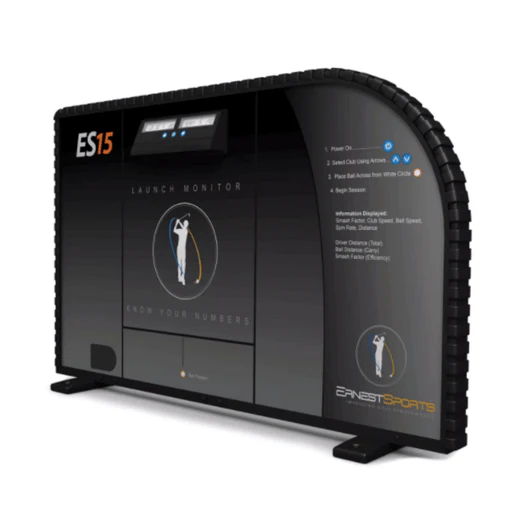
Ernest Sports ES15 Launch Monitor
$5,898
Dual Radar and Photometric Technology: The ES15 is unique in combining both radar and photometric technologies. This dual approach allows for highly accurate ball and club data measurements.
Wide Range of Metrics and Real-Time Feedback: The ES15 provides a broad spectrum of metrics that includes ball speed, launch angle, spin rate, carry distance, and many more.
Versatility for Indoor and Outdoor Use: Designed to be versatile, the ES15 works effectively both indoors and outdoors. This flexibility allows golfers to train in various environments and conditions, making it a valuable tool for year-round practice.
The ES15 Launch Monitor is a lightweight monitor weighing only 3 lbs that captures ball and club data, including carry distance, ball speed, club head speed, hang time, and launch angle. For a quick and convenient overview, here’s a handy table outlining the key specifications of this launch monitor, ensuring you get the relevant information at a glance, especially if you’re short on time:
Specification
ES15 Tour Plus
Dimensions
10″ (h) x 7.8″ (w) x 5″ (d)
Weight
3lbs
Technology
high-speed infrared cameras and four 3D Doppler radar sensors
PC connectivity
Bluetooth
Battery Life
8-10 hours 7.4-volt lithium-ion rechargeable battery or AC/DC adapter
Compatibility
iPhone and Android
Price
$5,895
Ball data captured
Total, carry, roll, and lateral carry distance, Ball speed, launch and landing angle, spin rate and spin axis, maximum height and hang time, shot dispersion
Club data captured
Clubhead Speed. Smash Factor, Angle of Attack, Spin Loft, Face Angle, Club Path, and Dynamic Loft
First impression
The ES15 Launch Monitor came in black and had a compact shape. It’s not super slim, but it’s practical. It felt lighter than other launch monitors, which was a plus.
It also had a base at the bottom, providing stability when I set it down.
I appreciate the thoughtful placement of buttons; it adds convenience and makes using it easy. They’re right where you need them, which is a nice touch.
Setting up
Setting up the ES15 was rather easy. The instruction manual was easy to follow, providing a step-by-step guide that got the Launch Monitor ready to roll.
Connecting it to my iPhone through Bluetooth was seamless. I downloaded the app and followed the on-screen instructions, and it was good to go. What’s cool is that I didn’t need an internet connection, unlike other launch monitors.
I set up mine in my garage, and it didn’t hog much space. My garage is spacious, so I had enough room for my shots. If your space is smaller, try a few practice shots to ensure everything fits.
Despite the suggestion to set it up around 8 feet, I experimented with different distances from the screen. I tried distances of 6 and 7 feet, and there were no issues with performance.
Technology and software
Ernest Sports ES15 Launch Monitor
$5,898
Dual Radar and Photometric Technology: The ES15 is unique in combining both radar and photometric technologies. This dual approach allows for highly accurate ball and club data measurements.
Wide Range of Metrics and Real-Time Feedback: The ES15 provides a broad spectrum of metrics that includes ball speed, launch angle, spin rate, carry distance, and many more.
Versatility for Indoor and Outdoor Use: Designed to be versatile, the ES15 works effectively both indoors and outdoors. This flexibility allows golfers to train in various environments and conditions, making it a valuable tool for year-round practice.
The E15 truly stands out with its cutting-edge features. Its unique blend of photometric camera and Doppler radar technologies transforms it into a hybrid launch monitor, offering detailed ball and club data analysis. This combination gives me a comprehensive understanding of my swings, complemented by real-time feedback that helps enhance my shots.
It also allows the integration of three third-party simulation software packages: Golf Club, E6, and Perfect Parallel. This integration provides access to an extensive library of over 100,000 simulated courses, ranging from prestigious global venues to 3-par golf course settings.
Additionally, the E15 throws in free access to the ES15 Tour App. This app provides extra shot data like ball flight specifics and spin distance.
Performance
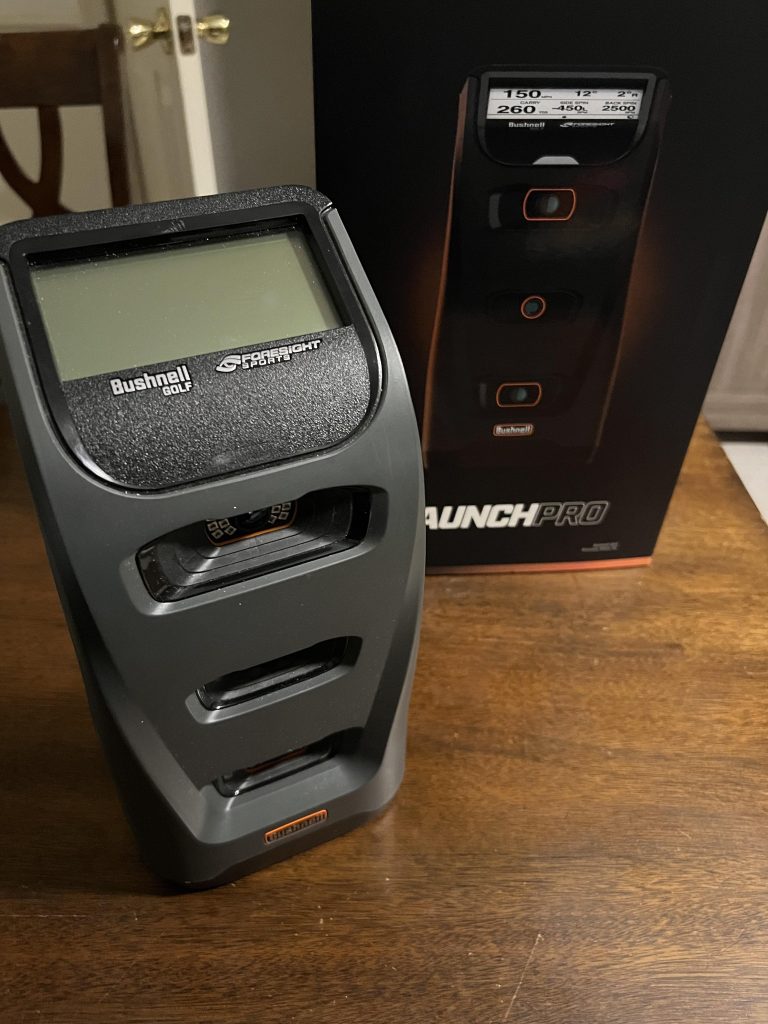
The ES15’s ball data tracking speed was impressive. I’m a low handicapper, and this launch monitor worked quite well. It gave me instant details about the ball and club, like how much it spun, the impact force, and how far it travelled. This helped me adjust my swing on the spot. I even double-checked it against my buddy’s Bushnell Launch Pro, and the results matched, so I trust the ES15.
My buddy, on the other hand, plays at a higher handicap, and during some of his plays, I noticed there were misreads compared to the Bushnell Launch Pro and sometimes even no reads at all. This proved that this launch monitor is more suited for low handicappers and unreliable for high handicappers.
The launch monitor also gave me crucial insights into launch angles after each swing, which is especially handy for different clubs. However, I wish the display on top of the device was larger. Having to check my phone constantly for certain data wasn’t the most convenient.
I also wasn’t too impressed with the device’s microphone. The audio was difficult to hear during use on the course because of background noise. This proves the launch monitor is more suitable for indoor use.
One cool thing was that I could save all my data in Excel format to check later.
Pros and cons
The E15 Tour Plus is one of those launch monitors with good and not-so-great sides. Let’s take a look at some of its pros and cons.
What I liked
What I Didn’t Like
You can set it up without messy cables, making it easy to use and connect to your phone or tablet.
The audio feature disappointed.
Whether I’m using a driver or an iron, the ES15 gives me good information.
The small LCD screen on the top of the device
Our platform provides a wide range of data metrics that enable detailed shot analysis.
Setting up is simple.
Price
The ES15 Tour Plus costs $5895. Although it is a high-end golf monitor, it is still cheaper than other premium monitors.
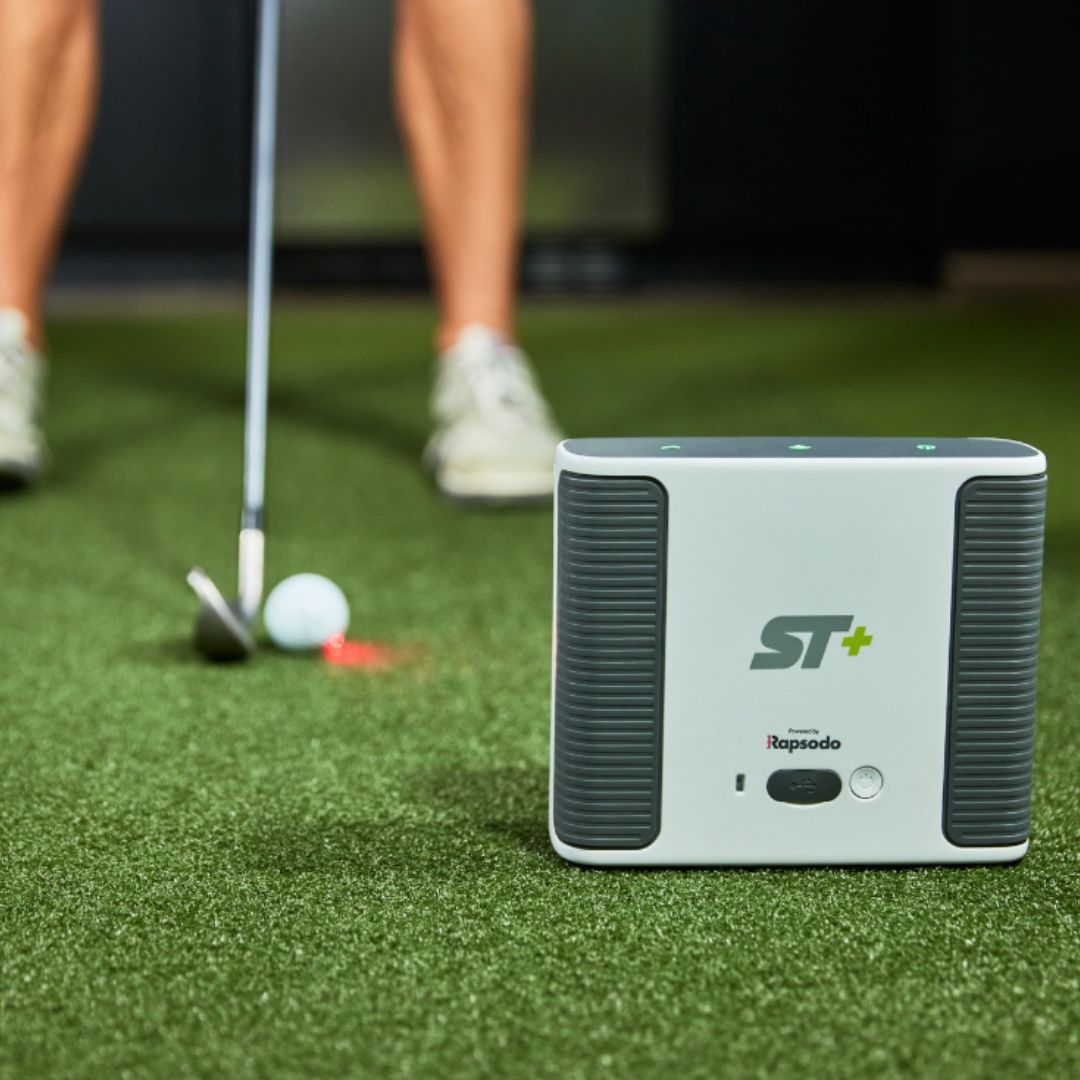
But if you want something cheaper that covers just as many data metrics as the ES15 Tour Plus, the Mevo+ and Skytrak are good options you can check out.
Skytrak only provides ball data, so its data point is less comprehensive than the ES15 Tour Plus.
When compared with other alternatives
The ES15 Tour Plus is a high-end launch monitor and a more expensive option. Other, less expensive options provide similar features and levels of performance. Here’s a table comparing the characteristics of these alternatives:
Specification
ES15 Tour Plus
Flightscope Mevo+
Skytrak
Dimensions
10.125” (H) 7.375″ (W) 2.625” (D)
6.8 (W) x 1.2 (H) x 4.6 (D)
6.75 (H): 5.75 (L): 2.5 (W)
Weight
2lb
1lb
1.75 lbs
Technology
high-speed infrared cameras and four 3D Doppler radar sensors
Launch Angle, Ball Speed, Spin Rate, Spin Axis, Height, Hang Time, Landing Angle, Carry Distance, Roll Distance Total Distance, Clubhead Speed Smash Factor, Angle of Attack, Spin Loft, Face Angle, Club Path, and Dynamic Loft
Carry Distance, Club Head Speed, Smash Factor, Apex Height, Flight Time, Ball Speed, Vertical Launch Angle, Horizontal Launch Angle, Lateral Landing, Angle of Attack, Total Distance, Roll Distance, Spin Axis, Spin Rate, Spin Loft, Shot Shape
Smash Factor Back Spin Rate, Side Spin Rate, Spin Axis, Spin Loft, Horizontal Launch Angle, Vertical Launch Angle, Roll Distance, Apex Height, and Flight Time
If you are a low handicapper looking to access comprehensive ball and club data to improve your shot without making a huge withdrawal from your bank account, then the ES15 would be a good choice.
But if you are a handicapper and desire the flexibility of playing anywhere, whether indoors or on the course, you may want to consider other options on the market.
The ES Tour Plus outshines the SkyTrak Launch Monitor with its extensive data points covering club and ball metrics, making it ideal for golfers aiming to improve their swings. However, it comes with a higher price. On the other hand, the more affordable SkyTrak lacks comprehensive club data, and its accuracy in detecting longer shots falls short.
Choosing between the ES Tour Plus and SkyTrak can be tricky, and I’ve noticed many people struggle with this choice in online reviews. I decided to try them out myself to determine what they each brought. The ES Tour Plus was great in my tests, giving me accurate data on ball speed and directions. It had many more data points, giving me a detailed look at my shots.
The only hiccup is more expensive than the Skytrak, which is more budget-friendly. The SkyTrak is good for slower hits and nailing ball distances and directions. But it’s not so great at measuring ball speed, and it doesn’t measure club head speed. It does, however, give launch angle, side angle, side spin, and backspin RPM.
In the rest of this article, we explore the specifications of these launch monitors, compare their performance, and discover the advantages and disadvantages associated with each launch monitor. Let’s begin.
A major difference lies in the depth of data capture and the weight of these two launch monitors. In the following table, I’ll compare the dimensions, weight, battery life, and data captured by both launch monitors. This should give you a quick overview of their differences and similarities.
Specification
ES Tour Plus
Skytrak
Dimensions
10.125” (H) 7.375″ (W) 2.625” (D)
6.75 (H): 5.75 (L): 2.5 (W)
Weight
2lb
1.75 lbs
Technology
high-speed infrared cameras and four 3D Doppler radar sensors
Launch Angle, Ball Speed, Spin Rate, Spin Axis, Height, Hang Time, Landing Angle, and Carry Distance Roll Distance Total Distance
Smash Factor Back Spin Rate, Side Spin Rate, Spin Axis, Spin Loft, Horizontal Launch Angle, Vertical Launch Angle, Roll Distance, Apex Height, and Flight Time
Club data captured
Clubhead Speed. Smash Factor, Angle of Attack, Spin Loft, Face Angle, Club Path, and Dynamic Loft
First impression
After unboxing the ES Tour Plus’s portable and compact design impressed me. It’s also lighter than some of the other launch monitors I’ve tried.
The SkyTrak was also surprisingly light—one of the lightest I’ve used. I was pleased with how easy it is to carry around, and I was excited to set up these monitors and take them for a spin to see how they would perform in action.
Ernest Sports ES Tour Plus
$1,995
Comprehensive Data Analysis: The ES Tour Plus offers extensive data metrics crucial for golfers looking to improve their skills. It measures ball data like ball speed, launch angle, spin rate, carry distance, and club data, including club head speed, smash factor, and angle of attack.
High-Speed Camera System: Equipped with a high-speed camera system, the ES Tour Plus captures and analyzes the club and ball at the moment of impact with high precision.
Ease of Use and Portability: The ES Tour Plus is praised for its user-friendly interface and portability. Its compact design allows for easy transport and setup, making it suitable for use on the course and in indoor facilities.
Setting up both Launch Monitors was a breeze, thanks to the user-friendly and well-organized instruction manuals that came with both devices. The process was straightforward and hassle-free.
The ES Tour Plus, with its wireless connectivity feature, made the setup even more convenient. Connecting it to my iPad through Bluetooth pairing was a simple task. This eliminated the need for cables and increased the device’s portability, allowing easy movement when I took it to the range to hit some shots.
Downloading the ES Tour app was also a seamless process, and following the app guide made connecting the device to my iPad a smooth experience. The stable and adjustable stand of the ES Tour Plus ensured a secure placement.
Setting up the SkyTrak was equally straightforward, following the manual, which covered everything from app calibration to the position of the launch monitor, However, I hit a snag connecting it to my iPad through WiFi. I had to power off the monitor three times and retry before finally getting it to connect.
Technology Review
The ES Tour Plus employs radar-based technology to capture crucial data points like clubhead speed, ball speed, and spin rate during each swing. Dual photometric cameras and advanced sensors enhance the accuracy and precision of the obtained data.
On the flip side, SkyTrak utilizes a high-speed photometric camera system to track data such as ball speed, carry distance, spin rate, and launch angle with impressive accuracy.
ES Tour Plus offers compatibility with third-party golf simulation software like The Golf Club, E6 Connect, and Perfect Parallel. These software packages provide access to an extensive library of over 100,000 course simulations, so you have much to choose from. It does, however, offer fewer software options than Skytrak.
SkyTrak, on the other hand, provides three software options to enhance the simulation experience:
Basic Practice Range Plan: This plan costs $130 and allows users to view data on launch angle, shot trajectory, ball speed, and total distance.
Game Improvement Package: This requires a yearly subscription and includes a SkyTrak Launch Monitor, a protective metal case, features from the Basic Practice Range Plan, Play and Improve Plan, Skills Assessment, and a 12-month subscription to the Game Improvement Plan.
Tee-off Package: Also requires a yearly subscription, covering all features included in the Game Improvement Package, along with a twelve-month subscription to the WGT Play and Improve Plan, allowing users to play 11 of the world’s most famous courses virtually and participate in the Closest to Hole Challenge.
SkyTrak also supports integration with third-party software like E6 Connect, WGT, or The Golf Club 2019, expanding the range of simulation options available to users.
I’m not a big fan of these subscription packages because they are overpriced for a couple of additional features. Skytrak only provides ball data, so I’d choose a less expensive option like the Meevo+ that does not require a subscription package and offers similar performance.
Skytrak Launch Monitor
Starting At $1,695
Accurate Ball Flight Data: SkyTrak is known for providing highly accurate ball flight data on par with much more expensive systems. It measures key metrics such as ball speed, launch angle, backspin, sidespin, and carry distance.
Simulator Integration for Enhanced Experience: One of the standout features of SkyTrak is its ability to integrate with golf simulation software. This provides an immersive experience where users can play virtual rounds on famous golf courses, participate in online challenges, or practice in simulated environments.
Portability and Convenience: SkyTrak’s compact and wireless design makes it highly portable and easy to set up, whether at home, in the office, or on the driving range.
The ES Tour Plus showcased exceptional accuracy in capturing ball and club data during my testing. I tried it out with my 7-iron and sand wedge, and it consistently provided precise measurements for both.
The SkyTrak also delivered accurate ball data, including backspins, side spins, and ball speed. However, I did notice some discrepancies in the data readings for carry distance for longer shots.
One noteworthy observation was that the SkyTrak displayed data about 5 seconds slower than the ES Tour Plus, giving the ES Tour Plus an edge in delivery speed.
The ES Tour Plus impressed me with its customizable data display feature, which allowed me to access only the shot metrics I was interested in after each shot. For example, I could focus solely on spin rate, launch angle, and distance, eliminating unnecessary distractions from irrelevant data.
Another standout feature of the ES Tour Plus is its ability to calibrate for different clubs. Whether using my 7-iron or Sand wedge, I could easily calibrate it to adjust readings for each club.
I also observed that the Skytrak requires a well-lit room because it relies on cameras and struggles with data tracking in low light.
The Skytrak may also not be the best choice to improve your putting. While it does recognize putts as you make your play, it, however, has no dedicated putting practice modes.
The ES Tour Plus is more accurate in measuring club and ball data, giving you many details. Although it’s more expensive, it’s worth paying a couple of hundred dollars more for its increased precision and more comprehensive data.
Price
While the ES Tour Plus is considered more affordable than other launch monitors on the market, such as the GCQuad, compared with the SkyTrak, it is the pricier option. The ES Tour Plus is available at the PGA Tour Superstore for $1,995.
The indoor golf shop sells the SkyTrak for $1,695.
Pros and cons
While both products offer the unique advantages they offer golfers, they also have their respective downsides. Let’s take a look at some I encountered during testing.
ES Tour Plus
What I liked
What I Didn’t Like
You can set it up without messy cables, making it easy to use and connect to your phone or tablet.
Relatively higher cost compared to similar devices.
The software is user-friendly and designed for non-tech experts, even for easy use.
The small LCD screen on the top of the device
Provide comprehensive data metrics for detailed shot analysis.
A more concise form
provides real-time data feedback.
SkyTrak
What I liked
What I Didn’t Like
A more affordable option
There are delays in providing shot results, with a few seconds of lag.
The system precisely measures ball movement, allowing for the collection of detailed shot information.
Other options provide more precise details on club movement.
Accuracy on longer shots is not as reliable as premium alternatives.
Final thoughts
Both launch monitors are high-end, although the ES Tour Plus is the more expensive. The ES Tour Plus stays ahead regarding the depth of data supplied but offers fewer software options. However, the software options available are sufficient if you are a casual golfer who prefers a par-3 or 9-hole course experience and would give you the in-depth data you require.
Skytrak, on the other hand, is more affordable by about 300 dollars. Still, you would have to pay an annual subscription to access some of its simulation features and data, which may be a more expensive cost in the long run.
The key distinction between the Foresight GC2 HMT and GCQuad lies in their technological capabilities and convenience. The GC2 HMT provides dual-function data accuracy. Conversely, the GCQuad delivers extensive data at a much higher cost. So, if you are not a pro athlete needing in-depth insight into the ball and club data performance, the GCQuad is not the best choice.
The Foresight GC2 Launch Monitor has been my go-to companion for a year. I initially chose it because it fit my budget and provided the data I needed to improve my swings. It was a great option then, and it has served me well. But I was ready to upgrade last month and tried the GCQuad.
After several tests, I discovered that the GCQuad delivers professional-grade performance and comprehensively analyses my shots. The simulation feature is also one of the best. However, the simulation feature is larger in weight and size compared to my GC2 model, requiring more space to set up. As a result, my bank account felt the impact after I made the purchase.
In the rest of this article, I’ll delve into the specifications of each launch monitor, detailing their performance during my testing and outlining the pros and cons. Let’s dig in.
The GC2 Head Measurement Technology (HMT) stands out for its portability and lighter weight. The HMT feature provides club and ball data for every shot, all at a more budget-friendly price. The GCQuad, on the other hand, captures a broader range of data, offers durability, and, thanks to quadroscopic technology, delivers an exceptional simulation experience. However, it comes with a considerably higher price tag. Here’s a brief side-by-side look at their features.
Ball speed, Launch angle, Side angle, Spin, Side spin, Carry distance
Club Data Collected
smash factor, angle of attack, club head speed, club path.
Club head speed, Efficiency, Angle of attack, Club path, Face angle, Loft & lie at impact, Impact location, and Closure rate
Foresight GC2 HMT
$5,581
Accurate Ball and Club Data: The GC2 HMT provides highly accurate data on ball flight and club head performance. It captures essential metrics such as ball speed, launch angle, spin, carry distance, club head speed, angle of attack, and club path.
Portable and user-friendly: Unlike other high-end launch monitors, the GC2 HMT is known for its portability and ease of use. It can be easily set up indoors or on the course, making it versatile for different training environments.
The GC3 had a lightweight and compact form, accompanied by the HMT, that was equally lightweight. Both the GC2 and its HMT had 2 cameras each and came with a couple of other accessories:
Rear and Side Black Nylon Valences
Side Barriers
A super flash (replaceable flash module)
Power adapter & cable
USB cable
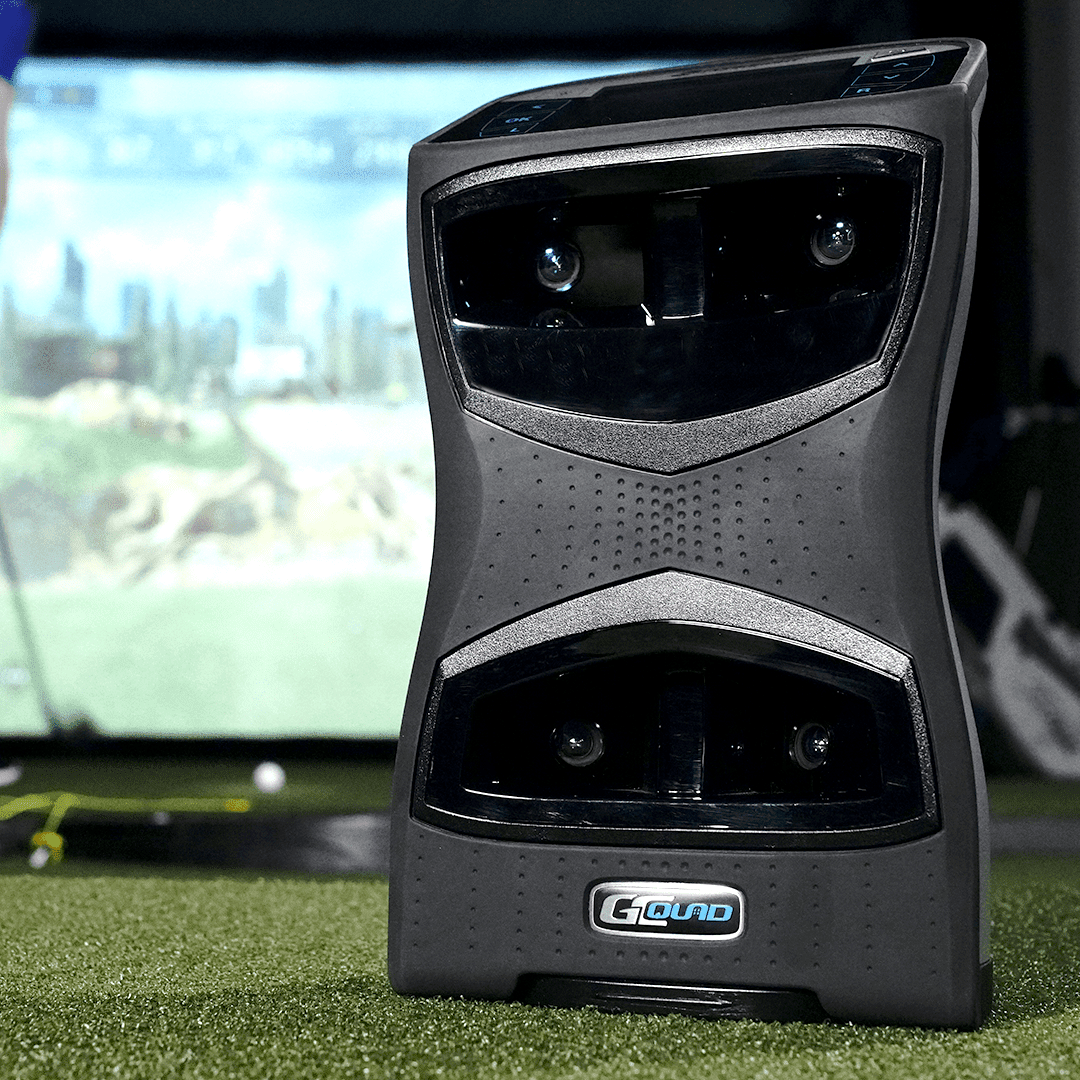
The GCQuad showcased a modern design and was way heavier than the GC2. It was also less portable. It came with a set of accompanying accessories:
LCD
USB-C Cable
Alignment Stick
Club marker dispense
Both devices felt durable I was more impressed with the look of the GCQuad. However, spending $14,000 on a launch monitor makes no sense simply because it looked nice, so I was eager to see how it would perform.
Pros And Cons
The GC2 HMT and GCQuad stand out in their unique ways. Understanding the strengths and potential drawbacks of each can be instrumental in making an informed decision.
Foresight GC2
What I Liked
What I Didn’t Like
The GC2 HMT provides accurate club and ball metrics data.
While it gives me the basics, it does offer as many data metrics as the GCQuad.
I love how easy it is to move around.
Sometimes, lighting can affect indoor performance, requiring careful setup.
It doesn’t break the bank, making it a fantastic choice for my wallet without compromising performance.
Foresight GCQuad
What I liked
What I Didn’t Like
It provides highly detailed club and ball metrics.
The pro-grade performance comes at a cost, making it a bit heavier on the wallet.
I appreciate that it doesn’t mind where I set it up—indoors or outdoors, it just works
The wealth of features may be a steeper learning curve.
The wide range of metrics offers a deep dive into performance analysis.
It’s a bit larger and heavier, making it less portable.
Exceptional Accuracy and Comprehensive Data: The GCQuad is renowned for its unparalleled accuracy in measuring ball and club data. It provides detailed insights, including ball speed, launch angle, spin rates, carry distance, and more.
Quadrascopic Imaging Technology: One of the standout features of the GCQuad is its quadrascopic camera system. This technology enables it to capture and analyze vast data points with extreme precision.
Versatility for Indoor and Outdoor Use: The GCQuad is designed for flexibility, functioning with equal effectiveness indoors and on the golf course.
Setting up both monitors was relatively easy; I followed the manual’s instructions without encountering any issues. Connecting the HMT to the launch monitor was straightforward, and in no time, it was ready to track my shots. The simplicity of the setup process makes it user-friendly. Even if you are not a tech wizard, you should have no problem setting it up.
This ease of setup is a shared feature with the GCQuad, which also proved straightforward using the provided manual.
However, I did notice that the GCQuad required a more spacious setup, with its hitting zone being six times larger than the GC2. While this demanded more space, it also offered a broader area for shot-taking, creating a trade-off.
After setup, turning on the GC2 took about 30 seconds and was good to go. The only additional step was applying the club marker sticker to my club face to track club data. Overall, both models provided a hassle-free setup experience.
Build and Technology
The GC2 HMT boasts a compact yet robust build, combining simplicity and effectiveness. Its stereoscopic camera system directly measures each shot, providing ball data and monitoring the clubhead. It’s like having a golfing buddy who tells you where your shot is going and how your club head affects each shot.
The build of the GCQuad is more of a pro-level equipment. It is more modern and offers a durable feel, indicating that it will hold well in use. Both devices had a really solid build.
Both models support the Foresight Sports Suit software, but there’s a little bit of variation with each. The GC2 provides access to FSX 2020, FSX Play, E6 Connect, and Creative Golf 3D, while the GCQuad offers these options along with additional software like FSX Pro, Foresight Fairground, and Foresight App. Moreover, the GCQuad allows integration with extra third-party software such as GSPro, Awesome Golf, and Swing Catalyst.
The GCQuad also offers two software add-ons for professional golfers seeking more data points. The clubhead add-on provides insight into face angle, loft and lies at impact, impact location on the club face, and closure rate.
Putting analysis add on which provides access to:
Ball velocity
Smash factor
Club path
Angle of attack
vertical launch angle
Horizontal launch direction
Total spin
Spin-tilt axis
Backspin
Side spin
Club speed
Impact face angle
Impact lie
Impact location
These additional software packages are not accessible by the GC2 HMT.
However, I did not deem these packages necessary because you probably would never use most of the features offered by GCQuad and would be paying more. The GCQuad offers unnecessary software options that a casual golfer would not need.
Performance
Both launch monitors, the GC2 HMT and GCQuad offer high reliability and accuracy, offering valuable insights into shot analysis. However, the GCQuad exhibited more consistent results during my testing, delivering faster data but only by a few seconds.
The difference in data delivery was hardly noticeable, so I didn’t mind as long as I got the required data.
The dual functionality of the GC2 has provided me with valuable insights into my shots that I didn’t have before, which has helped improve my swing technique.
If you are new to launch monitors seeking to dissect swings and refine shots, the GC2 HMT is an excellent choice. It’s reliable, user-friendly, and budget-friendly—a solid pick for beginners and casual golfers.
On the other hand, the GCQuad is what I like to think of as the Ferrari of Foresight launch monitors. This high-performance feature captures every detail of a shot with remarkable speed, offering more comprehensive data. Some of this data you can do without and probably would never actually use and still have an enhanced performance overall.
I feel like the GCQuad is more expensive but has the same features as the GC2, and if you are a casual golfer seeking a launch monitor for your everyday day, I would not recommend getting the GCQuad. It’s not worth it unless you are a pro athlete or casual golfer.
The only major difference is while the GC2 requires an HMT to track club data, the GCQuad does not.
Pricing
The GC2 is a sensible option if you want accurate data without paying a hefty sum.
The GC2 is priced at a base of $5,581 and is available in the indoor golf shop. The accompanying HMT is around $6,000, presenting a cost-effective option for golfers.
In contrast, the GCQuad comes with a premium price tag. The base price is $14,000, providing an LCD, FSX 2020, and FSX Play. Additional add-ons like club and putting analysis are available at $4,000 and $2,500, respectively. While integrating third-party software is possible, it comes at an additional cost.
The GCQuad is an overpriced version of GC2.
Final Thoughts
When considering a launch monitor, it’s not just about performance; it’s about aligning performance with your budget. If you prioritize reliability, portability, and affordability, the GC2 HMT will serve you well.
On the other hand, the GCQuad offers in-depth analysis and pro-grade precision, which you can do without unless you are a pro athlete.
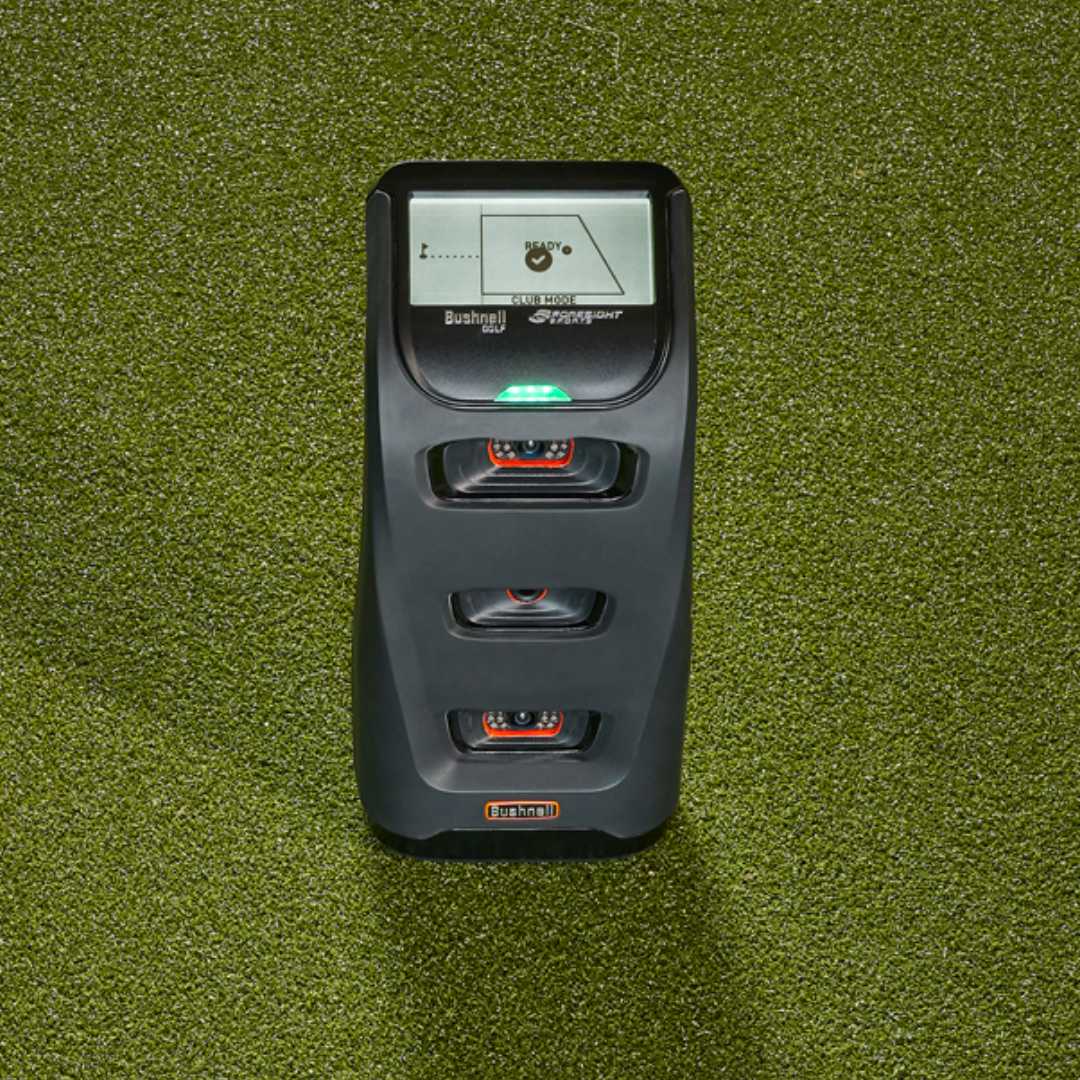
The Bushnell stands out for Foresight due to its affordability and convenience. Foresight GC2 provides comprehensive ball and club data capture. However, club head data requires an HMT, making it more costly. In contrast, the Bushnell Launch Pro provides accurate ball and club data and is twice as cheap as the GC2.
Our golf crew recently said goodbye to a friend who relocated to Florida two months ago. As a parting gift, we decided to get him a launch monitor. We wanted something lightweight, affordable, and with great simulation features and durability. I was responsible for choosing the launch monitor, so I researched and narrowed it down to the Foresight GC2 and the Bushnell Pro.
Ultimately, I chose the Bushnell Pro because it fit within our budget and provided a good simulation experience for our casual golfer friend. Although it was a bit bulkier than anticipated, it got the job done.
I will review each launch monitor’s specifications and performance in indoor and on-course settings in this article. Additionally, I’ll delve into the advantages and limitations of each, offering a detailed overview to aid in your understanding of these golf launch monitors.
The Foresight GC2 greeted me with a compact design. Its matte finish added to the minimalist aesthetic, and the device felt impressively lightweight. It came with the HMT, which was equally lightweight. The HMT came with the GC2, which was equally lightweight.
Rear and Side Black Nylon Valences
Side Barriers
A super flash (replaceable flash module)
Power adapter and cable
USB cable
When I opened the Bushnell, I was slightly surprised by the weight. I had read reviews online and knew it was heavier than the GC2, but after carrying it, it felt heavier than 5lb. The Bushnell Launch Pro, with the same hardware and feel, looked exactly like the Foresight GC3 I recently purchased. It also came with some accessories.
Club Marker Pack
USB-C Cable
Power Cord
Alignment Stick
What I Liked and What I Didnt Like
Let’s explore the advantages and disadvantages of these Launch monitors, shedding light on the high-tech precision of the GC2 and the budget-friendly reliability of the Launch Pro. Let’s delve into the pros and cons of these two launch monitors.
Foresight GC2 Pros and Cons:
What I liked
What I Didn’t Like
The high-speed cameras accurately capture every bit of my swing with precision.
Setting it up indoors needs some room. Tight spaces might pose a challenge.
It’s a tough, sleek cookie, giving off that premium feel I love.
more expensive than the Bushnell Launch Pro.
Bushnell Launch Pro Pros and Cons:
What I liked
What I Didn’t Like
Launch Pro won’t empty your wallet, but it does the job.
Heavier than the GC2.
It provides instant feedback during my swing.
The software subscription packages are expensive.
Trusty for data basics like ball speed and launch angle.
Comparing Foresight GC3 and Bushnell Launch Pro Specs
Before delving into a detailed review, let’s compare the specifications of these two launch monitors. This comparison table shows the dimensions, weight, battery life, technology, price, and data capture to highlight their similarities and differences. This comparison will provide a comprehensive understanding of the key features each device brings to the table.
Specification
Foresight GC2
Bushnell Launch Pro
Dimensions
5.5(w) x 10(l) x 3(h)
6(L) x 6.2(W) x 12(H)
Weight
3.8 lbs
5lbs
Technology
stereoscopic high-speed camera system.
Photometric-based camera systems
PC connectivity
Bluetooth or USB
USB-C, Ethernet, or WiFi
Battery Life
6–8 hours of NiMH rechargeable
5-7 hours of lithium-ion
Compatibility
Apple and Android
Apple and Android
Price
$5,581
$1,999
Ball data captured
Ball speed, carry distance, and spin are important factors to consider. side spin, horizontal and vertical, launch angle
Carry Distance. Ball Speed, Total Spin, Launch Angle (Vertical and Horizontal), Spin Tilt Axis Spin (back and side)
Club data captured
smash factor, angle of attack, club head speed, and club path.
Club Head Speed, Smash Factor, Club Path, and Angle of Attack
Setting up
Foresight Player GC2
$5581
Exceptional Accuracy: The GC2 is celebrated for its unmatched accuracy, a crucial factor for game improvement and club fitting. Its reliable and trustworthy data allows golfers to fine-tune their practice sessions and adjust their techniques based on solid feedback.
Advanced Camera System: It uses a stereoscopic camera to capture and analyze the characteristics of a ball. This system includes two cameras that can take up to 10,000 pictures per second, providing instant analysis of ball data such as speed, back spin, side spin, launch angle, and more.
Portability and User-Friendly Design: The GC2 is portable, lightweight (only 3.8 lbs), and easily used outdoors and indoors. It features self-calibration and an outdoor-readable LCD, offering convenience and eliminating the need for additional devices like laptops or smartphones.
Setting up the Gc2 was hitch-free. All I had to do was follow the manual to the tee. It was explanatory, and I was able to complete the setup.
I also had to set up the HMT that came with the GC2. After setting it up, I connect the HMT and the GC2 using the HMT cable.
Setting up the Bushnell was also relatively easy; the only issue I encountered was connecting the Launch Pro to my iPad due to Wi-Fi issues. But I later discovered I had to ensure that both were related to the same WiFi. After I adjusted this, I could complete setting up without any other issues.
Due to its camera system, I had to place Bushnell a few feet away from the ball during shots. The GC2, on the other hand, was established about 20 inches from the hitting areas behind the ball. I also had to apply club markers to my club face so the GC2 could track and provide club data.
During setup for a round with the GC2, I noticed a flashing red light indicating the ball was outside the hitting zone. Adjusting the ball’s position resolved this, and the red light turned off, signalling readiness for the shot.
Build and technology
Bushnell Launch Pro
$1,999
High Accuracy Indoors and Outdoors: The Launch Pro stands out for its incredible accuracy, utilizing a high-tech camera system instead of Doppler.
While offering performance comparable to high-end launch monitors, the Bushnell Launch Pro is more affordable. Its ease of setup and use, facilitated by an onboard touchscreen for Wi-Fi connectivity and application integration, adds to its appeal.
Advanced Technology: The device is built with the same technology as the Foresight GC3, offering highly accurate and well-designed features. This shared technology underlines its capability to deliver professional-level accuracy.
The Foresight GC2 has a compact and robust build, with buttons strategically placed for user-friendly operation. In contrast, the Bushnell presented a more modern and sleek design.
The GC2 offered access to FSX 2020, FSX Play, E6 Connect, and Creative Golf 3D software simulation.
The Bushnell Launch Pro also had a compact and durable build. The Bushnell Launch Pro featured three main software packages:
The Basic package, priced at $249 annually, provides access to all data parameters and fundamental FSX Pro software configuration.
The Gold package, costing $699 annually, included all basic features and provided full access to the FSX 2020 package and FSX Play.
The Unlocked package, available at a one-time payment of $3,499, offered benefits identical to the Gold package.
The major issue you may encounter with the Bushnell is with the subscription package, which, let’s face it, is downright expensive. But you can go for the basic plan, which is $249 annually. It is the least expensive, and you can still access in-depth ball and club data metrics that will provide valuable insight to improve your swings.
Paying an additional $249 plus the $1,999 for the Bushnell Launch Pro unit still makes much more sense than paying $5,581 for the GC2 Launch monitor, which has almost the same features.
Performance
Swinging with the GC2 was a precision delight—spot-on measurements, capturing accurate data with finesse. Whether it was a controlled swing or a power-packed rip, the GC2 tracked it. I could see how my launch angle affected ball flight and the spin rate and how these data affected my shot outcome with the GC2.
I even brought a buddy over to test it in my garage, and the simulation experience was impressive. We could seamlessly transition into simulation mode and get the same level of accuracy.
The Bushnell, on the other hand, provided real-time feedback, which was a great feature that allowed me to address my swing to improve my shot immediately. Its data was on point, though not as detailed as the GC2’s comprehensive analysis. Testing different swings, the Bushnell adapted like a champ, adjusting club speed with each hit.
Data delivery was also very fast.
Of course, I took it to the course to try it out, and its sturdy and durable build held up very well. I like that the data was displayed on the monitor, and I didn’t have to reach for my iPad to access the data. This greatly enhanced convenience, and I could focus more on my game.
Both devices provided impressive performance, with the Bushnell being the
If you need a launch monitor that you can take to the range or set up indoors, then the Bushnell Launch Pro should be your ideal choice. You would get the same performance and value at a much lower price.
Pricing
Regarding pricing, the Bushnell Launch Pro is the clear winner. It is way less expensive and provides just as much data accuracy.
The Bushnell Launch Pro comes for $1,999 and is available at the indoor golf shop. That includes the unit, software subscription packages, accessories, and the ball and club data.
On the other hand, the GC2 is priced at $5,581, and the HMT for comprehensive club data analysis is priced at $6,000. This is a lot of money if you are not a golfing coach or pro athlete seeking extremely comprehensive and in-depth data on your shots.
Final thoughts
The Bushnell Launch Pro is your budget-friendly buddy—not as flashy, but reliable and practical. For an everyday golfer, this is a good option.
Also, note that the GC2 is currently out of stock on most websites, and purchasing a new one would be difficult. This is just the Bushnell Launch Pro, all the more a better choice as it is more affordable and easily accessible on
The Foresight GC2 launch monitor offers data on ball speed, launch angle, and spin rate. However, it has limited data points compared to the GC3. The GC3, however, provides precise and customizable data access and immersive simulations but comes at a higher cost. The GC3 stands out for its advanced features, while the GC2 balances affordability and functionality.
You’re not alone if you’re finding it tough to pick between these launch monitors. My brother was in the same boat last month and sought my help choosing one. Wanting to make an informed decision, I tested the Foresight GC2 and GC3 launch monitors.
The GC3 offers a sophisticated platform for analyzing and enhancing your swing. By leveraging precise measurements of data output, including clubhead speed, face angle, and attack angle, I could analyze, refine my swing technique and track progress. Plus, I was highly impressed with its simulation experience, making it the high-end choice.
The GC2 also provided comprehensive ball data analysis, but I required an HMT to track club data. With both launch monitors, I could access important data points that helped refine my shots, but the GC2 was a more affordable option.
In this article, I’ll share the specific features of each launch monitor, its performance, and pricing to provide you with a clearer picture of what these two launch monitors will offer your golfing game so you can make the best decision.
Offers high accuracy, providing reliable data for in-depth swing analysis.
Requires an HMT to capture club data.
Battery life last longer
More affordable option
More lightweight when compared to the GC3
Foresight GC3 Pros and Cons
What I Liked
What I Didn’t Like
Captures more data points, offering a comprehensive analysis of ball flight and club performance
Features enhanced graphics, creating a more immersive and realistic virtual golfing environment.
Offers refined interface for an enhanced user experience.
Requires dedicated space for optimal setup, which could be a limitation for those with limited room.
Features enhanced graphics, creating a more immersive and realistic virtual golfing environment
Comparing Foresight GC2 and GC3 Specifications
Foresight Sports GC2
$5581
Exceptional Accuracy: The GC2 is celebrated for its unmatched accuracy, a crucial factor for game improvement and club fitting. Its reliable and trustworthy data allows golfers to fine-tune their practice sessions and adjust their techniques based on solid feedback. The high-quality components, all made in-house, contribute to its accuracy, making it a preferred choice among professional golfers.
Advanced Camera System: It uses a stereoscopic camera to capture and analyse ball characteristics. This system includes two cameras that can take up to 10,000 pictures per second, providing instant analysis of ball data such as speed, back spin, side spin, launch angle, and more. The large hitting window of the GC2 also enhances its accuracy by capturing a wide range of shots, including mishits.
The GC2 is portable, lightweight (only 3.8 lbs), and can be easily used in both outdoor and indoor settings. It features self-calibration and an outdoor-readable LCD, offering convenience and eliminating the need for additional devices like laptops or smartphones. This ease of use and quick setup make the GC2 an ideal choice for golfers who value performance and simplicity.
The Foresight GC2 employs a high-speed camera and flash modules for ball measurement data, measuring carry distance, side spin, ball speed, and launch angle. In contrast, the GC3 utilizes a telescopic photometric camera system and three high-speed cameras, capturing more ball images than the GC2. This enables the GC3 to deliver more accurate and faster measurements. Now, let’s compare their specifications side by side:
Launch Angle, Side Angle, Ball Speed, Total SpinCarry, Side Spin/Spin Axis
Club Data Collected
smash factor, angle of attack, club head speed, club path.
Club Head Speed, Smash Factor Club Path, Angle of Attack
Appearance and setting up
Foresight Sports GC3
$6,999
High Accuracy and Precision: The GC3 is lauded for its accuracy, which is crucial for improving your game and fine-tuning practice sessions. It provides a robust number of reliable data points, crucial for both club fitting and game improvement.
Advanced Technology: It utilizes a triscopic photometric system (three high-speed infrared cameras) for precise club and ball data measurement. This technology enables the GC3 to capture detailed data such as ball speed, spin, launch angle, etc. The device is also weather-resistant and offers auto-leveling for easy setup.
Ease of Use and Portability: The GC3 is compact and lightweight, with a simple touchscreen control, making it easy to use and transport. It’s designed for both outdoor and indoor use and includes features like a large display screen and long battery life for added convenience.
The GC2 is smaller and has a more traditional look, reminding me of a modern-day calculator with fewer buttons. It came with a Head Measuring Technology that was equally portable. It also came with accessories:
Rear and Side Black Nylon Valences
Side Barriers
A super flash (replaceable flash module)
Power adapter & cable
USB cable
After the unboxing, it was rather easy to set up.
To begin the setup process, I had to extend the footstand below the LCD screen input button until it came up and rotate the top cover outward. I then connected the display screen and used the wire stand to ensure it was securely in place. I also had to set up the HMT, which I connected to the GC2 with a cable.
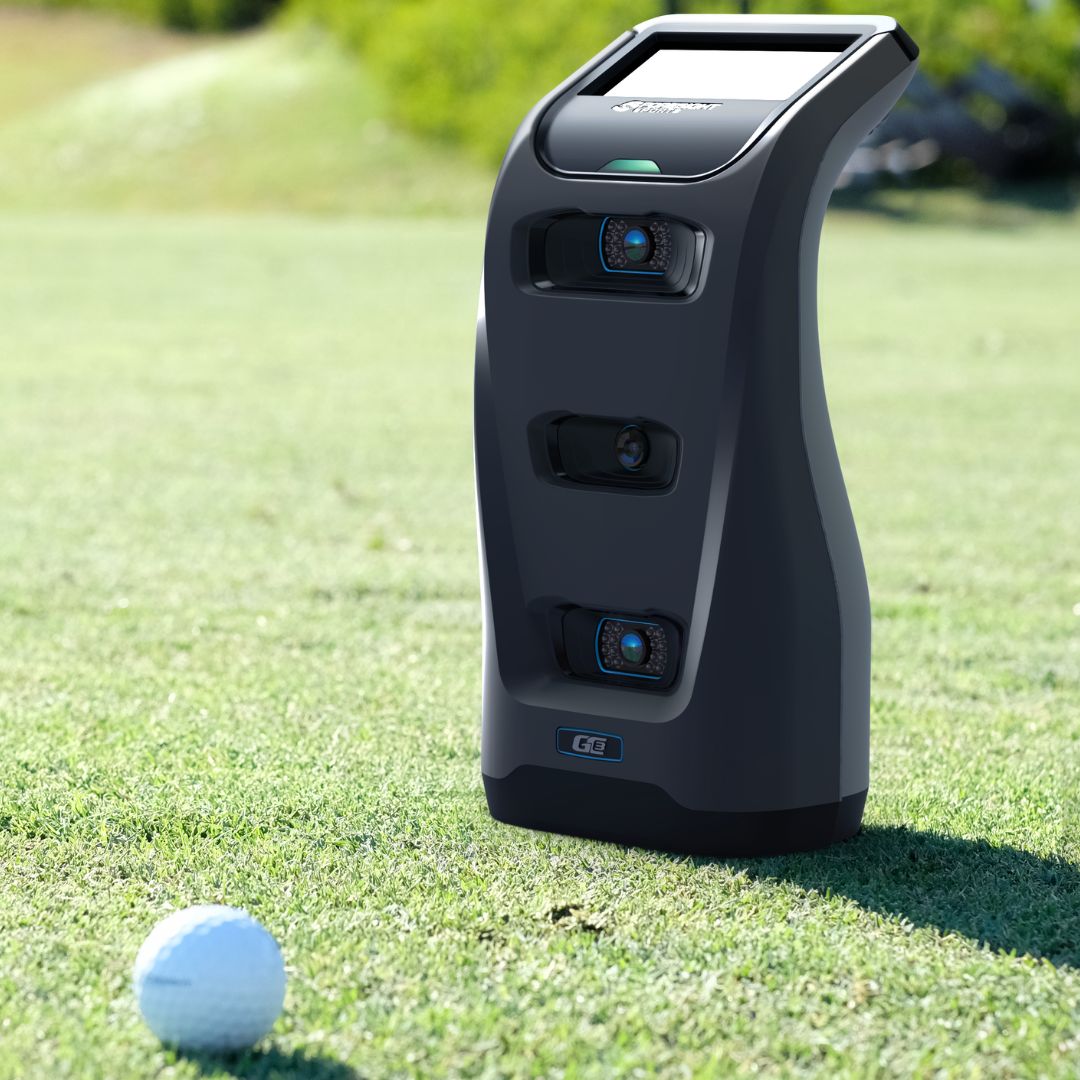
The GC3 has a more modern design and is heavier than the GC2. The material felt durable and sturdy, enhancing the launch monitor’s appearance. It was also accompanied with:
Power Adapter + Cable
USB-C Cable
Alignment Stick
Club Markers
The setup process was similar to the GC2; it was super easy to set up following the instructions in the manual. It, however, had no HMT.
After setting up, all I had to do was place the Gc3 launch monitor upright about 2 feet away from my hitting area, and as I took my shots, the launch monitor tracked the club and ball data.
Build and technology
The GC2 felt rather durable, suggesting long-lasting performance. It utilizes a Stereoscopic camera system with two high-speed cameras, capturing precise data at the moment of impact.
It uses an onscreen golf ball identification system and self-levelling accelerator technology, eliminating the need for ball marking or calibration.
On the other hand, the GC3 has a sturdy build. It employs an advanced telescopic photometry system, capturing around 10,000 images and building 3D images of ball and club, offering a highly realistic simulation experience.
The GC2 provides access to four golf simulation software packages.
The FSX2020 provides virtual practice ranges and full course plays, though its graphics fall short compared to E6 Connect.
FSXplay improves FSX2020, enhances the simulation experience with better graphics, and offers user-friendly customization options. This customization option lets you personalise the data points you want to review during each round.
E6 Connect and Creative Golf which are third-party software options.
Like the GC2, the GC3 allows you access to Foresight Sport’s core software, like FSX 2020 and FSX Play. However, the GC3 offers additional access to FSX Pro, Foresight Fairground, and Foresight Apps, providing more simulation courses and an improved overall experience. Plus, you can integrate even more third-party software like the GSPro, E6 connect, awesome Golf and Creative Golf 3D.
I like that both packages did not require any subscription to access the software packages, unlike the more affordable Bushnell Launch Pro.
Although the GC2 offers a lot fewer software options, for a casual golfer who seeking to improve your swings, the software options available are more than sufficient and would serve you well. Paying an additional $1,000 for a few more simulation software options you may never use doesn’t make much sense.
Performance
The GC2 consistently provided precise data and feedback on launch angle, spin rate, and clubhead spin during testing.
The GC3, however, generated more data points, resulting in a more detailed and realistic representation of both ball and club performance. If you’re golfing coaching or a serious after a thorough analysis of your shots and swings, especially for those seeking detailed insights, the GC3 is the superior choice.
While the GC2 delivered a satisfactory simulation experience with good graphics and ball flight dynamics, it wasn’t until I tried out the GC3 that I realized the immersive potential could reach new heights.
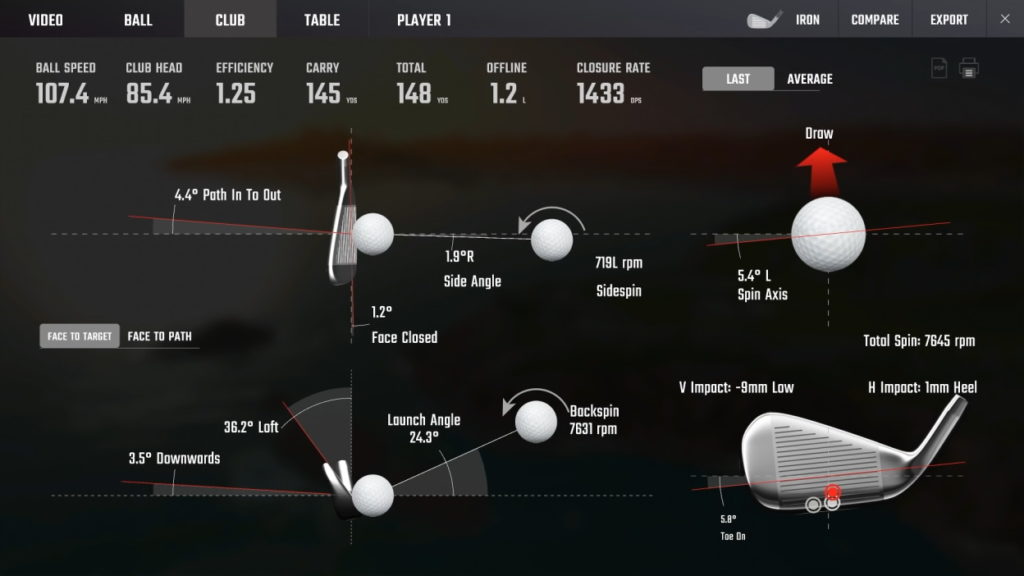
The results revealed that the GC3 offers higher ball speed, a steeper launch angle and higher efficiency at 1.33 compared to the GC2.
While both launch monitors provide extensive club and ball data, the GC3 surpasses the GC2 in accuracy by a +-0.1, which is not a huge difference. The GC3 stood out in terms of greater precision, enhanced visuals, and superior virtual simulation experience. The GC2 is still pretty accurate, and if you are a casual golfer, it would still provide you with the data metrics you need.
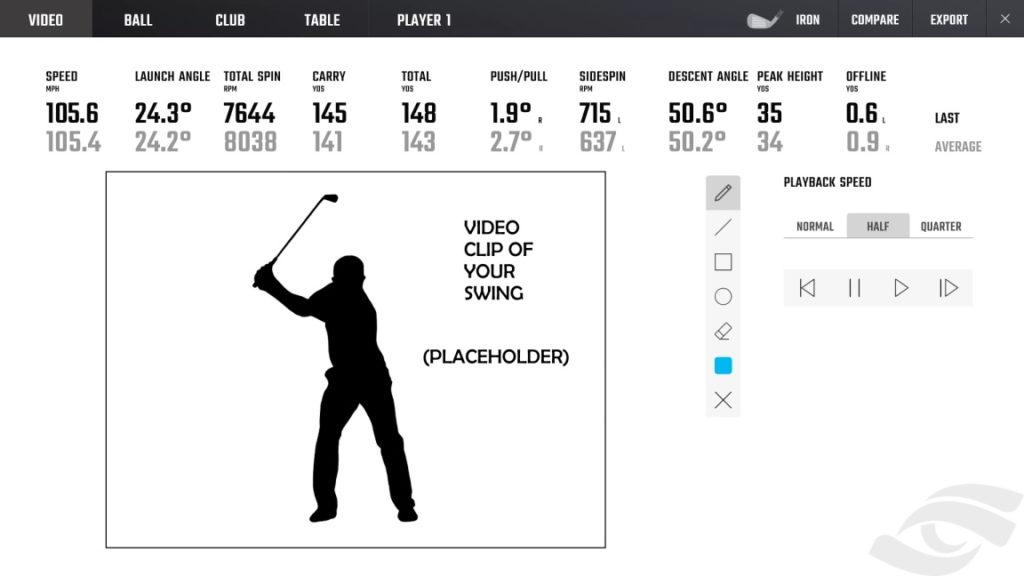
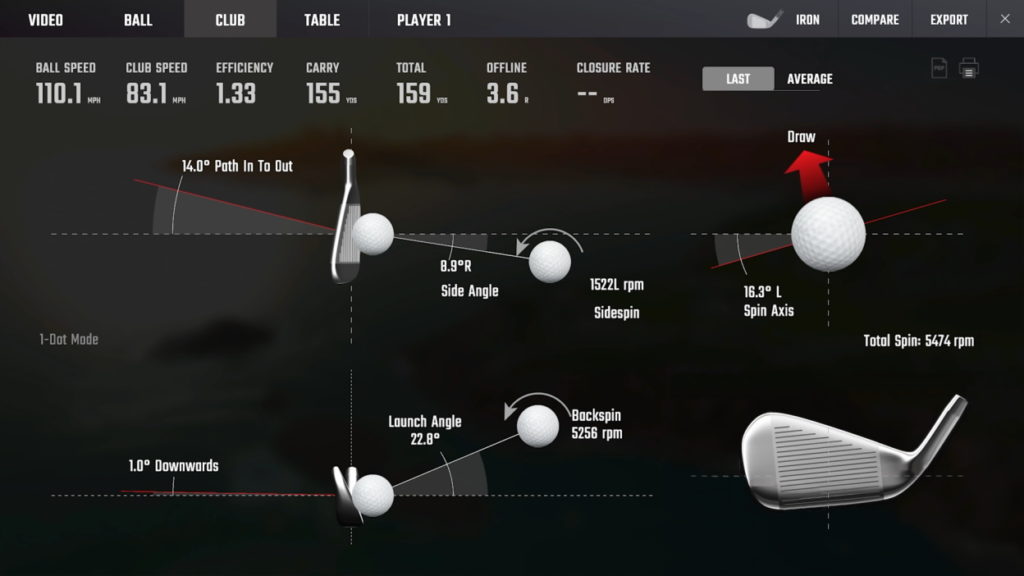
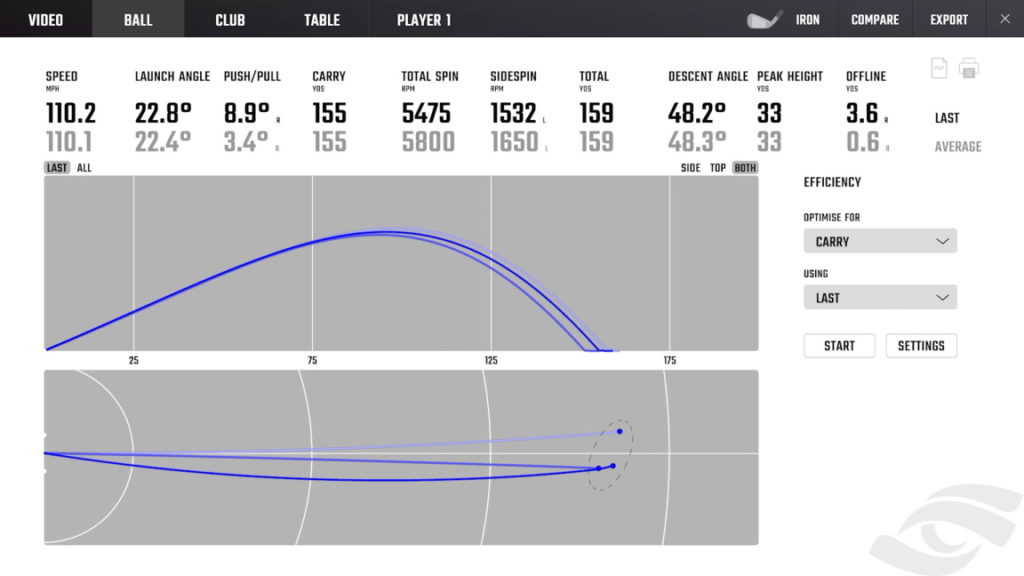
To provide you with a clear view of my test, here are images of the results obtained
The Foresight GC2 Club data obtained from my test
The Foresight GC2 Video analysis of the swing obtained from my test
The Foresight GC3 Club data obtained from my test
The Foresight GC3 ball data obtained from my test
Pros and Cons
The GC2 is affordable, while the GC3 offers more comprehensive data insight. Both devices have their pros and cons. Here are some of them:
Pricing value
The GC2 is the more budget-friendly option among the two launch monitors.
A brand new GC2 was $5,581. Unfortunately, you may not be able to purchase a brand-new unit because Foresight has discontinued production of the GC2 model. You may, however, be able to get a used GC2 at the price range of $2,299-$3,000.
On the other hand, the GC3, while offering premium features, comes at a higher cost. It is listed at $6,999.99 in the indoor golf shop.
As a casual golfer, I don’t think I would spend almost $ 7,000 on a launch monitor when I could get an alternative for almost half the price and still access similar features. Plus, the Bushnell Launch Pro is almost identical to the GC3 but is much cheaper. The major difference is that it uses subscriptions to unlock its simulation software.
Final verdict
Ultimately, the decision hinges on specific needs and budget. If you value affordability and ease of use, the GC2 is an excellent fit.
Meanwhile, suppose you are eager to embrace the latest golf simulation technology. In that case, with incredibly detailed data analysis and visual enhancements and the price fall willing to make a huge investment, the GC3 is the ideal choice.
Carry golf bags are lightweight and compact bags that are very functional. These bags provide comfort and easy access, whether strolling on the fairway or heading out to the course for a quick round. I’ve tested a couple of carry-on golf bags and ranked the six that outperformed each other.
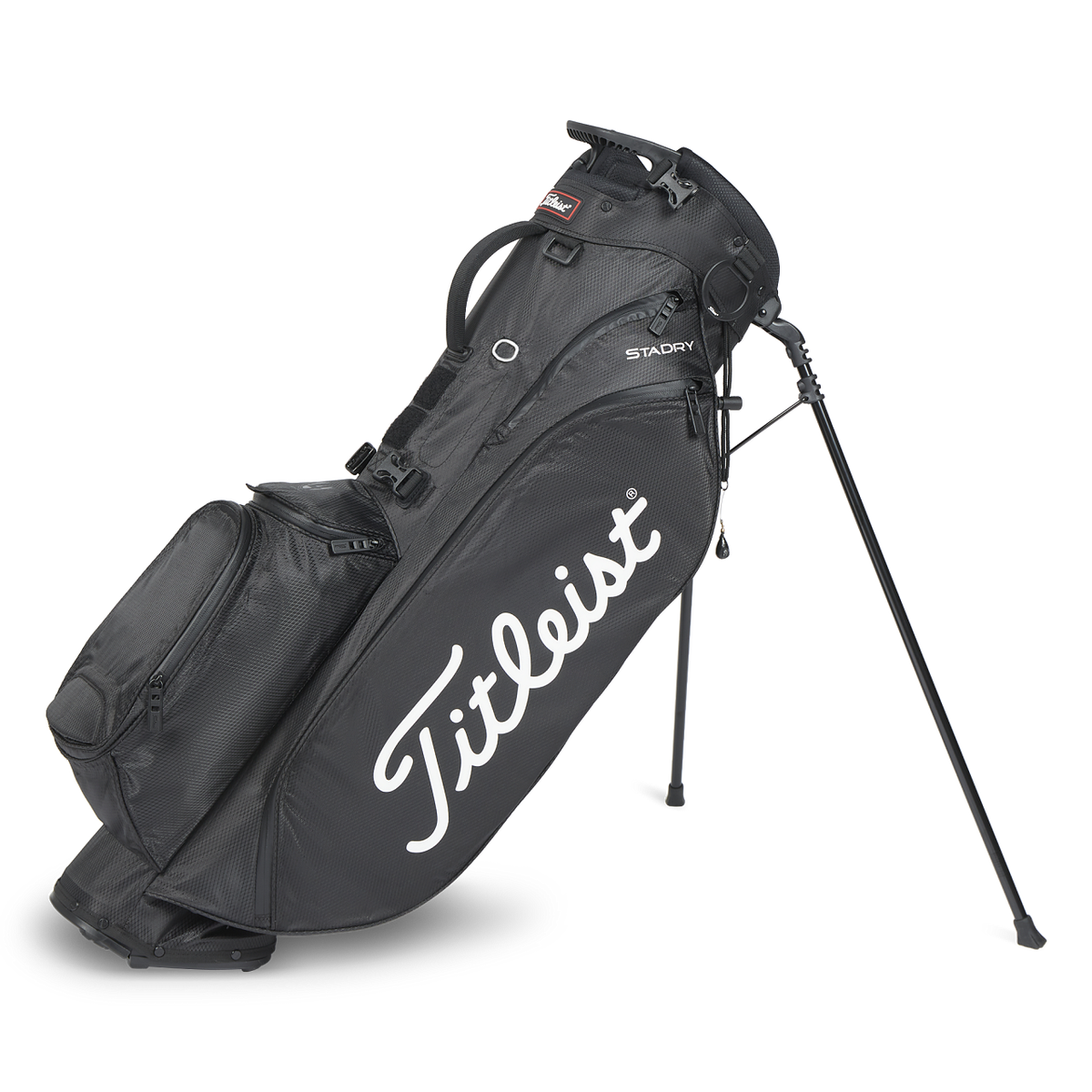
I’ve been hitting the local Par 3 golf course more frequently this year, which nudged me to pick up the Titleist Player 5 Stadry bag. It’s a real gem for its lightweight design and comfy shoulder straps, perfect for toting around my 8 go-to clubs and essentials like tees and a drink. It cost a bit more than my buddy’s Cobra Ultra Light Sunday bag, but the convenience and ease of accessing my clubs make it a standout choice.
Before settling on the Titleist Player 5 Stadry Bag, I tried a couple of others and thoroughly evaluated six that stood out to me. I will provide detailed reviews of my top recommendations in this article, sharing my experiences with each. This will help you decide which golf bag fits your preferences and needs.
Before delving into a comprehensive review, let’s take a moment to compare the features of these carry-on bags. This quick overview will give you a side-by-side glance at their specifications, making it convenient to assess their key attributes, especially if you’re in a hurry.
Carry golf bags.
Weight
Dividers
Waterproof
Stands
Price
Titleist Players: 5 Stadry Bags
3.71lbs
4-way
Yes
Yes
$295
Sunday Golf Loma Bag
2lbs
2-way
Just the Zippers
Yes
$129
Cobra Ultralight Sunday Golf Bag
3.8lbs
3-way
No
Yes
$129
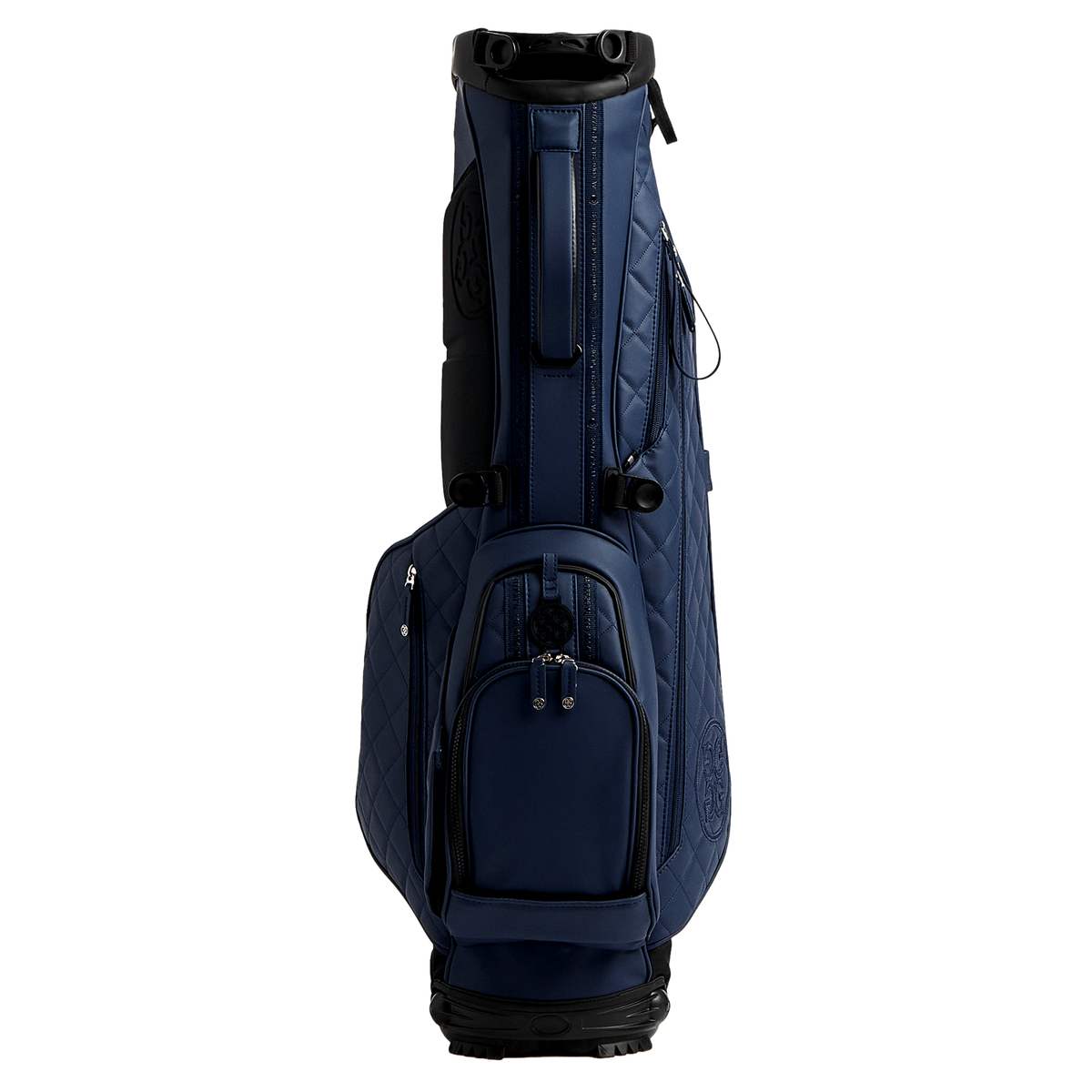
G/Fore Daytona Plus Carry Bag
4.65lbs
4-way
Yes
$375
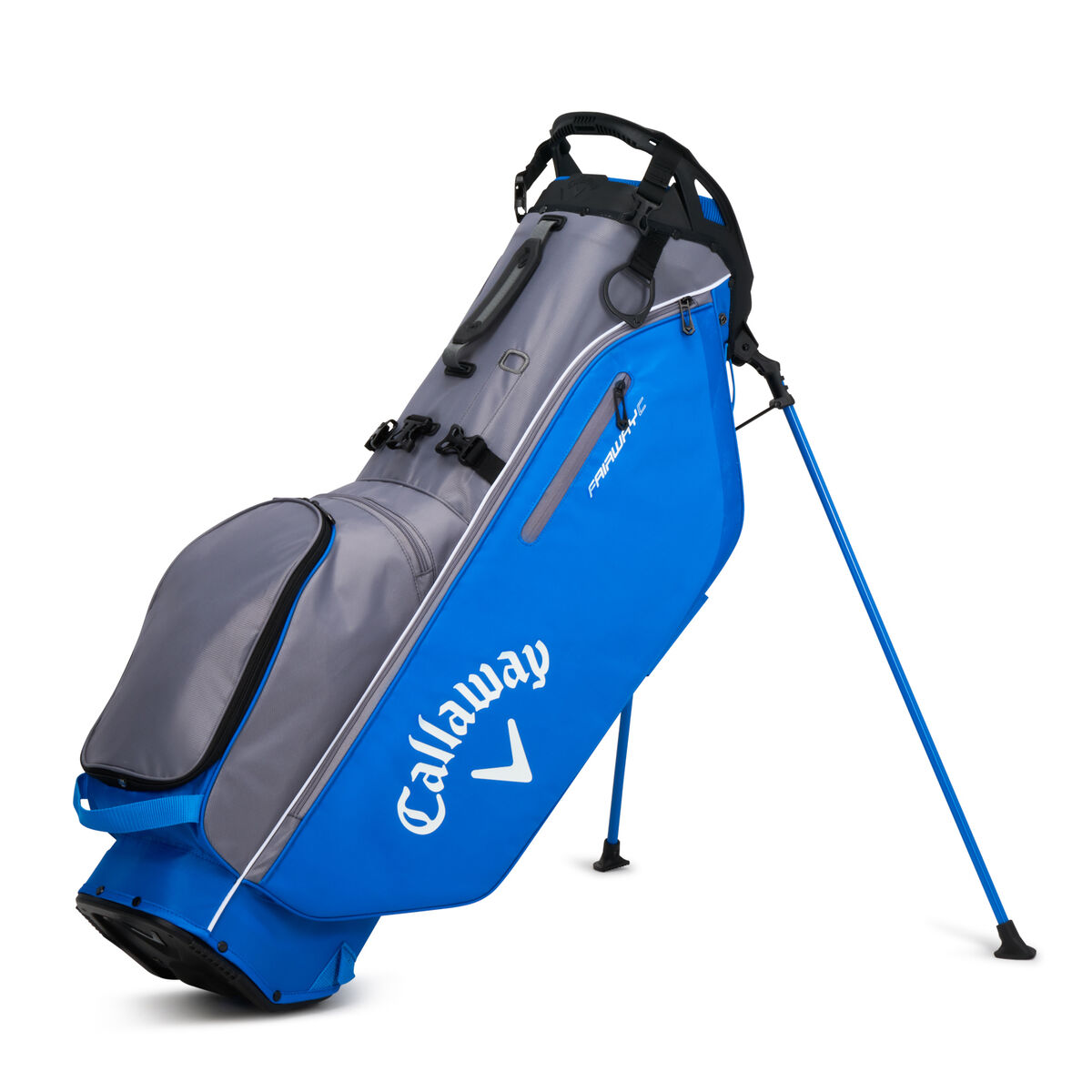
Callaway 2023 Fairway C HD Stand Bag
4lbs
4-way
Just the pockets
Yes
$249.99
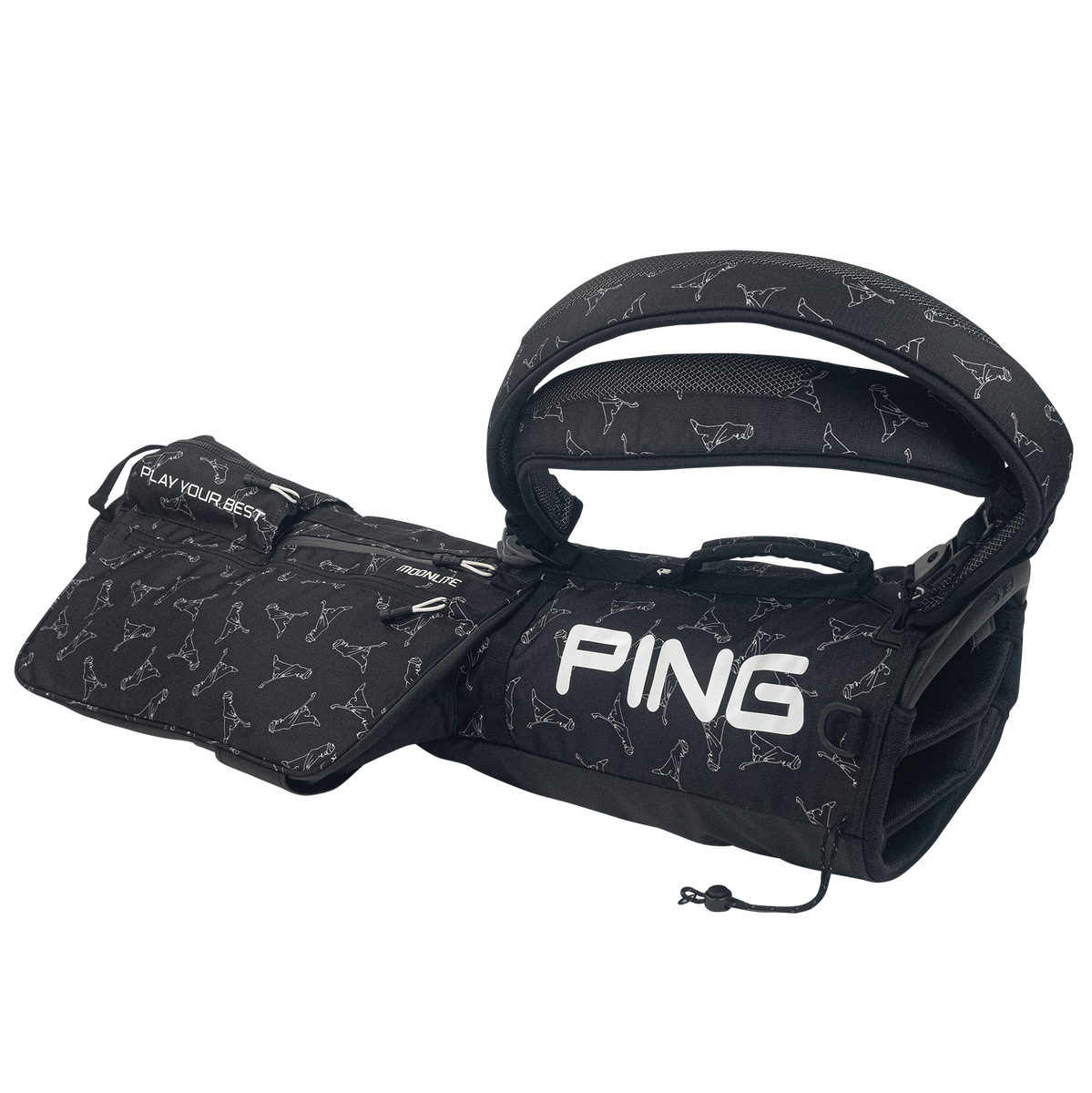
Ping Moonlite Carry Golf Bag
2.5lbs
4-way
Yes
No
$174.99
Best Carry Golf Bag Overall: Titleist Players 5 Stadry Bag
Titleist Players 5 Stadry Bag
$295
Waterproof Construction: The bag features StaDry™ waterproof technology with seam-sealed zippers, ensuring your gear stays dry in all weather conditions
Lightweight and Durable: It weighs just under four pounds and is designed for easy carry. It includes high-grade light aluminium legs and an advanced hinged bottom for best-in-class stability and durability.
Functional Design: Offers ample storage with a full-length apparel pocket and an easy-access horseshoe-style tee pocket. The bag is also fitted with high-quality YKK zippers for enhanced accessibility and reliability
My personal favourite: I like the aesthetics and feel of this bag on my shoulder. The premium double straps offer great comfort, seriously making it a breeze.
I never hit the course without a beverage, and I appreciate the added convenience of external insulated cooler pouches to keep my drink cold.
Introducing a new 4-way top divider that holds up to 10–14 clubs of mid-sized grip and a robust stand has been a game-changer, facilitating easy access to my clubs.
The waterproof material and seam-sealed zippers seal the deal for me. Regardless of the weather, I can rest assured that my beloved clubs will remain safe from any water damage, thanks to its waterproof material and seam-sealed zippers.
Since I began carrying this bag two months ago, it has remained pristine, supporting my 14-club set easily. Did I spend more than I had hoped on this bag? Yes, I did, but it’s been very functional, so I can’t complain.
What I liked:
Straps provide excellent comfort during carrying.
Offers generous storage space for golfing essentials.
Highly functional design, making it easy to access content.
What I didn’t like:
Occasionally, lifting the bag clip gets caught.
a tad more expensive than some other bags.
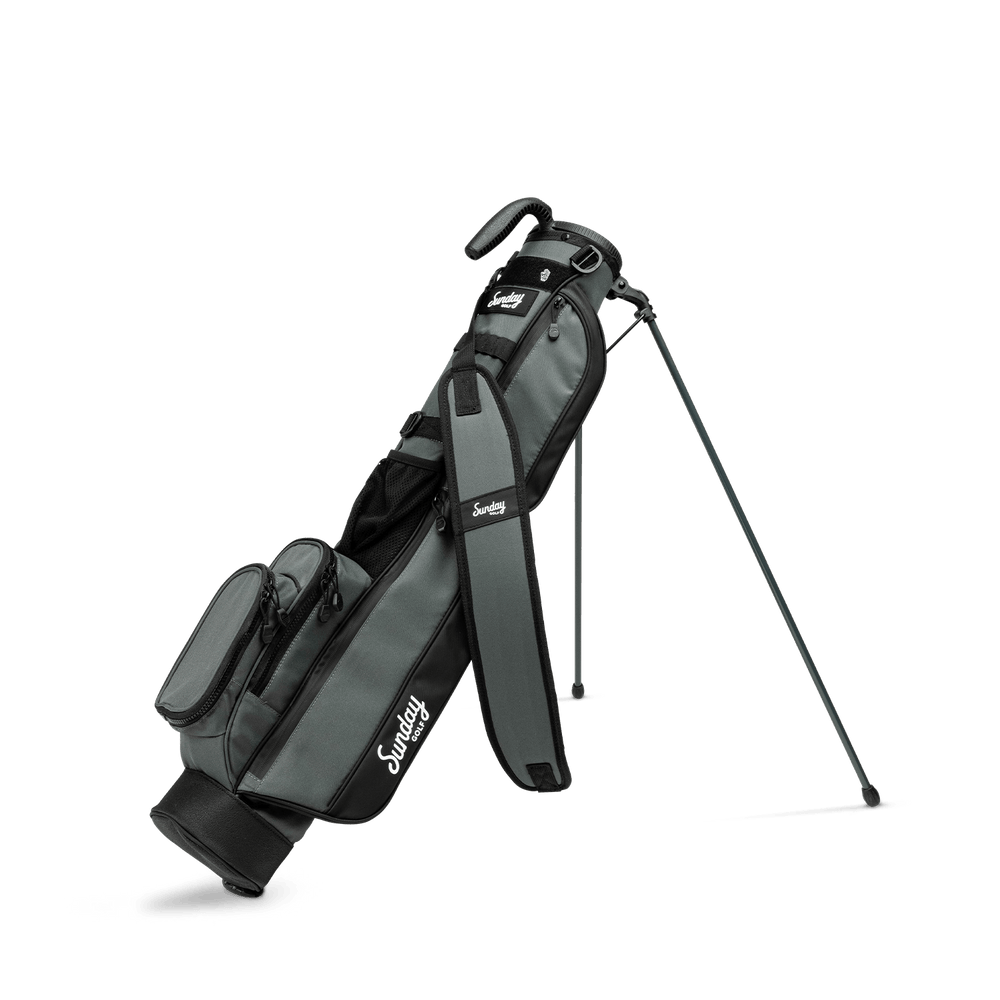
The Best Lightweight Carry Golf Bag: Sunday Golf Loma Bag
Sunday Golf Loma Bag
$129
Lightweight and Portable: Weighing in at about two pounds, the Loma Bag is exceptionally light and easy to carry, making it an ideal choice for golfers who prefer walking the course or need a bag for short rounds. Its portability also makes it a great option for travelling with clubs.
Stylish and Modern Design: The Loma Bag features a modern look with clean lines and updated colorways, providing a minimal yet aesthetically pleasing appearance. The material used is of high quality, contributing to its overall appeal.
Functional and Efficient: Despite its minimalist design, the bag includes functional features that are apparent at first glance, enhancing its practicality for various golfing needs.
Another excellent option is its remarkable lightweight design, weighing just about 2 lb. It is one of the lightest carry-on golf bags available. Despite being lightweight, it can comfortably accommodate six clubs, allowing for easy movement around the course.
Now for storage. It has two big side pockets that easily hold my phone and wallet, and there’s this nifty insulated cooler pouch for my refreshments. It keeps everything refreshingly cool.
However, it came with a single padded strap, whose comfort level did not match up to other carry-on golf bags I used. But it’s budget-friendly, making it a good carry-on golf bag without breaking the bank.
However, it lacks significant waterproofing, so it might not be the best choice for wet weather conditions. If your course tends to be wet, opting for a waterproof alternative could be more suitable.
Its lack of insulation in the refreshment pocket is another feature I was not happy with, so I would not be going for this bag. It may be a more affordable bag, but you’d give up a great feature.
What I liked:
extremely lightweight and easy to carry.
durable material, built to last.
What I didn’t like:
less storage compared to alternatives.
Not waterproof
The product lacks an insulated cooler pocket.
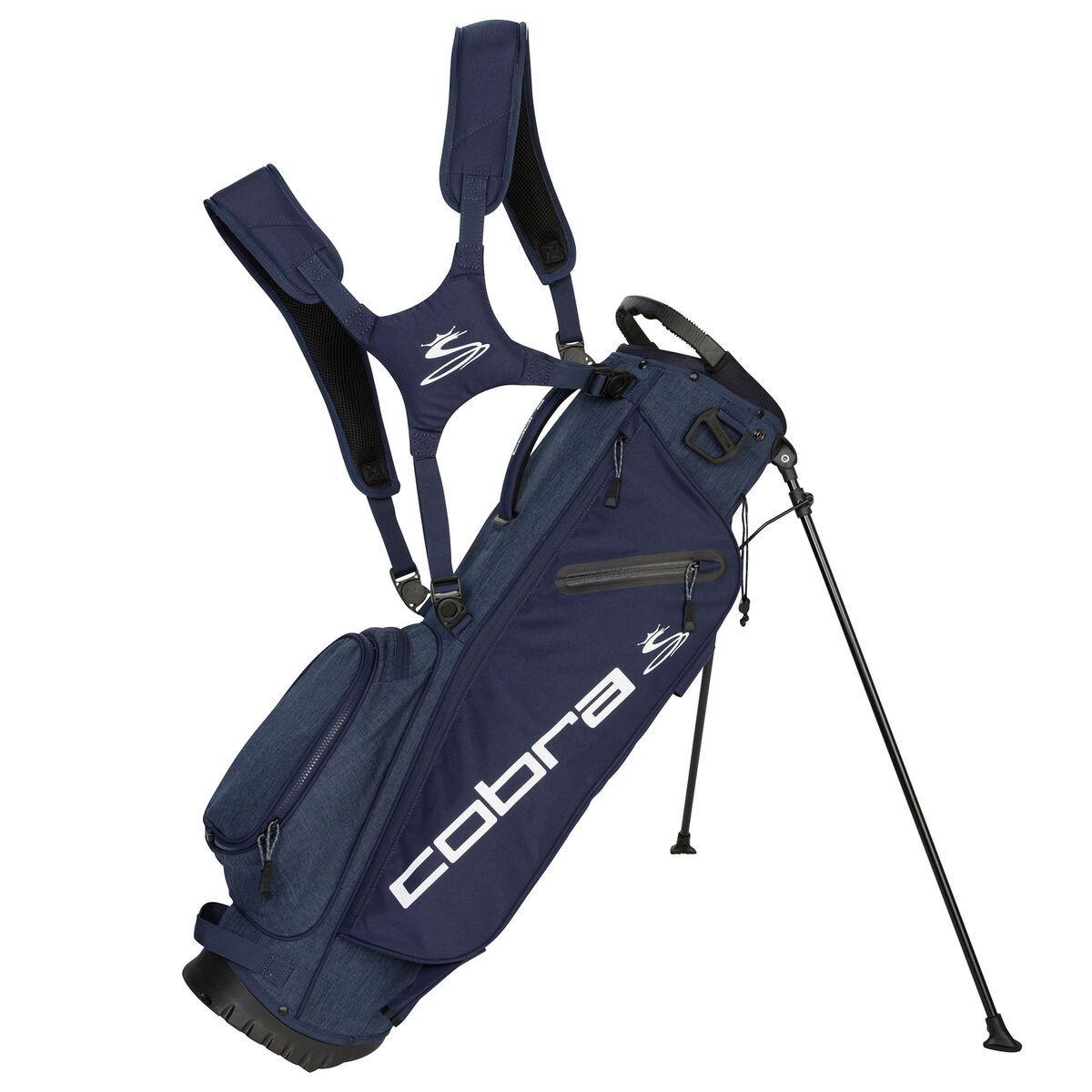
Best Budget-Friendly Carry Golf Bag: Cobra Ultralight Sunday Golf Bag
Cobra Ultralight Sunday Golf Bag
$129
Ultra-Lightweight and Compact: The bag stands out for its super lightweight design, weighing just 1.7kg, which makes it easy to transport and carry. Its slim profile enhances its portability, making it an ideal choice for golfers who prefer a light, compact bag.
Functional Design Features: It includes a long pocket on one side and a water bottle holder, offering practical storage solutions. The bag also features a strap to secure the legs when mounted on a trolley, adding to its convenience.
Multiple Handles and Club Storage: The bag has multiple handles, including a top grab handle, providing easy handling and transportation. Additionally, it has a three-way top divider for club storage, although it’s noted that clubs can get a little cluttered if carrying a full set.
I was very impressed with this carry bag, particularly because it is one of the more budget-friendly options. So, you don’t have to break the bank to get your hands on a lightweight bag.
It, however, provides less storage than most other Sunday golf bags; it holds just about seven clubs comfortably without clustering. This is why I wasn’t necessarily drawn to this bag because, most times, I’m on the course with at least nine clubs, and this bag would not serve me well.
On the bright side, the bag’s material is not just easy on the wallet but surprisingly tough, too, weighing about 3.8lb, so you do not have to worry about it giving way after a few months.
Accessing my clubs was easy with a 3-way top design, full-length club dividers, and a handy top grab handle. Plus, despite its compact size, it even comes with a stand. So, you can pop it down and grab your clubs between shots.
Another big turn-off for me was that it had just one strap, greatly reducing the comfort of using this bag.
I would only recommend this bag if you are very tight on budget, but if there’s a little bit of wiggle room in your budget, I would recommend a more comfortable option with dual straps.
What I liked:
The bag’s material stood out for its durability, promising longevity, and reliable performance.
It’s remarkably comfortable, making carrying a breeze.
It is budget-friendly without compromising on quality, making it a great value for the price.
What I didn’t like:
This might not be ideal if you’re searching for more storage space.
The single-strap design is less adjustable, which might be a drawback for some users.
Best Premium Carry Golf Bag: G/Fore Daytona Plus Carry Bag
G/Fore Daytona Plus Carry Bag
$375
Ease of Access and Club Protection: The bag boasts a four-way top design for easy access and safe storage of clubs, coupled with a rivet-less mesh construction that prevents scratching of club heads and shafts. A rotator stand system at the base provides excellent stability and ground adjustment.
Convertible Strap for Comfort: It features a self-adjusting convertible strap, offering balanced weight distribution when carrying. The strap includes a tailored neoprene back panel for added comfort and can be adjusted for either dual strap or single-shoulder use.
Ample Storage and Elegant Details: The bag is designed with grosgrain detailing and quilted panels, enhancing its aesthetic appeal. It includes a large clothing compartment, water-resistant pockets, a cooler-lined water bottle pocket, and an umbrella holder, ensuring generous storage capacity.
This premium carry bag hits the sweet spot between functionality and style. What I love most is how comfortable it is, thanks to the self-adjusting convertible strap and back panel.
The 4-way top that improves club organisation adds to the overall accessibility, making it a functional and stylish choice if you want to splurge a bit.
Equipped with a rain hood in a matching colour, an umbrella holder, and a waterproof pocket, your belongings remain safeguarded regardless of the weather conditions.
The ergonomic double strap adds a nice touch, easily converting to a single strap for a balanced carry over one or both shoulders, allowing for personalised adjustment.
But I’ll be honest: all these amazing features come with a price, a premium one, and I’m just not willing to spend that much on a carry-on golf bag. Not when I can find a more affordable and lightweight option equally functional in comfort and performance.
What I liked:
The design is a real standout—stylish and visually appealing.
The bag is lightweight and practical, making it easy to carry around.
Durability is a big win here. It is always a plus that the bag is built to last.
What I didn’t like:
The major hiccup for me was the price tag. It’s on the higher side, making it more expensive.
Best Carry Golf Bag For Storage: Callaway 2023 Fairway CHD Stand Bag
Callaway 2023 Fairway CHD Stand Bag
$279
Lightweight and Waterproof Design: Weighing in at just 4 lbs, the bag features a multi-layer waterproof construction with seam-sealed zippers, providing durability without adding significant weight and protecting belongings and clubs even in heavy downpours.
Quality and Functionality: The bag has metal zip pulls and a high-quality zipper system, contributing to its overall build quality. It also includes a quick-clip and opti-fit comfort strap, designed for easy adjustability and comfortable carrying.
Organized Club Storage: The bag boasts a lightweight 4-way divider and a full-length divider, facilitating efficient organization and secure placement of clubs, minimizing rattling or snagging during retrieval.
This bag offers impressive storage, holding up to 14 clubs and then some. The strap and hip pad system comforted my back and shoulders.
It is, however, not the lightest bag in this category, and if I’m going to be walking nine holes or more with my gear, I need a bag that’s as light as can be.
With five pockets, including a handy fleece-lined one, it’s a dream for organised storage. I particularly appreciate taking my phone away without worrying about scratching it.
However, the cooler pocket didn’t quite hit the mark for me. It was a bit too small and tight, making fitting in and retrieving my water bottle difficult.
An important feature of a carry-on golf bag is easy access, and having to struggle to get content out of my golf bag is not an option.
On the bright side, the waterproof material makes it a reliable choice for navigating wet courses without any concerns. Despite the weight, it’s a practical option for those prioritising ample storage and comfort.
What I liked:
The top storage design makes it easy to access my clubs.
The comfort level of the straps was a big win, making it enjoyable to carry.
The waterproof feature added a layer of reliability, especially in unpredictable weather.
What I didn’t like:
It’s not the lightest in the lineup, which could be a consideration for those prioritising weight.
The cooler pocket turned out to be a bit of a headache, proving more of a hassle than a convenience.
The Best Waterproof Carry Golf Bag: Ping Moonlite Carry Golf Bag
Ping Moonlite Carry Golf Bag
$174
Ultra-Lightweight and Versatile: Weighing only 2.5lbs, the PING Moonlite is noted for its super-light design, making it an ideal choice for golfers who prefer a light and easy-to-carry bag. It offers single or double-strap options for convenience and four stylish colour options.
Comfortable Carrying Experience: The bag’s strap is padded and substantial, providing a comfortable carrying experience. Reviewers have noted the surprising lightness and comfort of the bag, even when carrying a half set of clubs.
Ample Storage and Customizability: The Moonlite offers adequate space for essentials, including a valuables pocket, a large pocket for clothing, drinks, balls, and tees, and a water bottle pocket. Additionally, it features a removable second strap, catering to preferences for either single or dual straps, a thoughtful design consideration for different users.
The straps were one standout feature during my test of the Ping Moonlight Ultralight Sunday golf bag. The design is uncomfortable, and I found them a little awkward. The weight of my shoulders felt uneven, and no matter how many times I moved them around, I couldn’t find the right balance.
The water-resistant nature is another win, ensuring my clubs and belongings stay well-protected during early morning games.
Weighing in at a mere 2.5 lb., the bag’s lightweight yet durable material provides both comfort and longevity. The 4-way top allows easy club storage, accommodating up to 10 clubs with a standard grip.
The bag storage structure was a bit of a letdown. The bag storage structure was a letdown as my clubs often became entangled, making retrieval more challenging.
So if you prioritise the convenience of easy access to your clubs and a lot of comfort, this bag is not for you. You should go for an alternative.
What I liked:
The bag’s lightweight design adds to its overall convenience.
The water-resistant feature ensures protection for clubs and belongings during different weather conditions.
The compact layout makes reaching and grabbing clubs a hassle-free experience.
What I didn’t like:
The downside is the limited organisational features, which provide fewer options for keeping items in order.
not the most comfortable strap design,
Final verdict.
Finding the best golf bag to carry is about matching it with your unique preferences and needs.
Whether you prioritise comfort, style, versatility, or staying within a budget, each bag in the review presents a compelling option. It’s all about enhancing the enjoyment and ease of your time on the course. So which would you go for?
When styling white golf shoes, it’s important to aim for a timeless and elegant look that showcases your style and passion for the game. Whether you pair them with khaki shorts or pants for a classic ensemble, a polo shirt, or a stylish golf dress for women, the goal is to embody sophistication and athleticism. Don’t be afraid to experiment with bold patterns and contrasting colours to add a touch of flair and uniqueness. Ultimately, the objective is to make your signature look as distinctive as your swing.
Personally, I enjoy mixing up my style when wearing my white Footjoy Fuel golf shoes. Putting together a golfing outfit not only brings me joy but also gives me a confidence boost when stepping onto the course. Recently, a fellow golfer approached me and revealed difficulty matching his white golf shoes, which surprised me. In my experience, white golf shoes offer a dynamic advantage as they can effortlessly adapt to your fashion preferences.
In this article, I will provide outfit ideas that pair well with white golf shoes, giving you a timeless look of sophistication and confidence. I will also share essential tips and tricks on maintaining the pristine condition of your white golf shoes.
Clothing attire that goes perfectly with white golf shoes
Classic khaki or shorts
Classic khaki or tailored shorts are the epitome of traditional golf attire. To enhance the outfit, consider adding a woven belt for a touch of sophistication. Pay attention to the length of your shorts, ensuring they are appropriate for the golf course and contribute to a polished appearance.
Occasionally, I like experimenting with vibrant-coloured shorts featuring geometric prints, which make a bold fashion statement. However, when opting for bold shorts, it is advisable to pair them with a neutral or complementary solid-coloured polo shirt.
Polo shirts
White polo shirts are a must-have in every golfer’s wardrobe. They are incredibly versatile, offering an effortless pairing option that never fails to impress. However, why limit yourself to just white? Embrace variety by adding a contrasting shade, like a navy polo, to add visual appeal to your outfit.
The key is to find a balance between fashion and comfort. Look for polo shirts with mesh inserts, such as the Nike Dri-FIT Tour Men’s Jacquard Polo, which offer optimal breathability to keep you cool and comfortable during your game. For a sleek and put-together look, consider choosing slim-fit polo shirts. The J. Lindeberg Heath Polo is a great option to achieve this.
Stylish vest, matching jackets and pullover
Introducing a cool vest, jacket, or pullover to your golfing outfit keeps you warm in colder weather and adds a touch of class to your overall style. Just casually draping a nice sweater over your shoulders is practical and fashionable, especially on chilly mornings. Wear lightweight materials and colours that go well with your shirt and pants.
Who says you can’t rock femininity and chic style on the golf course? The key is finding the perfect balance. Upgrade your golf attire by choosing a trendy golf skirt such as the J LINDEBERG Frida Striped Knit 14.5″ Skort, or opt for a skirt with a pop of colour.
Select breathable fabrics in classic colours like white, black, or navy for comfort and sophistication. To complete your look, add subtle accessories like a hair band. Not only will it keep your hair in place, but it will also add a touch of effortless polish to your outfit on the fairways.
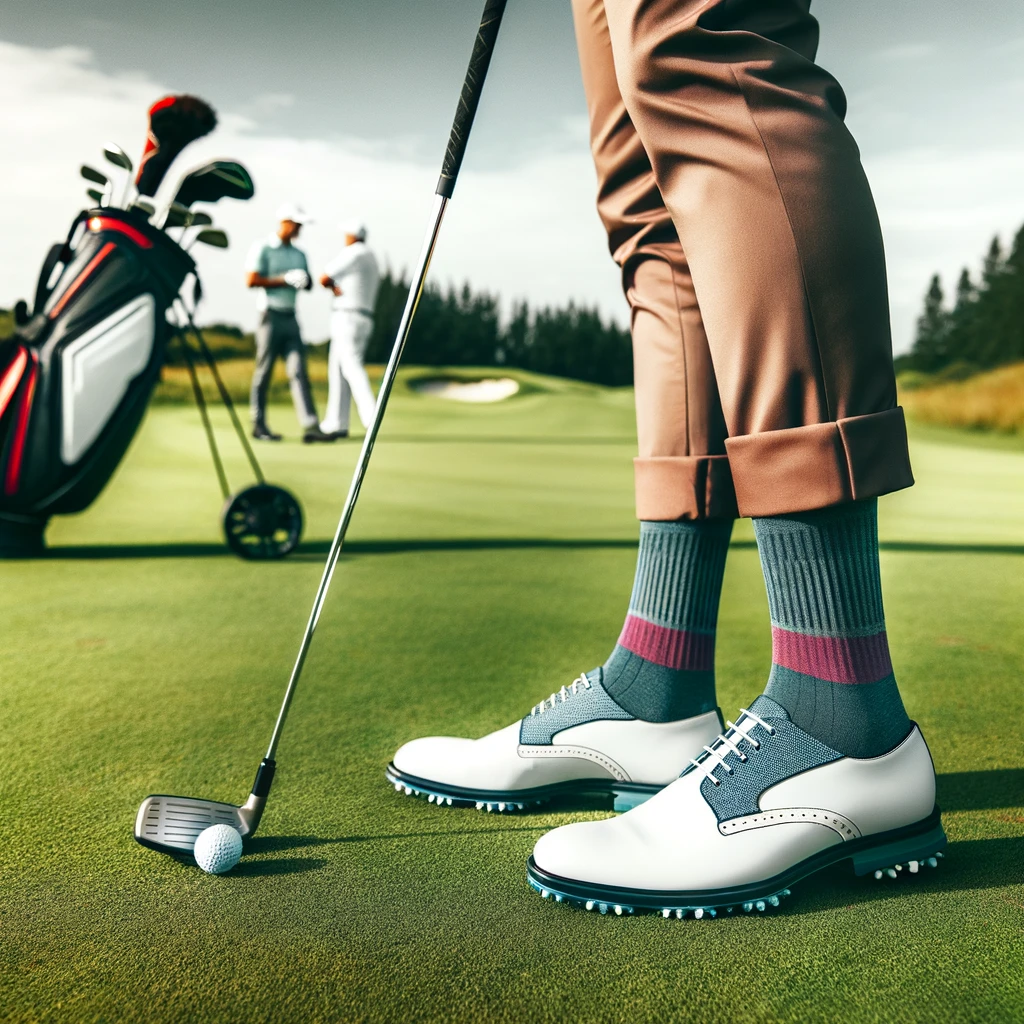
You are aiming for a sleek, sophisticated, and minimalistic appearance. These socks are extremely comfortable and go well with white golf shoes. However, I prefer incorporating more colourful and vibrant socks into my style. If you like me and like vibrant-coloured socks, ensure they complement your overall colour scheme. Also, remember to ensure that the length of the socks aligns with the dress code of the golf course you are playing on.
Classic baseball cap
A classic baseball cap in neutral tones like the black Nike Dri-FIT Tiger Woods Legacy91 or blue Travismathew Base Tan Hat is a foolproof way to elevate your golfing look and achieve a polished appearance, especially when paired with white golf shoes. Whether shielding your eyes from the sun or adding a sporty touch to your ensemble, a well-chosen baseball cap can be an essential accessory.
Maintenance and care for your white golf shoes
Imagine stepping onto the tee, wearing a classic polo shirt paired with a perfectly patterned sweater vest, a stylish leather belt highlighting tailored khaki shorts, and gleaming white golf shoes. The feeling? One of confidence and stylish preparedness, ready to conquer the game swing after swing.
Now, picture this impeccable ensemble with mud caked on your pristine white golf shoes. It’s not the most pleasant image, I can assure you. I experienced this firsthand, and it reminded me how important it is to prevent such mishaps. Stains on white golf shoes are highly noticeable and, if not addressed correctly, can quickly cause damage.
This emphasizes the significance of proper maintenance for white golf shoes. Ensuring their upkeep is not just about appearances; keeping the boots in excellent condition is a fundamental practice. I will share some effective methods to keep my golf shoes in great shape, guaranteeing they are primed and ready for my next game.
But first, some cleaning materials must be in your cleaning kit.
A brush or rag
A cleaning solution: this is usually made up of materials specially adapted for the nature of your golf shoe, which could be leather or synthetic.
Soap and water
Polish for white shoes.
Have a regular cleaning routine
I try to wipe off dirt from my shoes after a round, even when I feel tired and don’t like it. If you decide to wait after 2 or more rounds before cleaning, the stains and dirt may become more difficult to remove. I opt for a soft rag or brush to tackle dirt, using a gentle touch to avoid potential damage.
A mixture of soap and water becomes my go-to solution when addressing stains. It’s crucial to avoid harsh chemicals that could potentially harm the shoes. I do not use excessive water; a small amount, coupled with mild soap and a gentle scrubbing for about 3-5 minutes, proves sufficient to remove any stubborn stains.
I remember storing my first set of SKECHERS GO GOLF Torque Pro Golf Shoes in the trunk of my car without allowing them to dry properly. The unwelcome odor engulfing the shoes each time I retrieved them for use taught me the valuable lesson of ensuring thorough drying before storage.
Allowing your golf shoes to dry naturally in the shade is a key practice for proper maintenance. Never dry your shoes under direct sunlight; exposure to intense sunlight can potentially lead to discoloration.
Use shoe trees
This is a must-have tool, and I have used it to keep my golf shoes in great condition. They are great for maintaining the shape of your shoe when they are not in use. It also prevents creases from forming on them.
Store in a dry place
You should always keep your shoes in a cool dry place to prevent mold from growing on them.
Rotate your golf shoes
Rotating between two or more pairs of golf shoes is a wise practice, especially if you engage in regular rounds of golf. This simple yet effective strategy significantly contributes to extending the lifespan of your shoes and keeping them in great shape longer.
Regularly inspect your golf shoes for wear and tear
Check your golf shoes for signs of damage regularly. I try to do this before and after keeping them for storage. This will help you detect worn-out shoes or damaged spikes that could affect your comfort and performance.
Closing remarks
In exploring what to wear with your golf shoes, it’s crucial to recognize that your chosen ensemble represents your style and dedication to the game. But as you go about your exploration, consider the setting and formality of the golf course. Strike a balance between fashion and functionality by prioritizing your comfort and ease of movement, ensuring that your attire looks good and enhances your on-course performance.
Lastly, embrace color coordination and contrasts, ensuring that style never compromises functionality.
Choosing the right shoes is more than just following a dress code; it ensures traction, comfort, and breathability. Finding shoes that combine durability and comfort can be challenging, so if you’ve struggled with this, you’ll find this helpful.
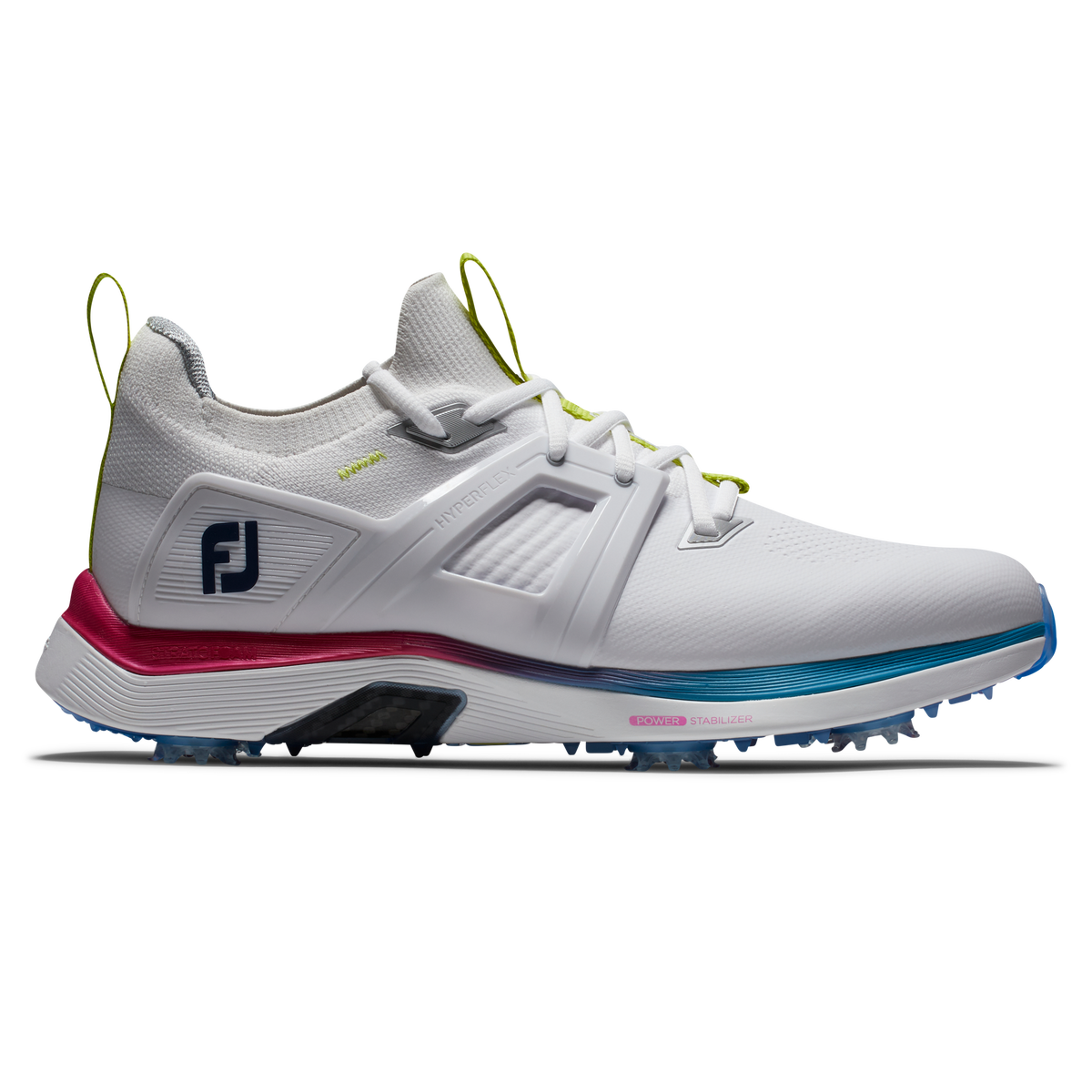
I recently researched the best shoes for golf course maintenance. I wanted to find the perfect shoes as a gift for my uncle’s 45th birthday. I chose the FootJoy Hyperflex Carbon Golf Shoe because I wished to find a golf shoe that wouldn’t sacrifice comfort and stability even after long hours of use.
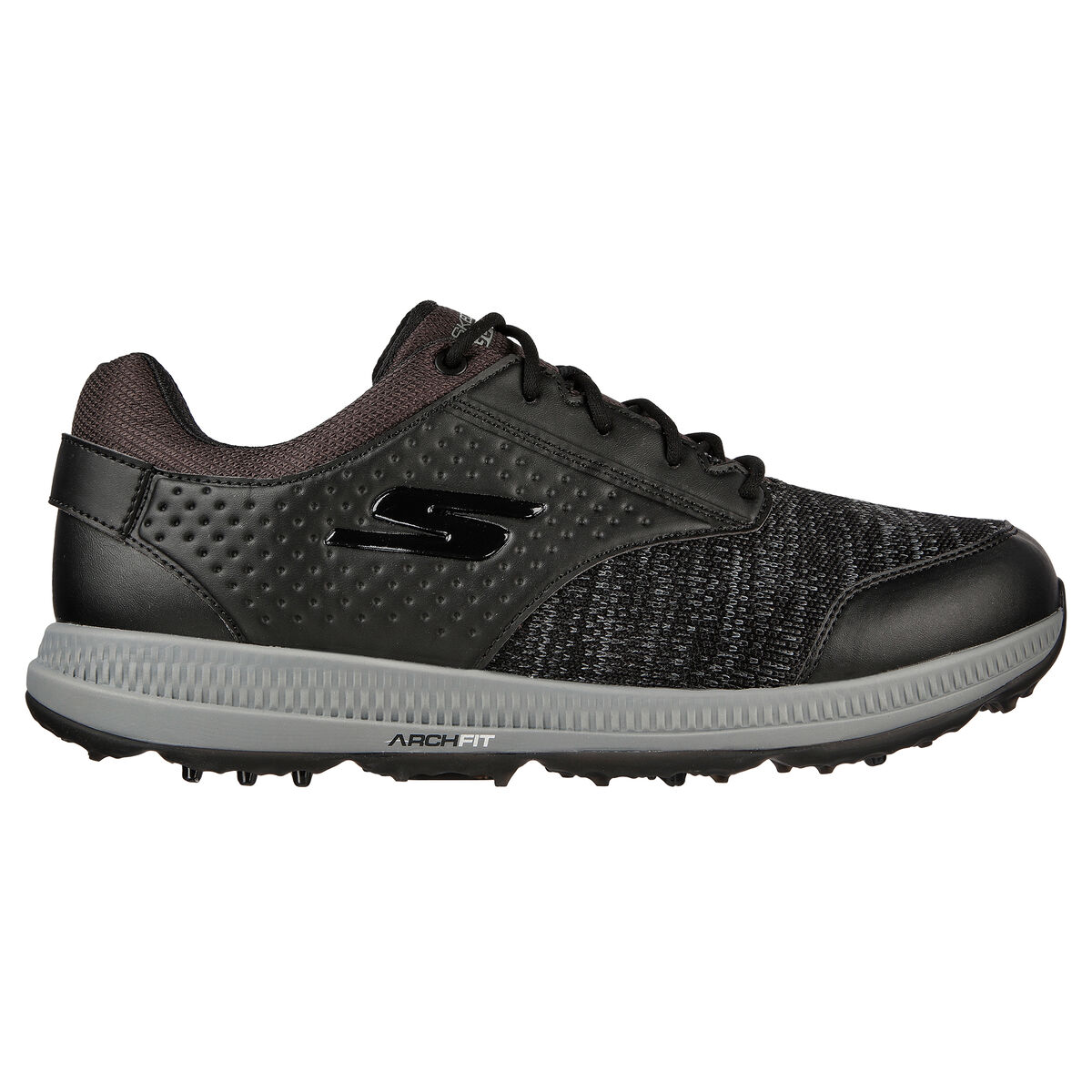
The FootJoy Hyperflex Carbon golf shoe provides excellent traction for easy movement during various maintenance tasks. Its water-resistant feature is also a big plus, especially in wet course conditions, as it adds comfort and safety. However, it is slightly more expensive than some other great options. If you’re on a tight budget but still want high quality and comfort, the Skechers GO GOLF Elite 5 Range Golf Shoe is ideal. Not only is it incredibly comfortable, but it also has a visually appealing design, all while remaining affordable.
Budget-friendly. After thorough investigation and review, I’ve compiled the findings of my research to unveil the best options available:
In the rest of this article, I will provide extensive details on the performance of each of my top recommendations and discuss some features you should consider when selecting them. However, before delving into the detailed performance reviews, let’s first present a side-by-side comparison of their specifications. This will offer a concise overview of the most relevant information, allowing you to quickly and easily assess each option.
Golf shoe
Price
Material
Colour Options
Size
Waterproof
FootJoy Hyperflex Carbon Golf Shoe
$199.99
Hyperflex carbon and Lightweight engineered performance mesh
White/pink, white, black
8 – 13
Yes
Adidas ZG23 Golf Shoe
$179.99- $199.99
leather and synthetic materials
White/Silver, White, Grey
8-13
Yes
Skechers GO GOLF Elite 5 Range Men’s Gol
$89.99
Synthetic material
Black/white, Grey
8-13
Yes
Under Armour HOVR Drive 2 Golf Shoe
$159.99
Lightweight synthetic material
White, Grey
8-14
Yes
Ecco Biom G5 Men’s Shoe
$239.99
high-quality leather and synthetic materials
White, White/blue, Black
8-13
Yes
The Best Overall FootJoy Hyperflex Carbon Golf Shoe
FootJoy Hyperflex Carbon Golf Shoe
$199
Superb Comfort and Stability: Features a class-leading midsole and knit upper, offering long-lasting comfort and a stable, locked-in sensation during swings.
Advanced Technology: Equipped with Stratofoam cushioning and FlexGrid 3.0 material, ensuring support, breathability, and durability.
Slight Drawback: The shoe is noted to be slightly on the heavier side despite its athletic design and excellent traction.
Securing the top spot on my list is the FootJoy Hyperflex Carbon golf shoe, and it’s all about the extraordinary comfort and cushioning that its Hyperflex Carbon material and lightweight design deliver. What truly impressed me was its exceptional stability, performing admirably on both wet and dry courses. The heightened flexibility of these shoes makes every movement, whether bending down or traversing the system, feel effortless.
The visual appeal is another noteworthy aspect; the modern design of the FootJoy Hyperflex drew me in from the start. Using top-notch materials like the lightweight Engineered Performance Mesh with hot melt yarns, coupled with meticulous construction, ensures not just durability but excellent ventilation.
One standout feature is the underfoot all-day comfort. Unlike some shoes I tried, where discomfort would occur after a few hours, the FootJoy kept my feet comfortable. The moulded, high-density EVA Fit-Bed deserves a nod for providing excellent support.
Notably, the waterproof upper of these shoes makes cleaning a breeze, a practical advantage for dealing with inevitable encounters with wet conditions. The FootJoy has proven durable and comfortable, offering the stability and cushioning needed for the long hours dedicated to course upkeep.
What I liked
The FootJoy Hyperflex Carbon was incredibly comfy for long hours on the greens.
The mix of top-notch materials made it durable, handling the challenging golf course maintenance work.
The breathable mesh kept my feet cool and comfy, a big plus during warmer weather.
It looked modern and cool, adding a stylish touch to its functionality.
It provided good support from the arch to the heel and underfoot.
What I Didn’t Like:
It’s more expensive than other options, which might not suit everyone’s budget.
The upper part was tricky to clean when it got dirty, which could be inconvenient.
Best for comfort: Adidas ZG23 Golf Shoe
Adidas ZG23 Golf Shoe
$197
Athletic and Comfortable: Designed as a no-frills, athletic shoe, the Adidas ZG23 provides exceptional comfort and a great look on the course.
Superior Traction and Stability: Features a six-cleat traction system with additional lugs, offering excellent stability and ground connection during swings.
Lightweight Design: Incorporates innovative Lightstrike cushioning, making the shoe extremely lightweight without sacrificing technology and responsiveness.
The Adidas ZG23 golf shoe is one of the lightest golf shoes I’ve worn on the course. It owes its lightweight feel to an ultralight platform and featherweight construction. Despite being so light, it strikes an outstanding balance between durability and comfort.
The six-cleat Thintech Traxion outsole provides a close-to-the-ground feel, enhancing balance and stability on the course. Additionally, a new advanced stability fin ensures that my feet stay securely in place as I move around.
With a combination of leather and synthetic materials, it is a versatile option suitable for various field conditions. Whether it’s raining or sunny, these shoes will perform well.
Throughout the time I wore them on the course, I didn’t experience any fatigue. Overall, I found them very comfortable.
What I Liked:
Adidas proved exceptionally lightweight, enhancing comfort and balance during prolonged use.
Its design ensures resilience in waterproof conditions without compromising foot support.
The use of high-quality materials adds durability.
The midsole and upper are incredibly soft.
What I Didn’t Like:
It comes with a slightly higher price than other options, which might be a consideration for budget-conscious buyers.
If aesthetics matter to you, it may not be your most visually appealing option.
Best for budget: Skechers GO GOLF Elite 5 Range Golf Shoe
Skechers GO GOLF Elite 5 Range Golf Shoe
$89
Comfort and Convenience: Known for its ease of wear with a slip-in design and Twist Fit dial closure for a secure fit, the shoe offers immediate comfort out of the box, suitable for both on- and off-course wear
Advanced Design Features: Includes the patented Skechers Arch Fit® insole system with podiatrist-certified arch support, a removable insole for shock reduction, and a GRIPFLEX spikeless TPU outsole for superior traction and flexibility
Waterproof and durable: Despite its casual appearance, the shoe is waterproof, has a one-year warranty, and has a synthetic upper with a padded collar and tongue for added durability and comfort.
If you’re looking for golf shoes that are both comfortable and affordable, the Skechers GO Golf Elite 5 is an excellent choice. I was particularly impressed with the ultralight cushioned insole, which adds an extra comfort layer.
The shoe’s lightweight design contributes to its overall comfort and support, making moving around the golf course easier. The breathable knit material and synthetic leather engineered for waterproofing feel light and keep my feet dry.
The arch technology in the shoe is beneficial for reducing foot pain and discomfort while navigating the course. It lives up to its reputation for providing podiatrist-designed support. The removable insole is also a practical feature, as it moulds to the foot, reducing shock and improving weight distribution.
In addition, the soft spikes on the outsole provide excellent grip, ensuring stability on the ground. The shoe’s breathability impressed me the most; even in hot conditions, my feet stayed cool.
What I Liked:
The soft spikes are easily replaceable, adding to the longevity and adaptability of the shoe.
The low-profile design delivers excellent grip on the course
The arch fit technology provides unique comfort and cushioning.
The lightweight construction is a significant bonus.
What I Didn’t Like:
I noticed that the sizing differs from other shoes I tested; you may need to try it out before purchasing to ensure the right fit.
A complete lacing system could have been better for those who prefer a more secure and customizable fit.
Best for value: Under Armour HOVR Drive 2 Golf Shoe
Under Armour HOVR Drive 2 Golf Shoe
$159
Enhanced Performance: Recognized as one of the most complete spiked golf shoes, offering great grip, support, and a sleek look, ideal for all conditions
Comfort and Design: Known for its exceptional comfort, lightweight design, and excellent ankle support, making it a top choice in golf footwear
Potential Limitations: While the shoe excels in many areas, it may not offer the strongest mid-foot support, which could be a consideration for some golfers
This golf shoe is notable for its impressive breathability and lightweight feel, which are achieved through synthetic materials. Additionally, incorporating UA HOVR cushioning technology ensures extra comfort and effectively reduces the impact experienced during use.
The shoe’s versatility is worth mentioning. I found it suitable even for casual errand wear and offers a stylish look.
Despite having initial reservations due to the mesh upper, I was pleasantly surprised by its waterproof nature. The Under Armour Never-Wet treatment on the material proved highly effective in repelling water and keeping my feet dry, even in wet conditions.
While the traction on the course was decent, it didn’t quite match up to some other golf shoes I’ve used, such as the FootJoy. However, the midsole’s enhanced comfort played a role in overall support improvement.
The strategically placed 3D print toe guard is a practical addition, offering added durability and improved foot protection, particularly during intensive work on the green.
What I liked:
The shoe features a stylish design that transitions from the golf course to a casual everyday look.
It’s very lightweight and breathable, ensuring added comfort during use.
A practical advantage is that it can be machine-washed, simplifying the cleaning process.
What I Didn’t Like:
The design may not appeal to everyone.
Best durability: Ecco Biom G5 Shoe
Ecco Biom G5 Shoe
$239
Comfort and Performance: Recognized for its comfort and all-weather performance, the Ecco Biom G5 is a modern cleated shoe that delivers both on and off the golf course. Its design ensures comfort right out of the box, with excellent grip and traction for optimal playability.
Stylish Design: The shoe sports a unique style that combines casual and athletic elements, characterized by a sleek, modern look with a clean, minimalist aesthetic, making it versatile for different settings
Price Consideration: Despite its premium looks and performance, the Ecco Biom G5 is noted to be on the pricier side, which might be a factor for some buyers
This shoe is renowned for its premium and durable materials, which include full-grain leather and sporty mesh. These materials not only provide a stunning look but also ensure sturdiness.
This shoe delivers excellent traction and stability by incorporating ZARMA-TOUR spikes and innovative hybrid outsole sections. These features enhance your movement on the golf course.
What stood out to me the most about these shoes was the impeccable fit and overall feel. They were incredibly comfortable, so I didn’t have to worry about fatigue. My feet never felt tired.
Another standout feature of these shoes is the Ecco GORE-TEX technology. This technology offers 100 percent waterproof protection, so you don’t have to worry about whether the sprinklers are on or the grass is wet. Additionally, these shoes are easy to clean, which adds to their practical appeal.
What I liked:
The shoe boasts an exceptionally modern design, adding to its visual appeal.
The BOA lace can be adjusted for a better fit
The shoe provides excellent grip and traction.
It’s highly durable.
What I Didn’t Like:
The shoe’s feel may need to be more softened if you prefer softer golf shoes.
It is not a budget-friendly option.
Final thoughts
Good shoes are a crucial component of a Greenkeeper’s toolkit, enhancing performance and overall job satisfaction.
Due to the physical nature of golf course maintenance, breathable shoes provide proper ventilation and prevent excess sweating and discomfort. They should also have excellent traction for gripping the course so you can move freely.
The shoes reviewed here are of excellent quality and meet these requirements. However, your decision should also consider your personal style preferences and budget constraints.
The Foresight GC-Hawk Launch Monitor is a state-of-the-art device that stands out among other Foresight launch monitors on the market. It is positioned as a game-changer, promising golfers of all skill levels real-time data with unparalleled precision and accuracy.
Think of it as a touch of luxury that transforms every golf game into a heavenly experience, where every shot is analyzed, and you can access iconic courses like Augusta National or St. Andrews, all from the comfort of your home. Its hands-off feature sets it apart, which puts it ahead of other launch monitors. Most online reviews have nothing but praise for this launch monitor. But does it live up to the hype? To find out, I decided to conduct a thorough test myself.
Upon concluding my investigation and review, the standout feature of the GCHawk became evident: the GC Hawk presents an impressive lineup of specifications, including its hands-off capability, all geared towards enhancing convenience and delivering unparalleled accuracy in shot analysis. An intuitive interface and lifelike graphics allow you to seamlessly transition from refining your swings on a local golf course to playing rounds on a world-class system.
In this piece, I will examine the standout features, assess its performance, evaluate its price value, and explore how this device has the potential to enhance your overall golfing experience.
I discovered some pros and cons after reviewing the GCHawk Launch Monitor.
What I liked:
Professional-Grade Accuracy: Utilizes high-speed cameras and infrared object tracking measurements for precise club and ball performance metrics.
Seamless Integration: Designed for residential and commercial environments, easily integrates with golf simulator enclosures or home theatres.
Hands-Off Experience: Overhead mounting provides a convenient, non-intrusive setup for players, with no repositioning needed for different players.
Comprehensive Software Compatibility: Works with Foresight Sports’ FSX software suite and various third-party solutions, offering extensive golf simulation and practice options.
What I Didnt Like
High Cost: It’s one of the most expensive options in Foresight Sports’ lineup, nearly $5000 more than the GCQuad while offering similar accuracy.
Limited Putting Analysis: Unlike the GCQuad, it doesn’t offer advanced putting analysis, although it reads putts effectively.
Complex Installation: Requires professional installation, which can be costly and time-consuming and is not covered by warranty in case of mistakes.
Lack of Portability: Its ceiling-mounted design limits its portability compared to other models like the GCQuad, restricting its use to fixed locations
Specification
The GCHawk’s unique multi-sport functionality is a distinguishing feature that sets it apart from other Foresight launch monitors. Its precise ball and club data measurement makes it a great choice for athletes and avid golfers. Additionally, its ability to provide unparalleled virtual realism in every swing enhances the overall immersive simulation experience.
club head speed, smash factor, club path, angle of attackface angle, closure rate, clubface impact location, lie & loft at impact
Appearance and setting up
Unboxing days are like Christmas mornings, and I’m usually excited. Unboxing the GChawk launch monitor made this excitement worth it.
As I opened the box, the first thing that caught my eye was its sleek design.
The device came with some added accessories, like:
2 Different Ceiling Mounts
Alignment Wand
2 Rubber Tees
After unboxing, I was ready to set up the launch monitor. This is where it can get tricky—you must ensure the monitor is mounted on the ceiling.
While the launch monitor does come with an instruction manual, I strongly recommend having a licensed contractor handle the installation.
Someone came in to mount the launch monitor in my garage to avoid potential damage to the device.
Once the mounting and power supply were connected to the launch monitor, I inserted the power cord and data lines into their respective ports and turned it on using the wireless remote.
Next, I had to ensure that it was properly calibrated. I connected it to my iPad through the internet and downloaded the GCHawk software on my iPad to complete the setup process.
And voila! The setup process was relatively straightforward. After the mounting, there were no glitches, and I could finish setting up on my own. On a scale of 1 to 10 for setup difficulty, I rate it a solid 7.
Build and technology
The GChawk impressed me with its durability and robust build, making it able to withstand regular use.
One feature that stood out to me was its compact footprint. I appreciated this because it didn’t require a lot of space and was perfect for my garage.
The camera system is a star player, capturing an impressive 10,000 shots per second and creating a detailed 3D model of the ball and club impact. It felt like having a personal coach, offering insights into ball speed, launch, and spin rate to improve each swing.
This launch monitor comes with a comprehensive software package that includes the Foresight Sports software suite, featuring FX2020, FSX Play, FSX Pro, Foresight Fairground, and compatibility with third-party software solutions like E6 Connect, GSpro, Creative Golf 3D, Swing Catalyst, and the Foresight app (similar to GC2 and GC3).
However, it also has a unique software solution, the skill drill, exclusive to the GCHawk.
Its high-tech algorithm and infrared lightwave feature provide one of the most realistic virtual golfing experiences, with various course simulations.
Performance
The requirement for the GCHawk to be securely overhead is a crucial design feature. This feature eliminates any potential disruptions to alignment and minimizes the risk of calibration errors. Additionally, this unique setup significantly enhances the overall reliability of the device.
I was excited to try out the precision and accuracy of the GCHawk and decided to compare it with the GCQuad Launch Monitor. The data obtained was similar, reinforcing my trust in its accuracy. However, the GCHawk offers fewer details than the GCQuad. Other than that, all other ball and club data obtained were identical.
Of course, I had to try out its advanced-tech simulation. It took virtual exercise to a whole new level. I could almost feel the wind as I took each shot. It was like being on my favourite course with a coach tracking my every shot and providing relevant insight to improve my swings, round after round. It was a 10/10 experience in simulation.
The interface was straightforward, and all the data was easy to view and review when needed.
Foresight Sports GCHawk Launch Monitor
$19,500
High Accuracy: Employs advanced technology for precise club and ball data measurement.
Seamless Integration: Ideal for residential or commercial setups, with easy switching for different players.
Higher Cost: Significantly more expensive compared to similar models like the GCQuad.
Installation & Portability: Complex installation requirements and limited portability due to its ceiling-mounted design
The GCHawk launch monitor is available for $19,500 from the indoor golf shop. This purchase includes the FSX 2020 software license, the FSX Play, and a skill drill license for soccer gameplay.
If you require additional club data to access information such as angle of attack, loft at impact, lie and face angle at impact, and location on the clubface, there is an option to purchase the club data add-on for $4,000.
Additionally, there are various third-party software integrations available.
However, other pricing models are available, each offering different packages.
Model 2: GCHawk, FSX Suite, Club Data at $23,500.
Model 3: GCHawk, FSX Suite, Club Data, E6 Connect at $26,000.
Model 4: GCHawk, FSX Suite, Creative Golf 3D at $20,700.
While the price tag is relatively high compared to competitors in the market, the GCHawk offers a wealth of features and precise data.
If you prioritize a casual golfing experience over detailed shot analysis, opting for a more affordable option with the necessary features might be a practical choice.
However, if you would rather go for the premium, all-inclusive, immersive experience, it would be a worthwhile investment in your golfing game.
Multi-sport capacity
The GCHawk is a versatile device that offers multi-sport features, allowing you to explore other sports on days when you are in the mood for something different. Currently, soccer simulation is the only sport available, but the good news is that you can also access your game performance data while playing soccer. This includes ball speed, carry distance, total spin, spin tilt axis, and horizontal/vertical launch angle.
Comparison with alternatives
The GCHawk distinguishes itself from other alternatives with its unique ceiling-mounted capability; however, its pricing presents a significant drawback. Fortunately, the Uneekor Eye XO Launch Monitor provides a similar ceiling-mounted feature at a more budget-friendly price point. Let’s compare these two monitors side by side.
Feature
Foresight Sport GCHawk
Uneekor EYE XO Launch Monitor
Data Captured
Ball speed, Launch angle, Side angle | Total spin, Backspin, Spin axis / Side spin, Club head speed, smash factor, club path, angle of attack
Ball Speed, Clubhead Speed, Back Spin, Side Spin, Side Angle, Launch Angle, Angle of Descent, Flight distance to Apex, Carry Distance, Roll Distance, Total Distance, Dynamic Loft, Angle of Attack, Smash Factor, Club Path, face Angle, Club Face to Path, Club Lie Angle, Club Loft AngleImpact Point Vertical, Impact Point Horizontal
The GChawk stands out as a revolutionary launch monitor, enhancing the indoor golfing experience with unparalleled precision and data analysis accuracy. The added convenience of its hands-free mounting option adds to its appeal.
However, the steep price tag makes it a launch monitor I wasn’t inclined towards. Other commendable alternatives on the market offer similar accuracy and reliability at a more affordable cost. I would likely opt for a more budget-friendly option.
But what are your thoughts? Would you prefer this, despite its premium pricing?
The Foresight GCQuad is a premium golf launch monitor known for its detailed feedback on ball and club performance metrics. It provides real-time shot analysis, which is beneficial for swing improvement. The unit is recognized for its robust build and longevity. Despite its advanced features, the cost is significantly higher than its predecessors, the GC3 and GC2, which may be a consideration for potential buyers.
I use the Bushnell Launch Pro because it provides all the data I need for my casual golfing needs and is a more affordable option. Recently, my golf buddy asked for my opinion on getting a new launch monitor. He had been using Skytrak, which only provided ball data. As he recently became a golfing coach, he wanted access to more comprehensive data and more advanced features, and he was willing to spend a little more on this.
To help him, I researched and tested some high-end golf launch monitors. After careful consideration, I settled on the GCQuad. Its precision and accuracy in providing ball and club data analysis and a top display for easy access during play appealed to me. The real-time data presentation was swift, offering immediate insights after each shot. However, it is quite expensive, with a price tag of $14,000. Unless you are a serious golfer or coach, I recommend exploring more affordable alternatives.
Foresight GCQuad Review
$14,500
Professional-Grade Accuracy: Known as the “workhorse” of launch monitors, the GCQuad is acclaimed for its unmatched precision and is used by professional golfers like Tiger Woods and Jordan Spieth for its reliable feedback on ball and club metrics
Advanced Features: It includes auto-leveling and auto-aligning capabilities, a large data display screen, a built-in barometer for altitude measurement, weather resistance, and a large hitting zone (14″x18″). It’s also equipped with a removable battery that lasts about 12 hours and offers wireless and ethernet connectivity.
Golf Simulation: The GCQuad pairs with high-quality graphics software for a realistic virtual golfing experience, enhancing its appeal for both practice and entertainment
Versatility in Use: It operates with no loss in accuracy both indoors and outdoors, although care must be taken to avoid direct sunlight and reflective surfaces that could interfere with its readings
While that device offers exceptional accuracy and real-time data feedback, it is imperfect and has some drawbacks. Here are some of the pros and cons of this high-end launch monitor.
What I Liked:
Provides highly accurate data for precise analysis.
Portable and easy to handle with a compact structure.
Quick and straightforward setup process.
Includes valuable features for enhancing putting skills.
Offers immediate feedback on shot data.
Displays data in real-time during use.
What I Didn’t Like:
More expensive
It is slightly heavier than other alternatives
Specifications
Let’s look at key specifications that make this launch monitor stand out. Here’s a table outlining the compatibility, dimension, weight, and data captured by the Foresight GCQuad:
Club speed, Impact Point, Angle of attack, Club path, Delivered face angle, Delivered lie angle, Impact loft, Closure rate
First impression
I like that it came with a backpack, which offered additional protection and was also good for transportation because I planned to take it to the course to test.
It was compact and portable, although heavier than the GC3 I tried on the course. The top handle is a practical addition, simplifying carrying the launch monitor.
Setting up
The GCQuad proved incredibly straightforward; the instruction manual was clear and easy to follow. I placed the monitor 22 inches from the hitting area, ensuring the base was level with the hitting surfaces. After powering the device, it was ready to use. The only extra step involved placing club stickers on my clubs for tracking club data. Overall, the setup process was smooth and user-friendly. The launch monitor came with:
FSX Software (2020, Play, Pro)
25 Simulated Courses
USB-C Cable
Alignment Stick
Club marker dispenser
Technology and software
The GCQuad utilizes a quadrascopic system with high-speed cameras at each corner. These cameras capture thousands of images per second to construct a detailed 3D model of the club and ball at the moment of impact.
With the GCQuad, you can access the Foresight Suite core software, which includes FSX 2020, FSX Play, FSX Pro, Foresight Fairgrounds, and the Foresight app. Additionally, it allows for integration with third-party software such as E6 Connect, GSPro, Awesome Golf, Creative Golf 3D, and Swing Catalyst.
While FSX 2020 offers a range of impressive features and functionality, it is important to note that its graphics are not as advanced as those of FSX Play and FSX Pro. However, if you are willing to pay for the upgrade, you can enhance your experience with these superior graphics. It is worth mentioning that the upgrade comes with an additional cost, which some may consider overpriced.
Nevertheless, the upgrade may be worth the expense for serious golfers willing to invest $14,000 in this launch monitor. On the other hand, the free Foresight app has limited features compared to other software options.
Performance
Based on my experience with the GCQuad, here’s a data table that reflects the performance from my use of the GC Quad
Shot Type
Club
Total Shots
Within Target Range
Average Deviation (Yards)
Notes
Indoor
Various
20
20
<1
Discrepancies in face angle measurements due to curved faces.
Outdoor (Pitching Wedge)
Pitching Wedge
20
16
5
Occasional overreporting on low spin, high launch shots.
Outdoor (Driver)
Driver
10
7
–
Discrepancies in face angle measurements due to curved face.
Putting
Putter
15
15
<2
Accurate putting feedback, useful for lessons and fittings.
Outdoor (Various Clubs)
6-iron to Pitching Wedge
20
18
7
Consistent and reliable across different clubs.
Using the GCQuad has been an impressive experience, particularly regarding accuracy and quick data feedback. I conducted indoor tests alongside a Trackman launch monitor, and the results closely matched those of the Trackman. However, I noticed some differences when testing outdoors, where the Trackman seemed more reliable.
The GCQuad didn’t miss a single shot during indoor testing, showcasing its precision. Outdoors accurately read my pitching wedge, with 16 out of 20 shots falling within 5 yards of the actual range finder distance. However, there were occasional instances of overreported distance on shots with low spin and high launch.
The absence of calibration adds to its user-friendly nature. I opted for the version without add-on club data, but even so, full simulation and putting capabilities are unlocked when paired with FSX 2020. I found the putting feature valuable, and my buddy found it particularly useful for lessons and fittings.
I did notice some discrepancies in measuring face angles with drivers due to their curved faces. Additionally, sunlight can affect outdoor performance because the GCQuad is an optical measuring system.
Across different clubs, from a six-iron to a pitching wedge, the GCQuad consistently provided reliable feedback. It accurately tracked 18 out of 20 shots within 7 yards of the rangefinder’s measurement.
What I appreciate most about the GCQuad is its convenience. You can set it down and take your shot; it tracks everything, providing instant feedback. The GCQuad is designed to provide tour-level feedback and comprehensive data.
Foresight GCQuad Review
$14,500
The Foresight Sports GCQuad Launch Monitor is reputed for its precision, offering comprehensive ball and club data indoors and outdoors. It has features like auto-leveling, a built-in barometer, and a large hitting zone.
The device is noted for its professional-grade accuracy and is used widely among tour professionals. It offers golf simulation capabilities when paired with suitable software.
However, it is also one of the more expensive launch monitors on the market, positioned as a premium option for serious players and coaches seeking detailed swing analysis.
The launch monitor is priced at $14,500 at the indoor golf shop, including FSX 2020 and FSX Play. The Club Analysis add-on at $4,000 and the Essential Putting Analysis at $2,500 are also available.
The data provided by the FSX software is comprehensive enough for most users, making the Club Analysis add-on unnecessary. However, the Essential Putting Analysis could be a valuable investment for those looking to improve their putting skills and practice on a real-life putting green.
Although third-party software integration is possible at an additional cost, the functionality of the available FSX software is already robust. Therefore, opting for third-party integrations is not essential.
Comparison with Alternatives
While the GCQuad launch monitor delivers impressive performance, its high price tag makes it more suitable for coaches and dedicated golf enthusiasts. For those seeking a more budget-friendly yet effective option, the Foresight GC3 is a compelling choice.
On the other hand, the SkyTrak+, positioned as a more affordable alternative, is well-suited for casual golfers, offering reliable performance. Let’s compare their specifications side by side.
Feature
Foresight Sport GCQuad
Foresight Sport GC3
SkyTrak+
Data Captured
Ball speed, Ball launch angle, Internal horizontal angle, Total backspin rpm, Spin tilt axis, Club speed, Impact Point, Angle of attack, Club path, Delivered face angle, Delivered lie angle, Impact loft, Closure rate
Ball speed, Launch angle, Side angle | Total spin, Backspin, Spin axis / Side spin, Club head speed, smash factor, club path, angle of attack
Clubhead speed, ball speed, launch angle, spin rate, carry distance, total distance, smash factor, angle of attack, and club path
Price
$14,999
$6,999
$2,695
Simulation features
Yes
Yes
Yes
Portability
Moderate
moderate
High
Build Quality
Robust
Robust
High
Realtime feedback
Yes
Yes
Limited
Software compatibility
Yes
Yes
Yes
Final thoughts
The GCQuad is a state-of-the-art device with many amazing features that can greatly enhance your game; some may say too many features. Unless you’re a professional athlete or a golf coach, you might find some of these features unnecessary.
Considering the high price tag, exploring more affordable options with excellent performance might be a practical choice if you are a casual golfer.
The Foresight GC3 is a premium launch monitor that stands out for its seamless integration of innovative features. It enhances accuracy, captures versatile club and ball data, and provides real-time feedback. The fusion of advanced technology, precision engineering, and intuitive design sets the GC3 apart as a standout choice in launch monitors.
I have used the Skytrak launch monitor as my preferred choice for quite some time. However, after hearing numerous positive reviews about the Foresight GC3, I decided to try it. After using this launch monitor for four months, I am impressed with its accuracy in tracking shots and providing detailed insights into various metrics such as clubhead speed, launch angle, club path, and spin rate.
What truly sets this launch monitor apart is its ability to provide real-time feedback after each swing. This allows me to promptly review insights, especially on days dedicated to swing practice. The added advantage of portability also enhances its appeal, as I can easily toss it into my golf bag and head to the course.
In this article, I will share the comprehensive features and data captured by the GC3 during on-course performance and provide detailed insights into my experience. This information will help you determine whether the GC3 could be the game-changer your golf bag is looking for.
Foresight Sports Gc3 Launch Monitor
$6,999
Uncompromising Accuracy: Provides precise ball and club data both outdoors and indoors, ensuring reliable performance for serious golf analysis
Affordable Professional-Grade Tech: Offers a balance of affordability and professional-grade technology, making advanced golf analytics more accessible
Enhanced Portability: Features a smaller hitting zone and a built-in battery, designed for easy transportation without sacrificing user experience
Simulation Ready: Comes equipped with three precision cameras and is ready for simulation, giving users a comprehensive set of data and the ability to play on virtual golf courses with FSX Play, FSX 2020, FSX Pro, and 25 golf courses included
The GC3 is a launch monitor designed to enhance your golfing experience through its performance-oriented features. It provides real-time feedback, incorporates innovative functionalities, and excels in capturing a wide range of data. Let’s delve into the specific characteristics that set this launch monitor apart.
Dimensions
5″D x 6″W x 12″H
Weight
5 lbs
Display type
Transflective LCD Touchscreen
Network connectivity
Wi-Fi or internet-enabled PC,
PC connectivity
Ethernet or USB-C Cable
Battery Life
5-7 hours Lithium-ion
Compatibility
Apple and Android via App
Ball Data Collected
Ball speed | Launch angle | Side angle | Total spin
Club Data Collected
Clubhead speed, smash factor, club path, angle of attack
Pros and Cons
I enjoyed using this launch monitor and found it particularly effective in improving my game. However, I encountered a few glitches that I want to bring to your attention. The Foresight GC3 is an exceptional launch monitor with pros and cons. Let’s delve into them.
What I liked:
The launch monitor provided accurate data for improved performance analysis.
Getting feedback right after each swing helped me adjust and refine my technique.
The user-friendly interface made navigation and data access straightforward.
The monitor’s durable construction ensured it could handle regular use.
It measured a wide range of data, giving a thorough analysis for skill improvement.
It was relatively easy to use, making it accessible for users.
What I didn’t like:
The launch monitor comes with a higher price tag.
Mastering some advanced features may take time.
It’s slightly heavier compared to alternatives like the Skytrak.
Appearance
The compact and robust design of the GC3 immediately caught my attention when I unboxed it. Its aesthetics blended style and substance, creating a sense of anticipation for what was to come.
The device felt well-constructed and remarkably durable, increasing my excitement to put it to the test.
Setting up the GC3 was hassle-free. I powered on the G3C, connected to the internet, and registered the device using the QR code. The entire setup was a breeze, and after a quick registration, the launch monitor was ready to go.
I placed it behind the tee box, and it automatically tracked each shot I took without any glitches.
Navigating through the menus and accessing data was easy, and I was pleased with its user-friendly interface.
Build and technology
Foresight Sports prioritized resilience and durability when crafting the build of the GC3 launch monitor. The materials suggest its ability to withstand outdoor use on the golf course.
Despite its compact form, the GC3 offers portability without compromising structural integrity or accuracy. The meticulous attention to detail in its construction impressed me.
The incorporation of infrared technology significantly enhanced shot-tracking accuracy. The auto-calibrating three-camera system, combining a high-resolution camera with infrared technology, delivered impeccable precision for each shot.
After registration, I could download and install the FSX2020 simulation software with the GC3. Additionally, the package included FSX Play and FSX Pro software options, further expanding its capabilities.
The FSX Pro introduced an intriguing element by enabling me to customize each game’s data displayed on the monitor. This allowed me to focus solely on the information I deemed relevant.
Another noteworthy feature that caught my attention was the compatibility with third-party simulator software. Integration options with GSPRO, E6 Connect, Awesome Golf, and Creative Golf 3D expanded the versatility of the GC3.
However, if you prefer an enhanced experience with more course simulations, there’s the option to upgrade to FSX Play, which comes at an additional cost. The choice to go all-in is entirely yours.
Performance
I decided to put this launch monitor to the test in my garage before heading to the golf course, eager to explore its simulation capabilities. The simulation experience exceeded my expectations. From world-class courses to Pebble Beach, the variety of options was impressive. I ended up spending more time than planned exploring different simulation experiences.
Then I was off to the course for some more testing. The performance on the course was similarly impressive. I set up 60 yards to the pin for one test and started taking shots. The monitor tracked every attempt and displayed how far the ball carried and rolled out.
Accessing diverse data, including ball speed, launch angle, club head speed, spin rate, club path, angle of attack, and smash factor, was incredibly easy. Thanks to their impressive accuracy and reliability, these metrics served as a guide for improving each shot.
To ensure its accuracy, I compared the GC3 launch monitor with my Bushnell Pro, and the data was very similar, reinforcing my trust in its precision. Referencing the data after each shot allowed me to identify areas for improvement.
With every swing, I had access to metrics that helped me adjust and improve the next shot. This is an amazing tool if you are looking to improve your swing technique without the need to pay for a golf coach.
Foresight Sports Gc3 Launch Monitor
$6,999
Uncompromising Accuracy: Provides precise ball and club data both outdoors and indoors, ensuring reliable performance for serious golf analysis
Affordable Professional-Grade Tech: Offers a balance of affordability and professional-grade technology, making advanced golf analytics more accessible
Enhanced Portability: Features a smaller hitting zone and a built-in battery, designed for easy transportation without sacrificing user experience
Simulation Ready: Comes equipped with three precision cameras and is ready for simulation, giving users a comprehensive set of data and the ability to play on virtual golf courses with FSX Play, FSX 2020, FSX Pro, and 25 golf courses included
The GC3 is priced at $6,999 for the base package but comes in different bundles.
I chose the Essential Plus bundle, available for $6,999 at the “shop indoor golf”. This bundle includes FSX 2020, FSX Play, and 25 simulation course packages.
There is also the Players Plus bundle, priced at $8,999, which offers everything included in the Essential Plus bundle and an additional 10 courses. On the more affordable side, the Ball Enabled bundle provides access to Essential Plus features but is limited to accessing only ball data.
Is the pricing on the high side? Yes, but is it worth it? Absolutely. The GC3 is a good investment because of its advanced features, especially for seasoned golfers who want to maximize each shot. This launch monitor’s wealth of data and performance metrics make it a worthwhile investment.
However, if you are starting out, consider a more affordable option that will still serve you well on the course. Determine your budget and specific needs, and choose the golfing companion that suits you best.
Given its higher price, the GC3 is a superior launch monitor. However, if budget constraints make this option less viable, more affordable alternatives may better suit your preferences. Let’s now explore some of these viable options in the market.
Feature
Foresight Sport GC3
SkyTrak
Bushnell Launch Pro
Data Captured
Ball speed, Launch angle, Side angle | Total spin, Backspin, Spin axis / Side spin, Club head speed, smash factor, club path, angle of attack
Clubhead speed, ball speed, launch angle, spin rate, carry distance, total distance, smash factor, angle of attack, and club path
Clubhead speed, ball speed, launch angle, spin rate, spin axis, carry distance, total distance, smash factor, angle of attack, club path, face angle, and loft/lie
Price
$6,999
$2,995
$3,999
Simulation features
Yes
Yes
Yes
Portability
moderate
High
High
Build Quality
Robust
High
Premium
Realtime feedback
Yes
Limited
Yes
Software compatibility
Yes
Yes
Yes
Final thoughts
The Foresight Sports GC3 Launch Monitor is a symbol of precision and targeted performance. Its capacity to provide detailed insights into every facet of your swing, along with real-time feedback and an intuitive interface, positions it as an attractive option for dedicated golfers focused on enhancing their skills.
Although the cost might give you pause, investing in the GC3 signifies a dedication to taking your game to the next level. However, it’s essential to weigh personal preferences, budget limitations, and the specific features that align with your golfing requirements before making a purchase decision.
So what do you think? Will you be giving the launch monitor a try?
After thorough testing, i discovered that the driving rod is the best option for improving shot precision and control. Its sleek design and compact head make it perfect for low-handicappers who want a low launch angle. On the other hand, the hybrid has a larger, more flexible authority and face shape.
This characteristic makes it the top choice if you want to increase your distance while still benefiting from a higher launch and improved spin. The hybrid is especially advantageous for high-handicappers, as it helps reduce mishits and enhance overall performance. A video from Precision Golf Limited that thoroughly compared the driving iron and a hybrid caught my attention. Both clubs demonstrated standout features, which made me curious about the potential benefits they could offer golfers. Feeling compelled to explore this firsthand, I have decided to test both clubs and evaluate their performance based on my experiences. Rest assured, I will provide a detailed review to give you insights into what each club brings.
To simplify your decision-making process, I have created a comprehensive table that presents the most relevant information. This way, you can choose between the driving iron and the hybrid based on the key aspects that matter.
Stay tuned for an in-depth analysis of my personal experiences with these clubs.
Comparison chart
Factors
Driving Iron
Hybrid
Material
Forged and cast iron or steel
Lightweight composite
Head Design
Sleek and compact
larger and rounded with a high moment of inertia
Face design
Thin face for control and ball speed
A flexible face design provides forgiveness and enhances distance.
Launch and spin.
produces lower ball flight
It provides a higher launch and more spin.
Price
More affordable
The product is more expensive because of its advanced technical features.
Head design
The difference in the head design is one of the most notable features that caught my attention.
Opting for the Cleveland Launcher UHX for the driving iron test, I experienced its hollow body construction and compact profile firsthand, contributing to heightened shot precision without compromising speed.
The thin topline and minimal offset further solidified the driving iron’s reputation for shaping shots, positioning it as an excellent choice for seasoned golfers.
However, while advantageous for shot shaping, the longer clubface and additional mass at the sole presented a drawback that tilted my inclination towards hybrids, which enhanced support and control on the fairway.
Turning to the TaylorMade SIM2 Max hybrid, which I used for my hybrid test, the head design of this club distinctly sets it apart from the driving iron. Sporting a larger, more rounded head that remained compact, the TaylorMade SIM2 Max hybrid was much easier for me to use than the driving iron.
The expanded head dimensions also translated to accessibility for a broader range of handicaps during my gameplay.
The Thru-Slot Speed Pocket proved a game-changer, ensuring increased face flexibility and preserving ball speed and distance, particularly on low-face strikes.
Improving the design of the club face is necessary.
The driving iron’s straight and thin club face immediately caught my attention during my testing. This design element proved instrumental in boosting ball speed, offering a tangible impact on the velocity as I made each shot. This feature also contributed to heightened shot control and an impressive level of feel for the club.
However, it became evident that the driving iron’s features came with a trade-off. The club’s narrower sole and higher center of gravity made it less forgiving than the hybrid.
The curved design of the hybrid’s club face maximized flexibility, resulting in enhanced distance and a more substantial sweet spot for increased forgiveness.
Based on my experiences, I would recommend the hybrid for those seeking a reliable and forgiving club, especially if struggles with off-center strikes are recurring. The hybrid’s emphasis on flexibility and forgiveness makes it suitable for golfers looking to maintain consistency across various playing conditions.
Material
Before delving into my reviews, I found valuable insights online that shed light on the diverse materials used to drive irons. This spectrum ranges from traditional forged steel to more contemporary cast options.
This blend will allow you to experience the feel and feedback associated with classic golf clubs. During my recent test, I discovered that the Cleveland Launcher UHX, my chosen driving iron companion, is steel-made.
Conversely, most hybrids exploit the advantages of lightweight composite materials, showcasing an innovative approach to material usage. This strategic incorporation of advanced materials contributes significantly to a hybrid’s ability to achieve higher ball launches and extended carry distances.
The TaylorMade SIM2 Max hybrid, which played a central role in my test, featured a construction material known as high-strength C300 steel. This choice of material ensures a strong and fast face, engineered to deliver explosive ball speeds, aligning with the hybrid’s emphasis on distance and performance innovation.
Performance
Embarking on a test drive on the golf course, I set a target of hitting a green 180 metres away with the driving iron and hybrid. A noticeable distinction emerged as the hybrid exhibited a higher launch at 13.8° than the driving iron, which launched at 11.5°.
Even when I experimented with a steeper playstyle for the driving iron, the launch results remained consistent.
The driving iron’s commendable ability to shape shots and navigate through tight fairways stood out prominently during my test, significantly elevating the precision of my shots.
Notably, my swings with the hybrid yielded substantially higher ball spins of 4500 rpm when compared to the driving iron, which was 3800 rpm.
The hybrid will be my ideal recommendation if you are still refining your swing technique.
The fact that the hybrid clubs are very versatile makes them great companions whether you want to hit the course, the fairway, or the range.
This adaptability underscores the hybrid’s value as a versatile and forgiving companion for golfers across different skill levels.
Price
Driving irons are usually more budget-friendly. A wide selection of options enables you to select based on your preferred brand, material, and performance features while staying within your budget.
The hybrid, on the other hand, comes with a slightly higher price tag. However, the advanced materials and performance benefits justify the investment. There are various hybrids available for you on the PGA Tour Superstore to choose from if you are a player who prioritizes forgiveness and ease of use.
Pros and cons
I’m a golfer who values shot shaping and demands a certain level of workability for my clubs; the driving iron greatly aligns with my playing style. The forgiveness and versatility of the hybrids did, however, appeal to me. So I will share some pros and cons of using both clubs.
Best Driving Irons
Titleist U-505 Utility Iron with Graphite Shaft
Titleist U-505 Utility Iron with Graphite Shaft
$249.99
Enhanced Ball Speed: The utility iron is engineered with a thin, fast face that promotes increased ball speed, aiding golfers in achieving greater distance.
Improved Forgiveness: Its design incorporates high-density tungsten weighting, which provides a low center of gravity. This enhances forgiveness, making it easier to hit well, even on off-center strikes.
Versatile Performance: Ideal for various lies and conditions, the U-505 utility iron offers versatility, performing well on tee shots, fairway shots, and out of the rough.
Graphite Shaft Benefits: The graphite shaft reduces the club’s overall weight, allowing for faster swing speeds and potentially greater distance. It also tends to absorb vibrations better, offering a more comfortable feel.
I’ve been using it for 3 months, and it has consistently boosted my confidence every time I step onto the green. This driving iron’s soft and responsive feel has significantly improved my shots and overall performance. I’m more drawn to long iron, thanks to this particular driving iron.
The hybrid shafts have significantly improved speeds and launched challenging long-range shots with precision.
Its unique design is a dynamic feature. Unlike many driving irons that tend to compromise forgiveness compared to hybrids, this one incorporates new, denser D18 tungsten weights. This thoughtful design finds the sweet spot between the traditional feel of a driving iron and the level of forgiveness required for enhanced performance.
The icing on the cake is how seamlessly it fits into my golf bag. The shorter blade, shallow face, and wide sole make it a perfect addition.
What I liked:
The club provides a soft and responsive feel, adding to my confidence in the course.
Tungsten weighing contributes to a lower center of gravity, enhancing forgiveness in each shot.
Its compact design is a plus.
The driving iron offers increased forgiveness compared to many other driving irons.
What I didn’t like:
It might not be optimal for high handicappers, as it is less forgiving than hybrids.
PING G425 Irons with Steel Shafts
PING G425 Irons with Steel Shafts
$684.98
Improved Aesthetics and Confidence at Address: The PING G425 irons present a more premium look with simplified badging and a compact, sleek design, which is visually appealing and inspires confidence at address
Metal-Wood Style Iron: These irons are designed to assist in launching the ball higher without being overly bulky, offering a clean and compact design that is more streamlined compared to some alternatives
Variable Face Thickness for Enhanced Performance: The unique construction of the G425 irons increases flexing, which leads to more incredible ball speed, higher launch, and more distance
Increased Forgiveness: Enhanced perimeter weighting, aided by a tungsten toe screw and hosel weight, makes these clubs extremely forgiving, helping to improve performance even on off-center hits.
The first thing that caught my attention was the design of this driving iron. It had a metal-wood-style, variable face thickness, which gave off a more classic look. Although I prefer my hybrid to have a more modern look, I still look forward to seeing how it holds up over time.
It turns out this new look provided an advantage. The variable face thickness contributed to significant ball-speed gains, launching shots higher and farther.
I also appreciated the shift in the club’s weight distribution, with a heel-to-toe adjustment compared to the G410 model I had tried alongside it. This alteration improved the feel and sound during swings, adding to the overall positive experience.
Durability is a crucial factor for me, and the stainless steel body of this driving iron ensures it can withstand regular use. The added benefit of stability, particularly with the increased clubhead weight, further solidifies its reliability on the course.
What I liked:
The face technology boosts ball speed and helps me hit longer distances.
It’s durable and stable, thanks to smart material choices.
I can personalize it with different shafts and adjust the lie angle to fit my style.
What I didn’t like:
It is relatively more expensive, which could be a drawback for budget-conscious buyers.
The feel is subjective; some may like it, others may not.
It might not be for you if you prefer a more modern design.
SRIXON ZX Utility
SRIXON ZX Utility
$149.98
Appealing Aesthetics and Design: The SRIXON ZX Utility Iron is visually appealing, offering a blade-like appearance with a cavity-free back, minimal branding, and a combination of matte and chrome finishes. This design suits handicap players and inspires confidence at the address.
Excellent Feedback and Feel: It provides transparent feedback on mishits, allowing golfers to know precisely where the ball met the face. Well-struck shots deliver a fast and crisp feel, enhancing the playing experience.
Forgiveness on Thin Shots: The SRIXON ZX Utility Iron performs well on thin shots, maintaining a high launch angle even on mishits. This feature is beneficial for players who tend to hit long irons thin.
I was impressed by the incredibly soft feel of this driving iron, thanks to its forged 1020 carbon steel body that absorbs vibrations effectively.
Its smaller profile made it a perfect fit for my golf bag. This is ideal for low-handicap golfers seeking more forgiveness than regular driving irons. The fully hollow construction increases distance and ball speed, while including tungsten in the base lowers the center of gravity for a higher launch. The more affordable price tag is a plus.
What I liked:
A budget-friendly option.
The blade-like design enhances the overall stylish and appealing appearance.
Provides added distance, control, and a high launch off the tee.
What I didn’t like:
Some people may find it slightly less consistent in distance control than other driving irons.
Best Hybrids Irons
TaylorMade Stealth 2 Hybrid
TaylorMade Stealth 2 Hybrid
$249.98
Exceptional Distance: The Stealth 2 Hybrid is noted for its superior distance, consistently ranking as one of the longest hybrids in testing scenarios. This feature is particularly beneficial for golfers looking to replace long irons with a more powerful option.
Refined Design and Performance: It has received minor refinements over its predecessor, improving its overall performance. The hybrid combines a classic head design with technological upgrades, making it a powerful long-iron replacement for a wide range of golfers.
Solid Feel and Sound: The Stealth 2 HD Rescue model offers an incredibly solid feel, reminiscent of old persimmon woods, which many golfers may find appealing. Pure strikes produce a distinct snap, enhancing the overall hitting experience.
High Ball Speeds and Forgiveness: This hybrid is designed to produce exceptional ball speeds and offers ample forgiveness, making it a suitable choice for the majority of golfers, especially those seeking reliability in their long-game
One of the most important factors I consider when buying a hybrid is yardage. So I always go for the best in that area and the Taylormade Stealth 2 hybrid shines.
What sets the Stealth 2 apart for me is the exceptional feel it delivers, even when navigating through rough fairways. The softer touch makes a noticeable difference in overall playability.
The lower center of gravity is an improvement from the original Stealth Rescue, which ensures a more centered CG projection that significantly enhances the club’s performance, especially on those critical middle-face strikes.
The Twist Face design is a stroke of genius, addressing mishap tendencies. This feature translates to increased forgiveness and gives you more accurate shots.
And let’s talk about the flexible Speed PocketTM—a real game-changer. It maximizes ball speeds and adds a layer of forgiveness, proving invaluable, especially on those low-face strikes that can be challenging to master.
What I liked:
I enjoyed the enhanced feel and the satisfying sounds the Taylormade Stealth 2 hybrid provides with each swing.
The club impressed me with its ability to deliver impressive long distances on the course.
The higher launch, thanks to the high center of gravity, added a level of control and effectiveness to my ball flight that I appreciated.
What I didn’t like:
The cost may be a consideration for budget-conscious buyers.
While Callaway hybrids haven’t always been my top choice, the Paradym hybrid is a notable exception. Its streamlined and modern appearance resonated with my taste.
Incorporating high-density tungsten and the low center of gravity (CG) pushed forward in the design leads to lower spin and increased ball speed, contributing to improved overall performance on the course.
The wide range of loft options they offer is an added advantage. I highly recommend consulting with a fitter to maximize the benefits of this feature. I highly recommend consulting with a fitter to maximize this feature.
What I liked:
The Callaway Paradym hybrid is visually appealing and has a modern design.
Our product offers enhanced ball stability and speed and impressive distance coverage.
The hybrid showcased a remarkable level of forgiveness, even on mis-hits.
The availability of a wide range of loft options allows for a personalized selection to enhance the overall set makeup.
What I didn’t like:
The slightly higher price tag makes them slightly more expensive than other options.
Cleveland Launcher XL Halo Hybrid
Cleveland Launcher XL Halo Hybrid
$149.98
Versatile Performance: The Cleveland Launcher XL Halo is praised for its versatility on the golf course, allowing golfers to hit easily from any lie and quickly get the ball airborne, enhancing playability in various situations
Advanced Forgiveness: Featuring Gliderail Technology with three rails on the sole, this hybrid is built for premium forgiveness, ensuring better contact and playability even on mis-hits
High MOI Design: Boasting an MOI (Moment of Inertia) of 2,961 g-cm² — the highest ever in a Cleveland Golf hybrid — it provides increased stability for optimal ball striking regardless of the lie
Ease of Use: The club is designed to be forgiving and easy to hit, offering a large head for confidence and stability provided by the 3 Gliderails, which helps in maintaining consistent performance and excellent turf interaction
The Launcher XL stands out as one hybrid in the market that delivers a performance boost with higher launches and exceptional forgiveness. The larger club head allows for the strategic placement of mass away from the center, ensuring consistent long distances even when the hits aren’t dead center.
The shape of the club head demonstrates a perfect balance between enhanced performance and visual appeal. It’s not just a tool for the game; it looks good on the course too.
The inclusion of twin rails along the sole is a fantastic touch. It keeps the face straight through impact, giving me confidence that my ball striking will be on point, even when the swings are less than perfect.
One thing that stood out was the design’s focus on maximizing energy transfer. The alternating zones of flexibility and rigidity translate into incredible ball speed and impressive distance.
If you are looking for a budget-friendly driving iron offering higher launches and incredible forgiveness, the Cleveland Launcher XL would be a great choice.
What I liked:
The ball speed and distance provided by the cup-face technology are truly impressive.
The wide-body design adds substantial forgiveness and ensures a higher launch for added performance.
What I didn’t like:
The feel is subjective; if you prefer a softer feel, it may not be your liking.
Final verdict
Ultimately, individual preferences, skill level, and playing style significantly determine which club best fits your game. The driving iron offers a unique combination of responsiveness and increased ball speed. If you relish the challenge of shaping shots, it is your go-to club, and you value the tactile feedback of executing each swing. It’s affordability is a plus.
The hybrid will be your preferred choice if you like the versatility and forgiveness of clubs. The flexibility in the face design ensures that even off-center strikes can yield admirable shots. These advanced features make up for the additional cost of purchasing this club.
When hunting for the ideal gloves to combat sweaty palms, there are key features to remember. Look for gloves that keep your hands comfortable and have an impeccable grip. Comfort is non-negotiable, and ease of cleaning is a bonus. And, of course, find a pair that fits your budget.
To make your quest for the perfect gloves smoother, I’ve shared the top 7 recommendations that stand out as the best gloves for sweaty hands.
Quick Breakdown Of The 5 Best Golf Glove For Sweaty hands
While personally, I don’t grapple with sweaty palms during my golf sessions, my brother, an avid golfer, faces this challenge regularly. For him, the struggle has always been maintaining a firm grip and finding a glove that not only combats sweaty hands but also enhances the overall swing experience, until recently.
The FootJoy WeatherSof Glove came to the rescue. Over the past three months, every time we catch up on a call, all he has is praise for these gloves. If you, too, find yourself wrestling with sweaty hands on the golf course, this glove might be the answer you’ve been searching for.
While my brother found his perfect match with the FootJoy WeatherSof Glove, it’s always beneficial to explore various options. Each golfer has a unique swing technique, and having a range of gloves to consider ensures that you find the one that complements your playing style. To assist you in quickly making an informed decision, I’ve created this table to provide you with the most relevant information at a glance.
Model
Material
Colour
Sizes
Prices
The FootJoy WeatherSof Golf Glove
Advanced Performance Leather The FiberSof material is exclusive.
white
Cadet Medium, Cadet Medium Large, Cadet Large, Cadet Extra Large, Small, Medium, Medium/Large, Large, Extra Large, XXL
$21.99
BIONIC GLOVES STABLEGRIP 2.0 GLOVE
Cabretta leather
White, Black, and Grey
Cadet Medium, Cadet Medium Large, Cadet Large, Cadet Extra Large, Small, Medium, Medium/Large, Large, Extra Large, XXL
$29.999
The Titleist Players Golf Glove offers superior performance and comfort on the golf course.
Tanned Ethiopian Cabretta Leather Satin reinforcement at the cuff and thumb
White
Cadet small, Cadet medium, Cadet medium large, Cadet large, Cadet extra large, Small, Medium, Medium/Large, Large, Extra Large, XXL
$25.99
Taylormade Stratus Tech 2-Pack Gloves
Hypertec material and leather
White
Cadet Medium, Cadet Medium Large, Cadet Large, Cadet Extra Large, Small, Medium, Medium/Large, Large, Extra Large, XXL
Cadet Medium, Cadet Medium Large, Cadet Large, Cadet Extra Large, Small, Medium, Medium/Large, Large, Extra Large, XXL
$16.99
Various materials are used to make these gloves, keeping your hands dry and maintaining a consistent grip.
Ventilation takes center stage as a crucial feature, not only for dry hands but also for a supremely comfortable glove series. These gloves’ fusion of durability and functionality ensures they stand the test of time, becoming steadfast companions that enhance your performance round after round.
To make your decision-making process seamless, I’ve gone the extra mile in furnishing comprehensive details about the gloves I’ve carefully ranked. This information is your guide, empowering you with the knowledge to select the perfect addition to elevate your golfing experience. Whether you’re aiming for enduring durability, enhanced functionality, or a combination of both, these gloves offer a spectrum of choices to cater to your unique preferences on the course.
Best overall: FootJoy WeatherSof Golf Glove
FootJoy WeatherSof Golf Glove
$21.99
World’s #1 Selling Golf Glove: Recognized as the most popular golf glove globally, ensuring trust and quality
Advanced Material Composition: Made of Taction2® advanced performance leather and premium Cabretta leather for durability and grip performance
Soft and Consistent Fit: Features FiberSof material that offers a softer feel and a more consistent, comfortable fit
Enhanced Durability: Incorporates a soft Cabretta Leather palm patch and thumb, positioned explicitly for increased durability in key stress areas
This golf glove has genuinely established itself as a premier choice for golfers with sweaty hands. Crafted from Advanced Performance Leather, this glove not only exhibits enhanced durability but also boasts a consistently soft feel that sets it apart.
A standout feature is the soft PowerNet mesh strategically placed across the knuckles. This addition significantly elevates comfort and breathability, providing golfers with a secure grip shot after shot, even amid sweat. Furthermore, the design thoughtfully alleviates stress on the knuckles while effectively locking in moisture.
I took this glove for a spin on my local course on a particularly humid day, and its performance has ranked it at the top of my list. The snug fit, coupled with the extraordinary softness attributed to the exclusive FiberSof material, made every swing a pleasure.
This golf glove offers a range of sizes, but navigating the sizing can take time and effort.
I initially opted for the small size, only to find it too large and ill-fitting. It was only after trying the Cadet’s small size that I discovered the perfect fit.
If you have smaller hands, going for the cadet sizes is advisable. Try on the glove for a proper fit before purchasing to ensure optimal comfort and performance on the course.
What I liked:
It’s budget-friendly.
available in different sizes.
Very durable.
What I didn’t like:
The size can be tricky.
Best for Durability: Bionic StableGrip Golf Glove
Bionic StableGrip Golf Glove
$29.99
Innovative Dual Expansion Zone Thumb: Adjusts to any size thumb’s length and width for a best-in-class fit, enhancing comfort and fit
Patented Pad Technology: Evens out the surface of your hand for a better, lighter grip, reducing hand fatigue and improving shot accuracy
Tapered, Pre-Rotated Finger Design: Conforms to the natural shape and contours of your hand, providing unmatched fit and feel
Terrycloth Micro-Pads: Absorb moisture, keeping hands drier even on the hottest days, ideal for sweat resistance
Lycra Gussets and Web Zones: Eliminate uncomfortable bunching between the fingers, ensuring a more confident and accurate shot
After coming across numerous positive reviews, I decided to give this golf glove a shot on the course, and I must say, it held up well.
One feature that impressed me was how light my grip felt, thanks to the Bionic patented pad technology.
I was also rather impressed by how well they fit and snuggled against my hands due to the innovative Dual Expansion Zone. These features enable the gloves to adapt to any size thumb’s length and width, providing a secure fit.
The design incorporating Lycra gussets and web zones was another notable aspect, eliminating uncomfortable bunching between the fingers and ensuring greater precision in my shots. Even in scorching temperatures, the glove absorbed moisture thanks to the terrycloth micro-pads, keeping my hands cool and dry throughout extended play. This enhanced control and precision with every shot, making the overall experience comfortable.
An added feature that stood out was the Lycra gussets and web zone design to remove any uncomfortable bunching between the fingers, ensuring greater precision in your shots.
Although the temperature was at an all-time high, the glove absorbed moisture well, keeping my hands cool and dry due to the terrycloth micro-pads. I could play for hours; I had more control and precision with every shot. It was comfortable, breathable, and very effective.
While the pricing leans towards the higher side, the durability of this glove is a reassuring factor, ensuring that you get your money’s worth every time you step onto the course.
I did not particularly enjoy the thicker feel, preferring a minimalist design and a lighter feel. However, if you appreciate substantial padding, then you can go with this choice.
What I liked:
breathable for excellent hands.
comfortable and precise shots.
ideal for long hours.
durable and reliable.
What I didn’t like:
More expensive
The material is thicker because of the additional layer of padding.
Best for comfort: Titleist Players Golf Glove
Titleist Players Golf Glove
$25.99
Premium Construction: Made of tanned Ethiopian Cabretta leather, renowned for its soft and comfortable feel, enhancing overall grip and playability
Ultra-Thin Design: Recognized as the thinnest glove in the Titleist lineup and among other premium gloves tested, offering a natural feel and better connection with the golf club
Enhanced Grip and Performance: Designed for strong gripping capabilities, providing more confidence in swings and improving overall performance
Optimized Fit: Known for its excellent fit, tying for first place in this category in testing, conforming to the hand seamlessly due to the thin material and sleek palm design
Breathability and Comfort: Features CoolMax Mesh Panel for enhanced breathability and comfort, especially as the hand flexes
This is one of the best gloves for sweaty hands, in my experience. It’s a nice choice if you’re a big fan of Cabretta leather. The use of this material not only provides a luxurious, soft touch but also effectively absorbs moisture, ensuring your hands remain dry throughout your game.
While the price tag may lean towards the higher side, the investment translates into maximum comfort and a reliable grip as you navigate your swings.
It was the first glove I tried, and I was impressed with how the Cool Max mesh panel snugly encircled my hand, enhancing my grip while allowing for unrestricted hand movement. The ease and comfort with which I could take swings compelled me to recommend it to my brother; he, too, could attest to their comfort.
A notable feature is the reinforcement with satin at the thin and cuff areas, guaranteeing durability and resistance under pressure. Another commendable aspect is the adaptation of these gloves for both men and women, available in various sizes to ensure everyone finds the perfect fit.
In essence, if you value the combination of premium materials, comfort, and adaptability, this golf glove could be an ideal choice for elevating your golfing experience.
What I liked:
The gloves are soft, comfortable, and breathable.
available in multiple sizes to suit your needs.
Resistant to perspiration, it effectively locks in moisture.
What I didn’t like:
It’s expensive due to its premium quality.
It is less durable and wears out faster than some alternatives.
Best for value: Taylor-made Stratus Tech Golf Glove
Taylor-made Stratus Tech Golf Glove
$21.99
Durability: Constructed with Hypertec and leather, the glove is designed to last, offering exceptional wear resistance even with regular use
Sweat and Humidity Resistance: Equipped with Hypertec material, the glove maintains a steady grip in hot and humid conditions, making it suitable for play in warmer climates or during summer months
Enhanced Breathability: Features strategically placed micro perforations for optimized airflow, keeping your hand cool and dry, which is crucial for comfort during the game
Improved Grip and Control: The glove enhances grip and control over the club, benefiting players who struggle with grip-related issues or seek to improve their accurac
This glove is highly recommended for its exceptional grip in humid and hot weather conditions.
I like how combining Hypertec material and leather ensures maximum durability, even in high temperatures. You are sure that it won’t fail as you take your shots.
Upon trying out this glove, I was genuinely impressed by its breathability, thanks to the strategically placed micro-perforations. My hand remained cool throughout every game, and my grip stayed firm with each shot.
While it’s not the most comfortable glove I’ve used, it is a big money saver because you get two gloves for the price of one.
However, I had to exchange the first glove I purchased because it was too large for me. The gloves run one size larger, so it’s crucial to remember this when making your purchase to ensure a proper fit.
Despite the initial sizing hiccup, the dual-glove package adds significant value, making it a good choice for those looking to balance performance with budget considerations.
What I liked:
Budget-friendly, offering two for the price of one
excellent grip and comfort.
What I didn’t like:
Customers may need to clarify sizes as they run one size larger.
Best for grip: Under Armour UA Iso-Chill Golf Glove
Under Armour UA Iso-Chill Golf Glove
$16.99
Cooling Technology: Made with Under Armour’s Cool fabric, designed to pull heat away from your skin for better temperature regulation on the course, keeping your hand cooler even in warm conditions
Comfort and Fit: Offers impressive comfort levels and an excellent close fit, essential for consistent performance
Cabretta Leather Palms: Crafted with soft Cabretta leather for comfort, durability, and a secure grip, enhancing the overall quality and usability of the glove
Micro-Perforations for Ventilation: Strategic micro-perforations help increase ventilation around the hand, promoting airflow and keeping the hand cool and dry
This glove immediately caught my eye with its sleek aesthetic and impeccable fit. Crafted from Cabretta leather, it not only ensures maximum comfort but also delivers an outstanding grip. What sets it apart from other gloves is its avoidance of clinging to the skin, courtesy of the UA Tour Cool fabric. This unique feature guarantees a cooler sensation for your hands, regardless of how high the temperature soars, as they benefit from continuous ventilation.
Additionally, the closure tabs are easily adjustable, allowing you to tailor the fit for each shot.
What I liked:
very comfortable and breathable.
Affordable
The closure tabs can be adjusted for superb fitting, making the product lightweight.
What I found displeasing
Less durable.
Final thought:
When selecting an appropriate glove, you must be mindful of the material that suits you best, whether synthetic or leather. You must also prioritize optimal fit to enhance grip and overall comfort during your game.
From the soft touch of Cabretta leather to tech-driven innovations like Bionic patented pads, each glove has its own unique flair. These gloves reviewed in this article are designed to combat stickiness and keep your grip accurate.
You do not need to compromise on quality because of your budget, as you will find one that fits your budget and will serve you well.
The standard dimensions for a golf simulator are 10 feet wide, 12 feet long, and 8 feet high. However, the ideal dimensions for your golf simulator will depend on your budget, the available space, the type of golf simulator you want, and the number of users.
As an experienced golfer who has tried various simulators, I understand the importance of having the right dimensions. In the past, I have used simulators that were too small, which made it difficult to swing comfortably and accurately. On the other hand, I have also used simulators that were too large, which made the experience less immersive. I have found that the ideal dimensions for a golf simulator are 10 feet wide, 14 feet long, and 9 feet high. This allows me to make a full swing without hitting the walls or ceiling and it provides enough space to move freely.
If you have limited space, you can use a miniature simulator. However, I recommend choosing one that is at least 8 feet wide and 10 feet long. This will give you enough space to swing comfortably without feeling cramped. Alternatively, if you have ample room, I suggest choosing a simulator that is at least 12 feet wide and 16 feet long. This will provide enough space to move around freely and create a more immersive golf simulator experience. Choosing a simulator with the correct dimensions is essential regardless of your space’s size. This will help you improve your swing, enhance your mental game, and make practicing more enjoyable.
In this article, I will discuss the ideal dimensions for a golf simulator, guide you in choosing the right dimensions for your space, and highlight the benefits of having a golf simulator with the appropriate sizes.
Dimensions for Golf Simulator
If you’re planning to set up a golf simulator, there are several key dimensions you need to consider. You can ensure a comfortable and realistic golfing experience by paying attention to these dimensions.
Room Size
The room size is one of the most important dimensions to consider when setting up a golf simulator. You need enough space to swing your club comfortably without hitting walls or objects. The minimum recommended room size is 12 feet long, 10 feet wide, and 8 feet high.
However, for a more flexible swing, we recommend a room size of 16 feet in length, 12 feet in width, and 9 feet in height. For the most comfortable swing, 18 feet in length, 15 feet in width, and 10 feet in height are ideal dimensions.
Screen Size
The screen size is another critical dimension when setting up a golf simulator. The larger the screen, the more realistic your golfing experience will be. To achieve a truly immersive experience, we recommend a screen size of at least 10 feet wide and 8 feet high. However, you can opt for a smaller screen size if you have limited space.
Ceiling Height
The ceiling height is also critical when setting up a golf simulator. You need enough clearance to swing your club without hitting the ceiling. The minimum recommended ceiling height is 8 feet, but for a more comfortable swing, we recommend a ceiling height of at least 9 feet. You may need more ceiling height to swing your club comfortably if you’re a tall player.
Player Space
Player space is the amount of space you have to stand and swing your club. The minimum recommended player space is 5 feet behind the ball and 10 feet in front of the ball. This will give you enough space to take a full swing without hitting any objects. If you have more space, you can opt for a more significant player space for a more comfortable and realistic golfing experience.
Importance of Having a Golf Simulator With Accurate Dimensions
Gameplay Quality
The proper dimensions of a golf simulator allow you to maneuver and swing your club freely, simulating the conditions of a real golf course. If the measurements are inaccurate, it can lead to a poor gameplay experience. For example, if the room is too small, it may limit your swing, causing you to hit the walls or ceiling. On the other hand, if the room is too large, it may be difficult to see the screen clearly, impacting your ability to hit the ball accurately.
In my experience, having a golf simulator with accurate dimensions has made a big difference in my gameplay. I can now swing my club freely and focus on my shot without worrying about hitting anything. This has helped me to improve my accuracy and consistency.
Safety Considerations
Along with gameplay quality, accurate dimensions are also important for safety considerations. If the room is too small, it can lead to the risk of hitting the walls or ceiling with your club. This can cause damage to the room or even injure yourself or others. Additionally, if the ceiling height is too low, it can also pose a safety risk, especially if you are hitting high shots.
I have personally seen a friend injure himself while using a golf simulator in a room that was too small. He was swinging his club and hit the wall, which caused the club to bounce back and hit him in the shin. Installing the simulator in a larger room could have avoided the painful and costly experience.
More Immersive Experience
An accurately dimensioned golf simulator can provide a more immersive golfing experience. This can make practicing more enjoyable and help you stay motivated.
When you use a simulator with accurate dimensions, it feels like you are playing on a real golf course. You can see the ball land on the fairway or green and watch it roll out. You can also see the effects of wind and other environmental factors on your shots.
This immersive experience can help you better prepare for playing on a real golf course. It can also help you develop the mental toughness that is needed to succeed in competition.
Increased Accuracy
With accurate dimensions, you can be sure that the ball flight data is accurate. This can help you identify areas where you need to improve your swing and make the necessary adjustments.
For example, if you consistently hit the ball to the left, the simulator can help you determine if you are aiming incorrectly or if your swing path is off. Once you know the cause of the problem, you can start working on correcting it.
The simulator can also help you track your progress over time. By comparing your ball flight data from different practice sessions, you can see how your swing is improving. This can help you stay motivated and on track to reach your golfing goals.
Greater Flexibility
With a golf simulator with accurate dimensions, you can practice a wider range of shots, including high shots and shots with a lot of sidespin. This can help you become a more well-rounded golfer.
On an actual golf course, you may not always have a chance to practice certain shots. For example, if you are playing in a tournament, you may not be able to hit a high, soft chip into the green. However, with a golf simulator, you can practice any type of shot.
This flexibility can help you become a more versatile golfer who is prepared for any situation. It can also help you improve your creativity and shot-making abilities.
Customizing Golf Simulator Dimensions
When setting up a golf simulator, it is essential to customize the dimensions to fit your needs. Here are some factors to consider when customizing your golf simulator dimensions.
Adapting to Room Size
One of the most important factors to consider when customizing your golf simulator dimensions is the size of the room. If you have a small room, you can still set up a golf simulator, but you will need to adapt the dimensions to fit the space.
When adapting to a small room, consider using a portable golf simulator. Portable golf simulators are designed for quick and easy setup, as well as convenient takedown and storage when not in use. This makes them perfect for small spaces.
If you have a larger room, you can customize your golf simulator dimensions to fit your needs. Consider adding extra space for a comfortable swing and adding more height to the room for a more realistic experience.
Portable Golf Simulators
Portable golf simulators are a great option for those who have limited space. Users can set up these simulators quickly and easily, and they can also take them down and store them when not in use.
When choosing a portable golf simulator, consider the room’s dimensions and where you will be using it. Ensure that the simulator will fit comfortably in the space and that you will have enough room to swing your club without hitting any walls or obstacles.
The dimensions of your golf simulator are important for several reasons. They affect the gameplay quality, safety, and overall experience. When choosing the right dimensions for your simulator, it is important to consider the size of your room, the type of simulator you want, and your personal preferences.
If you have a small room, you may want to consider a portable golf simulator. Portable simulators offer quick and easy setup and convenient takedown and storage when not in use. If you have a larger room, you can customize the dimensions of your simulator to fit your needs.
One of the most common issues with the Bushnell Launch Pro is inaccurate readings. Factors such as improper calibration, incorrect settings, or wind interference can contribute to this problem. To resolve it, ensure that the device is properly calibrated and that you use the correct settings for your club and ball type. Additionally, avoid using the device in windy conditions or when there are many obstacles in the background.
Although the Bushnell Launch Pro is a popular launch monitor, it does have its fair share of problems. As a golfer with over 5 years of experience, I have used a variety of launch monitors, and the Bushnell Launch Pro is one of the most sought-after models on the market. However, I have also encountered some of the issues that other golfers have reported.
One of the most significant problems I have experienced with the Bushnell Launch Pro is its accuracy. I have discovered that the device can be inaccurate, particularly in windy conditions or when there are numerous obstacles in the background. Additionally, I have found that the device can be challenging to use, and the controls can be confusing. Finally, the device lacks durability and can easily sustain damage if dropped or mishandled.
Despite these problems, the Bushnell Launch Pro remains a valuable tool for golfers. If you are aware of the potential issues and take steps to mitigate them, the device can provide you with valuable information about your swing and your game. In the remainder of this article, I will address 15 Bushnell Launch Pro problems and provide solutions to fix them.
1. The device is not calibrated properly
Calibration is the process of adjusting a device to ensure that it is measuring or recording accurately. For launch monitors, calibration is essential for getting accurate readings on your swing speed, ball speed, launch angle, and spin rate.
Improper calibration of your Bushnell Launch Pro will prevent you from obtaining accurate swing readings. This can lead to frustration and confusion, as you will not be able to see how your swing is improving.
The Solution
If this launch monitor isn’t calibrated properly, all you need to do to resolve that is to calibrate it.
To calibrate your Bushnell Launch Pro, you will need to follow these steps:
Step 1: Place the launch monitor on a level surface. Check the levelness of the surface by using a level or by placing the launch monitor on a flat surface and ensuring it is not tilted in any direction.
Step 2: Make sure that the launch monitor is pointing directly at the target. You can use the alignment stick that came with the launch monitor to do this. Simply place the alignment stick in the hitting zone and align it to your target. Then, adjust the launch monitor so that it is pointing directly at the alignment stick.
Step 3: Hit a few balls with your driver. You should hit at least 10 balls, but more is better.
Step 4: Check the readings on the launch monitor to make sure that they are consistent. You are looking for the readings to be within a few yards of each other for the same swing.
Step 5: If the readings are not consistent, repeat steps 3 and 4. You may need to hit more balls or adjust the launch monitor slightly.
2. The device is not level
I have personally experienced problems with my Bushnell Launch Pro not being level. I noticed that my readings were inconsistent, and I was also having trouble tracking my progress over time.
The Solution
I tried levelling the Launch Pro using the built-in level indicator, but I was not able to get the readings to become consistent. I eventually had to use a level to level the Launch Pro.
Once the Launch Pro was level, my readings were much more consistent, and I was able to start tracking my progress over time.
3. The device’s microSD card is not formatted properly
If your device is displaying an error message that says “Device’s microSD card is not formatted properly,” it means that the file system on the card is corrupted or missing. This can happen for a number of reasons, such as improper removal of the card, power surges, or virus infection.
One can fix a microSD card that is not formatted properly in a few different ways. The simplest way is to format the card using your device. However, this will erase all of the data on the card. If you have important data on the card, you can try to recover it using a data recovery program.
If you are unable to format the card using your device or recover the data, you can try formatting the card using a computer.
The Solution
To format a microSD card, you can use your computer or your device.
To format a microSD card on your computer:
Step 1: Connect the microSD card to your computer using a microSD card reader.
Step 2: Open File Explorer.
Step 3: Right-click on the microSD card and select Format.
Step 4: Select the file system that you want to use to format the microSD card.
Step 5: Click Start.
To format a microSD card on your device:
Step 1: Open the Settings app.
Step 2: Tap on Storage.
Step 3: Tap on the microSD card.
Step 4: Tap on Format.
Step 5: Tap on Format SD card.
4. The device’s internal temperature sensor is not working properly
The device’s internal temperature sensor is an important component that helps to regulate the temperature of the device and prevent it from overheating. If the internal temperature sensor is not working properly, the device may overheat and become damaged.
There are a few things that you can do to try to fix a device’s internal temperature sensor:
The Solution
Restart the device
Restarting the device can sometimes fix minor software glitches that may be causing the temperature sensor to malfunction.
Update the device’s software
If the device’s software is out of date, it may contain bugs that are causing the temperature sensor to malfunction. Updating the device’s software to the latest version can often fix these bugs.
Clean the device
Dust and dirt can build up on the device’s temperature sensor and interfere with its ability to accurately measure the temperature. Cleaning the device with a soft cloth can help to remove dust and dirt from the temperature sensor.
Check the device’s ventilation
The device’s ventilation system helps to keep the device cool. Blocking the device’s ventilation can cause it to overheat. Make sure that the device’s ventilation system is clear and unobstructed.
Replace the device’s battery
If the device’s battery is old or damaged, it may not be able to provide the device with enough power to operate properly. Replacing the device’s battery with a new one can sometimes fix a device’s internal temperature sensor.
5. The device is not zoomed in enough to lock onto the ball
I’m a member of a community with other golfers, and someone mentioned that he had this particular problem with his golf rangefinder.
One of the pros in the group said that the reason for getting the error message “Device is not zoomed in enough to lock onto the ball”, is that the device cannot see the ball well enough to focus on it.
So, he tried a few of the fixes recommended, and funny enough, he only needed to clean the camera lens.
The Solution
Here are some things that you can do to fix this problem:
Move closer to the ball
This is the simplest solution, and it is often the most effective. Simply move your device closer to the ball until it is able to lock onto it.
Use a zoom lens
If you are using a device with a zoom lens, you can try zooming in on the ball. This will make the ball appear larger on the screen, making it easier for the device to track.
Calibrate your device
If you are still having problems tracking the ball, you may need to calibrate your device. This will help the device to learn the distance between itself and the ball, making it easier to track.
Update your device’s software
Bushnell regularly releases software updates for the Bushnell Launch Pro. These updates often include bug fixes and performance improvements. Check for and install any available software updates to see if this fixes the problem.
Clean the device’s camera lens
A dirty camera lens can interfere with the device’s ability to track the ball. Cleaning the lens with a soft cloth can often fix this problem.
6. Device is experiencing software glitches
Some golfers have reported that their Bushnell Launch Pro is experiencing software glitches. This can cause the rangefinder to malfunction, making it difficult or impossible to use. If you’re experiencing a software glitch, the device would freeze randomly, and sometimes it would crash altogether.
The Solution
If you’re experiencing software glitches, the first thing you should try is to update the firmware. Bushnell regularly releases firmware updates for the Bushnell Launch Pro. These updates often include bug fixes and performance improvements. To update the firmware, you can connect the device to your computer and download the latest firmware update from the Bushnell website.
When you update the firmware and you’re still experiencing glitches, then you need to reset the device. When resetting the Bushnell Launch Pro, press and hold the power button for 10 seconds. After the device resets, it should be able to power on and off normally.
If you have tried all of the above solutions and your Bushnell Launch Pro is still experiencing software glitches, you can try reinstalling the software. To do this, you will need to download the installation file from the Bushnell website. Once you have downloaded the installation file, you can connect the device to your computer and install the software.
7. Device is not tracking the ball correctly
Several golfers have reported that their Bushnell Launch Pro is not tracking the ball correctly. This can be a frustrating problem, as it can make it difficult to get accurate readings.
My golf buddy, John, recently had this problem with his Bushnell Launch Pro. He said that the rangefinder would often track the ball for a few seconds and then suddenly lose track of it. This made it difficult for him to get accurate readings, and he eventually had to stop using the rangefinder altogether.
When he shared his problem with us during a game, some fix suggestions were made. Now, his Bushnell Launch Pro is fully functional.
The Solution
Ensure the Bushnell Launch Pro is properly aligned
Press and hold the “Power” button for 5 seconds to enter alignment mode.
Aim the Bushnell Launch Pro at a distant object and press the “Fire” button.
The Bushnell Launch Pro will display a grid on the screen. Align the center of the grid with the distant object by using the arrow keys to move the grid.
Confirm the alignment by pressing the “Fire” button again once the grid is aligned.
Clean the lens
A dirty lens can interfere with the Bushnell Launch Pro’s ability to track the ball. Clean the lens with a soft cloth to remove any dirt or smudges.
Use the zoom feature
The Bushnell Launch Pro has a zoom feature that can help you to track the ball more easily. To use the Zoom feature, press and hold the “Zoom” button.
Update the software
Bushnell regularly releases software updates for the Bushnell Launch Pro. These updates often include bug fixes and performance improvements. Check for and install any available software updates to see if this fixes the problem.
8. The device is not displaying data accurately
I saw a comment on a forum where a user noticed that the distances that the rangefinder was giving her were not accurate. She used an instance where she would hit a shot that was obviously 150 yards, but the rangefinder would say that it was only 120 yards. I can tell it was a pretty annoying experience as it made it difficult for her to golf.
The Solution
If your Bushnell Launch Pro is not displaying data accurately, the first thing you should do is clean the lens. Use a soft cloth and a lens cleaner to clean the lens, being careful not to scratch it.
If cleaning the lens does not fix the problem, you can try aligning the device. You can use the built-in alignment system of the Bushnell Launch Pro to ensure correct alignment of the device. To align the device, follow the instructions that came with the device.
If aligning the device does not fix the problem, you can try updating the software. Bushnell regularly releases software updates for the Bushnell Launch Pro. These updates often include bug fixes and performance improvements. To update the software, you can connect the device to your computer and download the latest software update from the Bushnell website.
If updating the software does not fix the problem, you can try resetting the device. To reset the device, press and hold the power button for 10 seconds.
9. The device is not responding to button presses
There are a few possible reasons why your Bushnell Launch Pro may not be responding to button presses. One possibility is that the battery is low. Another possibility is that the buttons are dirty or stuck. Finally, it is also possible that there is a problem with the device’s software.
The Solution
If your Bushnell Launch Pro is not responding to button presses, check the battery first. Make sure it is fully charged; if not, charge it before using the device.
Clean the buttons if the fully charged battery does not resolve the unresponsiveness of the device. Use a soft cloth to clean them and make sure they are not dirty or stuck.
If cleaning the buttons does not fix the problem, reset the device. Press and hold the power button for 10 seconds to do this. Once the device resets, it should be able to respond to button presses again.
Once the device resets, try using the buttons again. If they are still not working, update the software. Bushnell regularly releases software updates that include bug fixes and performance improvements. To update the software, connect your device to a computer and download the latest update from the Bushnell website.
10. The device is not powering on or off properly
Bushnell Launch Pro not powering on or off properly is a common problem. You could be playing a round of golf with friends, and suddenly notice that the rangefinder would not turn on. I tried pressing the power button multiple times, but the rangefinder would not respond.
There are a few possible reasons why your Bushnell Launch Pro may not be powering on or off properly. One possibility is that the battery is low. The power button may be stuck or broken. Finally, it is also possible that there is a problem with the device’s firmware.
The Solution
If your Bushnell Launch Pro is not powering on or off properly, the first thing you should do is check the battery to make sure that it is fully charged. If the battery is low, charge the device using the included charging cable.
Next, try cleaning the power button with a soft cloth. This may help to remove any dirt or debris that is preventing the button from working properly.
If the power button is still not working, try resetting the device. To do this, press and hold the power button for 10 seconds. After the device resets, it should be able to power on and off normally.
If the device is still not working properly, try updating the firmware. Bushnell regularly releases firmware updates for the Bushnell Launch Pro that include bug fixes and performance improvements. To update the firmware, connect the device to your computer and download the latest firmware update from the Bushnell website.
11. The device is not charging properly
I’ve seen people complain on forums that they plugged the rangefinder into the charger, but the charging indicator light did not come on. Even after trying to use different charging cables and different power outlets, the rangefinder still would not charge.
The possible reasons why your Bushnell Launch Pro may not be charging properly are that the charging port is dirty or damaged, the charging cable is faulty, or there is a problem with the battery.
The Solution
The first thing to do when your device isn’t charging properly is to clean the charging port. You can use a soft cloth or a cotton swab to clean the charging port on your Bushnell Launch Pro. This will remove any dirt or debris that may be preventing the charging cable from making a good connection.
If this doesn’t resolve the issue, then you need to try a different charging cable because it is possible that the charging cable that you are using is faulty.
Once you have tried using a different charging cable and your Bushnell Launch Pro is still not charging, try plugging the charger into a different power outlet. It is possible that the power outlet that you are using is not working properly.
After trying out the other steps and your device still isn’t charging, then it is possible that the battery is dead. Here’s how you can replace the battery:
Turn off the Bushnell Launch Pro and disconnect it from any power source.
Locate the battery compartment on the back of the device.
Use the screwdriver or spudger to pry open the battery compartment door.
Remove the old battery and insert the new battery.
Ensure that the new battery is securely placed in the battery compartment.
Close the battery compartment door and secure it with the screwdriver or spudger.
12. Device is overheating
I remember that a golf buddy of mine, Steve, had a problem with his Bushnell Launch Pro overheating on a hot day. We were playing a round of golf in the middle of the summer, and the temperature was over 90 degrees Fahrenheit. After about an hour of playing, his rangefinder started to overheat. The screen started to flicker, and the rangefinder eventually shut down.
The Solution
Step 1: Check the temperature.
Make sure that you are not using the Bushnell Launch Pro in extreme temperatures. The Bushnell Launch Pro operates within a temperature range of 32 degrees Fahrenheit to 122 degrees Fahrenheit. If you are using the rangefinder in extreme temperatures, it is more likely to overheat.
Step 2: Check the ventilation vents.
Ensure that nothing is blocking the ventilation vents on the back of the Bushnell Launch Pro. Dust and dirt can build up on the rangefinder, which can block the ventilation vents and cause the rangefinder to overheat. Use a soft cloth to clean the ventilation vents regularly.
Step 3: Clean the rangefinder.
Use a soft cloth to clean the entire Bushnell Launch Pro. This will help to remove any dust or dirt that may be blocking the ventilation vents or causing the rangefinder to overheat.
Step 4: Update the firmware.
Bushnell regularly releases firmware updates for the Bushnell Launch Pro. These updates often include bug fixes and performance improvements. To update the firmware, you can connect the device to your computer and download the latest firmware update from the Bushnell website.
13. The device is not focused properly
One common problem with the Bushnell Launch Pro is that it does not focus properly. This can make it difficult to get accurate readings, as the rangefinder may not be able to lock onto the ball.
The Solution
The solution for your Bushnell Launch Pro not focusing properly is similar to what you’ll do if it’s not zooming enough to the ball.
If, after trying those fixes, it doesn’t resolve the issue, contact Bushnell customer support. They are usually very helpful and will be able to give you a quick diagnosis of the problem. From other golfers’ experience, what they do is send you a replacement unit for the rangefinder.
But before Beshell sends the replacement unit, they will determine whether you are eligible for a replacement unit. If you are eligible for a replacement unit, they will send you a new device. You will need to return your defective device to Bushnell. Bushnell will typically cover the shipping costs for both the new device and the return shipment.
14. The device’s gyroscope is not working properly
The possible causes of your Bushnell Launch Pro gyroscope not working properly is that the gyroscope is simply not calibrated correctly, a problem with the gyroscope itself, or a problem with the rangefinder’s internal components.
The Solution
Step 1: Calibrate the gyroscope.
The Bushnell Launch Pro has a built-in gyroscope calibration function. To calibrate the gyroscope, follow the instructions in the Bushnell Launch Pro manual.
If calibrating the gyroscope does not fix the problem, try the next step.
Step 2: Check the gyroscope sensor.
The gyroscope sensor is located on the underside of the rangefinder. To check the gyroscope sensor, carefully remove the rangefinder from its case and look for any damage to the sensor. If the gyroscope sensor is damaged, the rangefinder cannot accurately measure the distance to the ball. In this case, the only way to fix the problem is to replace the rangefinder.
Once you’ve gotten a replacement rangefinder, you can follow these steps to replace your old rangefinder:
Remove the old rangefinder from its case.
Carefully remove the gyroscope sensor from the old rangefinder.
Insert the gyroscope sensor into the replacement rangefinder.
Snap the replacement rangefinder back into its case.
Your replacement Bushnell Launch Pro rangefinder should now be ready to use.
15. Device not compatible with user’s smartphone or tablet
Users can pair the Bushnell Launch Pro, a popular golf rangefinder, with a smartphone or tablet to access additional features and functionality. However, some users have reported that their Bushnell Launch Pro is not compatible with their smartphone or tablet. This can be a frustrating problem, as it can prevent users from taking advantage of all that the Bushnell Launch Pro has to offer.
The Solution
Step 1: Make sure that the smartphone or tablet is running the required operating system version. The Bushnell Launch Pro requires a smartphone or tablet to be running iOS 11.0 or later or Android 6.0 or later.
Ensure that the smartphone or tablet has the required Bluetooth hardware. The Bushnell Launch Pro requires a smartphone or tablet with Bluetooth 4.0 or later.
Step 3: Try restarting the smartphone or tablet and the Bushnell Launch Pro. Sometimes a simple restart can fix compatibility problems.
Step 4: Update the firmware on the Bushnell Launch Pro. Bushnell regularly releases firmware updates for the Bushnell Launch Pro. These updates often include bug fixes and compatibility improvements. To update the firmware, you can connect the Bushnell Launch Pro to your computer and download the latest firmware update from the Bushnell website.
Conclusion
The Bushnell Launch Pro is a popular golf rangefinder with a variety of features and functionality. However, like any other electronic device, the Bushnell Launch Pro can sometimes have problems.
In this article, I have discussed some of the most common problems that users have reported with the Bushnell Launch Pro. I have also provided solutions for fixing these problems. If you are experiencing problems with your Bushnell Launch Pro, try out the solutions that I have provided in this article. If you are still unable to fix the problem, please contact Bushnell customer support for assistance.
The Bushnell Launch Pro is a high-end launch monitor that provides detailed data on various swing and ball flight metrics. This includes clubhead speed, ball speed, launch angle, spin rate, and more. Professional golfers and coaches all over the world use it because it is known for its accuracy and reliability but it’s very expensive at $3600
In order to determine if these claims are true, I decided to personally test and review the Bushnell Launch Pro.
Having used the Bushnell Launch Pro for a few months now, I am thoroughly impressed with its performance. It is by far the most accurate launch monitor I have ever used, and the data it provides has been invaluable in improving my swing. Additionally, I appreciate how user-friendly it is. All you have to do is set it up behind the tee box, and it will automatically start tracking your shots. It is also highly portable, making it easy to bring to the range or to the golf course.
In this review, I will provide a detailed analysis of the Bushnell Launch Pro, discussing my personal experience with the launch monitor as well as its advantages and disadvantages. By the end of this review, you will have a clear understanding of whether or not the Bushnell Launch Pro is the right launch monitor for you.
Bushnell Launch Pro
$3,499.99
Compact Size: With dimensions of only 5 inches in length, 6 inches in width, and 12 inches in height, it is highly portable.
Advanced Display: Equipped with a standard transflective LCD touchscreen for ease of use.
Extended Battery Life: Offers 5-7 hours of usage, ideal for extended practice sessions.
Diverse Connectivity Options: Includes Wi-Fi, Ethernet, USB-C cable, and mobile device connectivity.
Comprehensive Data Points: Measures various aspects like carry distance, ball speed, total spin, and launch angles.
The Bushnell Launch Pro is a very accurate and feature-rich launch monitor. Users can utilize the wide range of data measured by the Bushnell Launch Pro to identify areas for improvement and track progress over time. The launch monitor is also very easy to use and set up.
Here are the key specifications of the Bushnell Launch Pro:
Dimensions
5″L x 6″W x 12″H
Weight
5 lb
Display Size
3″ x 2″
Hitting Zone (ball only)
7″ x 10″
Hitting Zone (Ball + Club)
7″ x 10″
Display Type
Standard transflective LCD
Touchscreen
Yes
Network connectivity
Wi-Fi or internet-enabled PC
PC connectivity
Ethernet or USB-C cable
Battery Life
5-7 hours
Charging Port
A/C Power Adapter
Accuracy
+/- 1%
Range
10-280 yards
Bushnell Launch Pro: Pros and Cons
No product is perfect, and the Bushnell Launch Pro is not exactly an exception. Personally, I feel the cons are pretty meagre. But, to further help you decide if this launch monitor is best for you, here are the pros and cons that I’ve observed:
Pros:
Accurate and reliable data
Easy to use and set up
Durable and portable
provides real-time feedback on swing and ball flight.
measures a wide range of metrics
can help improve swing and ball flight.
You can save money on golf lessons and golf equipment in the long run.
Cons:
Expensive
It may be overkill for casual golfers.
Using it effectively requires some technical knowledge.
It requires more charging compared to other launch monitors.
First Impression
I was impressed by the Bushnell Launch Pro’s sleek and contemporary design when I first saw it. The launch monitor is well-built and feels durable. It is also relatively lightweight and portable, making it easy to take to the range or to the course. I also put the Bushnell vs. the Foresight VC3, just in case you want to compare the two.
I was also impressed by the Bushnell Launch Pro’s ease of use. The launch monitor is very simple to set up and use. Simply place it behind the tee box or net, and it will automatically start tracking your shots. The launch monitor has a simple and intuitive interface, making it easy to access and understand the data.
Bushnell Launch Pro
$3,499.99
Compact Size: With dimensions of only 5 inches in length, 6 inches in width, and 12 inches in height, it is highly portable.
Advanced Display: Equipped with a standard transflective LCD touchscreen for ease of use.
Extended Battery Life: Offers 5-7 hours of usage, ideal for extended practice sessions.
Diverse Connectivity Options: Includes Wi-Fi, Ethernet, USB-C cable, and mobile device connectivity.
Comprehensive Data Points: Measures various aspects like carry distance, ball speed, total spin, and launch angles.
I was able to start using the Bushnell Launch Pro right away without having to read the manual. The launch monitor provides real-time feedback on your swing and ball flight, which was very helpful. I was able to immediately see how my changes were affecting my results, which helped me to improve my game more quickly.
Appearance
I’m a big fan of the Bushnell Launch Pro’s appearance. It has a sleek and modern design that looks great on any golf course. It’s also very well-built and feels durable, so I can trust that it can withstand the rigors of regular use.
One of the things I love most about the Bushnell Launch Pro’s appearance is its simplicity. It doesn’t have a lot of bells and whistles, but it doesn’t need them. The display is designed for easy data reading and understanding at a glance.
I also appreciate the Bushnell Launch Pro’s portability. It’s not too big or too heavy, so I can easily take it to the range or to the course with me. The carrying handle is also a nice touch.
Building and technology
I was very impressed with the build quality and technology of the Bushnell Launch Pro when I used it. It is clear that Bushnell has spared no expense in developing this launch monitor.
The radar sensor and camera are particularly impressive. They allowed me to track the ball and club with extreme accuracy. This accuracy was essential for providing me with the data I needed to improve my game.
I also liked that the Bushnell Launch Pro measures a wide range of metrics. This allowed me to get a complete picture of my swing and ball flight. I used this information to identify areas for improvement and track my progress over time.
One of the things that I was most impressed with was the Bushnell Launch Pro’s ability to track my swing in real-time. This was very helpful for me to see how my changes were affecting my results. For example, I was able to see how a slight change in my clubface angle was affecting my ball flight.
I also found the Bushnell Launch Pro to be very easy to use. The interface was simple and intuitive, and the data was easy to understand. I was able to start using the launch monitor right away without having to read the manual.
Performance
I was very impressed with the performance of the Bushnell Launch Pro. It is accurate, reliable, and easy to use.
One of the things I loved most about the Bushnell Launch Pro was how easy it was to set up and use. I was able to get it up and running in just a few minutes. The launch monitor also comes with a comprehensive user manual, so I was able to learn how to use all of its features quickly and easily.
I also found the Bushnell Launch Pro to be very accurate. The data it provided was consistent and reliable. I could trust the data to help me identify areas for improvement in my swing and track my progress over time.
One way I tested the accuracy of the Bushnell Launch Pro was by hitting a series of shots with my driver. I then compared the data from the launch monitor to the data from my GPS rangefinder. The data from the two devices was very similar, which gave me confidence in the accuracy of the Bushnell Launch Pro.
I also found the Bushnell Launch Pro to be very reliable. It never crashed or malfunctioned during my testing. I was able to use it to track my progress over time without any problems.
The Price
As of the time of writing, the Bushnell Launch Pro on the brand’s official website was $3,999.99.
Is this launch monitor worth the price? Yes, I think the Bushnell Launch Pro is worth the price because it’s a high-quality launch monitor packed with features and provides accurate and reliable data.
But I must add that purchasing this solely depends on your budget and your seriousness about improving your golf game. If you are a casual golfer, then the Bushnell Launch Pro may be overkill. However, if you are a serious golfer looking for the most accurate and detailed data possible, then the Bushnell Launch Pro is worth the investment.
One way I’d justify the price of the Bushnell Launch Pro is to consider how much money you could save on golf lessons. A good golf instructor can charge upwards of $100 per hour.
With the Bushnell Launch Pro, you can get real-time feedback on your swing and ball flight, which can help you identify and correct any problems. This can save you a lot of money on golf lessons in the long run.
Comparing the Various Alternatives to the Bushnell Launch Pro
If you are looking for a more affordable option, there are a number of other Bushnell Launch Pro alternatives available. These alternatives offer similar features to the Bushnell Launch Pro, but they are typically less expensive.
Clubhead speed, ball speed, launch angle, spin rate, spin axis, carry distance, total distance, smash factor, angle of attack, club path, face angle, and loft/lie
Clubhead speed, ball speed, launch angle, spin rate, carry distance, total distance, smash factor, angle of attack, and club path
Clubhead speed, ball speed, launch angle, spin rate, carry distance, total distance, smash factor, angle of attack, and club path
Golfers of all skill levels can use the powerful and versatile Bushnell Launch Pro to improve their game.
The Bushnell Launch Pro is a great tool for serious golfers who are looking to improve their game. It can help you to identify and correct any problems with your swing, and it can also help you to find the right equipment for your game but its a very expensive option for casual golfers
One thing I feel like I didn’t get to mention earlier was that this launch monitor is a great tool for club fitting. Basically, what this means is that if you are looking for new golf clubs, then the Bushnell Launch Pro can help you find the clubs that are right for your swing and ball flight.
Well, that’s it for today! If you have anything you’d like to share about your take on the Bushnell Launch Pro, please let me know in the comments section.
There’s not much difference between the Bushnell Launch Pro and the GC3 launch monitors. The only factor that sets both devices apart is the pricing model, which confuses many buyers.
I’m fortunate to own these two launch monitors, so I’ve created this article to break down the offerings of each of them.
_____________________________
KEY TAKEAWAYS
Bushnell Launch Pro and the GC3 Launch Monitor look the same in appearance. Only one is branded as “Foresight Sports,” while the other is branded as “Bushnell Golf/Foresight Sports.”
In terms of performance, both devices perform the same. These launch monitors are built on the same technology and provide the same set of data and features.
Both devices are celebrated as among the best launch monitor/simulator products on the market, so you can’t go wrong by choosing any of them.
The only difference between both is the pricing model. The GC3 gives you the shooting match right out of the box, while the Bushnell Launch Pro lets you buy just the features that interest you.
Foresight GC3 will set you back $7,000 with access to all functionality out of the box. The Bushnell Launch Pro retails at $3,500 with access to basic functions. You need to pay $199, $249, $499, or $699 per year for advanced features, depending on the software package.
_____________________________
You can see that the Bushnell Launch Pro and Foresight GC3 share a lot of similarities. But I will still detail the specific features of both devices.
Image
Product
Detail
Price
Bushnell Launch Pro
This launch monitor measures 5″ x 6″ x 12″, weighing 5 lbs, with a 3″ x 2″ touchscreen display. It offers various ball data points, with 5-7 hours of battery life, Wi-Fi, and PC connectivity.
Enhanced by integration with the FSX performance and gaming suite. Its superior design and quality materials guarantee reliable and accurate performance.
Note: Buying a new Bushnell Launch Pro monitor instantly gives you access to the Basic software subscription, where the above-listed metrics are enjoyed for one year of usage. So, if you want to continue using the above metrics after one year of free use, you pay $249 annually.
To use the Bushnell Launch Pro as a simulator, you need to subscribe to either the Silver or Gold software package. While both premium packages include everything in the Basic plan, the Silver package, for $499 per year, gives you five simulated golf courses and allows for up to four players.
On the other hand, the Gold package costs $699 per year and comes with ten courses and eight players.
ForeSight GC3 Pricing Model and Offerings
After buying the Foresight GC3 launch monitor for $7,000, you enjoy everything the Bushnell Pro can do without an annual software package. So it’s a one-time purchase, which explains why it’s more expensive at the initial purchase than the Bushnell Launch Pro.
If you can afford it, it’s a pretty good deal, right?
The issue is that, as much as the price point is a steal, not everyone would need all those metrics. So, paying $7,000 is hard to justify. Even if you need all the metrics, the golf technology trend keeps evolving, and innovation can hit the market that would outlive the offerings of the GC3.
In such a scenario, people with the Launch Pro are at an advantage because the innovation can be integrated into their launch monitors through subscriptions.
A recent update on the Foresight Sports GC3 and Bushnell Launch Pro Updates devices allows users to access the GC3 Ball Enabled—a configuration of the GC3 launch monitor with ball data only—now available in this exclusive website bundle.
It includes FSX Play, FSX 2020, FSX Pro, and 25 golf courses.
I like how the golf simulator videos in the video below explain the necessary details of this upgrade, including the latest pricing, software changes, integration, Peer 2 Peer Beta, and more:
So which should you go for?
The best device to opt for between the Bushnell Launch Pro and GC3 depends on your budget and what you need a launch monitor for.
There are not many things to discuss on the side of performance, accuracy, and appearance. Both devices are identical, if not equal. The main concern is the pricing model and ensuring you’re getting enough value for your money.
If you don’t want all the robust features of an advanced launch monitor that the Foresight GC3 offers at a one-time price, there’s no need to splurge. All you need is Launch Pro with a basic subscription.
Even with the price of the GC3, you can afford a Launch Pro plus 15 years of Basic Software (remember, the first year is free).
Even when you’re going for the Launch Pro silver plan, the price of the GC3 can afford you seven years of subscription. And if you bought the Gold subscription with a Launch Pro, it would take five years before you spent what you would on a GC3.
However, if you hate subscriptions, the Foresight GC3 is the right option for you. You make a one-time purchase, have access to all the data you need and don’t need, and forget about paying annual bills.
After all, it’s better to have it and not need it than to need it and not have it.
The Cube rangefinder by CaddyTalk, USA, is unique in a crowded market. It’s small, lightweight, and has a lot of sharp-looking corners. But does it outperform its peers on more than just looks and size? I decided to test and review this unique device to provide information in case you’re considering it.
Long story short, the CandyTalk Cube rangefinder offers crystal-clear optics, seamless mode-switching, and standout features like environmental slope and triangulation calculation. It’s compact, light, and easy to use, quickly locking onto targets with clear readings. While the side panel display is a neat feature, the triangulation mode stands out for its accuracy, especially on cart path-only days. It’s a worthwhile investment.
The Cube rangefinder was one product at the 2023 PGA merchandise show that caught a lot of people off guard, and it’s probably one of the smallest products at the show.
In this review, I’m going to walk you through my experience using the Cube rangefinder, its major benefits and drawbacks, and other relevant information to help you decide if the device is worth your investment.
CaddyTalk Cube Rangefinder Specifications
One of the key highlights of this cube rangefinder is its world-patented triangulation technology. It allows you to pin the ball (or first point) and the flag (2nd point) from a different standing point (3rd point).
CaddyTalk Cube Rangefinder
$350
Weighing only 1.95 pounds, the Cube Rangefinder is ultra-lightweight and highly portable
The two-way divider top can accommodate 6 to 7 clubs, making it ideal for shorter games.
The rangefinder features an accessory pocket that offers enough space for golf essentials like balls, tees, a pencil, and a marker.
CandyTalk is associated with Golf Zone, which is among the biggest brands in South Korea in terms of screen, indoor, or simulation golf. This sets the tone for my perception of the product.
The first positive impression was its compatibility, which is a good thing but can be a not-so-great factor. I compared the size and width of this rangefinder with my Redmi Note 10 mobile device and noticed how portable the rangefinder is.
It is an answered prayer for players looking for handy, tiny devices. But the reason why I said it can be a bad thing is because players with bigger hands may find this too small, especially if you’re used to operating rangefinders with both hands. It’s impractical to do that with the CandyTalk Cube—an overkill, at best.
I also like the square shape that makes it stand out from other options like Bushnell V4 and Callaway, where the edges protrude, making it a little difficult to save space with them.
The design and appearance of the Cube rangefinder have more of a retro appeal. The color is neutral and has no attention-grabbing aesthetic. This is an ideal option for those who value minimal design in their golf equipment.
I also love the casing that the device comes with. The key design specifications for the CaddyTalk Cube rangefinder are as follows:
Key design details:
USB-C port and cable for convenient recharging
Full charge allows up to approx. 10,000 actuations.
IP55 water resistance protects the laser from water and dust.
Includes CUBE hard case
In terms of operational design, the Cube rangefinder has everything you’d expect: laser distances to any target on the golf course, GPS capabilities, slope, red/black optics, and a decent degree of accuracy.
What truly sets it apart, however, is CaddyTalk’s patented triangular distance Caddy Mode, which I will talk about in full detail in the next section.
Performance
The CandyTalk Cube works like any other rangefinder. It has a viewer that you can adjust, the power button, and the target shoot for a hit.
The first notable and outstanding performance point of this rangefinder is the side panel display that shows the data on the body of the device, so you don’t always have to look into the rangefinder to see the data. It is also cool to show your buddies on the golf course instead of having them view the hole on the device.
It has a nice bright red and a little bit of green for its aimer and the crosshairs when trying to find your target, which makes it conveniently visible.
You can also turn the slope function on and off, which makes the device tournament legal.
Another interesting part is that the Cube rangefinder accounts for temperature, altitude, and humidity in the calculation, telling you how hot or humid it is. As you probably know, when these two factors go up, the ball goes farther. So, the devices also act like a caddy.
The coolest aspect of the CaddyTalk Cube rangefinder has to be the triangulation ability.
What this means is that this triangular distance capability expands the amount of information you can obtain prior to every shot.
Imagine a situation where you’re playing golf, and it’s cart path only, and you want to grab a club without taking your whole bag over to the ball, but you don’t know exactly how far you have yet. It will be tiring to just walk over to the ball, shoot the number, walk back, take your club, and take extra time.
So this rangefinder will allow you to shoot two objects—first the ball, then the flag (or whatever location you want)—and it will give you the distance between those two points so then you can determine how far you have without getting all the way to the ball to figure it out.
Price Value
The CaddyTalk Cube rangefinder, as of the time of writing, retails for $350 per unit on Amazon, and it’s the same price on the brand’s official website.
When you buy the product, it comes with a case, black pouch, USB-C port, and cable.
Is the price worth it? I’d say yes. Many rangefinders on the market cost more but do not offer half the features and performance of the Cube rangefinder.
While it’s not the most affordable option or far from being a bang for the buck, it’s worth the penny.
Meanwhile, when you consider how the Cube rangefinder blends the benefit of a laser rangefinder with the use of a GPS, you’ll see reasons to splurge $350 on this device.
Cube Rangefinder: Pros and Cons
Indeed, there’s no perfect product out there. There are always two sides to the coin. To further help you decide if this rangefinder is best for you, consider the pros and cons that I’ve observed:
Pros
World-patented triangulation technology
Results of environmental conditions such as temperature, altitude, and humidity for improved accuracy
Full charge allows up to approx. 10,000 actuations.
IP55 water resistance protects the laser from water and dust.
Includes CUBE hard case
Super compact
Cons
It can be too small for players with bigger hands.
The design appears a bit industrial or “mechanical” with hard edges, but it is not necessarily a significant problem.
It’s not pocket-friendly for buyers on a tight budget, but it’s worth the price.
Verdict Summary
The overriding takeaway from this Cube rangefinder is that it’s just different enough to be worth buying because it has more innovation.
Many products in the marketplace are not innovative. They’re just there to be there, and they cost you money. When you buy them, they just perform a function.
In contrast, the Cube rangefinder has some cool bells and whistles that I think your friends will ask you about.
That being said, here’s my rating for this device based on my experience with it:
Rating
CaddyTalk Cube Rangefinder
Optics
10
Accuracy
9
Performance
8
Display
10
Ease of Use
10
Looks
8
TOTAL (60 points):
55 Points
Over to you: what do you think about this portable CaddyTalk Cube rangefinder? I’d love to hear your thoughts in the comment section below.
We can all agree that golf bags have increased in size as they introduce more features and newer designs. But sometimes, we only need a smaller bag to head out to play just a few holes. This is the usefulness of a Sunday golf bag.
These smaller, lightweight golf bags are designed to hold about 6 to 8 golf clubs. I’ve tested eight of the best options if you want to invest in a Sunday golf bag.
Here’s a list of the best Sunday golf bags and why I recommend them:
The one time it dawned on me that I’d need a Sunday golf bag was when I was on a driving holiday in the summer through France and hoped to play some golf. Due to space constraints, I didn’t take my full bag and had to invest in something compact. The Sunday Golf Loma bag caught my attention, and I’ve been using it with five clubs: 5W, 7i, 9i, 52, and putter. It has been bliss.
In the rest of this buying guide, I will review these top recommendations, showing you their pros and cons to give you a clearer idea of which is best for you and your budget.
Best Sunday Golf Bags Compared
In the table below, I have compared my top recommendations of Sunday golf bags based on crucial factors that will help you make a quicker decision on which of the bags suits you best, in case you’re in a hurry:
Sunday Golf Bags
Weight
Dividers
Pockets
Stands
Price
LOMA BAG
Under 2 pounds
2-way
4
Yes
$130
The Mule Golf Travel Bag
4
No
$160
RYDER 23
4.9 lbs
5-way
6
Yes
$230
CaddyDaddy Golf Ranger Carry
under 3.5 pounds
3
No
$80
PING Moonlite Bag 2013
2 Pounds
2-way
No
$90
EL CAMINO
3.9 lbs
4-way
6
Yes
$190
LOMA XL
3.4 pounds
3-way
4
Yes
$170
Orlimar Pitch and Putt
1.95 pounds
2-way
1
Yes
$50
LOMA BAG
LOMA BAG
$130
Allows you to carry up to six clubs, making it a convenient and lightweight option
The velour-lined pocket is perfect for safely storing your phone, keys, and wallet while on the course
The inclusion of durable legs and a club divider adds to the bag’s functionality, making it easy to access and organize your clubs
Carrying a full set of 14 clubs to the range after work was always a hassle, and going clubless felt too tacky. But with the LOMA Sunday Golf Bag, I can comfortably carry up to six clubs, and there’s even space to store my valuables and knick-knacks.
The bag’s thoughtful features, like the insulated Frosty Pocket, which can hold two soda (or, well, “beverage”) cans or a 40-ounce drink, are fantastic.
It also has a full-length shoulder strap for convenience and a velour-lined pocket for my phone, keys, and wallet. Its Duraflex legs and club divider make it even more practical for a quick round.
The built-in stand and cushioned shoulder strap will make the golfing experience more enjoyable, especially on those cart-only days.
What I like about this bag
Available in many color options
Relatively affordable
Pockets big enough to hold my wallet and keys
A cooler bag for a couple of drinks
It looks beautiful and lightweight.
What I don’t like about this bag
The Sunday bag is OK, but some users report that the advertised weight is wrong. This 6-club bag with its stand and single strap weighs 2.75 lbs—not the “under two pounds” announced.
The Mule Golf Travel Bag
The Mule Golf Travel Bag
$160
Provides substantial club protection with its 4mm ultra-thick foam padding
Has a concealed pocket for your valuables adds convenience and security
The inclusion of a separate pocket for golf shoes and accessories makes organization easy
This bag was designed with Sunday golf bags like the Loma, Loma XL, and El Camino in mind, and it has made traveling with golf gear a breeze.
The Mule comes with several noteworthy features. It’s tall, dark, and handsome, providing a sleek and stylish look.
The 4mm ultra-thick foam protection ensures your clubs stay safe during transit. Additionally, it has a concealed valuables pocket for your items and a comfortable single strap for easy carrying.
There’s also a dedicated pocket for your golf shoes and accessories, making organization a cinch. What’s more, it boasts an easy-fold design for convenient storage.
However, it’s important to note that the Mule is specifically designed for certain golf bags, like the ones mentioned earlier, and won’t fit all bags.
While it’s a high-quality product, it has a minor drawback: the side pocket cannot be locked, which might concern some travelers.
One possible solution would be to make the side pocket accessible only from the inside to enhance security during travel.
In my experience, the Mule worked perfectly with my El Camino bag, accommodating nine clubs with padded head covers on three flights without any damage. However, I did take precautions by wrapping the shafts in a golf towel.
What I like about this bag
4mm Ultra-Thick Foam Protection
Comfy Single Strap
Easy-Fold Design for Storage
What I don’t like about this bag
Security flaw in the pocket
RYDER 23
RYDER 23
$230
The hidden flat base provides stability and makes the bag suitable for use on golf carts.
Has ample pocket space to carry all your essential items during a round.
Weighing just 4.9 lbs, the bag is lightweight and easy to transport
This full-size bag boasts a hidden flat base, self-balancing shoulder straps for comfort, and ample pocket space to carry all your essentials during a round.
One standout feature is the 4-can Frosty Pocket, ensuring your drinks stay refreshingly cold, and the Smell-Proof Pocket, a game-changer on sunny days.
Weighing just 4.9 lbs and accommodating up to 14 clubs, it’s a breeze to transport, making you question why you ever lugged around that heavy bag.
The Ryder ’23 Golf Bag also incorporates a 5-way top divider with full-length dividers, ensuring your clubs are well organized.
The bag includes a velour-lined valuables pocket and high-tech water-resistant zippers. It has a flat base suitable for golf carts and a dual-flex stand for convenience.
While it’s an excellent bag, my only nitpick is the absence of tee straps on the bag’s exterior, like the Lona has.
Nevertheless, it’s a stylish and functional bag that never fails to catch the eye of fellow golfers. I often do a double-take because it’s just that impressive.
What I like about this bag
Lightweight, stylish, and highly functional
Comfortable, adjustable strap system
Full-length dividers
Ample storage pockets
What I don’t like about this bag
Expensive
lack of tee straps on the bag’s exterior like the Lona has.
CaddyDaddy Golf Ranger Carry Sunday Travel Bag
CaddyDaddy Golf Ranger Carry
$80
With a 51-inch length and 5-inch rigid tube diameter, the bag can easily accommodate up to nine clubs, including 460-cc drivers.
The zippers are lockable for added security, although TSA locks are not included.
The padded shoulder strap and easy-grip rubber handle make carrying this bag convenient and comfortable.
The padding at the top makes the CaddyDaddy Golf Ranger Carry Sunday Travel Bag stand out, ensuring the safety of your club wedges.
Combined with its sturdy build and molded base, it provides peace of mind during travel. Its 51-inch length and 5-inch rigid tube diameter easily fit up to nine clubs, including 460-cc drivers.
Carrying this bag is a breeze, thanks to the padded shoulder strap and an easy-grip rubber handle.
Moreover, it offers a complete golfing experience with three zippered pockets and a convenient towel ring. Although the zippers are lockable, TSA locks are not included.
I used this bag with eight clubs, all featuring jumbo grips.
It perfectly accommodated my 3-wood, three irons, three wedges, and a putter.
I even had the option to bring my driver, but I preferred the 3-wood, as it served as both my tee club and fairway wood, leaving room for an extra wedge.
What I like about this bag
Affordable
Simple design
Padded top for club head protection
Easy to carry
What I don’t like about this bag
I wish the diameter were two clubs larger.
It’s very sturdy, but it would be nice to have an outside putter clip to free up easier access to clubs.
PING Moonlite Bag 2013 Carry/Sunday Golf Bag
PING Moonlite Bag 2013 Carry
$90
The 2-way top with a full-length divider is a practical feature that allows for easy organization of clubs.
The bag’s dimensions, measuring 6″ in length, 6″ in height, and 54″ in width, make it suitable for use as a carry or Sunday golf bag.
Weighing approximately 2.5 lbs, the bag’s lightweight design makes it easy to carry.
The 2-way top with a full-length divider of the PING Moonlite Bag is practical, allowing you to organize your clubs easily.
The adjustable standing strap is a handy feature, making it convenient to carry around. The bag’s dimensions, 6″ in length, 6″ in height, and 54″ in width, are quite suitable, making it a good choice for a carry/Sunday golf bag.
However, I must admit that the bag’s quality left something to be desired.
Some users report that after less than six months of occasional use, they noticed a significant issue. The bottom panel began deteriorating, and the protective film separated from the fabric.
It was disappointing to see this kind of wear and tear in such a short time, especially given that they used it rigorously.
So, the PING Moonlite Bag is a good-sized golf bag that serves its purpose if you don’t plan to use it frequently.
Its lightweight design and club-holding capacity are advantageous, but the quality concerns experienced were a downside to an otherwise practical product.
What I like about this bag
Portable
Approximately 2.5 lbs.
holds a full set of clubs
Adjustable standing strap
What I don’t like about this bag
The dual strap doesn’t get set on your shoulders as easily as others.
EL CAMINO
EL CAMINO
$190
High-tech, water-resistant zippers help keep your gear dry in various weather conditions.
The 4-way top divider is a convenient feature for organizing your clubs.
The bag is super lightweight, and the comfortable straps make it easy to carry.
The El Camino Sunday Bag’s 4-way top divider is a convenient feature, and I particularly appreciate the insulated Frosty Pocket to keep drinks cold and the velour-lined pocket for valuables.
The high-tech, water-resistant zippers ensure your gear stays dry, and the flat base is perfect for golf carts.
Although the bag doesn’t have a Brolley strap and the legs aren’t too wide, these were minor inconveniences for me.
On the plus side, the El Camino Golf Bag looks great, and the straps are incredibly comfortable and super lightweight. While it officially accommodates ten clubs, I managed to squeeze in 14, although the grips tended to catch a bit.
The bag’s numerous pockets, including some nifty mesh ones, are a real bonus.
The only drawback is its cost, especially if you need international shipping. Additionally, the bag can tip on uneven ground due to its narrower leg stance.
However, it’s a worthwhile investment, thanks to its many pockets and the handy ice pack pocket. It’s an ideal fit for your set of clubs, holding everything from irons to the driver.
Just be mindful of even weight distribution to prevent any tipping.
What I like about this bag
Looks great
The straps are very comfy, and the bag is very light.
You can squeeze 14 clubs in, but the grips will catch.
Great array of pockets, plus the little mesh pockets.
What I don’t like about this bag
It is expensive, especially if you need international shipping.
Legs don’t come out very wide.
The bag can topple on uneven ground.
No brolley strap.
LOMA XL
LOMA XL
$170
Weighing only 3.4 pounds, the bag is lightweight, making it easy to carry, even on cart-path-only restrictions.
The 3-way top divider accommodates up to 8 clubs, making it suitable for trips to the driving range or quick rounds on par-3 courses.
The frosty, insulated pocket is a notable feature, keeping drinks chilled during your game.
As the bigger sibling of the Loma Bag, this lightweight wonder at 3.4 pounds makes it a breeze to carry and ensures I’ll never shy away from cart-path-only restrictions.
What’s impressive about the Loma XL are its thoughtful design enhancements. With a 3-way top divider accommodating up to 8 clubs, it’s perfect for trips to the driving range or quick rounds on the par3 course.
Adding a padded double strap will make walking a pleasure, and the frosty pocket keeps your drinks chilled while the velour-lined pocket secures your valuables.
However, I have one minor gripe with this otherwise fantastic bag. It’s a bit tricky to stand upright without deploying the tripod feature.
The mechanism protruding from the bag’s base prevents it from resting flat, making it impossible to lean against a wall for storage.
In contrast, my full-sized bag with an integrated tripod doesn’t suffer from this issue.
Nonetheless, the Loma XL is a convenient, compact solution for those who appreciate a minimalist approach to golf.
It forces you to strategize your game with a limited club selection.
Despite the standing hiccup, you’d love the challenge this bag brings to your golfing activity.
What I like about this bag
Double-strap to enjoy the walk
3-way top divider to fit up to 8 clubs
Frosty, insulated pocket to keep your drinks cold
a velvet-lined pocket for you to store your valuable
What I don’t like about this bag
Keeping the bag up is difficult without using the tripod feature.
Orlimar Pitch and Putt Sunday Golf Bag
Orlimar Pitch and Putt
$50
Weighing only 1.95 pounds, making it easy to carry and suitable for trips to the driving range
The two-way divider top comfortably accommodates 6 to 7 clubs, which is ideal for shorter games.
It can be easily hooked onto a golf cart handle for a hassle-free ride across the fairway, ensuring your clubs are secure.
This ultra-lightweight bag, weighing only 1.95 pounds, will easily become your go-to choice for trips to the driving range, executive golf courses, Par 3 rounds, and weekend getaways.
Its two-way divider top comfortably accommodates 6 to 7 clubs, making it ideal for shorter games.
What I love most about this bag is its durability, thanks to the carry handle and adjustable shoulder strap, which give you two convenient ways to transport your clubs.
Plus, its versatility shines when you hook it onto a golf cart handle for a hassle-free ride across the fairway without worrying about your clubs getting lost or wet.
The one accessory pocket provides enough space for your golf essentials like balls, tees, a pencil, and a marker.
The retractable legs are a great addition, ensuring easy club access.
While it may not comfortably hold a full set of clubs and lacks extra room for accessory items like a water bottle or phone, this bag excels for par three rounds.
It makes club selection a breeze and enhances your overall golfing experience.
What I like about this bag
Durable material
The most affordable item on this list
Ultra lightweight
What I don’t like about this bag
Having the strap endpoints further apart (at the top of the bag and halfway down would be ideal).
Only one accessory pocket
Final Thoughts
It’s an enjoyable activity to walk on golf courses, experience the game, and chat with your golf buddies.
But when you’re lugging around a heavy stand bag full of clubs, dozens of clubs, a score of balls, plus an umbrella, such activity isn’t so much fun.
With these Sunday bag recommendations, you can buy a golf bag to eliminate this burden.
They are all lightweight, compact, and perfect for carrying a handful of clubs and a few essential accessories for your local par-3 course for some short game practice where you only need five clubs.
Steadfast Golf Shafts may not be a popular name in the golf industry, but they have been making notable waves and gaining lots of love as affordable, high-quality shafts. According to the company, this carbon shaft’s unique selling point is its advanced technology and materials that can help golfers of all skill levels improve their game. But how true is this? I decided to test and review this shaft.
After trying different stiff shafts for my Callaway Edge Big Bertha driver, I like this one the best. Long story short, I achieved a good distance and hit the shots straighter. However, the brand doesn’t seem to be doing enough to put out information that can help buyers know if this is truly what would help them. The Steadfast Golf shaft is worth the shot if it swings around 90 mph or less if you’re a senior player like me.
In the rest of this article, I’ll walk you through this safe, how it performed, and other relevant details so you can better determine if it’s a good option for you. To begin with, let’s look at the specifications of the Steadfast golf shaft.
Steadfast Golf Shaft Specifications
The main gist about this shaft, the JUPITER ONE PLUS Driver Shaft, is that it’s designed with torque and balance. So it promises the best feeling and the most stable beams on the market.
Steadfast Golf Shaft
$99
The Steadfast golf shaft is reasonably priced at around $100, making it a cost-effective option for golfers.
The shaft boasts innovative features, such as ultra-low torque, which can potentially enhance performance and accuracy.
Suitable for golfers with swing speeds of 95 mph or less, providing them with a good match for their playing style.
At first, the offerings of Steadfast golf shafts sound a little gimmicky because it’s uncommon to find a brand claiming ultra-low torque in their posts.
Before writing this review, I burrowed into reviews on forums and online shopping platforms to see what users say about this shaft.
The reviews have been 50/50, so it’s still a long shot to conclude based solely on the assessment and rating of this shat.
I play a Hazardous Smoke Yellow 60S for context and get along fine with it. But I have still decided to try this out.
The first green light about this product is that Steadfast claims a money-back guarantee, and the shaft is around $100.
So, for the first impression, it’s mixed because I have experience with many promise-and-fail shafts, but this sounded different.
The shaft has a grip and adapter installed, so it has a plug-and-play approach, making it easy for new players.
While I do not like that they use stickers as a label, it even stinks to see that the sticker is too big and crackles as you touch it.
In my opinion, the club would look fairly nice without the sticker or some other paint option.
On the brighter side, the shaft is thicker than normal but oddly thinner in the grip section compared to my hand.
It also felt more flexible without being too whippy.
Club Build
Based on the manufacturer’s recommendation of swing speed, I went with the R flex of the Steadfast Golf shaft.
The range for this flex is quite large—90 to 99 miles per hour, which made me rethink going for a stiff. So this might be a little confusing for new buyers still trying to figure out what shaft flex works best for them.
The advertised weight is 55 grams, which is excellent for pairing with one of my driver heads—the Maltby KE4 Tour TC—at a playing weight of 204 grams.
The Feel
I found out that if I swing very easily, I get a nice tight dispersion—a baby draw or a baby fade—but nothing ridiculous. It was pretty impressive at first, but I had trouble getting this face square as I swung harder.
I suspected it was either lagging or deflecting too far forward and slamming shut. The only logical conclusion I could draw from this outcome is that since I followed Steadfasts’s recommendation and built the driver to 45.5”, the length was probably overwhelming.
Meanwhile, not many driver heads these days are above 200 grams, which is already considered the heavy side, except when you look at models like PING, which can be a couple of grams more. But most drivers are lighter.
The shaft is very flexible in the midsection. I also like that I can feel the shaft load. That’s not to say it’s the only way you can handle the bag, but that’s something for a smooth tempo.
When I swung slowly, the only way that I could get the ball to draw was to release my hands consciously.
How Does It Improve Swing?
The only way I could measure how well it imparted my swing was to pay attention to the data tracked by the Flightscope Mevo + launch monitor.
Initially, I tried to swing at 99 mph or lower to get this regular flex shaft’s lower swing speed range and I was pretty successful at 90 mph.
Here is the data result:
When I stepped it up to my regular swing speed, closer to the upper range of the regular flex of the shaft, I was shooting for 99 mph and could get pretty close swinging on average at 98 mph.
Here is the data result:
So you can see that this is a good-performing shaft. It didn’t jump out with a particularly high or low launch angle or high or low spin. Those are typical for me when testing shafts.
Steadfast Golf Shaft Pros and Cons
Unlike most other shaft reviews I’ve done, it’s going to be challenging to give a rating to the Steadfast golf shafts because the primary purpose of this is to put out enough information about a relatively new and innovative product with the hope that it’ll help others inform their decisions about trying it.
That being said, here are the key pros and cons I jotted down while testing this shaft:
Pros
It’s super affordable.
Innovative technology
It is an ideal option for those who swing at 95 mph or less.
Cons
The swing speed range for the R flex of this shaft is quite broad.
There is not enough visual information from the brand about this shaft and how it works.
The Price
The Steadfast Golf Shaft sells for $99 on Amazon, but on the Steadfast brand’s official website, you can get it for $106. It’s not a bad price point for a quality shaft.
I think it’s a huge benefit, given that they market directly to the consumer and cut out the middleman.
Final Thoughts
Overall, I think the Steadfast golf shaft is worth consideration. Graphite shafts are brittle and do not stand the test of time. But Steadfast is constructed using the highest quality carbon fiber, the pure form of graphite, so you can be assured of more durability and a better overall feel.
However, during my research, I did come across some reviews on possible flaws of this product, especially with the tip prepping or the epoxy that made some heads fly off and adapters come loose.
I didn’t have any issues with this particular shaft spec, but I did a little extra prep and used 24 epoxy to ensure I didn’t encounter any of those issues.
What do you think about the Steadfast golf shaft? Let me know in the comments.